Retailers sell in stores, online and on mobile, and customers expect the same prices, stock and service in every channel. SAP Omnichannel POS by GK is one answer to that, built mainly for large retailers that already run SAP. This guide explains what it is, what it does well, and which alternatives to look at if it doesn’t fit your business.
What Is SAP Omnichannel POS By GK?
SAP Omnichannel POS by GK is a point-of-sale (POS) solution for retailers. It is built by GK Software and sold by SAP. It handles checkout in physical stores and connects with SAP’s retail back-end, so stores and head office work from the same data. It is available as a cloud or an on-premise edition.
In practice, retailers choose it to:
- Run all stores on one POS platform, instead of different systems per country or brand
- Connect the POS to SAP systems, such as SAP S/4HANA and SAP Customer Activity Repository (CAR)
- Support several store formats, such as self-checkout, mobile POS and hospitality mode
- Keep prices, promotions and stock consistent across channels
SAP names retailers such as Hy-Vee, Migros and Smyths Toys among its users.
Key Features Of SAP Omnichannel POS By GK
Omnichannel selling
The system connects store sales with other channels, so customers see the same products, prices and promotions wherever they shop.
Pricing and promotions
Retailers can manage prices and promotions centrally and apply them at the till. This keeps offers consistent across many stores.
Mobile POS
Staff can serve customers and take payments away from the checkout counter, for example on the shop floor.
Self-checkout
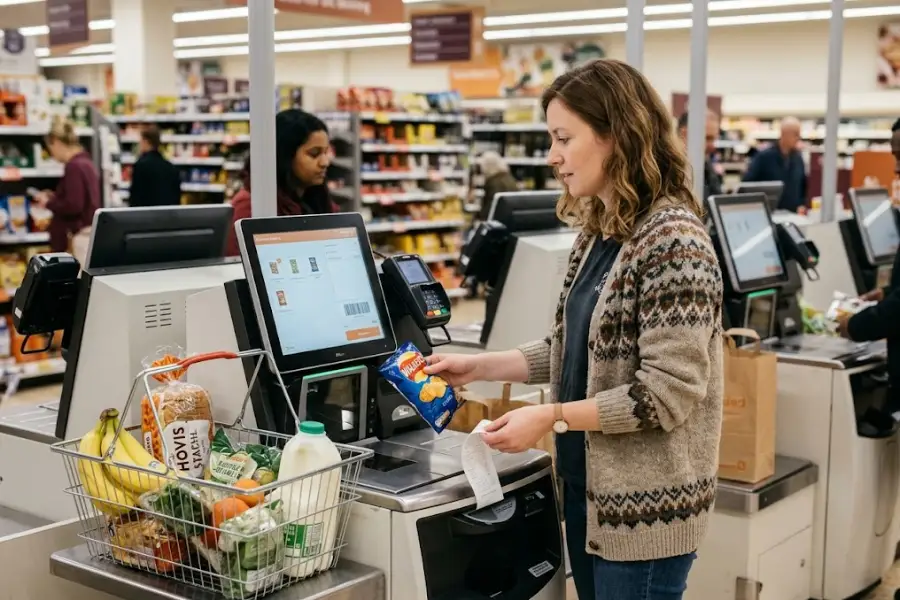
Shoppers can scan and pay themselves, which can shorten queues at busy times.
Different store formats
SAP’s documentation describes extra modes for specific store types, including a scale mode for weighed goods and a hospitality mode for food service.
Central store management
Head office can manage stores, check sales and set up the POS across locations from one place.
Integration with SAP
The POS is designed to work with SAP S/4HANA and SAP CAR, so sales and stock data flow into the same back-end systems. Check SAP’s documentation for your exact version and setup.
Benefits of SAP Omnichannel POS By GK
- One platform for many stores: fewer separate systems to maintain.
- Fits SAP-based retailers: if your finance, supply chain and stock are already in SAP, a POS from the same ecosystem keeps data in one flow.
- Several store types: supermarkets, specialty stores and food-service areas can run on the same base.
- Self-checkout and mobile POS: options for faster service in store.
- Cloud or on-premise: retailers can pick the deployment that matches their IT rules.
SAP does not publish a standard price for the product. Cost depends on the number of stores, the edition and the implementation work, so you need to ask SAP or a partner for a quote.
Top 5 Alternatives For SAP Omnichannel POS By GK
SAP Omnichannel POS by GK suits large retailers with SAP in the back office. Smaller and mid-sized retailers often want something quicker to set up and easier to price. The five POS systems below are real alternatives. Each one lists who it is best for.
ConnectPOS
ConnectPOS is a cloud POS that connects your store to your online shop and keeps both in sync.
Key features:
- eCommerce integration: works with platforms such as Shopify, Magento, WooCommerce and BigCommerce, so products, prices, orders and customers stay connected.
- Real-time inventory sync: stock updates between your online store and physical stores.
- Offline mode: keep selling when the internet drops.
- Flexible staff access: control what each staff member can see and do.
- Payment gateways: use the payment providers you already work with.
- Larger setups (Premium plan): stock transfers, stock-takes, multi-source inventory, omnichannel features, click and collect, and custom staff permissions.
Best for: retailers who sell online and in store and want one system for both, from a single shop up to several locations. You can try it free for 14 days with no credit card.
Pricing:
- Monthly: Standard $49 per register · Advanced $79 · Premium $99
- Annual: Standard $39 · Advanced $69 · Premium $89
Oracle Retail Xstore
Oracle Retail Xstore is Oracle’s POS for retailers. It sits closest to SAP in terms of target customer: large and mid-sized chains that want a full enterprise system with a link to Oracle’s retail back-end.
Best for: enterprise retailers already using Oracle systems, with an IT team and budget for a larger implementation.
Pricing: quote-based. Contact Oracle for current pricing.
Sitoo
Sitoo is a unified commerce and POS platform for retailers and brands. It focuses on store sales, mobile selling and connecting stores with online channels.
Best for: fashion and specialty retailers that want modern in-store selling tools and a platform that connects to their other systems.
Pricing: quote-based. Contact Sitoo for current pricing.
Lightspeed Retail
Lightspeed Retail is a cloud POS with inventory management, reporting and online store tools.
Best for: independent and growing retailers that want a well-known cloud POS with strong inventory features.
Pricing:
- Monthly: Basic $109 · Core $179 · Plus $339
- Annual: Basic $89 · Core $149 · Plus $289
Shopify POS
Shopify POS connects in-person sales with a Shopify online store. POS Lite is included in every Shopify plan (Basic $39, Grow $105, Advanced $399 per month, or $29, $79 and $299 billed annually). POS Pro adds more in-store tools.
Best for: brands whose online store runs on Shopify and want to add physical selling.
Pricing: POS Pro is $89 per location per month ($79 billed annually), on top of your Shopify plan.
FAQs about SAP Omnichannel POS By GK
- How does SAP Omnichannel POS enhance the customer shopping experience?
SAP Omnichannel POS revolutionizes the shopping experience by offering seamless integration across various channels. It ensures consistency in product availability, pricing, and promotions, regardless of whether customers shop online, in-store, or via mobile devices. This unified experience fosters customer satisfaction and loyalty.
- Is SAP Omnichannel POS suitable for all sizes of retail businesses?
Yes, SAP Omnichannel POS is designed to serve the needs of retail businesses of all sizes, from small boutiques to large enterprises. Its scalability and flexibility allow it to adapt to the specific requirements and growth trajectories of diverse retail operations.
- How does SAP Omnichannel POS integrate with SAP ERP systems?
SAP Omnichannel POS seamlessly integrates with SAP ERP systems, ensuring a cohesive flow of data between front-end retail operations and back-end enterprise processes. This integration enables real-time inventory management, accurate financial reporting, and streamlined operations across the entire retail ecosystem.
- How does SAP Omnichannel POS by GK handle compliance and security requirements?
This system prioritizes compliance and security to safeguard sensitive customer and business data. It adheres to industry best practices and regulatory standards, implementing robust security measures such as encryption, user authentication, and access controls.
Additionally, it offers features to facilitate compliance with regulations like PCI DSS and GDPR(General Data Protection Regulation), ensuring peace of mind for retailers and their customers alike.
Conclusion
SAP Omnichannel POS by GK is a strong option for large retailers that already run SAP and want one POS across many stores. If that describes you, it deserves a place on your shortlist.
Many retailers are not at that stage yet. A different solution usually makes sense when:
- You are opening a second store, and need the same products, prices and reports in both places
- You sell across channels, for example in store and on an online shop, and need orders and customers in one system
- You need real-time inventory across several warehouses or locations, with stock transfers and stock-takes
- You need staff permissions, so managers, cashiers and part-timers each see only what they should
At these stages, a cloud POS such as ConnectPOS is quicker to set up and has clear public pricing.
Not sure which setup fits? Tell us how many stores you run, which online platform you sell on and what you use for accounting and inventory, and our team will suggest a setup that fits.
Chat with our team►►► Optimal solution set for businesses: Shopify POS, Magento POS, BigCommerce POS, WooCommerce POS, NetSuite POS, E-Commerce POS