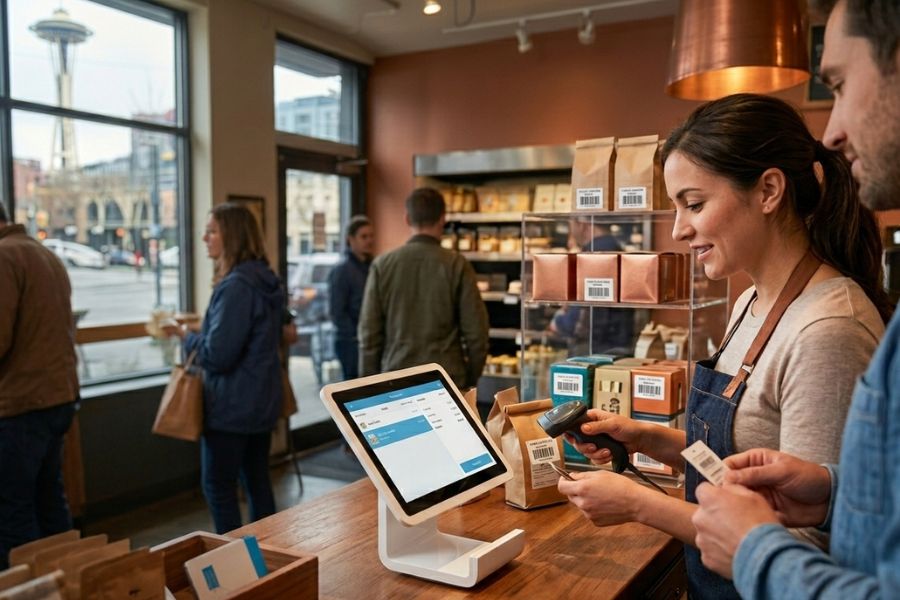
To budget effectively and invest in the right technology, businesses must accurately determine their actual POS system cost per month across all hardware and software fees. As ConnectPOS explains, POS pricing varies widely depending on software tiers, hardware needs, and processing fees, making it critical to evaluate what you’re paying for and why.
The following guide breaks down all monthly POS expenses in detail, offers real-world examples, and shares practical saving strategies to help businesses maximize value without overspending.
Highlight:
- Understanding the POS system cost per month helps businesses budget effectively while choosing software, hardware, and processing options that fit their needs.
- Maximize value by choosing an all-in-one system like ConnectPOS to prevent “subscription stacking” and eliminate hidden add-on fees.
Understanding the POS System Cost Per Month
A POS system combines software, hardware, and processing services into a central platform that manages sales, inventory, customers, payments, and business reporting. Because every business operates differently, the POS system cost per month depends on several factors, including software tiers, add-ons, number of registers, transaction volume, and selected hardware.
Modern cloud-based POS systems like ConnectPOS offer flexible monthly pricing that scales with business size, allowing merchants to choose the features and hardware they truly need. Understanding how each expense contributes to the overall cost guarantees better planning and smarter investment decisions.
How Much Does A POS System Cost Per Month?
A POS system can range from completely free to more than $300 per month, depending on the provider and the features you need. Entry-level, cloud-based plans for single-location stores often start at no cost or under $70 per month, while more advanced solutions for larger operations or industry-specific needs come at higher prices. You may also incur extra expenses for hardware and optional add-ons such as loyalty tools or advanced analytics.
Detail POS Software Cost Breakdown
Most merchants spend between $29 and $299+ per month, depending on their POS software plan, features, and support level.
Entry-Level POS Software ($29–$69/month)
Entry-level POS plans offer tools suitable for small retailers, market vendors, and single-counter stores. At this tier, users typically receive:
- Basic checkout functionality
- Simple inventory tracking
- Limited reporting tools
- One or two user accounts
- Standard customer support
This tier is ideal for businesses with low transaction volumes or minimal operational complexity. It provides a cost-effective way to begin accepting sales without a significant financial commitment.
Mid-Range POS Software (69–$149/month)
Mid-range platforms provide more advanced features for growing retailers and busy cafés. This software level usually includes:
- Multi-location inventory syncing
- Employee management and permissions
- More advanced analytics and sales reports
- Integrated loyalty and customer profiles
- Omnichannel capabilities (online + in-store)
Businesses in this category typically need more automation and multichannel control, making the higher cost justifiable.
►►► Optimal solution set for businesses: Multi store POS, Next-gen POS, Inventory Management Software (MSI), Self Service, Automation, Backorders

Enterprise-Level POS Software ($149–$299+/month)
Large retailers, franchises, and multi-location brands often choose enterprise-level POS plans. These systems are designed for scalability, efficiency, and heavy operational demands. Features include:
- Advanced warehouse and inventory automation
- Custom reporting and BI dashboards
- Priority or 24/7 dedicated support
- API access and integrations
- Centralized multi-store management
- Staff scheduling and performance tracking
Because of their extensive capabilities, this tier significantly influences the overall POS system cost per month, especially for businesses managing multiple outlets.
Hardware Costs: Upfront vs Monthly
POS hardware expenses depend on whether the provider offers subscription-based rentals or expects one-time purchases. Hardware examples include:
- POS terminals
- iPads or tablets
- Barcode scanners
- Receipt printers
- Cash drawers
Upfront purchase:
$300–$1,500 depending on the device type.
Monthly rentals:
$15–$60 per device per month.
Renting lowers initial costs, but buying is often cheaper over time.
Payment Processing Fees (The Hidden Monthly Cost)
Payment processing is often the biggest hidden contributor to the POS system cost per month. Providers typically charge:
- 2.4%–2.9% + $0.10–$0.30 per transaction for card payments
- Extra fees for AMEX or international cards in some systems
Even small percentage differences can significantly impact monthly costs for high-volume retailers.
Additional Payment Fees
Beyond standard payment processing, merchants may face:
- Chargeback fees ($15–$25 per dispute)
- Payout or settlement fees
- Monthly gateway fees ($10–$25)
- Card-not-present surcharges
Some POS providers bundle these costs, while others charge them separately, making it significant to understand the fine print.
Read more: A Quick Guide to Square POS System Cost in 2026
5 Tips to Save Money on Your Monthly POS Costs
The average small business is shocked to find their Point of Sale (POS) system costs reach $3,500 in year one. To dramatically lower your monthly POS costs and stop overpaying, implement these seven expert strategies today.
Choose a POS with All-in-One Features
Opting for an all-in-one POS platform is one of the most effective ways to significantly cut your monthly POS costs. The primary reason businesses overpay is “subscription stacking,” where they sign up for a cheap core POS system and then pay separate monthly fees for essential third-party integrations like:
- Inventory Management Software
- E-commerce POS Platform Synchronization
- Customer Loyalty Programs
- Advanced Reporting Tools
Choosing an all-in-one system eliminates the need for these separate subscriptions, effectively bundling multiple services into a single, predictable monthly fee
Systems like ConnectPOS are leading cloud-based omnichannel POS solutions designed to bridge the gap between physical stores and online platforms like Shopify, Magento, and BigCommerce. When providing a unified commerce experience, it allows retailers to manage their entire business from a single dashboard.
- Native E-commerce Integration: ConnectPOS is built to sync inventory and orders in real-time across your physical store and online channels (like Magento, Shopify, and BigCommerce).
- Comprehensive Inventory Management: Instead of paying for a separate inventory tool, ConnectPOS includes robust features like multi-location stock tracking, low-stock alerts, and batch management, all within the core subscription.
- Built-in Customer Management & Loyalty: The system centralizes customer data, purchase history, and loyalty programs. This eliminates the monthly cost of integrating a separate Customer Relationship Management (CRM POS) or third-party loyalty application.
- Advanced Reporting: Access detailed sales, employee, and inventory reports directly within the POS software, avoiding the need for a separate Business Intelligence (BI) service subscription.
To keep your POS system cost per month transparent, ConnectPOS offers tiered plans based on your business size and needs:
- Standard: Starting at $49/month (Best for single-store setups needing core POS and e-commerce sync).
- Advanced: Starting at $79/month (Includes multi-store support and loyalty program integration).
- Premium: Starting at $99/month (Features multi-warehouse inventory and priority support).
- Enterprise: Custom Quote (Tailored for global brands with 100+ stores and API needs).
Avoid Overpaying for Payment Processing
The biggest hidden drain on your profits is often credit card processing. While using your POS vendor’s integrated payment processing is convenient, it can cost you an additional 0.3% to 0.5% on every single transaction due to hidden markups.
- Demand Transparent Pricing: Insist on an Interchange-Plus pricing model, which clearly separates the non-negotiable bank fee (interchange) from the processor’s markup (plus). This eliminates the “sneaky fees” associated with flat-rate or tiered pricing models.
- Audit Your Statement: Regularly review your monthly processing statements to identify and negotiate or eliminate “junk fees” like PCI non-compliance fees, monthly minimums, or unnecessary batch settlement charges.
- Negotiate Your Markup: If your business processes high volume (typically over $10,000 per month), use this leverage to negotiate the processor’s markup down. For smaller businesses, look for providers with competitive and truly transparent rates.
- Prioritize Card-Present Transactions: Always use an EMV chip reader or contactless tap device. Manually keying in card numbers significantly increases the transaction rate, as these are considered higher risk.
Read more: How Much Does a POS System Cost? A Comprehensive Guide
Use Your Own Hardware
Many POS vendors enforce a system of proprietary, vendor-locked hardware that is often sold at a significant markup. This not only increases your initial investment but locks you into their expensive replacement and maintenance cycle.
To avoid these traps, prioritize hardware flexibility:
- Choose System Agnosticism: Select a POS software like ConnectPOS, which is fully hardware-agnostic. It runs seamlessly on standard consumer devices you may already own, such as iPads, Android tablets, or Windows PCs.
- Integrate with Multiple Peripherals: ConnectPOS supports a wide range of third-party hardware, including Star Micronics and Epson printers, barcode scanners, and payment terminals. This allows you to “bring your own device” (BYOD) rather than paying for a brand-new, vendor-branded setup.
- Buy Refurbished: Purchase certified refurbished terminals or quality generic receipt printers from third-party suppliers. These are often fully compatible with agnostic software but cost 40–60% less than new, branded gear.
- Avoid Leasing: While leasing hardware seems cheaper upfront, you often end up paying more than the equipment’s value over the contract term. Opting to purchase outright or utilizing existing consumer devices is the smartest way to keep your long-term POS system cost per month low.
Bundle Services
POS companies often save on administrative costs and overhead when selling multiple items together, which gives you leverage to negotiate a better deal.
- Leverage for Upfront Savings: When negotiating a multi-year software contract, ask to bundle in free or heavily discounted hardware, such as one free terminal or a receipt printer. Providers are often willing to offer these freebies to secure a longer-term software commitment.
- Gain Negotiation Power: A bundled contract shifts your purchasing focus from the cost of individual components to the overall value provided by a single source. This increases your leverage and simplifies management, as you only deal with one bill and one support team.
- Simplify Management: Bundling your software and essential hardware into a single contract reduces administrative burden, simplifies technical support, and provides a clearer total cost of ownership (TCO).
Ask for Annual Billing Discounts
This is the simplest, most reliable way to secure immediate savings on your monthly POS costs.
- Most POS companies, from small providers to industry leaders, offer a substantial discount, typically ranging from 10% to 15%, if you commit to paying for your software subscription for a full year upfront rather than on a month-to-month basis.
- By calculating your total yearly software cost and securing a 12-month contract, you lock in a lower rate and prevent any unexpected monthly price increases during that period.
Read more: The Hidden Costs of Not Using a Multi Store POS System in Retail Expansion
FAQs: POS System Cost Per Month
- What is the average monthly cost of a POS system?
Most small businesses spend between $69 and $149 monthly depending on hardware and software needs.
- Do POS systems charge monthly or can I pay annually?
Most POS providers offer both monthly and annual billing, with annual plans offering better savings.
- Do I have to purchase POS hardware from the same provider?
No. Many cloud POS systems allow the use of third-party or existing hardware to reduce expenses.
Conclusion
In a nutshell, understanding the true POS system cost per month helps businesses choose the right solution that balances functionality and affordability. When evaluating software tiers, hardware requirements, and processing fees, merchants can avoid unnecessary spending and maximize system performance.
For a scalable, all-in-one POS solution that fits businesses of all sizes, ConnectPOS offers flexible pricing, robust features, and long-term value, making it a smart investment for retail and F&B operations. Contact us to explore a plan that fits your budget and supports your business goals.
►►► Optimal solution set for businesses: Shopify POS, Magento POS, BigCommerce POS, WooCommerce POS, NetSuite POS, E-Commerce POS