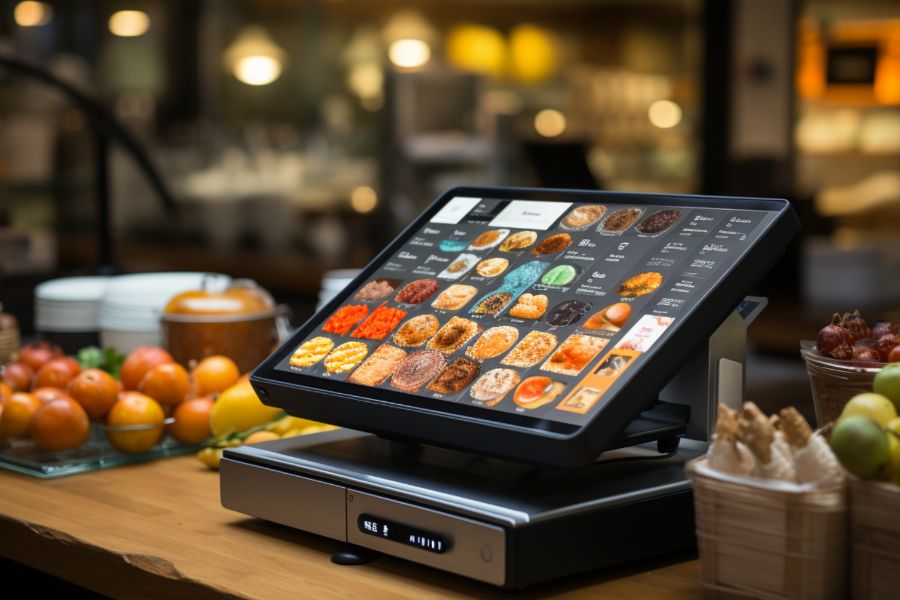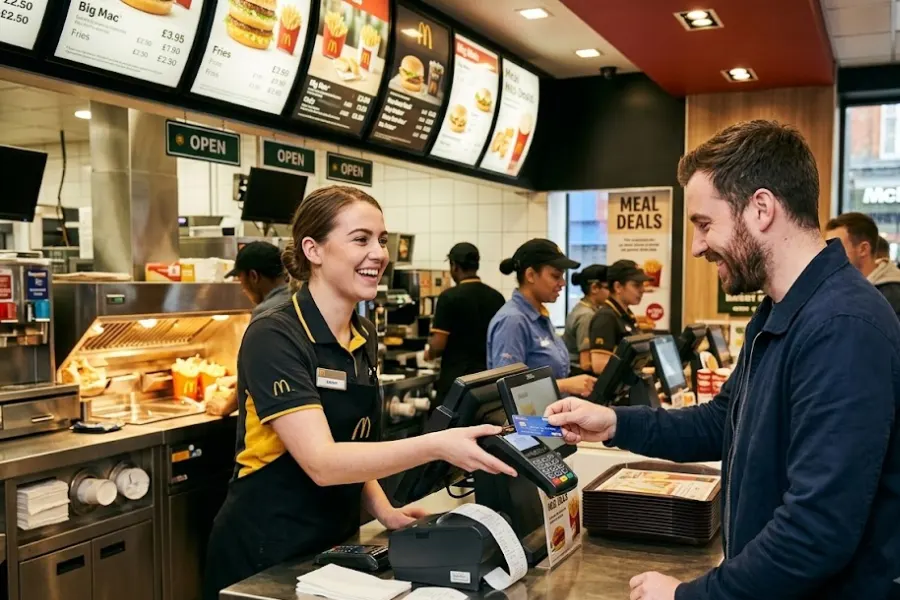
POS terminals have evolved far beyond simple payment devices. Modern systems can process transactions, update inventory, capture customer information, generate sales reports, and connect physical stores with ecommerce and accounting platforms.
For businesses choosing a new POS solution, the terminal itself is only one part of the decision. You also need to consider POS terminal cost, integration capabilities, hardware compatibility, payment options, security, and setup requirements.
This guide ConnectPOS explains how POS terminals work, the main types available, what they cost, how POS terminal integration works, and what businesses should consider when setting up a system.
What Is a POS Terminal?
A POS terminal, or Point of Sale terminal, is a device used to complete transactions at the point where customers make a purchase.
It typically allows customers to pay using methods such as:
- Credit and debit cards
- Contactless payments
- Mobile wallets
- NFC payments
- Cash, when connected to a cash drawer
Modern POS terminals often work together with POS software rather than operating as standalone payment devices.
Depending on the system, businesses can use them to manage:
- Sales transactions
- Inventory
- Customer information
- Employee activity
- Loyalty programs
- Multi-store operations
- Reporting and analytics
- Online and offline sales
This makes the POS terminal an important part of a wider retail technology ecosystem rather than simply a checkout device.
Types of POS Terminals
Different businesses require different terminal configurations. A retailer with a permanent checkout counter will have different needs from a mobile vendor or restaurant.
Traditional Countertop POS Terminals
Countertop terminals are fixed devices installed at checkout counters.
They are commonly connected to:
- Receipt printers
- Barcode scanners
- Cash drawers
- Customer displays
- Card readers
These terminals are generally suitable for retail stores, supermarkets, restaurants, and other businesses with dedicated checkout areas.
Mobile POS Terminals
A mobile POS, or mPOS, allows staff to process transactions using portable devices such as smartphones, tablets, or handheld terminals.
They are especially useful for:
- Pop-up stores
- Markets
- Delivery businesses
- Events
- Restaurants
- Retail associates assisting customers on the sales floor
Mobile POS systems provide more flexibility because employees do not have to complete every transaction at a fixed checkout counter.
Smart POS Terminals
Smart POS terminals combine hardware and software in one device.
They commonly include:
- Touchscreens
- Built-in payment processing
- Receipt functionality
- Inventory tools
- Customer management
- POS applications
Many smart terminals operate on Android or other modern operating systems, giving businesses access to additional applications and integrations.
Self-Service POS Terminals
Self-service kiosks allow customers to place orders or complete purchases without depending entirely on a cashier.
They are frequently used in:
- Quick-service restaurants
- Cinemas
- Supermarkets
- Convenience stores
- Hospitality environments
Self-service terminals can help reduce queues while giving customers more control over the ordering and checkout process.
How Does a POS Terminal Work?
Although POS systems differ by provider, most transactions follow a similar process.
1. Product Selection
The cashier scans a barcode or selects the product directly from the POS interface.
The system then calculates the price, applicable discounts, and taxes.
2. Payment Processing
The customer chooses a payment method.
Depending on the terminal, payments may be accepted through a chip card, magnetic stripe, contactless card, mobile wallet, or cash.
3. Transaction Authorization
For electronic payments, transaction information is securely transmitted to the payment processor for authorization.
If the transaction is approved, the payment can proceed.
4. Receipt Generation
After payment is completed, the customer may receive a printed or digital receipt.
5. Inventory and Sales Updates
Modern POS systems can automatically update sales and stock records after a transaction.
Cloud-connected solutions can also synchronize that information with other stores, ecommerce POS platforms, or business applications.
Some POS terminals also provide offline functionality, allowing transactions to continue temporarily when the internet connection is unavailable.
Key Features of Modern POS Terminals
The capabilities of a POS terminal depend heavily on the software connected to it.
Important features may include:
Omnichannel Integration
An integrated POS system can connect physical and online sales channels so product, order, inventory, and customer information remains more consistent.
Real-Time Inventory Management
Inventory levels can update automatically after sales, helping retailers monitor stock availability and reduce overselling.
Multiple Payment Methods
Modern terminals can support cards, digital wallets, contactless payments, QR-based payments, and other payment methods.
Customer Management
Some POS platforms include CRM functionality that stores customer information and purchase histories.
This can support loyalty programs, customer segmentation, and more personalized promotions.
Employee Management
Businesses may be able to track:
- Working shifts
- Employee sales
- User permissions
- Staff performance
Reporting and Analytics
POS reporting tools can provide insights into sales performance, product trends, inventory movement, and store activity.
Offline Mode
An offline-capable POS allows stores to continue operating during temporary internet outages and synchronize information when connectivity returns.
How Much Does a POS Terminal Cost?
POS terminal cost varies considerably depending on the hardware, software, payment processor, number of registers, and integrations required.
Businesses should therefore look beyond the price of the physical terminal.
Hardware Costs
POS hardware can include:
- Touchscreen terminal
- Card reader
- Receipt printer
- Barcode scanner
- Cash drawer
- Customer-facing display
- Mobile POS device
Hardware pricing differs considerably by manufacturer and setup.
For example, the source material lists some POS Guy 17-inch terminals in approximately the $460–$630 range, while larger touchscreen kiosk configurations may reach around $2,100.
These figures illustrate how dramatically hardware costs can change depending on device size and configuration.
POS Software Fees
Many modern POS platforms operate on subscription pricing.
Software fees may be charged:
- Monthly
- Annually
- Per register
- Per location
- Based on selected features
Advanced inventory, CRM, analytics, or omnichannel tools may also require higher-tier plans.
Payment Processing Fees
Businesses accepting card payments also need to account for processing fees.
These costs vary based on:
- Processor
- Card type
- Transaction volume
- Payment method
- Merchant agreement
For businesses with high transaction volumes, processing fees can become one of the largest ongoing POS expenses.
Installation and Setup Costs
More complex POS installations may involve additional costs for:
- Hardware installation
- System configuration
- Data migration
- Staff training
- Custom development
Simple cloud POS systems can often be configured internally, while large multi-store retailers may need professional implementation support.
Maintenance and Support
Businesses should also consider long-term expenses such as:
- Replacement hardware
- Technical support
- Software upgrades
- Peripheral maintenance
- Integration maintenance
A lower initial purchase price does not always mean a lower total cost of ownership.
What Is POS Terminal Integration?
POS terminal integration refers to connecting the POS system with other platforms used by the business.
Rather than keeping each system isolated, integration allows information to move between applications automatically.
For example, a retailer may integrate its POS system with:
- Ecommerce platforms
- Accounting software
- Inventory management software
- ERP systems
- CRM platforms
- Payment processors
- Loyalty programs
- Order management systems
The original material emphasizes integration as a major POS selection factor because connected systems can reduce manual work and keep operational data more consistent.
Why POS Terminal Integration Matters
A business may technically be able to operate several independent systems, but this often creates additional work.
Real-Time Inventory Synchronization
When online and physical stores use disconnected systems, a product sold in-store may continue appearing as available online.
Connecting POS and ecommerce systems helps keep inventory levels synchronized across channels.
Easier Accounting
Accounting integration can automatically transfer sales and transaction information into financial software.
This can reduce manual bookkeeping and reconciliation.
Unified Customer Data
Integrating a POS with CRM or ecommerce systems can help businesses maintain a more complete customer profile.
Purchase history, loyalty activity, and customer information can be available across different touchpoints.
Better Order Fulfillment
Integrated systems can make cross-channel workflows easier, including:
- Buy online, pick up in store
- Ship from store
- Cross-location fulfillment
- Returns across channels
Reduced Manual Work
Without integration, employees may repeatedly copy information between systems.
Automation reduces duplicate data entry and the risk of inconsistent records.
POS Terminal Setup: What Do You Need?
Setting up a POS terminal starts with understanding your operational requirements.
Step 1: Define Your Business Needs
Identify how the POS will be used.
Consider:
- Number of stores
- Number of registers
- Daily transaction volume
- Products or services sold
- Payment methods
- Inventory requirements
- Online sales channels
- Reporting needs
A small single-store retailer may require a much simpler setup than a multi-location omnichannel business.
Step 2: Choose the Right Hardware
Select equipment that works with your chosen POS software.
Common hardware includes:
- Touchscreen terminal
- Card reader
- Barcode scanner POS
- Receipt printer
- Cash drawer
- Customer display
Mobile retailers may instead use tablets or handheld terminals.
Step 3: Choose POS Software
Look for software that supports your current requirements as well as future growth.
Important considerations include:
- Inventory management
- CRM
- Employee management
- Reporting
- Ecommerce integration
- Multi-store capabilities
- Offline functionality
Step 4: Configure Payments
Set up the payment processor and determine which payment methods your business will accept.
Test card, contactless, and other payment workflows before launching the system.
Step 5: Connect Your Integrations
Configure connections with existing platforms such as ecommerce, accounting, inventory, or ERP software.
Testing these integrations is important because incorrect data synchronization can lead to inventory or financial discrepancies.
Step 6: Import Products and Customer Data
Businesses moving from another POS system may need to migrate:
- Product catalogs
- SKUs
- Pricing
- Customer information
- Inventory quantities
The information should be cleaned and verified before migration.
Step 7: Train Employees
Staff should understand how to:
- Process transactions
- Apply discounts
- Accept returns
- Find products
- Handle payment issues
- Use offline mode
- Access customer information
An intuitive POS interface can reduce training requirements and checkout errors.
Step 8: Test the Complete System
Before going live, test the entire transaction process from product selection through payment, receipt creation, inventory updating, and reporting.
Integrations should also be checked to confirm that data is flowing correctly.
How to Choose the Right POS Terminal
Choosing the best POS terminal involves more than comparing hardware specifications.
Consider Hardware Compatibility
Make sure the terminal works with the POS software and peripherals your business requires.
A platform that locks businesses into limited hardware options may become restrictive as operations expand.
Review Integration Capabilities
If you already use ecommerce, accounting, CRM, or ERP platforms, confirm whether the POS can integrate with them.
Integration requirements become especially important for omnichannel and multi-store businesses.
Compare Total POS Terminal Cost
Instead of looking only at the terminal purchase price, calculate the complete cost.
Consider:
- Hardware
- Software subscription
- Processing fees
- Installation
- Integrations
- Support
- Maintenance
This provides a more accurate estimate of long-term ownership.
Evaluate Ease of Use
Employees should be able to process transactions quickly without navigating unnecessarily complicated workflows.
Ease of use is particularly important for businesses with high staff turnover.
Check Reliability and Security
POS terminals handle sensitive customer and payment information.
Businesses should consider security capabilities such as:
- Encryption
- Tokenization
- Payment security compliance
- User permissions
- Fraud prevention
Reliable hardware and responsive support are also critical during busy operating hours.
Think About Future Scalability
A system that works for one store today may not work for ten stores later.
Look for features that can support:
- Additional locations
- More registers
- Larger inventory catalogs
- Ecommerce channels
- Mobile POS
- Centralized reporting
When a Basic POS Terminal Is No Longer Enough
A basic terminal may work well for a single location with simple checkout requirements.
However, complexity increases when businesses begin adding:
- Multiple stores
- Ecommerce
- Warehouses
- Additional sales channels
- Larger product catalogs
Without connected systems, sales, customer, and inventory data can become fragmented.
For example, stock sold inside a physical store may still appear available online when the two systems are not synchronized. Employees then need to reconcile discrepancies manually, increasing the risk of overselling and inventory errors.
At this stage, businesses may benefit more from an integrated omnichannel POS solution than from a standalone terminal.
POS Terminal vs. Complete POS System
It is important to distinguish the POS terminal from the POS system.
A POS terminal is primarily the hardware used at checkout.
A full POS system may include:
- POS hardware
- POS software
- Payment processing
- Inventory management
- CRM
- Reporting
- Ecommerce integration
- Order fulfillment
- Employee management
For modern retailers, evaluating the complete ecosystem is usually more valuable than comparing terminals alone.
Frequently Asked Questions About POS Terminals
What businesses need a POS terminal?
Retail stores, restaurants, cafés, service businesses, pop-up sellers, and other businesses that process customer transactions can use POS terminals.
The right setup depends on the number of locations, payment requirements, inventory needs, and sales channels.
How much does a POS terminal cost?
Costs vary based on hardware, software, payment processing, installation, and additional peripherals.
Basic configurations may require only a terminal and card reader, while advanced retail or kiosk setups can cost considerably more.
Businesses should calculate the total cost of ownership rather than comparing hardware prices alone.
Can a POS terminal integrate with an ecommerce store?
Yes. Many modern POS systems integrate with ecommerce platforms.
A properly configured integration can synchronize sales, inventory, customer, and order data between physical and online stores.
Can POS terminals work without internet?
Some POS systems provide offline mode.
Transactions can continue during temporary connectivity problems, with data synchronized after the internet connection is restored.
Availability and limitations of offline mode vary by provider.
What is the difference between traditional and cloud-based POS?
Traditional POS systems typically store much of their data locally, while cloud-based POS solutions synchronize information online.
Cloud systems can provide easier access to sales, inventory, and reporting information across multiple locations.
What integrations should a POS system support?
The most important integrations depend on the business, but common examples include:
- Ecommerce
- Accounting
- ERP
- CRM
- Inventory management
- Payments
- Loyalty programs
- Order fulfillment
Final Thoughts
Choosing a POS terminal is not simply a hardware decision.
Businesses need to evaluate POS terminal cost, integration, setup, software features, payment processing, security, and scalability together.
A basic terminal can be enough for businesses with straightforward checkout requirements. However, retailers operating across physical stores, ecommerce channels, and multiple locations often need a broader POS ecosystem capable of synchronizing inventory, orders, customers, and sales data.
Before choosing a solution, map out the systems your business already uses, calculate the complete cost of ownership, identify the integrations you need, and consider how the POS setup will support future expansion.
The right POS terminal should not only process today’s transactions – it should also fit into the wider technology infrastructure your business will rely on as it grows.
►►► Optimal solution set for businesses: Shopify POS, Magento POS, BigCommerce POS, WooCommerce POS, NetSuite POS, E-Commerce POS