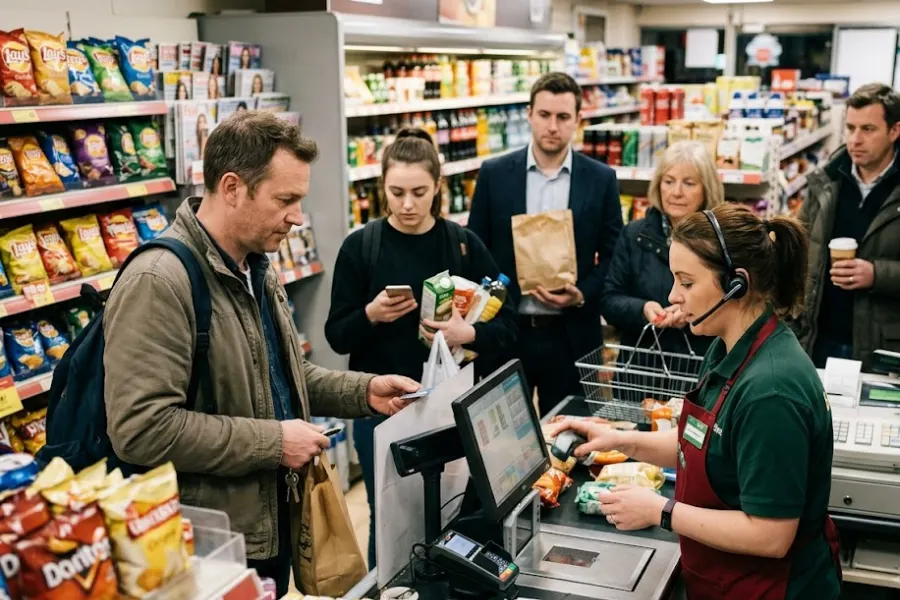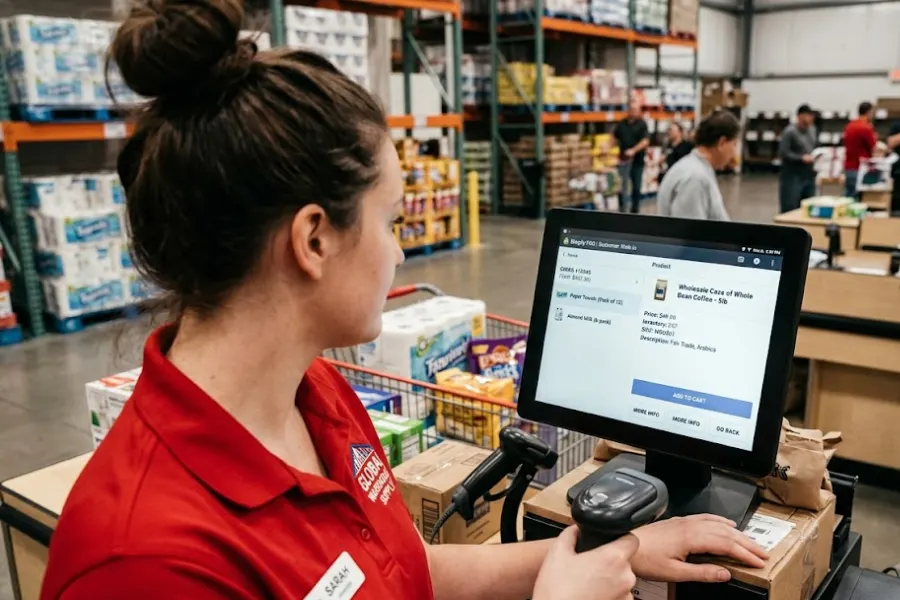
Small businesses in the United States often face juggling sales, inventory, staff, and cash flow at once. Choosing the best pos system for small business in us can feel like a big decision, since one wrong pick may slow you down instead of helping you grow. In this guide from ConnectPOS, we break down what truly matters and show how different POS systems stack up for real small business needs.
Highlights
- Choosing the right POS system shapes daily operations, cash flow visibility, and customer experience across sales channels.
- A strong POS setup should balance current needs with future growth, especially for online and in-store selling.
- Long-term value depends on flexibility, clear pricing, and how well the system adapts as the business expands.
Why Choosing POS System for Small Business In US is Important
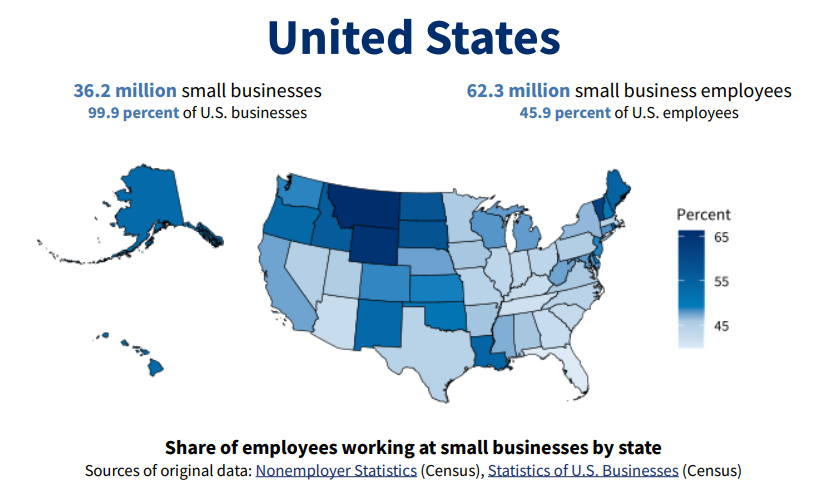
The U.S. Small Business Administration estimates there are 36.2 million small businesses in the country, making up 99.9% of all U.S. businesses. So even small improvements in checkout and tracking can add up fast.
A POS system shapes how your business runs each day. In the US market, where customer expectations move fast, and margins stay tight, the right setup often decides whether operations feel controlled or constantly rushed. Picking the wrong one creates friction that shows up in places you did not expect.
- Daily operations and customer flow: A solid POS system keeps sales moving and staff focused. Orders go through fast, inventory updates without confusion, and receipts stay accurate. For example, when checkout runs smoothly during peak hours, customers wait less and staff handle more orders without stress. Forbes notes that the average cart abandonment rate is 70.1% in 2024, which shows how quickly customers leave when checkout feels hard.
- Cash flow visibility and control: Small businesses need a clear view of money coming in and going out. A POS system tracks sales in real time and shows what sells well and what sits idle. For instance, daily reports help you spot slow products early and avoid tying up cash in stock that barely moves.
- Different needs across business types: Retail stores, restaurants, and omnichannel sellers do not run the same way. A restaurant focuses on speed and order accuracy, while retail cares about inventory depth. Omnichannel sellers need online and in-store data to stay aligned, or mistakes start piling up.
- Scalability beyond starting price: A low monthly fee looks appealing at first. Yet growth changes everything. More products, more staff, and more locations put pressure on basic systems. A POS that scales saves you from switching tools later, which often costs more than expected.
Choosing wisely sets a strong base for daily work and future growth. A POS system that fits US small business realities helps you stay organized today while keeping doors open for expansion tomorrow.
What to Look for in the Best POS System for Small Business in the US?
Not every POS system fits the way small businesses work in the United States. Some tools look fine on paper but create friction once daily sales begin. The best pos system for small business in us should support how you sell today and still feel steady when your business grows. Before comparing brands, it helps to understand which elements truly matter and which ones often cause trouble later.
- Core POS features small businesses cannot skip: Sales, inventory management software, and customer data sit at the center of daily work. Payment processing needs to accept cards, mobile wallets, and split payments without delays. McKinsey reports that global cash usage is about 80% of 2019 levels and is still declining around 4% each year. This explains why more customers expect easy non-cash options. Inventory tracking should update stock levels instantly. Customer profiles and basic CRM POS help you remember buying habits and return visits without manual notes.
- Omnichannel selling support: Many US small businesses sell in more than one place. Online orders, in-store purchases, and pickups often overlap. A POS system that connects these channels keeps inventory aligned and avoids overselling. This is especially important when online demand spikes while store traffic stays steady. If fulfillment becomes complex, built-in order fulfillment tools can reduce missed pickups and delayed shipments.
- Hardware flexibility across industries: Retail counters, food service stations, and pop-up stores use different hardware. Tablets, scanners, receipt printers, and cash drawers should work together without extra effort. Flexible hardware choices allow you to adapt layouts instead of rebuilding your setup each time you change locations.
- Clear pricing and long-term costs: Monthly fees alone do not tell the full story. Transaction rates, add-ons, and contract terms shape real expenses. One common situation involves low starting prices that rise once more staff or registers are added. Clear pricing avoids surprises when your business gains traction.
- Reliable support for US-based merchants: When issues appear, fast help matters. US businesses often run long hours, weekends included. Support teams should respond quickly and understand local tax rules and payment standards. Slow responses can halt sales and frustrate both staff and customers.
Choosing carefully saves time and stress later. A POS system built around real small business needs stays helpful as operations grow more complex. When the foundation feels solid, daily work flows better and future changes feel manageable rather than risky.
The 5 Best POS Systems for Small Business in The US
Finding a POS system often feels overwhelming. Many tools promise a lot yet fall short once real sales begin. This section looks closely at platforms that US small businesses rely on every day. Each option serves a different type of operation, from single-store retailers to brands selling across channels. Understanding these differences helps you spot which system truly supports your goals.
1. ConnectPOS – Best Omnichannel POS System for Growing Small Businesses in the US
ConnectPOS stands out as a unified, cloud-based platform built for small businesses selling both online and in physical locations. It connects sales channels into one workspace, so data stays aligned without constant manual checks. This approach suits retailers and service businesses that want flexibility while keeping operations under control.
What sets this platform apart is its omnichannel design. Sales made in-store, online, or through pickup options reflect instantly across the system. Inventory stays accurate, staff work with the same data, and managers gain a clear view of performance. For US businesses planning to expand, this balance between control and flexibility matters.
Key features
- Real-time inventory sync across channels: Stock updates appear instantly after each sale, whether it happens online or in-store. This helps prevent overselling and keeps purchasing decisions grounded in current data.
- Seamless integration with major eCommerce POS platforms: ConnectPOS connects smoothly with Shopify, BigCommerce, and Magento. Orders, products, and customer data flow between systems without extra steps, which reduces daily admin work.
- Omnichannel POS order management: Click-and-collect and ship-from-store options allow you to fulfill orders based on stock availability. This setup supports faster delivery while using existing inventory more effectively.
- Customizable POS interface: The layout adapts to different business models. Retail counters, service desks, and pop-up setups can adjust workflows without changing the core system, supported by a flexible Custom POS.
- Multi-location and staff management: As teams grow, permissions and reporting stay organized. Managers track performance by store or employee, while staff access only what they need.
- Customer engagement built into the workflow: Customer profiles, purchase history, and retention tools are easier to manage when the POS supports CRM POS and a loyalty program POS, with a smoother experience powered by the CX solution.
- Performance visibility for owners and managers: Built-in report & analytics helps teams track what sells, who sells it, and which locations need attention.
Pros
- Strong omnichannel focus designed for US retail growth
- High level of customization without steep technical demands
- Works smoothly for both single-store operations and expanding brands
Cons
- Advanced omnichannel setups require thoughtful planning at the start
- Full value appears once integrated with an eCommerce platform
Why we choose ConnectPOS
ConnectPOS suits businesses that plan to grow across channels instead of staying limited to one sales point. It supports long-term flexibility and reduces the need to switch systems later. For many merchants, this makes it the best pos system for small business in us when future growth is a priority.
ConnectPOS uses clear, register-based pricing.
- Standard: $49 per register per month
- Advanced: $79 per register per month
- Premium: $99 per register per month
- Enterprise: Custom pricing based on scale and integration needs
This structure works well for businesses that want predictable costs as they add locations or staff.
2. Square POS – Best Free POS System for Small Businesses Getting Started
Square POS often becomes the first stop for small businesses entering the US market. It attracts attention through a simple setup and a free software plan, which lowers the barrier to getting started. Many owners choose it when speed matters more than deep system control. The platform works well for solo sellers, pop-ups, and shops testing new ideas before committing to a larger setup.
What makes Square appealing is its focus on fast onboarding. You can install the app, connect hardware, and accept payments within a short time. That simplicity helps early-stage businesses start selling without long planning cycles or training sessions.
Key features
- Free POS software with built-in payments: The system includes checkout tools and payment processing in one place. This setup removes the need to connect third-party processors.
- Basic inventory and sales reporting: Product counts and daily sales reports stay clear and easy to read. This suits small catalogs and short sales cycles.
- Mobile and countertop hardware options: Square supports phones, tablets, and compact countertop devices. This flexibility works well for markets, events, and small retail spaces.
- Optional add-ons for operations: Payroll, loyalty programs, and marketing tools are available as paid add-ons when the business grows.
Pros
- No upfront cost for software
- Simple learning curve for staff
- Reliable mobile POS support for on-the-go selling
Cons
- Payments must run through Square’s system
- Custom workflows stay limited as operations expand
Why we choose Square POS
Square POS fits very small or early-stage businesses that want to start selling quickly. It removes early friction and keeps costs predictable during the first growth phase.
Pricing
- POS software: $0 per month
- In-person card payments: 2.6% + $0.10 per transaction
- Advanced plans start at $29 per month
Square keeps entry costs low, though fees rise as sales volume increases.
3. Shopify POS – Best POS System for Online-First Small Businesses
Shopify POS feels familiar to businesses that already sell online. It extends the same dashboard into physical stores, keeping products, orders, and customers in one place. This setup suits brands that started with eCommerce and later added in-person sales. Data stays consistent, which helps teams avoid double work and mismatched stock counts.
For US sellers focused on online growth, Shopify POS connects store activity back to the main shop. Inventory updates after each sale, and customer profiles carry over between channels. That shared view helps businesses track buying patterns without switching systems.
Key features
- Tight integration with Shopify eCommerce: Products and pricing sync automatically. Changes made online reflect in-store without extra steps.
- Unified product, order, and customer management: Orders from all channels appear in one dashboard. Staff see purchase history and preferences during checkout.
- Mobile-friendly POS app: Tablets and phones turn into sales terminals. This supports pop-ups, events, and smaller retail floors.
- POS Pro for in-store tools: Advanced staff permissions, smart inventory controls, and custom receipts support more structured operations.
Pros
- Strong link between online and in-store sales
- Wide app marketplace for added tools
- Reliable performance for omnichannel retail
Cons
- No free standalone POS option
- Advanced in-store tools sit behind higher-tier plans
Why we choose Shopify POS
Shopify POS works best for US small businesses that already rely on online sales. It keeps operations aligned while adding physical locations at a steady pace.
Pricing
- Shopify Basic plan: $39 per month
- Shopify plan: $105 per month
- Advanced Shopify: $399 per month
- POS Pro add-on: $89 per location per month
This pricing suits businesses already committed to Shopify’s online platform.
Read more: Shopify POS Lite vs Pro: Features, Pricing, and Key Differences 2026
4. Toast POS – Best POS System for Small Restaurants in the US
Restaurants run on timing. Orders move fast, kitchens stay busy, and mistakes cost money. Toast POS was built with this pressure in mind. It focuses on food service workflows, not retail shortcuts. That focus helps small restaurants keep service smooth during rush hours while staying organized behind the scenes.
Toast POS centers everything around the dining experience. Orders flow from the front to the kitchen without delays. Staff spend less time fixing errors and more time serving guests. For quick-service spots and dine-in restaurants, that difference shows up right away.
Key features
- Menu and table management: Menus stay easy to update, and table status stays visible. Servers know what is open and what needs attention.
- Kitchen display system support: Orders appear directly on kitchen screens. This reduces missed tickets and keeps prep moving at a steady pace.
- Online ordering and delivery tools: Restaurants manage takeout and delivery orders from the same system. This keeps in-house and off-premise sales aligned.
- Restaurant-specific reporting: Sales, peak hours, and menu performance reports focus on food service needs, not general retail metrics.
Pros
- Designed specifically for restaurant workflows
- Strong tools for kitchen and front-of-house coordination
Cons
- Hardware stays locked to Toast’s ecosystem
- Some plans require longer contracts
Why we choose Toast POS
Toast POS suits US small restaurants that need tools built for food service, not adapted from retail systems.
Pricing
- Starter plan: $0 per month
- Point of Sale plan: from $69 per month
- Build Your Own plan: from $165 per month
Costs depend on restaurant size and selected tools.
5. Clover POS – Best Flexible POS Hardware Option for Small Businesses
Clover POS earns attention for its hardware-first approach. Many small businesses value sturdy devices that fit different counter layouts and service styles. Retail stores, cafés, and service businesses often choose Clover because the hardware feels dependable and familiar. That physical flexibility makes a difference when space is tight or layouts change often.
Clover supports businesses that want choices at the counter. Touchscreen terminals, handheld devices, and compact setups all run on the same system. This allows stores to adjust how they sell without changing the entire platform.
Key features
- Multiple hardware form factors: Clover provides countertop terminals, mobile POS devices, and customer-facing displays. This variety suits fixed counters and mobile checkout alike.
- App marketplace for added tools: Businesses can add apps for reporting, scheduling, or inventory needs. These add-ons extend the system beyond basic checkout.
- Customer management and loyalty tools: Purchase history and rewards programs help stores encourage repeat visits and track buying habits.
- Employee management: Staff roles, access levels, and shift tracking stay organized inside the system.
Pros
- Wide range of hardware options
- Customizable through third-party apps
Cons
- Pricing and support vary depending on the reseller
- Setup quality depends on the provider you choose
Why we choose Clover POS
Clover POS works well for US small businesses that value hardware flexibility and hands-on checkout setups.
Pricing
- Software plans: from $14.95 to $69.95 per month
- Hardware devices: typically $300 to $1,600, depending on setup
Final pricing varies by reseller and hardware choice.
Side-by-Side Comparison of the Best POS Systems for Small Business in the US
To help you see the differences at a glance, we’ve put the leading platforms side by side. This snapshot highlights who each system suits best, where it shines, and what to keep in mind before deciding.
| POS System | Best For | Key Strengths | Limits to Note | Starting Price (US) |
| ConnectPOS | Omnichannel retailers | Real-time inventory sync, online and in-store alignment, multi-location control | Requires eCommerce platform connection to unlock full value | $49 per register per month |
| Square POS | New or very small businesses | Free software, fast setup, built-in payments, mobile-friendly | Locked payment processing, add-ons increase cost over time | $0 per month |
| Shopify POS | Online-first sellers | Deep Shopify integration, shared inventory and customer data | Advanced in-store tools require paid add-ons | $39 per month |
| Toast POS | Small restaurants | Restaurant-focused workflows, kitchen display support, order flow control | Hardware lock-in, contracts on some plans | $0 per month |
| Clover POS | Local retail and food | Flexible hardware options, app marketplace, counter-based selling | Pricing and support depend on reseller | $14.95 per month |
Read more: Multi-Store POS System for Enterprise Business
How to Choose the Best POS System for Your Small Business in the US?
Choosing a POS system works best when decisions stay grounded in real operations. Shiny tools rarely help if they clash with how sales happen each day. The aim is to support current routines while leaving room to adjust. When the system fits naturally, teams move faster and mistakes stay low.
- Match POS features with your industry and sales channels: Retail, food service, and service businesses rely on different workflows. Inventory depth matters for retail, while speed and order accuracy drive food service. Sellers using online and in-store channels also need shared data to avoid confusion. For example, an apparel store needs instant stock updates across locations, while a café cares more about fast order flow during peak hours.
- Evaluate total cost beyond monthly fees: The real cost includes hardware, transaction rates, and add-ons that appear later. What looks affordable at the start can change as sales volume and staff size grow. For instance, adding more registers or advanced reports often raises monthly spending after the first few months.
- Consider future growth and omnichannel expansion: Growth shifts daily operations in subtle ways. New locations, pop-ups, or online demand add pressure to simple setups. A POS system should support these changes without forcing a full replacement. For example, opening a second store becomes easier when inventory and reporting already work across locations.
- Protect data ownership and workflow flexibility: Sales records, customer details, and inventory history should stay accessible. Systems that lock data make changes harder when business needs shift. Flexible workflows also help when products or services evolve.
The best pos system for small business in us supports what you do today and adapts as plans change. When the platform grows with your business, it becomes a steady foundation rather than a recurring obstacle.
Read more: Finding The Best POS System for Business with Multiple Stores Won’t Be Hard with These Tips
FAQs: Best POS System for Your Small Business in the US
1. What is the best POS system for small businesses in the US?
The best POS system for small business in the US is one that fits your industry, budget, and growth plans. It should support payments, inventory, taxes, and daily operations without adding complexity.
2. How much does the best POS system for small business in the US cost?
Costs vary by provider. Some POS systems start free, while others charge monthly fees per register. Hardware, payment fees, and add-ons also affect the total cost.
3. Is a cloud POS better for small businesses in the US?
Yes, cloud POS systems are popular with US small businesses. They allow real-time data access, remote management, and easier updates without manual installs.
4. Can the best POS system for small business in the US handle online and in-store sales?
Many modern POS systems support both channels. This helps small businesses keep inventory, orders, and customer data synced across online and physical stores.
5. Do small businesses in the US need POS systems with offline mode?
Offline mode is important. It allows sales to continue during internet outages and syncs data once the connection is restored.
6. Which POS system is easiest for small business staff to learn?
The best POS system for small business in the US should have a simple interface. Clear buttons, fast checkout flow, and minimal training time matter most.
7. Is the best POS system for small business in the US industry specific?
Some POS systems work better for certain industries. Retail, restaurants, and service businesses often need different tools, so matching features to your business type is key.
8. Can a POS system help small businesses manage sales tax in the US?
Yes, many POS systems support US sales tax rules. They can apply state and local taxes automatically at checkout.
Final Thoughts
Choosing the best pos system for small business in us comes down to fit, not hype. The right platform supports how you sell today and stays steady as plans change. Some businesses need speed, others need deep inventory control, and many now need both online and in-store alignment. That balance matters. If your goal includes growth across channels, flexibility becomes a real advantage. At ConnectPOS, we help small businesses build a foundation that supports growth without disruption. If you’re ready to scale across channels with confidence, contact us to see how ConnectPOS can support your next stage.
►►► Optimal solution set for businesses: Shopify POS, Magento POS, BigCommerce POS, WooCommerce POS, NetSuite POS, E-Commerce POS