A $49 monthly plan can look cheap until hardware, card fees, integrations, and extra registers reach the invoice. That’s why POS system pricing needs to be judged as a full operating cost, not a subscription alone. In this ConnectPOS guide, we’ll break down each cost layer, show current price ranges, and explain where less obvious charges tend to appear.
Highlights
- Software may start at $0, yet processing, hardware, and paid tools can make up most of the real bill.
- Payment costs grow with sales volume, so small rate differences can become large annual expenses.
- A fair POS comparison uses the same store count, register count, sales volume, and required tools for every quote.
POS System Pricing Starts With the Plan, but It Does Not End There
POS vendors charge in different ways because the system usually combines software, physical devices, payments, and outside services. Some costs appear once. Others return every month or after every card sale.
A useful way to read POS pricing is:
Total POS cost = software + hardware + payment processing + setup + add-ons + ongoing fees
That formula explains why two $50 monthly plans can produce very different bills. One may include reporting and stock tools. Another may charge extra for loyalty, registers, or ecommerce connections.
A “$0 POS” follows the same rule. The software line may disappear, but transaction fees, devices, and paid modules can still remain. Forbes Advisor’s 2026 guide places POS subscriptions around $0 to $100+ per month, before add-ons and transaction fees.
POS System Pricing Breakdown: From Basic Fees to Hidden Costs
The cleanest POS pricing comparison separates every cost before judging the total. Start with the known monthly charge, then work outward into hardware, payments, rollout, and the costs that appear later.
POS Software Subscriptions
Cloud POS software usually charges per month, per register, or per location. Lower plans cover basic checkout, while higher tiers add stock control, staff tools, reporting, loyalty, and broader retail workflows.
| Software level | Typical market price | Billing pattern |
| Entry or free | $0 to $49/month | Basic tools, paid processing often applies |
| Mid-tier | $50 to $149/month | More store and stock functions |
| Higher tier | $150 to $400+/month | Larger or more complex operations |
| Annual contract | Lower monthly equivalent in many plans | Paid or committed annually |
Price the plan your team will actually run. A $29 entry tier has little value if your required stock tools sit inside a $99 plan.
POS Hardware and Peripherals
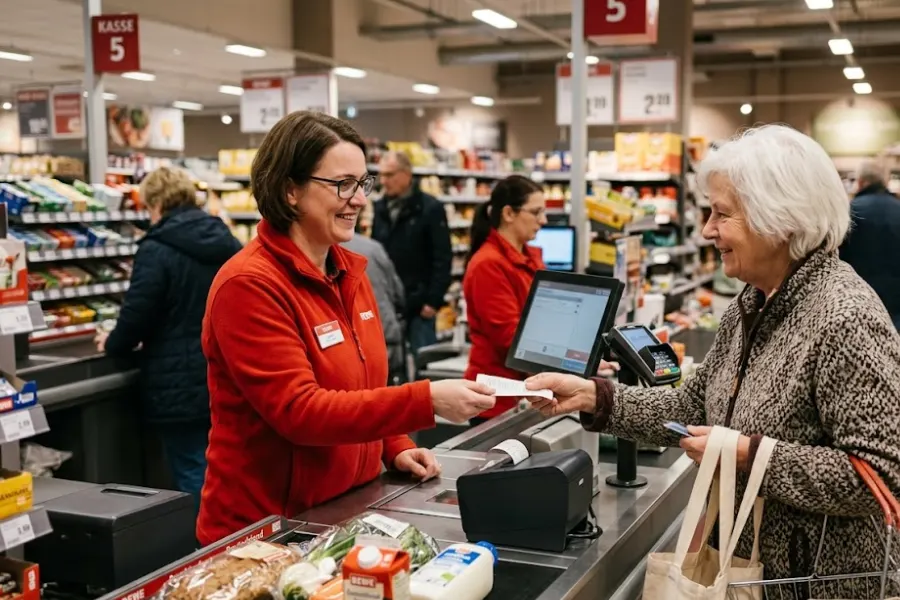
Hardware creates the largest one-time bill for many stores. A lean setup may need one reader and a tablet. A busy counter may need a register, scanner, printer, cash drawer, and customer screen.
Tech.co’s September 2026 review places POS hardware around $30 to $1,000+ per device, with full station setups climbing higher.
| Hardware | Typical market range |
| Card reader | $30 to $60 |
| Barcode scanner | $30 to $70 |
| Cash drawer | $50 to $200 |
| Counter terminal | $300 to $1,000+ |
| Full station | $1,000+ |
| Extra register | Estimated $300 to $1,500+ |
A Mobile POS setup may lower the hardware burden when staff can sell through supported phones or tablets. Yet proprietary devices can create another cost when you later switch systems.
Payment Processing Fees
Payment processing deserves close attention because it scales with revenue. A percentage fee plus a fixed cent charge applies to each sale, and online or keyed transactions usually cost more.
Square’s current U.S. published rates give a useful real-world benchmark: 2.6% + 15¢ for card-present payments, 3.3% + 30¢ online, and 3.5% + 15¢ for manual entry on its lower tier.
| Transaction type | Current example rate |
| In-person | 2.6% + $0.15 |
| Online | 3.3% + $0.30 |
| Manual entry | 3.5% + $0.15 |
Take a quick example. A 0.5 percentage-point difference on $50,000 in monthly card sales equals $250 each month before fixed transaction charges.
Your effective rate gives a better view of POS pricing than the headline percentage. Divide all processing charges for the month by total card volume.
Setup, Data Migration, and Staff Training
A simple cloud setup may cost nothing beyond staff time. Larger rollouts can involve network work, catalog imports, tax settings, historical data, and staff sessions.
Business.com reports professional POS installation at roughly $100 to $500 or more, depending on setup size.
| Rollout item | Typical or estimated cost |
| Self-installation | $0, plus staff time |
| Professional setup | $100 to $500+ |
| Data migration | Estimated $500 to $2,000+ |
| Staff training | Estimated $200 to $1,000+ |
| Complex multi-store rollout | Custom quote |
Staff hours count too. A migration can carry no vendor fee and still consume days of internal work.
Add-Ons, Integrations, and Extra Locations
Base subscriptions become expensive when core work sits behind paid modules. Loyalty, gift cards, deeper reports, ecommerce links, accounting connections, ERP access, and extra stores can each add another recurring line.
Shopify currently lists POS Pro at $89 per month per location, which shows how location-based pricing can grow once a retailer expands.
| Add-on area | Typical market range |
| Loyalty | $20 to $100+/month |
| Reporting tools | $20 to $100+/month |
| Ecommerce or connector | $10 to $100+/month |
| Extra location | $30 to $100+/month |
| ERP or custom API work | Estimated $50 to $500+/month |
Retailers with heavier catalogs should also check whether inventory management software sits inside the plan or requires another subscription.
Support, Maintenance, and Upgrade Costs
Support often looks free until the store needs priority help, replacement hardware, or custom technical work. Several locations make these costs harder to ignore because downtime can affect more than one counter.
| Ongoing item | Typical or estimated cost |
| Standard cloud updates | Usually included |
| Premium support | Estimated $20 to $100+/month |
| Hardware replacement | Estimated $100 to $1,800/device |
| Warranty extension | Estimated $50 to $300/year |
| Third-party connector support | Estimated $10 to $200+/month |
Check who maintains each integration. The POS vendor, ecommerce team, ERP partner, and payment provider may each charge separately.
Contract, Compliance, and Exit Costs
Some costs appear only when something goes wrong or when you leave. Contract terms, hardware leases, dispute fees, auto-renewal dates, and data export rules belong in total ownership cost.
Stripe currently charges a $15 dispute received fee for each card dispute under standard U.S. pricing.
| Cost area | Typical or estimated amount |
| Chargeback or dispute | $15 to $25+ each |
| Statement or gateway fee | Estimated $5 to $25/month |
| PCI-related fee | Processor dependent |
| Early termination | Estimated $0 to $500+ |
| Hardware lease buyout | Contract dependent |
| Data export or migration | Estimated $500 to $2,000+ |
Ask who owns your historical sales and customer records. A cheap starting contract gets much less attractive if clean data export becomes difficult later.
How Different POS Pricing Models Change the Final Bill
The billing model changes when and where you pay. Two stores can use similar tools yet carry very different cost structures.
- Free software plus processing: The monthly software fee stays low or at $0. Higher transaction costs may collect the revenue instead.
- Tiered subscriptions: Lower tiers handle simpler workflows. More stock, reporting, and staff controls move into higher plans.
- Modular pricing: The base POS starts small, then loyalty, ecommerce, payroll, or reporting gets added separately.
- Quote-based pricing: Store count, registers, integrations, and custom work shape the proposal.
- Monthly versus annual billing: Annual commitments can lower the monthly equivalent, but they also tie the retailer to a longer term.
Your card volume can completely change which POS pricing model makes sense. A low-volume shop may accept a higher processing rate to avoid fixed software charges. A larger retailer may prefer predictable software fees and stronger control over payments.
When a Low Monthly Fee Starts Costing More
Retail operations rarely stay the same. The original POS quote may stop representing your real cost once another store, warehouse, or sales channel joins the setup.
- A second store: Another location can add software licenses, registers, printers, staff access, and support needs.
- Online and store sales: Separate systems create duplicate updates for stock, orders, customers, and promotions.
- More warehouses: Stock transfers and location-level availability may push the business into a higher plan.
- Manual reconciliation: Staff time becomes an indirect POS cost when records don’t stay aligned.
- More staff: Added roles may require stronger permission controls or higher account limits.
A multi store POS setup becomes worth reviewing once location growth starts changing these cost lines.
Recalculate POS pricing before expansion. The plan that fit one store may become expensive after three stores, two warehouses, and an online channel join the same operation.
Build a POS Budget Around What You Will Actually Use
A realistic budget starts with your own numbers, not a vendor’s cheapest plan. Monthly sales, transaction count, registers, locations, and required tools should drive the model.
Monthly POS cost = software + average monthly processing + add-ons + recurring support + hardware financing/amortization
- Model card volume: Use your actual monthly card sales and average ticket size.
- Spread hardware cost: Divide owned hardware across 36 months for a fair monthly view.
- Run a three-year TCO: Add hardware, 36 months of software, 36 months of processing, setup, and expected add-ons.
- Keep scenarios consistent: Compare each quote using the same registers, stores, and transaction volume.
- Include exit terms: Add any cancellation, data migration, or hardware replacement cost.
A small one-register shop may spend little on software and hardware. A growing retailer needs a different model. A multi-location business should budget for store licenses, integrations, support, and stock control as part of the same POS pricing review.
A Smart Solution to Keep POS Costs Under Control
The monthly POS fee is only one part of what retailers pay. Costs can rise as stores add sales channels, integrations, locations, inventory tools, and extra software around the core POS.
ConnectPOS connects checkout, inventory, ecommerce, orders, customer data, and multi-store work inside one cloud POS setup. Its published prices also make plan costs easier to place into a wider retail budget.
ConnectPOS currently lists Standard at $49 per register/month, Advanced at $79, and Premium at $99. The lower annual-billing equivalents shown on its pricing page are $39, $69, and $89 per register/month.
Several tools can also limit extra software and integration costs:
- Inventory Management Software (MSI): Central inventory tools for tracking stock and keeping product availability aligned across stores and sales channels.
- Mobile POS: Run selling and key POS tasks on mobile devices, which fits pop-ups, queue-busting, and assisted selling on the floor.
- Custom POS: Tailor the POS experience to your workflow, business model, and operational rules instead of forcing your team into a rigid setup.
- CRM POS: Connect customer data to checkout, so staff can recognize customers, review purchase history, and support repeat buying.
- CX Solution: Tools focused on customer experience, so service feels consistent across touchpoints rather than fragmented across separate systems.
- Loyalty Program: Built-in loyalty functions that support retention without relying on a standalone loyalty app and extra integrations.
- Self Service: Self-service flows that reduce checkout pressure during peak hours and give shoppers another way to complete purchases.
- Automation: Automated actions that cut repetitive work, reduce manual entry, and keep processes consistent across locations.
- Report & Analytics: Reporting tools that turn sales and inventory data into insights for merchandising, staffing, and replenishment decisions.
- AI POS: Uses AI-driven functions to surface insights and support faster decisions at the point of sale, especially when you manage growing product catalogs and multiple stores.
The goal isn’t to buy the highest plan. Match the subscription to your store count, inventory structure, integrations, and daily workflow.
FAQs: POS Pricing
1. How much does a POS system cost per month?
Software can run from $0 to $400+ per month. Processing, hardware payments, integrations, support, and paid tools can lift the real monthly total far higher.
2. What is normally included in POS pricing?
Most plans include checkout and basic sales tools. Inventory depth, loyalty, reporting, staff controls, extra locations, and ecommerce connections depend on the vendor and tier.
3. What hidden fees should I check before buying a POS system?
Check setup, migration, extra registers, gateway fees, chargebacks, support, hardware leases, cancellation terms, and data export rules.
4. Is a free POS system really free?
A $0 software plan removes the subscription charge. Card processing, hardware, and paid modules can still create recurring costs.
5. How do I calculate the true cost of a POS system?
Add software, hardware, processing, add-ons, setup, support, and exit costs. Then model the same total across one year and three years.
Final Thoughts
Low monthly software fees don’t always mean low total POS system pricing. The subscription is only one part of what you pay, and the final bill can climb fast once you factor in hardware, payment processing, rollout and training time, integrations, support, and contract terms—especially as your retail operation grows across more stores, registers, and channels. For that reason, use your own card volume, store count, register count, and daily workflows when comparing plans, since those details shape real costs far more than a headline monthly rate.
With that bigger cost picture in mind, it’s easier to start with a clear baseline monthly fee, then compare what you’re getting at each tier. ConnectPOS lists:
- Standard: $49 per register/month
- Advanced: $79 per register/month
- Premium: $99 per register/month
Want to see how those numbers fit your setup? Review ConnectPOS POS pricing and compare each plan against the tools and locations you actually need.
See ConnectPOS Pricing►►► Optimal solution set for businesses: Shopify POS, Magento POS, BigCommerce POS, WooCommerce POS, NetSuite POS, E-Commerce POS