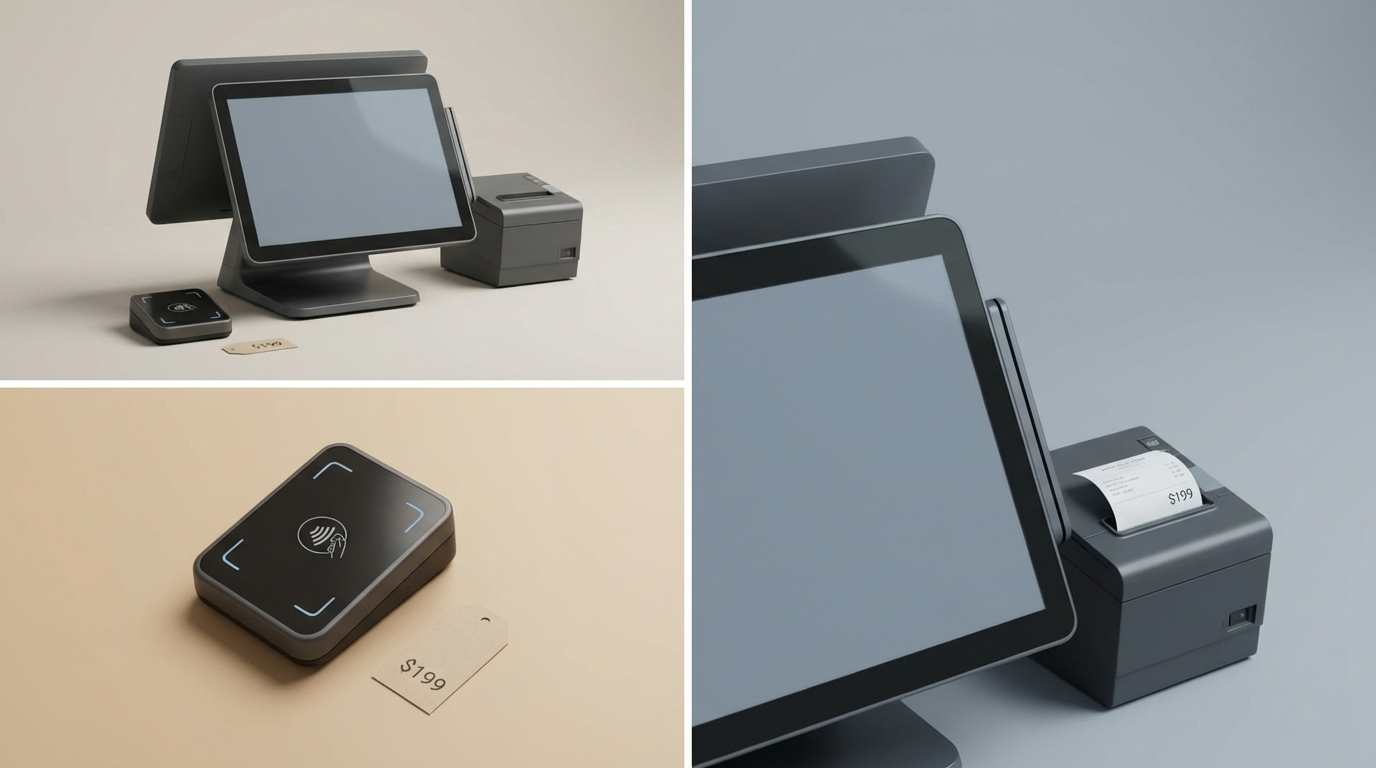
You already have a MacBook or iMac at your checkout counter. But finding a POS system that actually works with it can be harder than expected. Some providers offer dashboards accessible from macOS but require an iPad or dedicated terminal to complete sales. Others support Mac-based checkout yet have restrictions on printers, card readers, or offline transactions.
These differences can create unexpected hardware costs, checkout disruptions, and additional work for store staff.
The best POS software for Mac should do more than open in a browser. It should support your daily checkout process, connect with compatible hardware, and fit the way your business manages inventory and payments.
In this guide, we compare five POS solutions for Mac users in 2026: Hike, Lightspeed Retail, Erply, Ebizmarts POS, and ConnectPOS. We examine their compatibility, features, pricing, and limitations to help you choose the right setup.
Key Takeaways
- Mac-compatible POS software is not always a native macOS application. Some platforms operate through browsers, while others use dedicated apps.
- Hike and Lightspeed Retail offer browser-based retail POS functionality on Mac computers.
- Erply supports macOS and multiple types of retail hardware, while Ebizmarts provides a native Mac application for Magento retailers.
- ConnectPOS supports Mac-based retail operations and offers eCommerce integrations, but businesses should verify their required browser, peripherals, and offline workflows.
- Choosing the right POS depends on your complete checkout setup, not simply whether the software supports Apple devices.
What Is POS Software for Mac?
POS software for Mac is a point-of-sale solution that allows businesses to manage checkout or related retail operations using a computer running macOS.
Depending on the provider, the software may operate through:
- Native macOS applications: Software installed directly on a Mac and designed to run on the operating system.
- Browser-based POS systems: Checkout software accessed through a supported browser such as Chrome or Safari.
- Web-based management dashboards: Tools for inventory, reporting, and administration, with the actual checkout running on another device.
These options are not interchangeable.
For example, a POS provider may allow business owners to review sales reports on their MacBook but still require an iPad to process in-person payments.
Before choosing a platform, confirm whether the Mac itself can serve as the checkout register.
Common Challenges When Using POS Software on Mac
Software compatibility does not guarantee checkout compatibility
A POS advertised as Apple-compatible may support iOS or iPadOS without offering full macOS checkout capabilities.
This can become a problem when retailers purchase software expecting to reuse their existing Mac computers, only to discover that additional devices are required.
Payment terminals and peripherals may not work
Even when a POS runs on macOS, not every barcode scanner, receipt printer, cash drawer, or payment terminal will be compatible.
This is particularly important for retailers using older devices or planning to connect USB peripherals to newer MacBooks.
Internet outages can interrupt sales
Many Mac-compatible POS systems run through a web browser and depend on cloud connectivity.
Some offer offline transaction functionality, but its limitations vary. A platform may allow sales to continue after an interruption while preventing new logins, certain payment methods, or inventory updates.
Online and physical inventory can become inconsistent
For businesses selling through both an online store and a Mac-based register, disconnected systems can create inventory discrepancies.
Staff may need to correct stock counts, update orders manually, or resolve overselling when information is not synchronized appropriately.
Costs increase as businesses add registers and locations
A POS subscription may look affordable for one Mac-based register. However, additional devices, payment processing, premium inventory features, and third-party integrations can significantly change the total cost.
These are the practical challenges worth investigating before comparing feature lists.
5 Best POS Software for Mac in 2026
Hike POS — Best for Small Retailers Using Mac-Based Checkout
Small businesses often need a straightforward checkout solution without replacing their existing computers.
Hike POS is a cloud-based retail system that allows users to process sales through a web browser on a Mac or PC. It also provides tablet-based options for businesses that prefer portable checkout.
Key features
- Browser-based checkout on Mac and PC
- Product and inventory management
- Customer records and sales reporting
- Compatible barcode scanners and receipt printers
- eCommerce integrations on eligible plans
- Multi-outlet functionality through higher-tier subscriptions
What to consider
Hike can suit independent retailers looking for a practical Mac checkout solution without a complex implementation.
However, businesses with multiple stores or online sales channels should check the limitations of the Essential plan. Features such as multi-outlet management and major eCommerce integrations are associated with higher tiers.
Hike’s browser-based offline mode also has restrictions. Users must initially access the system while connected, and closing the browser during an outage can affect their ability to continue selling.
Pricing
- Essential: $69/month, or $59/month with annual billing
- Plus: $119/month, or $99/month with annual billing
- Enterprise: Custom quotation
- Payment services, hardware, and optional add-ons may cost extra.
See Hike POS pricing.
Best for: Independent retailers and growing stores that want browser-based checkout on existing Mac computers.
Potential limitation: Advanced integrations and multi-location functionality require higher-tier plans, while browser-based offline operation has restrictions.
Lightspeed Retail — Best for Mac-Based Inventory and Multi-Store Management
A Mac-compatible checkout system may be enough for a small shop. But retailers handling hundreds of product variations, purchase orders, and multiple stock locations often need deeper inventory control.
Lightspeed Retail provides inventory and retail management features alongside POS capabilities.
The platform’s Retail X-Series, formerly known as Vend, supports checkout and store management through compatible browsers on macOS.
Key features
- Mac-compatible browser-based POS
- Product and inventory management
- Purchase orders and supplier workflows
- Multi-location retail capabilities
- Sales and inventory reports
- Compatible payment terminals, scanners, and receipt printers
- Additional integrations for retail operations
What to consider
Lightspeed can be useful for retailers who need more detailed control over their product catalogs and inventory.
However, its advanced capabilities may introduce unnecessary complexity for a business that only needs basic checkout and payment processing.
Retailers should also verify specific peripheral compatibility rather than assuming that every printer or terminal works because the system supports macOS.
For example, the Lightspeed Hub application has browser-specific limitations, and Chrome may be preferable for certain hardware workflows.
Pricing
- Basic: From $89/month
- Core: From $149/month
- Plus: From $289/month
- Additional registers, locations, payment processing, and services may affect the final cost.
See Lightspeed Retail pricing.
Best for: Inventory-intensive retailers and businesses managing multiple locations from Mac-compatible systems.
Potential limitation: Higher subscription costs and more advanced configuration requirements may be unnecessary for smaller retailers.
Erply POS — Best for Retailers Requiring Flexible Mac Hardware Integration
Retailers with existing Mac computers and specialized checkout hardware can face difficulties when moving to a new POS platform.
A software provider may support macOS but restrict the types of scanners, printers, or payment terminals that can be connected.
Erply offers POS and retail management functionality across multiple operating systems, including macOS.
Key features
- Support for macOS, Windows, Linux, and mobile devices
- Retail checkout and inventory functions
- Product and customer management
- Compatible printers, scanners, and cash drawers
- Supplier and purchasing capabilities on eligible plans
- Integrations for more complex retail environments
What to consider
Erply can be suitable for retailers that need flexibility across different types of hardware and operating systems.
However, compatibility depends on the specific peripheral, payment integration, and local configuration.
Businesses should also examine Erply’s plan structure carefully. Its entry-level retail pricing and more advanced enterprise offerings cover significantly different requirements and costs.
Pricing
- Entry-level retail POS: Published from $59 per store/month, or $49 with annual billing
- More advanced retail and multichannel plans: Separate pricing tiers apply
- Customized enterprise and franchise solutions: Higher-tier pricing or quotation required
- Confirm which published pricing program applies to your business before purchasing.
See Erply pricing.
Best for: Retailers looking for Mac support alongside flexible peripheral and system integration options.
Potential limitation: Selecting and configuring the appropriate plan and hardware integrations can require additional evaluation.
Ebizmarts POS — Best for Magento Retailers Seeking a Native Mac App
Browser-based POS software is convenient, but some retailers prefer an application installed directly on their Mac.
This is especially relevant when checkout reliability and offline transaction handling are priorities.
Ebizmarts provides a POS solution built around Magento and Adobe Commerce, with native support for compatible Macs and iPads.
Key features
- Native Mac application through Mac Catalyst
- Support for macOS 12 and later, subject to current system requirements
- Magento and Adobe Commerce integration
- Product, inventory, and customer synchronization
- Offline checkout functionality
- Barcode scanning and supported payment integrations
- Multi-store functionality in eligible plans
What to consider
Ebizmarts is particularly relevant for businesses already running Magento or Adobe Commerce.
Its native Mac application provides a different deployment model from browser-only POS solutions.
However, its platform focus makes it less suitable for businesses whose online stores operate exclusively on other eCommerce systems.
Retailers should also verify their Magento version, payment terminal, and required device licenses before committing.
Pricing
- Enterprise: Contact sales for monthly pricing
- Enterprise+: Custom pricing
- Annual billing: 15% discount advertised
- Additional device keys may be charged separately.
Best for: Magento and Adobe Commerce retailers that want a native Mac-based checkout application.
Potential limitation: Its close connection to Magento makes it less relevant to retailers operating outside that ecosystem.
ConnectPOS — Best for Mac-Based Retailers with Connected Online and Physical Stores
For some Mac-based retailers, device compatibility is only the first challenge.
The larger problem begins when online orders, physical checkout transactions, and stock records are managed through disconnected systems.
A retailer may successfully process transactions from a Mac while still spending time correcting inventory counts or consolidating reports between its physical store and eCommerce platform.
ConnectPOS is designed for connected retail operations and supports Mac-based environments alongside other device types.
Key features
- Support for macOS-based retail environments
- Integration with platforms such as Shopify, Magento, BigCommerce, and WooCommerce
- Connected product and order management
- Staff permissions and reporting tools
- Offline POS functionality
- More advanced inventory and omnichannel capabilities on higher-tier plans
- Integration and customization options for specific retail requirements
What to consider
ConnectPOS may be relevant when Mac-based checkout must operate alongside an existing eCommerce system.
However, businesses should confirm the exact macOS access method, compatible browser, connected payment terminals, and peripheral requirements.
Although ConnectPOS advertises offline functionality, the available operations and synchronization behavior should be tested on the intended Mac configuration.
A single-location business that only needs basic checkout may not require the broader integration and customization capabilities.
Pricing
- Standard: $49/register/month, or $39 with annual billing
- Advanced: $79/register/month, or $69 with annual billing
- Premium: $99/register/month, or $89 with annual billing
- Enterprise: Custom quotation
- Hardware, integrations, payment processing, and customization may add costs.
See ConnectPOS pricing.
Best for: Retailers using Mac computers alongside established eCommerce operations, particularly when connected inventory and order workflows are important.
Potential limitation: Businesses should validate their specific Mac checkout setup and weigh integration requirements against the cost of a simpler POS system.
POS Software for Mac: Quick Comparison
| POS software | Mac compatibility | Best suited for | Starting price |
|---|---|---|---|
| Hike POS | Browser-based checkout | Small and growing retailers | $59/month annually |
| Lightspeed Retail | Browser-based POS | Inventory-intensive retail | $89/month |
| Erply POS | Mac-compatible POS | Flexible retail and hardware setups | $49/store/month annually |
| Ebizmarts POS | Native Mac app | Magento retailers | Quote-based |
| ConnectPOS | Mac-compatible retail solution | Omnichannel retail | $39/register/month annually |
Prices are indicative published USD rates. Billing frequency, regional availability, plan configuration, payment fees, and hardware costs may differ.
How to Choose the Right POS Software for Your Mac
Check whether the Mac can process sales
Before evaluating software features, identify whether your MacBook or iMac will serve as the primary checkout register or only as a management device.
Ask the provider to demonstrate a completed sale using your intended Mac model.
Test hardware before making a purchase
Create a list of existing devices, including payment terminals, receipt printers, barcode scanners, and cash drawers.
Confirm compatibility with your macOS version, browser, and POS subscription. USB-C adapters and network settings may also affect the setup.
Understand what happens when the internet disconnects
Offline support is not always the same as offline card payment processing.
Ask what happens to transactions, receipts, inventory updates, and payment authorization when the connection is interrupted.
Review your eCommerce requirements
If your business sells both online and in-store, verify whether the POS can coordinate product information, inventory, orders, and returns with your existing platform.
Do not assume every integration supports the same data flows.
Calculate the full cost
Compare software costs alongside payment processing, additional registers, hardware, integrations, onboarding, and ongoing support.
A POS that requires fewer additional devices may reduce upfront expenses, but its long-term value depends on the operational requirements it actually meets.
Frequently Asked Questions
Can a MacBook be used as a POS system?
Yes. A MacBook can be used for POS checkout with compatible software, such as supported browser-based systems or native macOS applications. However, some providers only support management functions on Mac and require separate devices for checkout.
Does Square POS work directly on Mac?
Square provides browser-accessible business tools, including dashboard features and payment workflows. However, its standard POS app and card readers are designed for supported mobile or dedicated hardware rather than direct Mac checkout.
Can TouchBistro run on a Mac?
TouchBistro primarily uses iPads for restaurant checkout. Some configurations use a Mac as a backend Pro Server, but that does not make it a conventional Mac checkout application.
Can I use a barcode scanner with Mac POS software?
Yes, provided the scanner is compatible with the operating system and the selected POS solution. Check the supported hardware list and connection method before purchasing.
Can POS software for Mac work offline?
Some POS systems offer offline functions, but the exact capabilities differ. Browser-based systems may require an initial internet connection, while native applications may offer different local transaction handling. Card payments can have separate offline limitations.
What is the best POS software for Mac and Shopify?
The answer depends on how the retailer wants to process sales and synchronize data. Hike and ConnectPOS offer Shopify-related integration capabilities, while other providers may offer different integration arrangements. Verify checkout functionality, inventory data flows, and plan requirements before deciding.
When Should Mac-Based Retailers Consider ConnectPOS?
A Mac-compatible POS may solve the immediate problem of getting checkout software to run on existing hardware. But it may not solve what happens after the transaction.
Consider a retailer using a Mac at the physical checkout counter and Shopify or Magento for online orders. Both systems can process sales, yet staff may still encounter discrepancies when stock changes, orders are fulfilled, or customers return online purchases in-store.
In that situation, choosing a POS solely because it supports macOS may leave the underlying operational problem unresolved.
ConnectPOS provides another option for retailers that need POS checkout connected with their eCommerce workflows.
Its platform integrations, product and order management, and higher-tier inventory features can be relevant when businesses need to coordinate physical and digital sales.
The decision should depend on three practical questions:
- Does the proposed Mac setup support the checkout hardware and payment methods already used in-store?
- Can the integration correctly handle inventory changes, online orders, and returns across the relevant systems?
- Are the operational benefits worth the additional subscription or implementation costs compared with a simpler Mac POS?
These questions are especially relevant for retailers expanding beyond one location or maintaining several connected sales channels.
If your current Mac-based POS handles transactions but leaves inventory or order management disconnected, contact the ConnectPOS team to discuss your setup and evaluate whether the available integrations address those problems.
Conclusion
Choosing POS software for Mac requires more than checking operating system compatibility.
Retailers should evaluate whether the solution supports checkout on their intended Mac, works with the necessary peripherals, handles connectivity interruptions, and fits existing inventory and payment workflows.
Hike offers accessible browser-based checkout for smaller retailers. Lightspeed Retail provides more extensive retail management tools. Erply supports flexible device configurations, while Ebizmarts offers native Mac functionality for Magento users.
ConnectPOS is another option for businesses that need Mac-compatible retail operations connected with online stores.
The most suitable platform is the one that handles your actual checkout and operational requirements without introducing unnecessary hardware costs, manual work, or implementation complexity.
Chat with our team►►► Optimal solution set for businesses: Shopify POS, Magento POS, BigCommerce POS, WooCommerce POS, NetSuite POS, E-Commerce POS