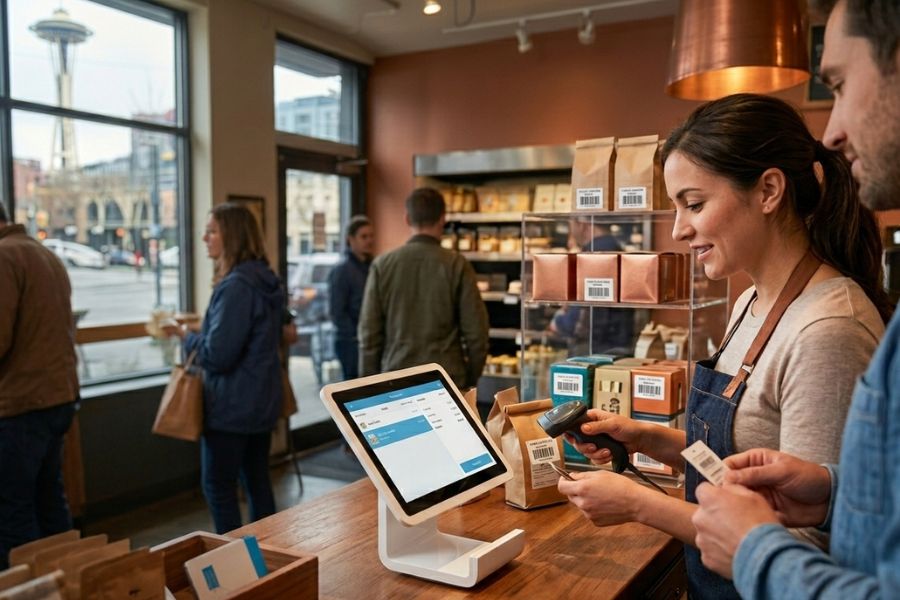
Keeping inventory accurate is one of the biggest challenges for US retailers, especially when sales happen across stores, warehouses, and online channels. A modern POS system inventory tracking in the US helps businesses see stock levels in real time, avoid costly stockouts, and reduce over-ordering. But simply having a POS system is not enough. Retailers need the right setup, workflows, and integrations to make inventory tracking truly effective. This guide explains how POS-based inventory tracking works in the US retail landscape and outlines practical steps to implement it effectively.
Highlights
- Accurate POS inventory tracking helps US retailers prevent overselling, stockouts, and shrinkage while improving customer satisfaction and cash flow.
- Effective implementation requires real-time inventory updates, SKU and variant management, multi-location visibility, system integrations, and well-defined staff workflows.
- Modern POS inventory systems enable retailers to manage omnichannel sales, forecast demand, automate replenishment, and maintain inventory accuracy as operations become more complex.
Common Inventory Challenges for US Businesses
Inventory accuracy directly affects revenue, customer satisfaction, and day-to-day operations for US retailers. When stock data is unreliable, businesses risk losing sales, disappointing customers, and tying up cash in excess inventory. With rising expectations for fast fulfillment and flexible shopping options, even small inventory mistakes can quickly turn into bigger problems.
Common inventory challenges faced by US businesses include:
- Overselling across channels, especially when in-store and online inventory are not synced in real time
- Frequent stockouts, caused by delayed updates, poor demand forecasting, or manual stock adjustments
- Shrinkage, resulting from theft, damage, or administrative errors that go unnoticed
- Inaccurate stock counts, often due to manual entry, disconnected systems, or a lack of barcode scanning
- Limited visibility across locations, making it difficult to rebalance inventory between stores or warehouses
- Slow replenishment decisions, when sales and inventory data are not updated instantly
Without a reliable inventory tracking process tied directly to the POS system, these issues can lead to lost revenue, higher operating costs, and frustrated customers. Addressing these challenges starts with improving real-time visibility and automating inventory updates at every point of sale.
Read more: What Makes a Good POS System in the us? Key Features for 2026 Small Business Growth
How POS Inventory Tracking Works in US Retail Businesses
POS inventory tracking connects every sale, return, and stock movement directly to your inventory records. Instead of relying on manual updates or end-of-day counts, US retailers use POS systems to maintain accurate, real-time visibility into stock levels across all sales channels and locations.
Key components of POS system inventory tracking in the US include:
- Real-time inventory updates at checkout, where each completed transaction automatically reduces available stock, both in-store and online
- SKU, barcode, and product variant management, allowing retailers to track items by size, color, style, or bundle without confusion
- Centralized handling of sales and returns, ensuring returned items are added back to inventory correctly, while damaged or unsellable items are adjusted separately
- Stock adjustments and cycle counts, enabling staff to record shrinkage, damages, or manual corrections with proper audit trails
- Multi-location inventory tracking, which provides visibility into stock across stores, warehouses, and fulfillment centers
- Support for US sales tax rules, ensuring inventory movement aligns with taxable and non-taxable transactions without disrupting stock accuracy
- Role-based access and permissions, reducing inventory errors by limiting who can edit stock data
- Reporting and alerts, such as low-stock notifications and sell-through reports, to support timely replenishment decisions
By automating these processes within the POS system, US retailers can reduce inventory errors, improve fulfillment accuracy, and maintain consistent stock data across all locations, even during high-volume sales periods.
Key Features of an Effective POS System Inventory Tracking in the US
An effective POS inventory tracking system counts products and also gives US retailers clear visibility, timely insights, and the control needed to manage stock across growing sales channels and locations. The right features help reduce manual work, prevent costly inventory mistakes, and support smarter purchasing decisions.
Essential features to look for include:
- Real-time inventory sync across stores and warehouses, ensuring stock levels update instantly after each sale, return, or transfer
- Low-stock alerts and automated reorder notifications, helping teams restock before items sell out and avoid over-ordering
- Inventory reporting and demand forecasting, using sales trends and historical data to support accurate replenishment planning
- Support for product bundles and variants, allowing retailers to track items with multiple sizes, colors, or bundled SKUs without losing accuracy
- Serial number and RFID tracking, ideal for high-value or regulated products that require item-level visibility
- Multi-source inventory management, combining stock from stores, warehouses, and suppliers into a single view
- Inventory transfers and location-based rules, making it easier to move stock between locations based on demand
- Audit logs and stock adjustment history, providing transparency for shrinkage, damages, and manual corrections
- Offline inventory tracking with auto-sync, ensuring transactions are captured even during connectivity issues
- Integration with e-commerce and accounting systems, keeping inventory data consistent across all business platforms
These features allow US retailers to maintain accurate inventory, respond quickly to demand changes, and scale operations without adding complexity to daily workflows.
Read more: Top 5 RFID Inventory Management Systems in 2026
Steps to Implement POS Inventory Tracking Successfully
Implementing a POS system inventory tracking in the US is as much about preparation and process as it is about technology. For US retailers, a structured rollout helps ensure clean data, smooth adoption, and long-term accuracy across stores and sales channels.
Key steps for a successful implementation include:
1. Auditing current inventory and cleaning product data, starting with physical stock counts to correct discrepancies and remove outdated or duplicate items.
2. Standardizing SKUs, categories, and product attributes, so items are consistently tracked by size, color, style, or bundle across all systems.
3. Defining stock locations, such as stores, warehouses, backrooms, or fulfillment centers, to improve visibility and transfer.
4. Integrating the POS with eCommerce platforms and warehouse systems, ensuring inventory updates sync automatically across online and offline sales channels.
5. Configuring inventory rules and alerts, including reorder points, low-stock thresholds, and transfer triggers.
6. Setting up barcode scanning, serial numbers, or RFID, depending on product type and tracking needs.
7. Training staff on inventory workflows, covering receiving, selling, returns, transfers, and adjustments to reduce human error.
8. Assigning roles and permissions, so only authorized staff can edit inventory data.
9. Running test transactions and cycle counts, to validate accuracy before going live
Following these steps, you can build a reliable POS inventory tracking process that supports daily operations, improves stock accuracy, and scales smoothly as the business grows.
How ConnectPOS Supports Advanced Inventory Tracking in the US
ConnectPOS is designed to help US retailers manage complex inventory operations without adding unnecessary complexity. Its modern architecture and omnichannel focus make it well-suited for businesses that sell across physical stores, warehouses, and online channels.
Key inventory tracking capabilities of ConnectPOS for US retailers include:
- Real-time omnichannel inventory with multi-source inventory (MSI), providing a unified view of stock across stores, warehouses, and fulfillment locations
- API-first, cloud-based architecture, allowing retailers to scale inventory operations, add new locations, or customize workflows without system disruption
- Offline inventory tracking with automatic sync, ensuring sales and stock updates are captured even during internet outages
- Deep integrations with leading commerce platforms, including Shopify, Magento, BigCommerce, WooCommerce, NetSuite, Commercetools, and standalone setups
- Centralized inventory visibility, enabling accurate stock allocation, transfers, and fulfillment decisions across channels
- Support for product variants, bundles, and complex catalogs, ideal for retailers with large SKU counts
- Role-based permissions and audit trails, helping reduce inventory errors and improve accountability
- Flexible deployment for single-store and multi-store retailers, supporting both growing brands and large retail networks
With these capabilities, ConnectPOS helps US retailers maintain accurate inventory, respond quickly to demand changes, and build a scalable foundation for long-term omnichannel growth.
Read more: 5 Best POS Systems for Tracking Wholesale Inventory in the US
FAQs
Can POS inventory tracking work offline?
Yes. Many modern POS systems support offline inventory tracking. Sales and stock changes are recorded locally when the internet is unavailable and automatically synced once the connection is restored, helping prevent data loss or inventory gaps.
How accurate is POS-based inventory tracking?
POS inventory tracking can be highly accurate when properly set up. Accuracy depends on real-time updates at checkout, consistent use of SKUs and barcodes, regular cycle counts, and well-defined staff workflows for receiving, returns, and adjustments.
Is POS inventory tracking suitable for small businesses?
Absolutely. Small businesses benefit from POS inventory tracking by reducing manual work, avoiding stockouts, and gaining better visibility into fast-moving products. Many systems are scalable, allowing businesses to start simple and add advanced features as they grow.
How long does it take to implement a POS system inventory tracking in the US?
Implementation time varies based on inventory size and system complexity. Small retailers may complete setup in a few days, while multi-location businesses with large catalogs and integrations may take several weeks to fully configure and test.
What’s the difference between POS inventory and ERP inventory systems?
POS inventory systems focus on real-time stock tracking at the point of sale, making them ideal for daily retail operations. ERP systems manage broader business processes such as finance, procurement, and manufacturing, and often rely on POS data rather than replacing it.
Summing Up
Effective POS system inventory tracking in the US reduces errors, improves cash flow, and delivers a better customer experience across all sales channels. By combining accurate data, clear workflows, and the right POS features, businesses can gain real-time visibility and make smarter inventory decisions at every stage. The key is choosing a solution that supports omnichannel selling, scales with growth, and stays reliable even in complex retail environments.
If you’re ready to improve inventory accuracy and streamline operations, contact ConnectPOS to see how a modern, flexible POS system can support your inventory strategy and long-term growth.
►►► Optimal solution set for businesses: Shopify POS, Magento POS, BigCommerce POS, WooCommerce POS, NetSuite POS, E-Commerce POS