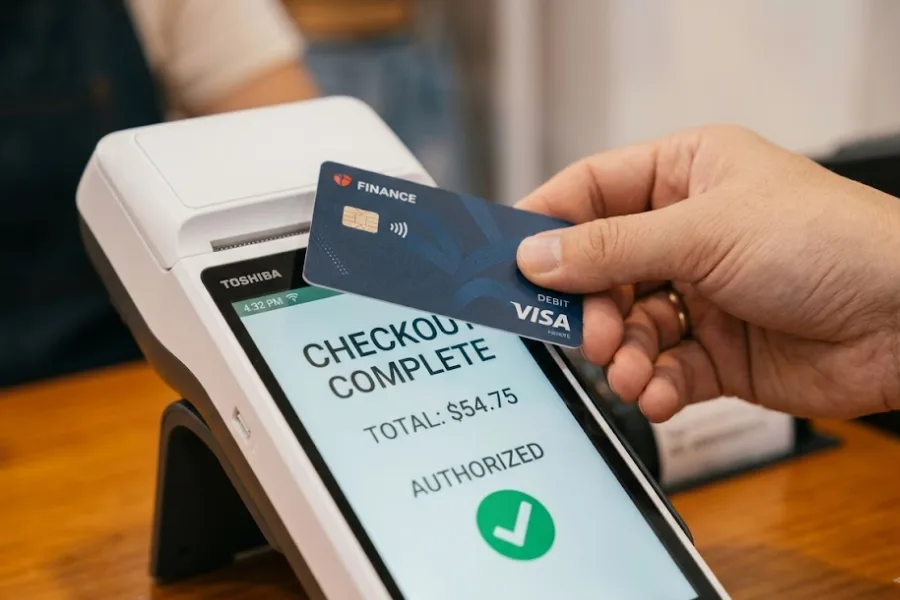
A busy sales day can still leave you guessing. Orders came in, stock moved, and customers checked out, yet the real story often sits inside POS data that most teams barely use. In this ConnectPOS guide, we’ll explain what this data includes, which types deserve your attention, where the value comes from, and how to turn it into better retail decisions.
Highlights
- The most useful POS data types include sales, stock, loyalty, payment, location, and promotion data, each supporting better daily decisions.
- Businesses get more value from POS data when they keep it clean, connect it across channels, and turn reports into clear actions.
What Is POS Data?
POS data is the information your system records when a sale, return, exchange, or payment happens. It usually includes the item sold, quantity, price, discount, time of purchase, store location, payment method, and any customer details tied to that transaction.
That sounds simple at first. Yet the value grows fast when you look past the receipt. A single record can show what sold, when demand peaked, which promotion worked, and how stock changed right after checkout.
This is why we want to emphasize that point of sale data goes far beyond billing. It gives your business a current view of sales activity, inventory movement, customer behavior, and store performance, all pulled from real transactions instead of guesses. Its value becomes even clearer when you look at real behavior. The Federal Reserve found that three-quarters of purchases in 2024 still happened at the in-person point of sale.
Retail teams often treat the POS as a checkout tool and stop there. That’s the missed opportunity. A modern POS system collects the kind of business data that helps you decide what to restock, where to place staff, how to shape campaigns, and which channels are pulling their weight.
Why POS Data Is the Backbone of Every Retail Decision
Retail decisions rarely sit in one lane. Sales affects stock, stock affects fulfillment, fulfillment affects customer experience, and all of it shows up in your POS records. That’s why POS data sits in the middle of daily retail work.
- Sales visibility: Every transaction adds another piece to the picture. You can see what sold, which products slowed down, and which hours bring the strongest demand.
- Inventory movement: A sale doesn’t just create revenue. It also changes stock levels, reorder timing, and store availability.
- Customer activity: Loyalty sign-ins, repeat purchases, and basket size all tell you something useful. Over time, those patterns help you spot buying habits instead of random one-off purchases.
- Store operations: Register activity, payment flow, staff output, and return behavior all leave a trail. That helps managers see what’s working and what feels a bit ‘off’ during the day.
Omnichannel retail raises the stakes. A disconnected store and eCommerce setup creates stock errors, delayed updates, and bad customer experiences. Clean point of sale data keeps online and offline activity aligned so teams can act on one version of the truth. The pressure is real. the U.S. Census Bureau said e-commerce reached $1.23 trillion in 2025 and made up 16.4% of total retail sales, so store and online data now need to stay aligned every day, not just at month end.
We’ll keep building from that idea through the rest of this article. Once you know what the data includes, the next step gets much easier.
What Counts as POS Data and What Many Businesses Overlook
A lot of businesses think POS data starts and ends with payment details. That view is too narrow. The transaction is only the starting point.
- Product details: Each sale can include SKU, item name, category, size, color, price, and quantity. That gives you a close look at what customers actually buy.
- Customer records: If the transaction links to a profile or loyalty account, you may also capture visit frequency, order history, reward usage, and average spend.
- Time and location: POS records can show the exact day, hour, store, register, or sales channel tied to a purchase. That helps you spot traffic peaks and location-level patterns.
- Promotion response: Coupon use, discount level, bundled deals, and promo timing all add context. This is where raw sales numbers become much more useful.
- Returns and exchanges: These often get ignored, yet they tell you plenty. A high return rate may point to a product issue, weak staff guidance, or a promotion that pulled in the wrong buyers.
- Payment behavior: Cash, cards, wallets, split payments, and failed attempts all count. That information helps you understand checkout habits and friction points.
There’s also a difference between raw data and actual business insight. Raw records tell you what happened. Usable insight explains what deserves action.
That distinction matters. Point of sale data analysis takes sales activity, payment records, customer trends, and stock changes, then turns them into something your team can actually use.
Types of POS Data Businesses Need to Track Closely
Not every metric deserves daily attention. Still, a few data groups keep showing up because they shape sales, stock, service, and planning. If you want a cleaner view of retail performance, start here.
Sales and Revenue Data
Sales data gives you the fastest read on business health. It shows what moved, how much came in, and when demand picked up.
- Total sales and units sold: These numbers tell you how much revenue came in and how many items left the shelf. Together, they show demand more clearly than revenue alone.
- Average order value: Basket size says a lot about customer behavior. It also helps you judge how pricing, bundles, and staff selling affect each sale.
- Peak selling periods: Busy hours, strong weekdays, and seasonal surges help managers plan labor and stock. You don’t need to guess when the store gets crowded.
- Store and channel comparisons: A single product may perform well in-store and weak online, or the reverse. Those differences help teams decide where to focus time and inventory.
Sales and revenue data gives a direct read on what’s happening now. It also creates a useful baseline for every other type of POS reporting.
Product and Inventory Data
Stock mistakes are expensive. They lead to missed sales, excess inventory, and frustrated staff trying to explain why the item a customer saw online suddenly ‘isn’t there.’
- SKU-level movement: Product-level movement shows which items sell steadily, which ones spike fast, and which ones barely move. That makes buying decisions less reactive.
- Stock on hand: Current stock counts matter most when they update right away. Delayed figures create overselling, weak transfers, and bad replenishment timing.
- Sell-through patterns: Sell-through helps you judge how fast inventory leaves compared with what you brought in. That’s useful when deciding what stays, what gets pushed, and what gets marked down.
- Replenishment signals: Strong POS records make reorder timing easier to read. Teams can move sooner instead of waiting for empty shelves to make the decision for them.
Inventory data supports sharper stock control. It also keeps daily operations calmer, which matters more than people admit.
Customer and Loyalty Data
Customer records tied to transactions help you move past broad assumptions. You start seeing who buys often, who spends more, and who disappears after one visit. That view is hard to ignore when Forrester found that 90% of U.S. online adults belong to at least one loyalty program. And 64% say those programs influence where they make purchases.
- Purchase history: Order history shows what customers buy, how often they come back, and which categories pull their attention.
- Visit frequency and basket size: These two numbers help separate casual shoppers from loyal buyers. They also help you spot customers worth targeting with specific rewards or promotions.
- Loyalty activity: Reward redemption, points usage, and membership behavior can show whether your loyalty program POS actually works or just looks nice on paper.
- Retention support: Good customer data supports sharper segments. Instead of pushing the same campaign to everyone, you can speak to repeat buyers, inactive shoppers, or high-value customers in a more useful way. McKinsey notes that good personalization can lift revenue by 5 to 15% and increase marketing ROI by 10 to 30%, which is why customer-linked POS data is so valuable.
Over time, this part of point of sales data helps businesses create stronger customer relationships. It also gives marketing teams something better than assumptions.
Payment and Transaction Data
Payment records do more than close the sale. They show how customers prefer to pay, where friction happens, and how checkout performance affects convenience.
A strong payment view includes accepted payment types, refunds, exchanges, split payments, and failed transactions. It can also show transaction speed and register flow. If one checkout lane slows down more often, or one payment type causes delays, that pattern deserves attention.
This data also supports store planning. Payment trends can shape staffing, terminal setup, refund handling, and even promotional timing during busy periods.
Store, Staff, and Location Data
Performance rarely looks the same across every store. One location may sell more of a category, another may process returns faster, and another may need support during peak hours.
- Store-level comparisons: Comparing location performance helps managers see which stores need stock shifts, different merchandising, or closer follow-up.
- Register and time trends: Register-level data can reveal checkout bottlenecks and customer flow issues. Sometimes the problem isn’t traffic. It’s process.
- Staff productivity: Transaction count, average ticket size, and service speed can all help managers assess team performance in a fairer way.
- Regional demand: Customer behavior changes by area. Store-level data helps businesses plan assortments and promotions that fit local demand instead of forcing the same mix everywhere.
Location data keeps retail strategy grounded in real store behavior. That’s a lot better than treating every branch as if it works the same way.
Promotion and Pricing Data
Discounts can raise sales, but they can also damage margin when the offer solves the wrong problem. Promotion data helps teams tell the difference.
Coupon usage, discount response, and campaign timing all add useful context to sales results. A lift in orders may look great until you notice margin dropped hard and repeat demand barely changed. That is why targeted offers drive stronger results. McKinsey found that programs aimed at regular shoppers can produce ROI three times higher than mass promotions.
Pricing data also helps you judge how offers influence buying behavior. If a small discount lifts conversion and a deeper one changes very little, the lesson is pretty clear. Better data makes those calls easier.
How Point of Sale Data Gives Businesses a Real Competitive Edge
Most retail teams already collect a large amount of information. The edge comes from using it well. That’s where POS data starts pulling real weight.
- Better stock planning: Real sales and inventory signals help buyers order with more confidence. That leads to fewer missed sales and less dead stock.
- Sharper promotion decisions: Promotion results become easier to judge when you compare revenue, margin, and repeat demand together.
- Clearer customer view: Buying history and loyalty behavior give your team a stronger sense of what customers actually respond to.
- Faster daily action: Managers don’t need to wait for month-end reporting to react. They can spot trends early and adjust sooner.
- Stronger channel alignment: Connected store and online records help prevent overselling, slow fulfillment, and stock confusion.
- Better forecasting: Past selling patterns help teams plan staffing, purchasing, and seasonal stock needs with less guesswork.
The real gain is consistency. Good data helps teams make better calls day after day, not just during one strong sales week.
The Process of Collecting POS Data Across Operations
POS data gets collected across more touchpoints than many businesses realize. It starts in-store, but it doesn’t stop there.
- Checkout activity: In-store terminals, mobile POS, self-service, and eCommerce orders all create transaction records.
- Item capture: Barcode scans, manual product selection, price rules, and discounts feed product and sales data into the system.
- Customer touchpoints: Loyalty sign-ins, member pricing, saved carts, and digital receipts all add more context around the purchase.
- Post-sale updates: Returns, exchanges, cancellations, and fulfillment status also count. They change stock, revenue, and customer records.
- Connected systems: When POS ties into CRM, ERP, accounting, and eCommerce tools, the data becomes richer and easier to use across teams.
Accuracy matters here. Clean, synced, real-time collection gives businesses a current view of operations. Messy data does the opposite, and fast.
How to Optimize POS Data So It Leads to Better Decisions?
A large dashboard does not automatically create better decisions. Teams need a cleaner approach than pulling every report and hoping something stands out.
- Start with business questions: Ask what you need to fix or improve. Is stock running out too often? Are promotions eating margin? The question should come first.
- Track a small set of useful KPIs: Focus on a few numbers tied to sales, stock, customer activity, and store execution. Too many KPIs turn reporting into noise.
- Segment the data: Break results down by store, channel, time period, product group, and customer segment. Patterns usually show up there.
- Pair live reporting with past trends: Real-time reporting helps with immediate action. Historical patterns help you judge whether the issue is new or part of a bigger cycle.
- Turn patterns into action: If a product spikes at one location, shift stock. If loyalty members respond better to a certain category, shape future campaigns around that.
- Keep records clean: Product naming, tagging, customer records, and system sync need regular care. Otherwise the reporting starts to drift.
- Protect payment and customer records: Good access controls, safe integrations, and clear handling rules help teams work with data without creating new risks.
Better reporting habits don’t need to feel fancy. They just need to support faster, clearer decisions.
Common Point of Sales Data Mistakes That Hold Businesses Back
Plenty of businesses collect data and still get very little value from it. The problem usually sits in the way the data gets handled, not in the amount available.
- Treating it as sales data only: Sales matter, but stock, returns, customer history, and payment flow deserve equal attention.
- Reviewing reports without action: A report that never changes a decision is just another file in the system.
- Separating store and online data: Disconnected channels create stock errors and weak visibility across the business.
- Ignoring refunds and promotions: These areas often explain why revenue looks fine while margin or customer satisfaction slips.
- Relying on manual exports: Spreadsheet fixes can work for a while, then the process starts breaking under daily retail pressure.
- Tracking too much at once: When every number gets equal attention, the useful ones get buried.
Most of these mistakes are common. The good news is they’re fixable once teams start treating this data as a decision tool instead of a reporting task.
ConnectPOS – Turning POS Data Into Smarter Business Decisions
Raw numbers don’t help much when they sit in separate tools. ConnectPOS turns day-to-day transaction records into something teams can read and act on across stores and sales channels.
- Real-time sales tracking: ConnectPOS shows what is selling as transactions happen. Teams can spot fast-moving items, busy periods, and sales shifts without waiting for delayed reports.
- Unified inventory visibility: Stock updates across stores and connected online channels in real time. That helps businesses restock sooner, move products between locations, and avoid overselling.
- Multi-store performance reporting: ConnectPOS brings store results, product trends, and sales patterns into one place. Managers can compare locations and identify where support is needed.
- Customer purchase insights: Customer records stay tied to transactions, including order history and shopping patterns. Teams can use that data to support CRM POS workflows, loyalty activity, and more relevant campaigns.
- Omnichannel order management: ConnectPOS connects in-store and online order data. That gives businesses a clearer view of demand and helps them handle fulfillment more smoothly.
- Flexible analytics and reports: Businesses can review data by product, store, staff member, channel, or time range through report & analytics. That keeps reporting tied to actual business goals instead of broad summaries.
- Connected integrations: ConnectPOS works with leading eCommerce platforms and business systems. Data keeps moving across the business instead of getting stuck in isolated tools.
- Centralized oversight: Managers can monitor operations from HQ and review staff performance, product trends, and store activity from one place. That supports faster action and tighter day-to-day control.
ConnectPOS also supports mobile inventory tracking, mobile reporting, tailored workflows, and custom reporting. Those tools help businesses keep data current and usable across daily operations, not just at the register.
When the system keeps your sales, stock, customer activity, and store reporting connected, data becomes easier to trust. That’s when better retail decisions start happening more often.
FAQs: POS Data
1. What is POS data in simple terms?
POS data is the information your system records during a sale, return, exchange, or payment. It usually includes product, price, time, payment, and customer details.
2. What is the difference between POS data and sales data?
Sales data focuses on revenue and items sold. This data is broader and also includes stock movement, customer activity, promotions, payments, and returns.
3. What are common examples of point of sale data?
Common examples include product SKU, transaction time, store location, payment method, discount used, loyalty ID, refund records, and inventory updates.
4. How can small businesses use point of sales data effectively?
Start small. Track a few useful metrics, review them often, and tie them to actions around stock, staffing, pricing, and customer retention.
4. Where is POS data stored?
It is usually stored in your POS platform and any connected systems, including eCommerce, CRM, ERP, and accounting tools, depending on your setup.
5. How often should businesses review point of sale data analysis?
Daily checks work well for sales, stock, and store performance. Weekly and monthly reviews help teams judge trends, campaigns, and seasonal shifts.
Final Thoughts
Retail teams already collect a huge amount of POS data. The real value comes when that data shapes buying, staffing, pricing, promotions, and customer service in a steady way. Once your records stay connected across stores and channels, decisions get clearer and faster. If you’re looking for a better way to use these records across your retail operations, contact us and see how ConnectPOS can support that next step.