Running a bookstore is rewarding, but managing inventory, orders, and customer needs can get overwhelming fast. Book selling software brings structure to the chaos and helps you run your store more efficiently. It organizes your catalog, tracks sales in real time, and streamlines tasks that usually take hours.
With the right tool, you can reduce manual work, prevent stock issues, and focus on what matters most. As a result, you will serve readers and grow your business. This guide explores how book selling software enhances store management and why it has become essential for both physical and online bookstores.
What is Book Selling Software?
Book selling software is a specialized system built to support the full workflow of running a bookstore. It goes beyond simple checkout tools, combining inventory management, sales processing, customer profiles, supplier ordering, and performance reporting in one place.
In addition, the software gives you full control over your catalog, including ISBN details, book formats, genres, editions, and pricing. It also keeps records accurate through real-time stock updates and purchase history logs.
Generic retail POS or inventory systems treat products as basic items and rarely support book-specific needs. They lack features like advanced title search, author and publisher tracking, or automatic ISBN import. Book selling software understands the structure of book data and makes organizing and selling books easier across multiple channels.
Independent bookstores can increase efficiency and stay organized with limited staff. Meanwhile, multi-location chains gain consistent data across branches, smoother operations, and better insights for smarter business decisions.
How Book Selling Software Enhances Store Management
Let’s see how book selling software improves management across key areas.
Streamline Daily Operations
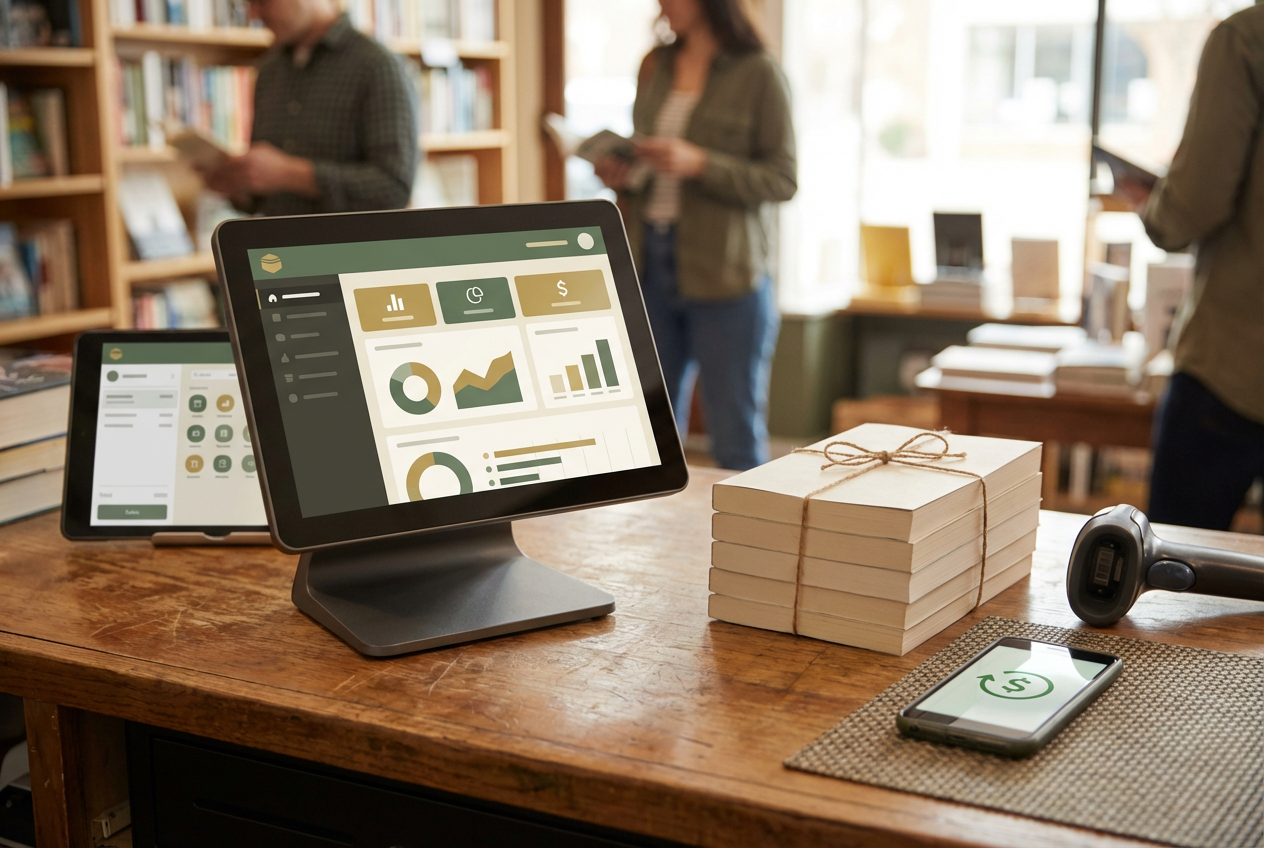
Book selling software brings all core tasks together in one system, so your team can work faster with fewer mistakes. Instead of switching between spreadsheets, paper notes, and separate tools, everything is accessible in a clear dashboard. This improves consistency and reduces delays during busy hours.
Key benefits:
- Central dashboard to manage sales, inventory levels, and staff activity
- Faster checkout process and smoother order handling
- Automatic inventory updates after each sale
- Fewer manual entries, which lowers the risk of data errors
- Better workflow organization for both front-of-store and back office tasks
Improve Inventory Accuracy
Accurate stock control is one of the biggest challenges for bookstores, especially with large catalogs and frequent new releases. Book selling software makes inventory easier to manage by giving you up-to-date stock counts and alerts before problems occur. This helps you avoid missing sales due to out-of-stock items and reduces the cost of carrying excess stock.
Key benefits:
- Real-time inventory updates after each sale or return
- Low-stock alerts to prevent losing sales on popular titles
- Visibility across multiple store locations and online channels
- Smarter purchasing decisions based on sales trends and demand data
Optimize Customer Experience
Great service keeps readers coming back, and book selling software helps you deliver it with ease. It speeds up transactions and makes every interaction smoother and more personalized. Customers enjoy quick service at checkout and relevant recommendations based on their interests.
Key benefits:
- Faster checkout process with barcode scanning and saved customer details
- Personalized offers based on purchase history
- Built-in loyalty programs to reward frequent buyers
- Digital receipts for convenience and easy record-keeping
- Multiple payment options, including cards, wallets, and online payments
Support Data-Driven Decision Making
Book selling software turns store activity into valuable insights. Instead of guessing what to order or which titles to promote, you can rely on clear reports that highlight sales trends and customer preferences. This leads to better planning and smarter use of your budget.
Key benefits:
- Detailed sales reports to track daily, weekly, and monthly performance
- Forecast tools to plan stock based on demand
- Insights into best-selling authors, genres, and formats
- Data to guide seasonal or themed promotions
- Clear view of slow-moving stock to prevent waste
Enable Scalability and Growth
A good business tool should grow with you, and book selling software is built for expansion. It supports additional locations and online selling without disrupting daily operations. With flexible features and system integrations, you can scale your bookstore with confidence.
Key benefits:
- Add new store branches with shared inventory and sales data
- Connect with eCommerce POS platforms to sell online
- Centralized management for all locations
- Integrations with accounting or ERP systems for smoother financial tracking
- Flexible settings to adapt to changing business needs
Check out the Core Features of Book Selling Software
Book selling software combines powerful tools to help bookstore owners manage both daily tasks and long-term growth.
This software lets you track each title by ISBN, author, genre, edition, and format. You can organize stock efficiently, monitor what sells, and set automated reorder alerts for fast-moving titles. It also supports ordering from multiple suppliers and keeps supplier records organized. Many systems can even handle used books, rare editions, and consignment inventory with custom pricing and condition notes.
- Integrated Point of Sale (POS) System
A built-in POS system speeds up checkout and reduces stress during busy hours. Barcode scanning, customer lookup, and integrated payment options make each transaction smooth. Sales data is synchronized in real time, which keeps your inventory accurate across both physical and online stores. You can also handle returns, exchanges, discounts, and promotions without manual adjustments.
- Customer Relationship Management (CRM)
The CRM POS feature stores purchase history, reading preferences, and contact details. With that information, you can offer personalized recommendations, targeted promotions, and loyalty rewards.
- Multi-Channel Sales Integration
Modern bookstores often sell beyond their physical locations. Book selling software connects your store with eCommerce platforms and online marketplaces. You can manage pre-orders, accept online reservations, and offer “Buy Online, Pick Up In Store” services. All orders are managed in one dashboard, making it easier to stay organized.
Built-in reports help you understand how your store is performing. You can track best-selling titles, profit margins, seasonal trends, and customer behavior. These insights make it easier to plan stock purchases, adjust pricing, and create meaningful marketing campaigns.
- Employee and Access Control
You remain in full control of store operations by assigning staff roles and user permissions. The system tracks employee activity, which gives you transparency in sales performance and task management.
Tips for Choosing the Right Book Selling Software
Before making a decision, focus on features that improve daily operations and help your business grow.
Key points to consider:
- Scalability and integration flexibility: Choose software that can grow with your store and connect with other systems, such as eCommerce platforms, accounting tools, or ERP software. This keeps your workflow connected and efficient.
- Real-time inventory synchronization: Look for software that updates inventory automatically across all locations and channels.
- Ease of use and vendor support: Reliable customer support and clear onboarding resources make a big difference.
- Advanced features: Tools like CRM modules, sales analytics, barcode support, and omnichannel capabilities help improve performance and customer engagement.
How to Obtain Smarter Management With ConnectPOS
ConnectPOS is designed to simplify bookstore management and support long-term growth. The software keeps your data organized, improves daily workflow, and gives you better visibility across your business.
With ConnectPOS, you get:
- Unified sales and inventory management: Every transaction updates stock levels instantly across all channels. No more stock mismatches between your store and online listings.
- Omnichannel capabilities: Manage in-store, mobile, and online sales from one platform. ConnectPOS also supports features like click-and-collect, home delivery, and ship-from-store.
- Customizable workflows: The system adapts to how bookstores operate, including pre-orders for new releases, member discounts, author events, and special edition sales.
- Comprehensive reporting: View real-time sales performance, best-selling genres, staff productivity, and customer activity. These insights help you make smarter business decisions.
- Integration-ready system: ConnectPOS connects smoothly with leading eCommerce platforms like Shopify, Magento, and WooCommerce, along with ERP tools such as Netsuite and Microsoft Dynamics.
With ConnectPOS, managing a modern bookstore becomes simpler, smarter, and more efficient.
In Summary
Book-selling software is a strategic asset for bookstores to stay organized, serve customers better, and grow with confidence. With features like smart inventory control, integrated POS, CRM, multi-channel sales, and real-time analytics, it brings structure and clarity to daily operations.
If you’re looking for a reliable solution that supports seamless bookstore management, ConnectPOS is ready to help. Contact us today to discover how our system can streamline your operations and boost your growth.
FAQs Book selling software
What is the difference between book selling software and a POS system?
A POS system mainly handles checkout and payment processing. Book selling software includes POS features but also offers tools for inventory tracking by ISBN, supplier management, customer database, reports, and multi-channel selling. It is designed specifically for bookstore needs, making daily management easier.
Can book selling software handle both online and offline sales?
Yes. Most book selling software connects your physical store with your online channels. It synchronizes inventory and sales data in real time, so you can sell across your website, marketplaces, and in-store without stock conflicts.
How does the software help manage ISBN and publisher data?
It allows you to organize books by ISBN, author, publisher, genre, and edition. You can import book data automatically, track supplier information, and search for titles quickly.
Is book selling software suitable for small independent bookstores?
Absolutely. It reduces manual tasks, prevents stock errors, and saves time. Small bookstores benefit from automation, easy reports, and better customer service without needing a large team.
Does ConnectPOS integrate with eCommerce platforms for online book sales?
Yes. ConnectPOS integrates with popular eCommerce platforms like Shopify, Magento, and WooCommerce. This allows you to manage online and offline sales from one system and deliver a smooth shopping experience to customers.
►►► Optimal solution set for businesses: Shopify POS, Magento POS, BigCommerce POS, WooCommerce POS, NetSuite POS, E-Commerce POS