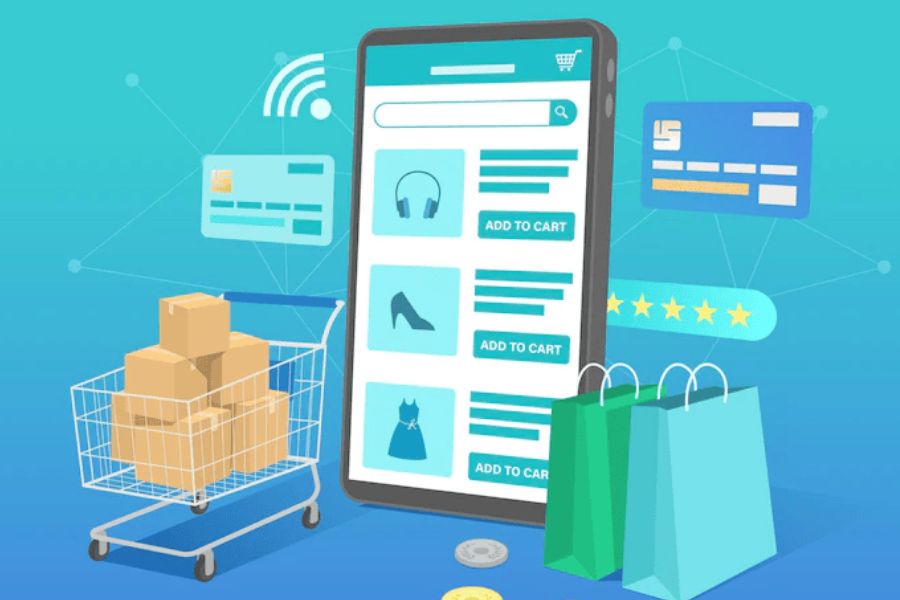
In the competitive footwear retail market, maximizing sales goes beyond offering quality products. It requires smart strategies that resonate with customers while keeping operations under control, whether you’re running a permanent store or a temporary pop-up. Robust footwear point of sale software is a pivotal tool in achieving this balance, seamlessly integrating sales, inventory management, and customer engagement into one system. This guide covers five tactics to elevate your sales strategy, followed by a step-by-step setup guide for pop-ups, fast exchanges, and offline selling.
What is Footwear Point of Sale Software?
A footwear point of sale software (or footwear POS) is a vital asset for any shoe retailer, enabling efficient transaction processing, inventory monitoring, and customer data management.
The software streamlines sales processes, enhances inventory management, and provides valuable insights into customer behavior.
It typically includes features such as:
- Sales management: Allows retailers to process transactions quickly and efficiently, including various payment methods such as cash, credit/debit cards, and mobile payments.
- Inventory management: Tracks stock levels of footwear products, including sizes, colors, and styles, to ensure optimal inventory levels and prevent stockouts or overstock situations.
- Customer data management: Stores customer information such as contact details, purchase history, and preferences, enabling retailers to offer personalized service and targeted marketing campaigns.
- Reporting and analytics: Generates reports on sales performance, inventory turnover, and customer trends, providing valuable insights for strategic decision-making and business growth.
Besides that, footwear POS software offers several benefits to shoe retailers, including:
- Improved efficiency: Streamlines sales processes, reduces transaction times, and minimizes manual errors, leading to increased operational efficiency.
- Enhanced inventory management: Provides real-time visibility into stock levels, facilitates automatic reordering, and helps prevent stockouts and overstock situations.
- Better customer service: Enables retailers to offer personalized service based on customer preferences and purchase history, leading to higher customer satisfaction and loyalty.
- Data-driven insights: Delivers valuable insights into sales trends, customer behavior, and inventory performance, empowering retailers to make informed decisions and optimize their business operations.
- Increased sales: By providing a seamless shopping experience and targeted promotions, footwear POS software can help boost sales and drive revenue growth.
5 Tactics To Boost Sales With A Footwear Point Of Sale Software
Harnessing the power of a footwear point of sale software can significantly elevate your sales strategy. Here are 5 tactics to maximize its potential:
Utilize Data Analytics for Targeted Marketing
Harness the power of data analytics to create targeted marketing campaigns based on customer insights gathered from your footwear POS software. With footwear point of sale software, you can gather valuable insights into purchase patterns, demographic information, and product preferences.
By leveraging these insights, you can create targeted marketing campaigns that resonate with your audience.
For example, suppose data analysis reveals that many of your customers are young adults interested in athletic footwear. In that case, you can tailor your social media ads and email newsletters to highlight new arrivals in that category.
Implement Loyalty Programs
Loyalty programs are an effective way to incentivize repeat purchases and cultivate long-term relationships with customers. With footwear POS software, you can easily set up and manage loyalty programs tailored to your business needs.
One popular loyalty program strategy is points-based rewards, where customers earn points for every purchase they make. For example, for every dollar spent, customers could earn a certain number of points, which they can later redeem for discounts, free merchandise, or other perks.
Moreover, POS software allows you to track customer activity and reward loyal customers based on their purchase history. You can offer exclusive discounts or early access to new product releases to customers who reach a certain spending threshold or have been with your brand for a certain period.
Optimize Inventory Management
Efficient inventory management is crucial for meeting customer demand while minimizing costs. Utilize your POS software to track inventory levels in real time and set up automatic reorder points to ensure you never run out of popular styles. Additionally, analyze sales data to identify trends and adjust your inventory accordingly, stocking up on seasonal favorites or discontinuing slow-moving items.
By analyzing sales data and inventory turnover rates, you can identify underperforming products and make data-driven decisions to optimize your inventory assortment.
For instance, if certain styles consistently sell out quickly, you can increase their stock levels to meet demand and capitalize on their popularity, while reallocating resources from slow-moving items to more profitable categories.
Enhance Customer Experience with Mobile POS
Empower your staff to provide exceptional service on the sales floor with mobile POS capabilities. By equipping them with tablets or smartphones connected to your POS system, they can assist customers anywhere in the store, process transactions on the spot, and even access product information or inventory availability. This streamlined approach not only improves efficiency but also creates a more personalized shopping experience for customers.
Implementing mobile POS devices allows your staff to engage with customers directly on the sales floor, providing personalized recommendations and assistance.
For instance, if a customer is undecided between two pairs of shoes, a sales associate equipped with a mobile POS device can quickly check inventory availability, compare features, and complete the transaction without the need for the customer to wait in line at the checkout counter, thereby enhancing the overall shopping experience.
Use Upselling and Cross-Selling Features
Maximize each transaction by implementing upselling and cross-selling techniques. Train your staff to suggest complementary products or accessories based on the customer’s purchase, such as recommending a waterproofing spray with a new pair of leather boots. Additionally, utilize your POS software to display related items at checkout or offer bundle discounts to encourage additional purchases.
Leveraging upselling and cross-selling features within your POS software allows you to capitalize on each customer interaction and increase the average transaction value.
For instance, when a customer adds a pair of sneakers to their cart, your POS system can prompt the sales associate to suggest matching socks or shoe care products, thereby enhancing the customer’s shopping experience while boosting sales.
By incorporating these strategic tactics and leveraging the capabilities of a robust footwear point of sale software, retailers can optimize sales, enhance customer satisfaction, and drive growth in today’s competitive retail landscape.
Where Footwear Pop-Up Sales Start Getting Complicated
Temporary shoe stores face unusual inventory demands. A customer might try three sizes before buying one pair, leaving staff to track every stock movement. A 2025 retail survey found that 78% of retailers viewed in-store experiences as important to their future success, yet pop-up success depends heavily on accurate stock and reliable checkout.
The main operational challenges include:
- Complex footwear inventory: A single sneaker style may have dozens of size, color, and width combinations. Incorrect SKU records make it harder to locate the right pair.
- Limited event stock: Pop-ups carry fewer products than permanent stores, meaning staff need accurate stock counts before promising customers another size.
- Frequent size exchanges: Customers often change sizes after trying shoes. Poor exchange records can leave the wrong SKU marked as available.
- Unstable internet connections: Temporary venues may have weak Wi-Fi, causing payment terminals and cloud services to stop responding without a backup plan.
These issues make careful footwear point of sale setup necessary. Preparation should begin well before the first customer arrives.
How to Set Up a Footwear Point of Sale for Pop-Ups and Offline Sales?
A reliable setup starts with the right software and accurate shoe records. The steps below prepare inventory, hardware, exchanges, and payment workflows for actual event conditions.
Step 1: Choose Footwear POS Software That Fits Your Pop-Up
Start by assessing your event’s checkout needs. A small weekend booth may need one mobile register, whereas a busy sneaker launch could require several devices. When choosing footwear POS software, focus on footwear variant management (confirming that the system tracks shoe styles, colors, widths, and sizes as separate sellable SKUs), device compatibility, exchange and offline support, and ecommerce connections where pop-up stock comes from a shared inventory pool.
Before purchasing, ask the POS provider which functions work without internet access, as offline selling capabilities vary significantly between systems and payment providers.
Step 2: Organize Shoe Sizes, Styles, and SKUs Before Importing Stock
Footwear inventory becomes difficult to manage when different sizes share one stock record – each sellable variant needs its own identifier, even when the shoes belong to the same style. A McKinsey study found that poor fit or style accounted for 70% of returns among surveyed apparel retailers, which makes accurate variant records essential for the exchange process.
Prepare your product catalog by grouping shoes by brand, style, color, size, and width; assigning a unique SKU or barcode to each variant; checking US, UK, and EU sizing labels to prevent staff confusion; and uploading prices, taxes, descriptions, and opening stock quantities. Scan several sample shoe boxes after importing to verify each barcode retrieves the correct size, style, and price.
Step 3: Assign Pop-Up Inventory Without Losing Track of Store Stock
Stock allocation deserves special attention when pop-ups share merchandise with permanent stores. Moving ten pairs of sneakers means tracking the actual sizes, not simply recording ten units. With ecommerce accounting for 17.1% of seasonally adjusted US retail sales in Q2 2026 (US Census Bureau), shared inventory records matter whenever the same products appear online and at physical events.
Set up your stock flow by creating a separate pop-up location inside the POS, transferring each SKU and its quantity from the warehouse or permanent store, reserving suitable inventory buffers where offline pop-up sales could conflict with online orders, and recording unsold pairs returning to their original location after the event.
Step 4: Prepare Mobile POS Hardware, Payments, and Staff Access
Your checkout equipment should match the event space and sales volume, and devices should be tested together before being transported to the venue. According to the Federal Reserve’s 2025 payment study, credit cards represented 35% of US consumer payments in 2024, debit cards 30%, and cash 14%.
Prepare by connecting your tablet or laptop to compatible scanners, card readers, and receipt printers; configuring supported payment methods, tax rates, discounts, and receipt details; giving cashiers appropriate checkout access while reserving sensitive refund functions for authorized staff; and packing chargers, backup batteries, and a mobile hotspot where network coverage allows. Complete test payments before opening the event.
Step 5: Set Up Fast Size Exchanges, Returns, and Refunds
Shoe exchanges can become time-consuming when staff must search for the original purchase manually. The National Retail Federation found that 76% of surveyed consumers were more likely to choose a return option providing an instant refund or exchange, making a clear POS workflow critical. Configure your exchange process around defining eligible products, return windows, receipt requirements, and approval rules; letting authorized staff find purchases through receipts, order numbers, or customer records; recording the returned size and replacement size separately, including any price or tax difference; and inspecting returned shoes before marking them available for resale. If your store accepts online purchases at physical events, test cross-channel exchanges separately.
Step 6: Configure Offline Selling Before the Internet Goes Down
An internet outage shouldn’t automatically end every sales transaction. A POS may store supported sales locally, but card payments still need compatible readers and payment provider approval.
Prepare for offline selling by signing in before the event and loading the required product records, confirming which cash, manual, and card payment methods remain available offline, setting any required payment limits according to your provider’s rules, and training staff to identify unsynced orders and avoid actions that could erase stored data.
After reconnecting, review payment results, duplicate records, and stock changes – an offline card transaction may still be declined when the provider processes it. Keep backup payment instructions nearby so staff can respond without guessing.
Step 7: Test the Full Selling Workflow Before Opening Day
A successful login doesn’t mean your POS is ready for customers.
Test the actual tasks staff will perform during busy selling periods: a standard sale (scan a barcode, complete payment, check the receipt and stock count), a size exchange (return one SKU, select a replacement, confirm the correct inventory changes), an offline transaction (disconnect internet, perform an eligible test sale, reconnect, and inspect synchronization), a cross-channel return where applicable, and register closing (check tax totals, refunds, discounts, payment records, and staff permissions).
Short rehearsals often reveal problems that ordinary system checks miss, so ask staff to practice responding to missing sizes and failed payments.
Keep Your Footwear POS Under Control During and After the Event
Even a well-tested setup needs active attention once customers arrive. Busy periods can leave stock transfers, exchanges, and offline transactions waiting for review. Use this checklist to manage the event’s main stages:
| Event Stage | POS Checks |
|---|---|
| Before opening | Verify starting stock by SKU, device batteries, scanners, staff access, test payments, and backup internet. |
| During busy periods | Monitor checkout queues, size availability, exchange approvals, and pending offline sales. |
| After reconnecting | Review payment status, synchronized orders, stock conflicts, and possible duplicate transactions. |
| At closing | Reconcile cash, card settlements, refunds, exchanges, sales totals, and register reports. |
| After the event | Count remaining shoes, transfer unsold stock, and confirm updated ecommerce inventory. |
Remember that offline sales aren’t immediately visible to other connected channels – two locations could sell against the same stock quantity before synchronization resumes. Event teams should reconcile outstanding transactions before closing the final inventory records.
When a Basic Pop-Up POS Starts Creating More Work
A basic POS may handle one weekend footwear event without trouble. Problems grow when pop-ups share stock with permanent stores and ecommerce channels. Separate records can leave staff checking sizes, updating transfers, and tracing exchanges manually.
ConnectPOS Footwear POS is a cloud-based retail system built for shoe variants, checkout, inventory, and connected sales channels. It supports footwear businesses managing temporary events alongside regular retail operations.
The ConnectPOS capabilities most relevant to these workflows include:
- Size and style matrix management: Organize footwear variants by size, color, and style for accurate SKU tracking.
- Real-time inventory synchronization: Keep connected store and ecommerce stock aligned when internet access is available.
- Mobile POS: Let staff manage supported checkout and inventory tasks away from a fixed counter.
- Returns and exchanges: Process supported size exchanges with stock adjustments and tax calculations.
- Offline mode: Continue eligible sales during connection interruptions and synchronize records after reconnecting.
- Multi-location inventory management: Check footwear availability across stores and warehouses.
- Stock transfers: Track shoes moving between warehouses, retail stores, and temporary selling locations.
ConnectPOS offline mode doesn’t automatically mean offline card authorization. Payment availability still depends on your payment gateway and hardware.
ConnectPOS Pricing
ConnectPOS uses per-register pricing, starting at $49 per register per month. Higher plans add further inventory and omnichannel tools. Check out our Pricing page for more information.
| Plan | Monthly price | Relevant capabilities |
| Standard | $49/register | Product and order management, real-time sync, offline mode |
| Advanced | $79/register | Inventory controls, gift card payments, expanded checkout tools |
| Premium | $99/register | Stock transfers, multi-source inventory, omnichannel selling |
| Enterprise | Custom quote | Tailored setup, onboarding, and support for large retail operations |
A small pop-up may need only core checkout and inventory tools. Retailers moving footwear across warehouses, stores, and events should examine the higher-tier stock functions.
FAQs: Footwear Point of Sale Software
- How to increase sales on POS?
Leveraging a footwear point of sale (POS) system’s features strategically is crucial for boosting sales.
Firstly, encourage upselling and suggestive selling by training staff to highlight complementary items or promotions during checkout. Secondly, implement loyalty programs and discounts to incentivize repeat purchases and foster customer loyalty. Thirdly, capitalize on peak shopping times or seasonal sales by offering timely promotions and discounts through your POS system. Lastly, ensure seamless integration between your POS and inventory management systems to prevent stockouts and ensure customers can always find what they’re looking for.
- How does footwear point of sale software improve inventory management?
Footwear point of sale software revolutionizes inventory management by providing real-time tracking and insights. By automatically updating inventory levels as sales occur, it minimizes the risk of overselling or stockouts, ensuring customers can always find their desired products.
Moreover, advanced reporting capabilities allow for comprehensive analysis of sales trends, facilitating more accurate forecasting and inventory optimization.
Additionally, streamlined receiving processes, often facilitated by barcode or RFID technology, enhance efficiency by quickly updating inventory as new stock arrives, thus ensuring smoother operations and happier customers.
- Can footwear POS software help in increasing customer retention?
Absolutely, footwear POS software can be a powerful tool for enhancing customer retention. By capturing and storing customer data, such as purchase history and preferences, it enables personalized experiences that resonate with shoppers. Loyalty programs integrated into the POS system further incentivize repeat purchases and foster a sense of appreciation among customers.
Additionally, marketing integrations allow for targeted communication, keeping customers informed about new arrivals, promotions, and events. Thus, they reinforce their connection with the brand and encourage continued engagement.
- What are the benefits of integrating e-commerce platforms with POS software?
Integrating e-commerce platforms with POS software offers numerous advantages for footwear retailers.
Firstly, it ensures accurate inventory synchronization across online and offline channels, reducing the risk of overselling and enhancing customer satisfaction. Secondly, by providing a seamless omnichannel shopping experience, it caters to customers’ preferences, allowing them to shop whenever and however they choose. Thirdly, centralized customer data from both channels enables more personalized marketing efforts, improving customer engagement and loyalty. Lastly, streamlined order fulfillment processes simplify operations and enhance efficiency, ultimately leading to a more cohesive and profitable retail experience.
Conclusion
Setting up and running a footwear point of sale system takes careful planning across product variants, inventory allocation, mobile checkout, exchanges, and offline transactions. Accurate SKU records and complete workflow tests help staff avoid stock errors and payment delays, whether in a permanent store or a fast-moving pop-up. As footwear retailers expand across multiple channels and locations, connected POS tools become increasingly important to keeping operations consistent and scalable. ConnectPOS brings these workflows into one retail system, giving teams better control over footwear inventory and sales across every selling environment.
To explore how ConnectPOS can support your footwear retail operations, chat with us.
Chat with our team►►► Optimal solution set for businesses: Shopify POS, Magento POS, BigCommerce POS, WooCommerce POS, NetSuite POS, E-Commerce POS