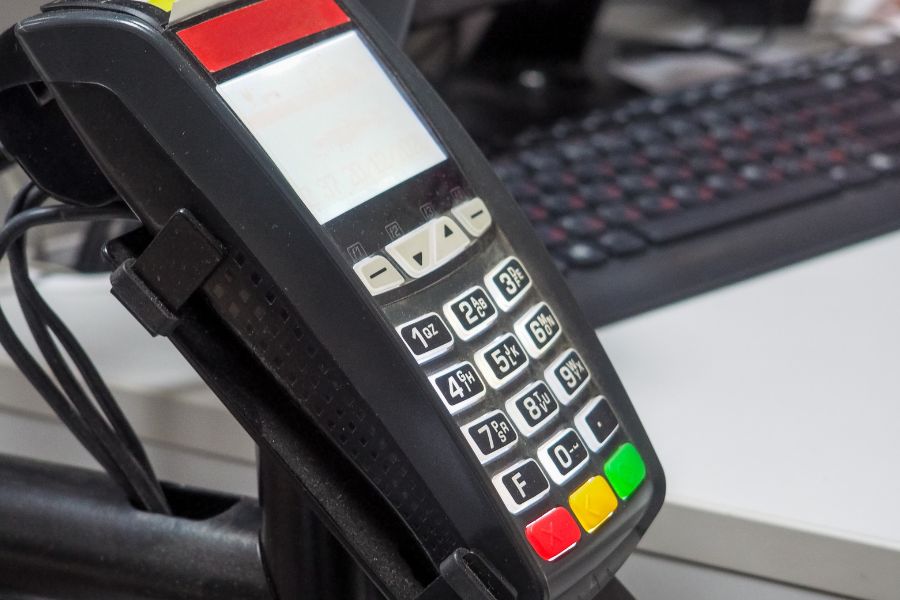
Retailers face growing demands to unify their physical and digital sales channels. Managing a WooCommerce store alongside a brick-and-mortar location brings unique technical challenges. Disconnected data creates inventory errors. Poor synchronization frustrates customers and damages brand reputation. This article from ConnectPOS helps retailers select reliable WooCommerce retail POS systems by examining the core capabilities of leading solutions. You’ll learn how integrated POS software keeps inventory accurate across locations, connects ecommerce with physical registers, and minimizes manual data entry and costly stock errors. We’ll also review the top systems currently available.
Highlights
- Connecting a digital storefront with a physical shop demands reliable technology. Store owners need accurate data synchronization to avoid overselling.
- Evaluating top software options helps merchants select the best tools. These platforms provide smooth offline capabilities and unified customer profiles.
Key Capabilities of a Reliable WooCommerce Retail POS System
BuiltWith currently tracks 6.38 million live websites using WooCommerce, highlighting the platform’s large footprint among online retailers. As more WooCommerce businesses connect their online stores with physical locations, their POS systems need to keep inventory, orders, customer data, and sales information consistent across channels. For retailers, evaluating a WooCommerce POS should therefore go beyond payment processing and consider capabilities across inventory, orders, customers, employees, reporting, and integrations.
Key Capabilities
- Real-Time Inventory Synchronization: Updates stock quantities across WooCommerce and physical stores as sales, returns, transfers, and adjustments occur.
- Unified Order Management: Gives staff access to online and in-store orders, making exchanges, refunds, and returns easier to manage within one workflow.
- Centralized Customer Profiles: Connects customer records and purchase history across sales channels, giving staff better context when assisting shoppers.
- Flexible Payment Processing: Supports the payment methods relevant to the retailer’s market while keeping transaction records connected to the correct orders.
- Multi-Store Management: Gives retailers centralized control over stores, registers, inventory locations, employees, and sales data.
- Offline Transaction Processing: Keeps checkout running during temporary connectivity problems and synchronizes transaction data once the connection is restored.
- Role-Based Employee Controls: Lets managers assign permissions for discounts, refunds, price changes, inventory adjustments, and other sensitive POS activities.
- Sales Reporting and Analytics: Tracks revenue, product performance, transaction volume, returns, basket size, and store-level results for better retail decision-making.
- WooCommerce Compatibility: Works with products, SKUs, variations, customers, orders, taxes, and inventory already configured in WooCommerce.
- API and Third-Party Integrations: Connects POS data with ERP, CRM, accounting, loyalty, fulfillment, and business intelligence platforms when the retail operation requires a broader technology stack.
5 Highly-Rated WooCommerce Retail POS Systems to Consider
Selecting the right POS software requires a clear understanding of your store’s operational requirements. The global point-of-sale software market reached USD 19.0 billion in 2026 to USD 38.8 billion by 2033, according to Grand View Research, reflecting the growing range of solutions available to retailers.
WooCommerce retailers have different POS requirements based on store size, sales volume, hardware, inventory structure, and the number of locations they operate. The five WooCommerce retail POS systems below take different approaches to connecting WooCommerce with physical retail operations, giving businesses several options to evaluate against their specific requirements.
ConnectPOS
ConnectPOS is a cloud-based POS system that connects WooCommerce stores with physical retail operations. Its WooCommerce integration synchronizes product, customer, order, and inventory data between online and offline channels, while its centralized dashboard supports retailers operating across stores and warehouses.
- WooCommerce integration: ConnectPOS can be installed through the WordPress Plugin Store and connected to WooCommerce through REST API credentials.
- Real-time inventory synchronization: Keeps inventory levels, product variations, and product availability updated across WooCommerce and physical stores.
- Multi-store and warehouse management: Lets retailers manage inventory, orders, transfers, and store performance across different locations from a central platform.
- Offline POS mode: Keeps stores processing transactions during internet outages, then synchronizes data once the connection is restored.
- Omnichannel fulfillment: Handles workflows such as BOPIS, ship-from-store, cross-channel returns, and exchanges.
- Customer and order management: Centralizes customer profiles, purchase history, loyalty information, and order data across sales channels.
- Staff permissions: Lets retailers define employee access by role and control access to specific functions and information.
- Reporting and analytics: Provides sales reporting across online and offline transactions, with store-level performance visibility for multi-location retailers.
- Payment integrations: Supports WooCommerce-compatible payment gateways and different payment methods, including split and contactless payments for applicable setups.
- Broader integrations: ConnectPOS provides integrations with eCommerce platform, CRM, ERP, accounting, and other business systems, which is relevant for retailers with a larger technology stack.
Oliver POS
Oliver POS is one of the WooCommerce retail POS systems built specifically around WooCommerce, turning a WooCommerce store into a retail point-of-sale system. Its close connection with the WooCommerce ecosystem makes it a practical choice for businesses that want to keep their existing online store as the central commerce platform.
- WooCommerce integration: Works directly with WooCommerce products, variations, customers, orders, and inventory, keeping core store data connected to the POS.
- Customizable checkout: Lets retailers configure the POS interface around their product catalog, checkout process, and in-store workflows.
- Inventory management: Synchronizes stock information between online and physical sales channels to maintain consistent inventory records.
- Employee management: Provides user roles and permissions that give different members of the retail team access to relevant POS functions.
- Customer profiles: Gives staff access to customer information and purchase history during checkout for more informed customer service.
- Reporting tools: Provides visibility into sales results, transaction activity, and employee performance across the retail operation.
- Hardware compatibility: Works with common POS hardware, giving retailers flexibility when building a physical checkout setup around their existing WooCommerce store.
FooSales
FooSales takes a straightforward approach to WooCommerce POS, turning an existing WooCommerce website into a point-of-sale system without requiring retailers to operate a separate ecommerce platform. It is particularly suited to smaller retailers and businesses that want their POS and online store to share the same WooCommerce data.
- Direct WooCommerce connection: Uses the existing WooCommerce catalog, customers, orders, and inventory, keeping core store data within the same ecosystem.
- In-store checkout: Provides a browser- and app-based POS interface for processing physical retail transactions and managing purchases at the counter.
- Inventory synchronization: Updates stock when products are sold through the POS or online store, helping maintain consistent inventory records across channels.
- Offline functionality: Keeps staff processing eligible transactions during temporary internet outages, with transaction data syncing after the connection is restored.
- Payment integrations: Connects with selected payment providers and WooCommerce-compatible payment solutions for in-store transactions.
- Customer management: Lets staff associate transactions with existing or new WooCommerce customers and maintain purchase records.
- Multi-location management: Accommodates retailers operating more than one physical sales location, with capabilities depending on the selected setup and plan.
wePOS
wePOS is a WooCommerce-native POS plugin developed by weDevs. It turns an existing WooCommerce store into an in-store checkout system, using the store’s existing products, customers, prices, and inventory. The free version covers core retail functions, while wePOS Pro adds reporting, access controls, low-stock alerts, and broader multi-outlet capabilities.
- WooCommerce-based POS: Uses existing WooCommerce products, prices, customers, orders, and stock rather than requiring a separate product catalog.
- Real-time inventory updates: Keeps POS sales connected with WooCommerce inventory and prevents out-of-stock products from being added to the cart.
- Barcode scanning: Enables barcode scanning for faster product lookup and checkout.
- Outlet and cashier management: Allows businesses to create POS outlets and assign cashiers with defined access permissions.
- Receipt printing: Enables receipt printing directly from the POS, including thermal printers; Pro adds further receipt customization.
- Fractional quantities: Handles decimal quantities, making it suitable for retailers selling products by weight.
- Reporting and analytics: Pro provides sales summaries, charts, payment reports, recent orders, and inventory alerts.
- Dokan integration: Provides a dedicated POS setup for Dokan multivendor marketplaces, with vendor-specific products, customers, orders, and POS access.
Hike POS
Hike POS takes a broader retail-management approach, connecting its in-store POS with WooCommerce through a built-in integration. The connection can synchronize products, customers, orders, and inventory, while Hike provides sales reporting across online and physical transactions.
- WooCommerce integration: Connects Hike with an existing WooCommerce store through WooCommerce API credentials.
- Product and catalog synchronization: Syncs product details, variants, categories, pricing, and inventory between Hike and WooCommerce.
- Inventory synchronization: Sales and inventory transactions in Hike can update WooCommerce stock, while WooCommerce orders can update inventory in Hike.
- Order synchronization: WooCommerce orders can appear in Hike’s sales history, giving staff a centralized view of online and in-store orders within Hike.
- Customer synchronization: New customers and customer updates can sync between Hike and WooCommerce.
- Inventory source selection: Retailers can select which Hike outlet or inventory location supplies stock for their WooCommerce store.
- Sync logs: Hike provides synchronization logs so retailers can identify failed data transfers and investigate integration issues.
- Sales analytics: Hike’s reporting can combine online and in-store sales data for broader retail performance analysis.
- Important integration limitations: Hike states that loyalty points, gift cards, discount offers, and data generated by third-party WooCommerce plugins do not sync through the integration. WooCommerce inventory changes made manually or through third-party plugins also do not sync back to Hike.
FAQs: WooCommerce Retail POS Systems
1. What is a WooCommerce retail POS system?
A WooCommerce retail POS system connects a WooCommerce online store with in-person sales. It enables retailers to process transactions at physical locations while keeping products, inventory, customers, and orders connected to the WooCommerce store.
2. Can a WooCommerce POS sync inventory with the online store?
Yes. Many WooCommerce retail POS systems synchronize stock between physical and online sales channels. The exact synchronization rules depend on the POS provider, so retailers should check how the system handles returns, stock adjustments, product variations, and concurrent sales.
3. Does WooCommerce POS work offline?
It depends on the POS system. WooCommerce’s native POS currently requires an active internet connection for product synchronization, order creation, and payment processing. Some third-party WooCommerce POS platforms provide offline order processing, so offline capability should be checked at the product level rather than assumed from the WooCommerce platform itself.
4. Can a WooCommerce POS handle online and in-store orders?
Yes. POS transactions can be recorded alongside online WooCommerce orders. WooCommerce’s native POS places in-person and online orders in the same dashboard, allowing retailers to review transactions and process refunds for eligible in-person orders.
5. Can I use barcode scanners with WooCommerce POS?
Yes. WooCommerce POS works with Bluetooth HID barcode scanners, letting staff scan products directly into the cart. Its native POS does not currently support camera-based barcode scanning.
Conclusion
Choosing WooCommerce retail POS systems should start with your actual retail workflow rather than a feature checklist. Inventory synchronization, order management, payment processing, offline capability, multi-store control, and reporting can directly affect daily operations and customer experience.
The five systems take different approaches to WooCommerce retail, so the right choice depends on your store size, sales volume, locations, hardware, and integration needs. If you need a POS that connects WooCommerce with physical stores while centralizing inventory, orders, customers, and sales data, ConnectPOS is worth considering. Explore how it can fit your retail operation. Contact us now!
►►► Optimal solution set for businesses: Shopify POS, Magento POS, BigCommerce POS, WooCommerce POS, NetSuite POS, E-Commerce POS