Retail teams want simple tools that help them move faster, serve better, and cut the wait at busy hours. Many start looking into “what is a mobile POS system” when their counters turn crowded or when they expand to events and outdoor selling. In this guide, ConnectPOS will walk you through how a mobile POS setup solves those pain points and why more stores use it to stay flexible.
Highlights
- A mobile POS system runs on tablets or smartphones, giving stores a flexible way to handle payments outside the traditional counter setup.
- Mobile POS tools support fast checkouts, real-time stock updates, and smoother customer interactions across retail floors, events, and outdoor locations.
What Is a Mobile POS System?
A mobile POS system is a point of sale that runs on portable devices. It works on tablets or smartphones instead of a fixed counter, which gives staff more room to move. The setup fits well for stores that want quick transactions without heavy hardware.
A typical mobile POS system includes software that handles orders and payments. It also uses a mobile device to run the app, a card reader for cashless payments, and small add-ons like a barcode scanner or receipt printer. Each part stays light and easy to carry.
Many stores use tablets to check out customers on the shop floor. Others use phones during events or outdoor stalls where space is tight. The idea is simple. Staff bring the checkout to the customer instead of sending customers to a counter.
The system fits many industries. Retail brands use it to cut lines on busy days, from fashion apparel stores to busy electronics store chains. Food and beverage shops use it for quick table-side payments. Event vendors and pop-up stores rely on it because it sets up fast and moves anywhere. This flexibility makes the mobile POS a handy choice for both small teams and growing businesses.
How a Mobile POS System Works
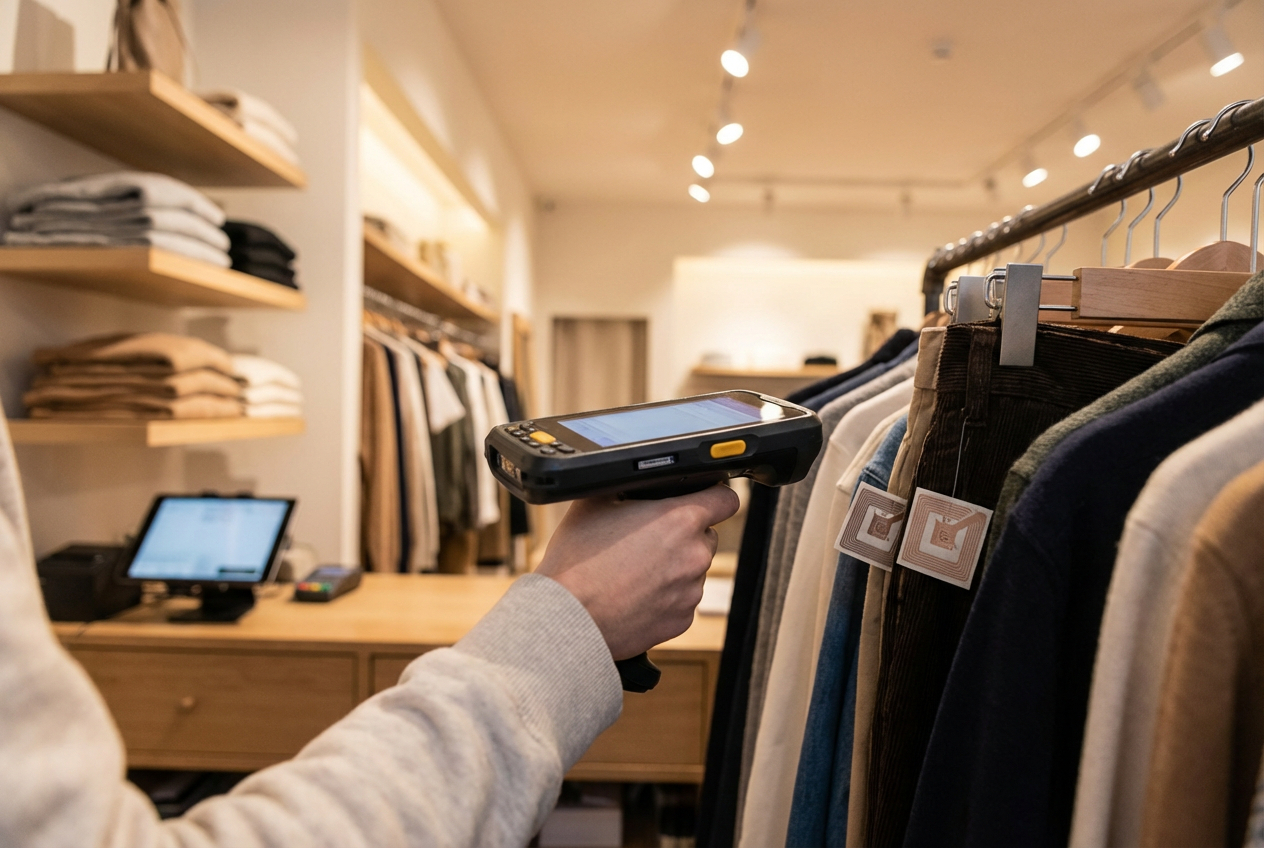
A mobile POS system follows a clear flow that keeps each sale simple for both staff and customers. It starts with a quick product scan on a phone or tablet. The system pulls up the item, shows the price, and prepares the order for payment.
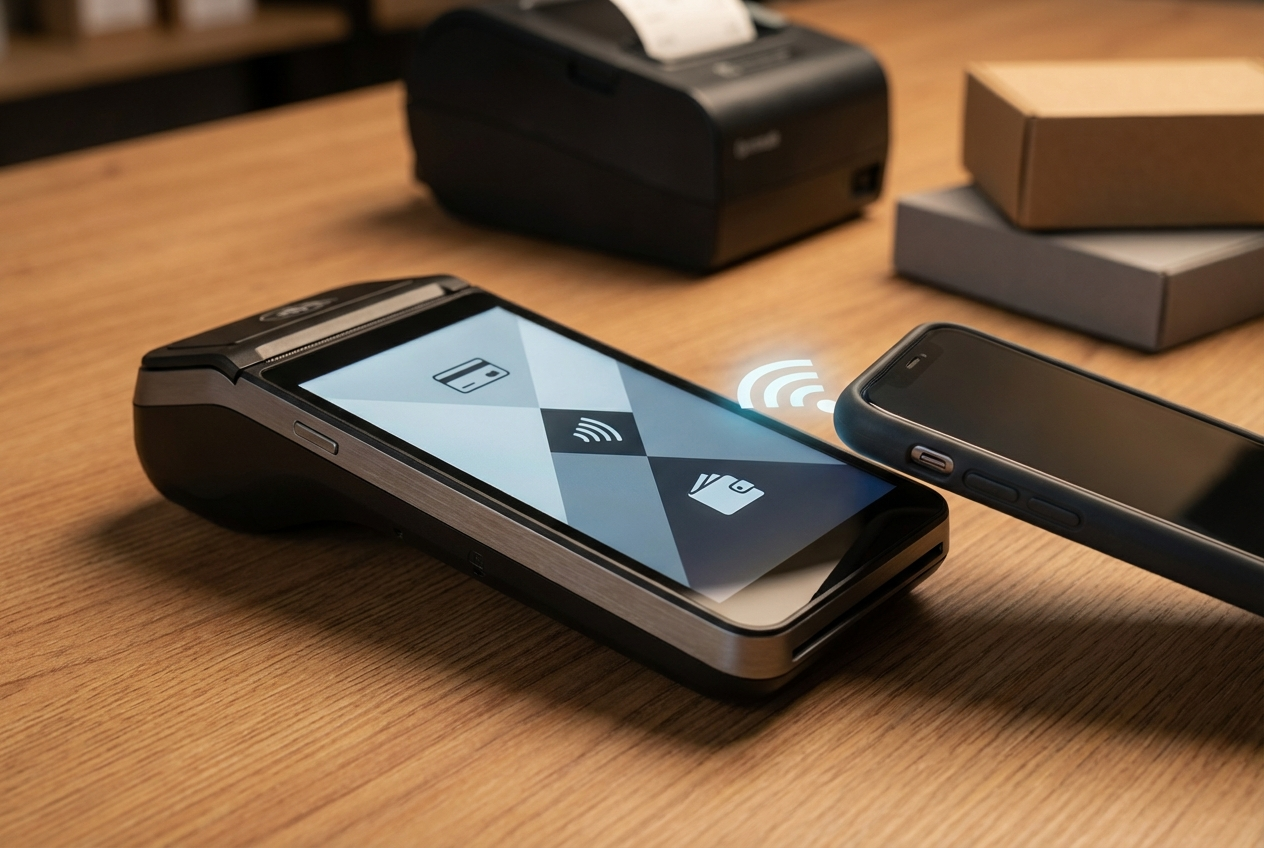
Customers pick the payment method that suits them. The system accepts card payments through a small reader. It also supports mobile wallets, QR codes, and tap-to-pay options. These methods keep the line moving since people pay in seconds.
Once the payment goes through, the system sends a digital receipt to the customer. It can also print one through a small portable printer if needed. Right after that, the system updates the inventory inside your inventory management software to reflect the sale. This helps stores avoid stock errors and keep products accurate across channels.
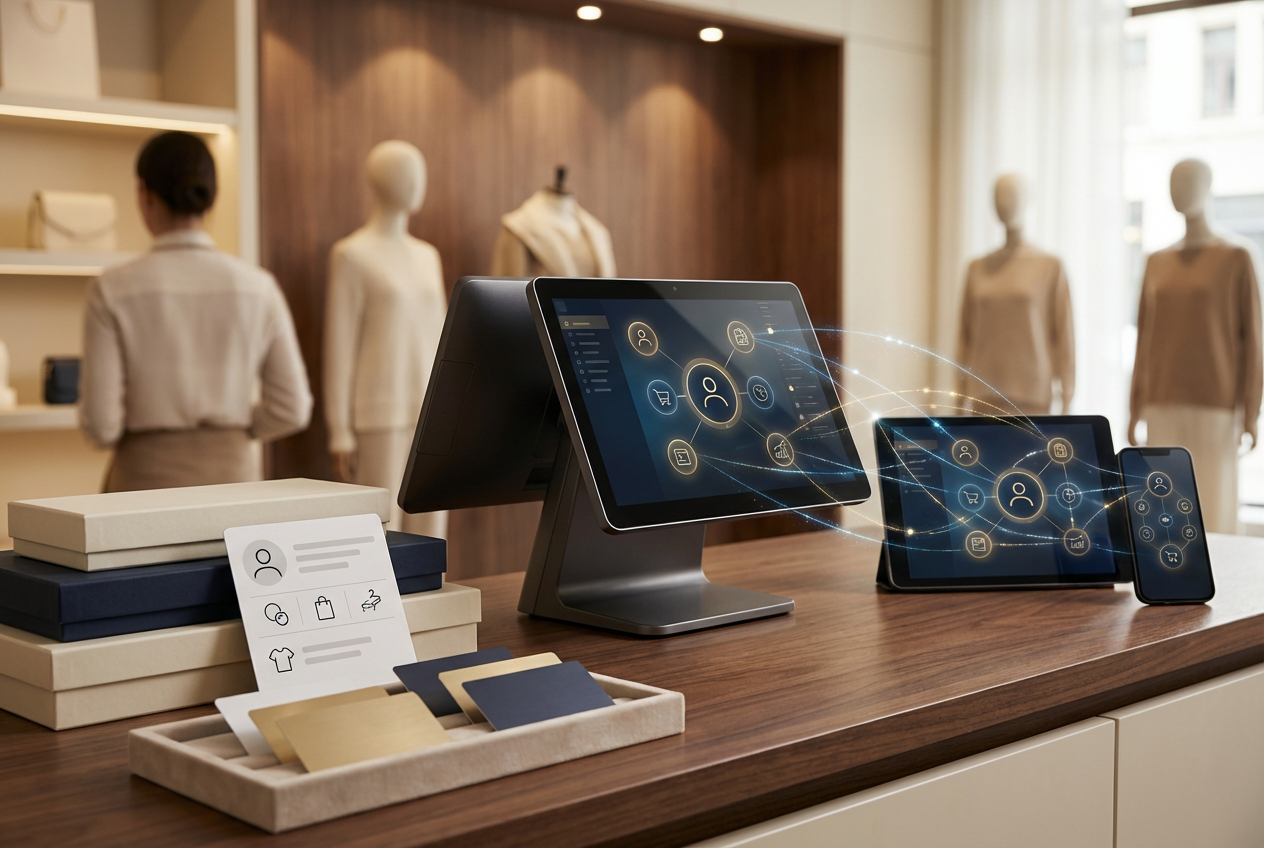
Cloud syncing ties everything together. Sales data, stock levels, and reports move to the cloud in real time so managers always see what happens in the store. The system can also connect to CRM tools, loyalty programs, and accounting apps. These links help teams keep customer profiles, reward points, and financial records in one place. This steady flow keeps business data clean and easy to manage.
Mobile POS vs Traditional POS Systems
Stores choose between a fixed POS at the counter and a mobile setup that moves around the shop floor. Both handle sales, yet each carries different strengths. A traditional POS uses larger hardware and takes more time to install. A mobile POS uses light devices, sets up fast, and gives staff more room to move.
A fixed POS usually costs more because of monitors, terminals, and cables. A mobile POS lowers that cost since it runs on tablets or phones. This difference matters for new stores or seasonal setups that need something simple and quick.
Below is a quick look at both systems:
| Criteria | Traditional POS | Mobile POS |
| Hardware | Large terminal, wired devices | Tablet, phone, portable reader |
| Location flexibility | Fixed at the counter | Move anywhere in-store or on-site |
| Cost | Higher upfront cost | Lower setup cost |
| Scalability | Harder to expand | Easy to add devices |
Many retailers combine the two. The fixed POS stays at the counter for standard checkouts. The mobile POS helps staff during rush hours or special events. This mix creates a smoother flow because staff handle long lines faster and customers get more attention on the floor. This blended setup keeps stores ready for both steady days and peak moments.
Key Advantages of Using a Mobile POS System
A mobile POS system brings a fresh way for stores to handle payments and customer traffic. It removes the limits of a fixed counter and gives staff more freedom to support buyers. This shift helps stores react faster during busy hours and create smoother touchpoints across the entire visit.
- Mobility and flexibility: Staff can collect payments anywhere in the store. This works well during trade shows or peak retail hours when customers gather in different areas. Moving to the customer shortens the wait and keeps the flow steady.
- Faster checkouts: A mobile POS system cuts long lines that form at traditional counters. The quick scan-and-pay process keeps shoppers from walking away. It also helps teams serve more people in less time.
- Enhanced customer experience: Staff can answer questions, check stock, and complete the sale during the same interaction. Digital receipts add a clean finish. Customers appreciate this simple and personal style of service.
- Cost efficiency: The setup cost stays low since the system runs on phones or tablets. Stores avoid bulky hardware and ongoing maintenance fees. This helps small teams start fast without heavy spending.
- Real-time insights: Managers see sales and stock data right away. This clarity guides restocking, staffing, and daily decisions. It also helps prevent overselling when inventory moves quickly.
- Security and compliance: Systems follow strict payment rules and use encryption and tokenization. This keeps card data safe during each sale. It builds trust with shoppers who expect strong protection.
- Scalability: Adding more devices or users takes little time. Stores expand during holidays or events without major changes. This flexibility supports long-term growth.
A mobile POS system brings speed, clarity, and convenience to daily operations. It helps stores stay ready for shifting demand while keeping customers satisfied at every step.
Drawbacks and Limitations of Mobile POS Systems
A mobile POS system solves many daily problems, yet it also brings its own set of limits. Stores should understand these points so they can plan ahead and avoid surprises. Each issue depends on how the business runs and where the devices are used.
- Internet dependency: A mobile POS system relies on a steady connection to process sales and sync data. Some tools include an offline mode, but not all tasks work without the internet. Stores in markets or outdoor events may feel this gap during peak hours.
- Battery and device limitations: Phones and tablets can drain fast during long shifts. Once the device runs low, the checkout slows down. Staff must rotate chargers or spare devices to keep the line moving.
- Monthly subscription and transaction fees: The low setup cost of mobile POS systems can shift into ongoing software and processing fees. These charges grow as sales increase. Stores must track these costs to avoid surprises in their monthly bills.
- Security concerns: Mobile devices are easy to carry, but they are also easy to lose. If a device is misplaced or left unprotected, data can be at risk. Strong passwords and quick lock settings help prevent exposure.
- Not ideal for large, complex operations: Some big retail chains need deeper functions that a small mobile POS system may not handle. They may keep a traditional counter for tasks that require heavy hardware or long sessions.
Even with these limits, a mobile POS system works well for many stores. Planning around these points helps teams keep the system stable and ready for daily use.
Who Should Consider a Mobile POS System?
A mobile POS system suits businesses that move fast and serve customers in different spots throughout the day. These setups work best for teams that want quick payments without tying staff to a counter. The system adapts well to stores that meet customers where they stand.
Food trucks, salons, grocery & supermarket, market vendors, and delivery services gain the most from this mobility. These teams work in tight spaces or outdoor areas where a full counter makes little sense. A mobile POS system helps them ring up sales on the spot and keep the line flowing.
Event organizers also depend on portable checkouts during busy festivals or trade shows. The quick setup lets them start selling without heavy equipment. This helps them manage crowds and meet a larger number of buyers in a short time.
Many small to medium businesses choose mobile POS because it starts fast and works on devices they already own. It keeps daily tasks simple while still giving clean sales and stock data.
Some larger retailers use a hybrid setup. They keep a fixed POS at the counter and add mobile tools across different locations. This mix supports omnichannel plans and helps staff serve customers faster during peak periods.
Choosing the Right Mobile POS for Your Business
Picking a mobile POS system shapes how your team works each day. The right choice keeps payments smooth and data clear so staff can focus on customers. A few core points help narrow the options and guide you toward a system that fits your store.
- Compatibility: A strong mobile POS works on both iOS and Android. It connects with scanners, printers, and card readers you already own. It also syncs updates across every device so the whole team sees the same data.
- Payment Options: Customers expect quick and simple ways to pay. A good system handles cards, digital wallets, QR codes, and tap-to-pay methods. Some even support offline payments and different currencies for stores that sell in varied locations.
- Integrations: A mobile POS should connect to ecommerce tools, accounting apps, CRM systems, and marketing platforms. These links keep your data clean so online and in-store sales stay aligned.
- Analytics and Reporting: Real-time dashboards show what sells, when it sells, and who buys it. These numbers guide stock planning and staffing choices. Stores use this clarity to avoid stockouts and overordering.
- Security: Encryption and PCI DSS standards protect payment data. User permissions limit who can view reports, change prices, or issue refunds. These safeguards help prevent mistakes and keep information safe.
Choosing well saves time and reduces friction for your staff. A system that meets these points supports growth and keeps daily tasks simple as your store expands.
Meet ConnectPOS – The Mobile POS That Redefines Retail Flexibility
Retail today happens everywhere, in stores, at pop-ups, and on the go. ConnectPOS helps businesses stay agile with its mobile POS system and custom POS options, built to simplify every sale, sync every channel, and strengthen every customer interaction.
ConnectPOS gives retailers complete control from anywhere. Its mobile-first design ensures fast checkouts, real-time inventory tracking, and smooth management across physical and digital stores.
Why businesses trust ConnectPOS Mobile POS:
- Sell anywhere: Turn any smartphone or tablet into a mobile checkout. Accept payments on the floor, at events, or on delivery routes without a fixed counter.
- Express checkout: Cut queues and complete transactions in under a minute, perfect for busy retail and F&B environments.
- Real-time inventory sync: Update stock instantly across locations and channels to prevent overselling or shortages, backed by accurate reports & analytics data.
- Unified omnichannel control: ConnectPOS integrates seamlessly with Shopify POS, Magento POS, and BigCommerce POS to unify online and in-store operations. It also supports WooCommerce POS, NetSuite POS, and Commercetools so you can manage every channel inside one mobile-ready system.
- Customer-first engagement: Build lasting relationships through integrated CRM and loyalty tools. Staff can access profiles, purchase history, and points directly from mobile.
- Advanced analytics: Track sales, staff performance, and customer trends with live data dashboards.
How ConnectPOS drives success:
- Yeti Cycles (USA): Improved sales conversion and sped up customer transactions by over one minute using ConnectPOS integrated with BigCommerce.
- Dampfi (Switzerland): Achieved higher customer satisfaction and repeat sales after unifying in-store and online loyalty programs through ConnectPOS.
- Departure Thailand: Reduced operational costs by 4% and enhanced in-store experiences through real-time Shopify inventory management powered by ConnectPOS Mobile POS.
From boutique retailers to large enterprises, ConnectPOS helps businesses simplify workflows, boost efficiency, and sell smarter, wherever customers shop.
Ready to see ConnectPOS in action? Contact us or book a demo today.
FAQs: Mobile POS
1. What is a mobile POS system?
A mobile POS (point-of-sale) system is a portable setup that lets businesses process sales using a smartphone or tablet. It handles transactions, tracks inventory, and records customer data without needing a fixed checkout counter.
2. How does a mobile POS system work?
It works through an app installed on a mobile device, connected to a card reader or payment terminal. The system calculates totals, accepts payments, issues receipts, and syncs all data to the cloud for real-time updates.
3. What types of businesses benefit most from mobile POS systems?
Mobile POS systems are ideal for small retailers, food trucks, pop-up stores, event vendors, and service providers that need flexibility and fast transactions outside traditional store setups.
4. Is a mobile POS secure for processing payments?
Yes. Most mobile POS systems use encryption, tokenization, and PCI DSS compliance to protect customer data. Card details are never stored on the device, keeping transactions safe and private.
5. What are the main costs of using a mobile POS?
Typical costs include the card reader or hardware, subscription fees for POS software, and transaction processing fees charged per sale. Many providers offer flexible monthly plans suited to different business sizes.
Final Thoughts
A strong grasp of what is a mobile POS system helps retailers choose tools that match the way they sell. The right setup brings speed, clarity, and steady control to busy days. It also creates a smoother path for customers who want quick checkouts and clear service. Stores that seek mobility or plan to grow across channels find real value in this approach.
ConnectPOS supports that journey with a mobile POS built for flexible, modern retail. It keeps teams ready for any selling point, from shop floors to events. To see how it fits your workflow, contact us today.
►►► Optimal solution set for businesses: Shopify POS, Magento POS, BigCommerce POS, WooCommerce POS, NetSuite POS, E-Commerce POS