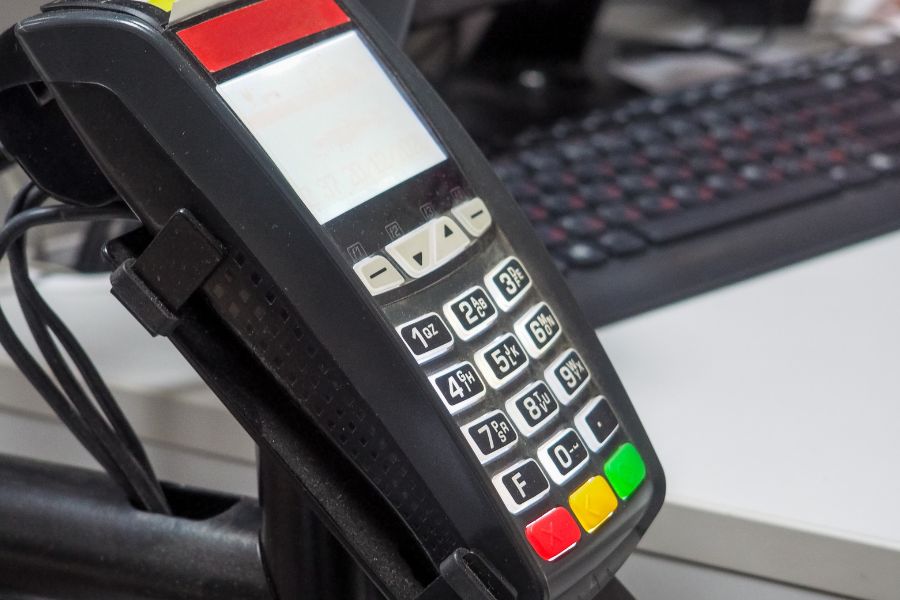
Scaling a retail business often means opening additional digital storefronts. Managing these separate channels brings new operational challenges. Retailers face complex inventory synchronization and difficult data management tasks. This article from ConnectPOS advises on the best Shopify apps for multi-store businesses. We will explore top-tier solutions that help merchants run operations smoothly. These tools eliminate manual updates and prevent costly stockouts.
Finding the right software stack is a critical step for growth. You need tools that connect multiple stores without causing technical headaches. Let us look at the top applications that solve these specific retail problems.
Highlights
- Managing multiple storefronts requires specific tools to synchronize inventory, product data, and customer information across all locations.
- Selecting the right applications helps retailers reduce manual data entry errors and maintain consistent brand experiences globally.
- This guide highlights top-rated applications that automate workflows, protect store data, and connect digital channels with physical retail points.
How Best Shopify Apps Empower Multi-store Businesses
Running multiple storefronts requires accurate coordination of inventory, pricing, products, and customer data across regions and currencies. Manual tracking can quickly lead to stock discrepancies, overselling, and poor customer experiences.
According to a Harvard Business Review study of omnichannel retailing, 73% of shoppers used multiple channels during their purchasing journey. This makes consistent inventory, pricing, and customer information across every touchpoint essential for modern retailers.
Multi-store management applications automate synchronization between storefronts, keeping product details, inventory, pricing, orders, and customer data aligned. This reduces manual work, minimizes errors, and gives retailers better control as they expand into new markets.
Global retail e-commerce sales reached $5.78 trillion in 2023, according to global retail e-commerce sales data. As online commerce continues to scale, reliable multi-store infrastructure helps retailers manage growing operations while delivering a consistent experience across channels.
7 Best Shopify Apps for Multi-Store Businesses
Managing multiple Shopify stores can become challenging when products, inventory, orders, and other business data are spread across separate storefronts. The right multi-store and best Shopify apps can centralize key operations, automate data synchronization, and reduce repetitive manual work. The best solution depends on whether your priority is inventory synchronization, bulk store management, data migration, or keeping product catalogs consistent across locations.
ConnectPOS
ConnectPOS is a Shopify POS solution designed to connect Shopify stores with physical retail locations through a centralized system. It helps merchants synchronize inventory, products, orders, and customer information while providing tools for managing multiple stores and omnichannel operations.
- Real-Time Inventory Synchronization: ConnectPOS keeps inventory data synchronized between Shopify and physical stores, helping retailers maintain accurate stock levels across multiple selling locations.
- Centralized Multi-Store Management: As a multi-store retail POS, ConnectPOS provides the ability to manage multiple stores from a unified environment, giving managers greater visibility into sales, inventory, and daily operations across locations.
- Unified Product Management: Product information can be synchronized across connected stores and retail locations, reducing the need to update product details separately in different systems.
- Omnichannel Order Management: ConnectPOS connects online and offline orders, permitting retailers to manage workflows such as buy online, pick up in store (BOPIS), click-and-collect, and other cross-channel fulfillment options.
- Multi-Location Inventory Visibility: Store teams can check product availability across different locations, making it easier to identify where inventory is available and manage stock between stores.
- Offline POS Mode: Retailers can continue processing transactions when internet connectivity is interrupted. Transaction data can synchronize with the central system once the connection is restored.
- Customer Data Synchronization: Customer profiles and purchase information can be connected between ecommerce and physical stores, giving retailers a more complete view of customer activity across channels.
- Flexible Integrations: ConnectPOS can integrate with Shopify and other business systems, making it easier for growing retailers to connect their POS with their existing ecommerce and operational technology stack.
Matrixify
Matrixify is a Shopify data management app designed for merchants that need to import, export, update, and manage large volumes of store data. It is particularly useful for businesses operating multiple Shopify stores that need an efficient way to handle products, collections, customers, orders, and other data at scale.
- Bulk Data Management: Merchants can manage large amounts of Shopify data in bulk instead of manually editing individual records, reducing repetitive administrative work.
- Import and Export Data: Matrixify enables retailers to import and export store data, making it easier to transfer information between Shopify stores or maintain external data records.
- Product Catalog Management: Businesses can update product information in bulk, which is especially useful when maintaining similar catalogs across multiple Shopify storefronts.
- Store Migration: Matrixify can help merchants move large datasets between Shopify stores during store migrations, restructuring, or expansion into new storefronts.
- Scheduled Data Operations: Retailers can automate recurring data-related tasks, helping maintain consistent information across stores without requiring employees to repeatedly perform the same updates manually.
Syncio
- Real-Time Inventory Sync: Syncio synchronizes inventory levels between connected Shopify stores, helping merchants maintain more accurate stock information across storefronts.
- Multi-Store Inventory Sharing: Businesses can make inventory from one Shopify store available to another connected store, allowing multiple storefronts to work with shared stock.
- Automatic Stock Updates: When an item is sold in one connected store, inventory information can be updated across other stores, reducing the risk of selling products that are no longer available.
- Product Synchronization: Merchants can synchronize product information between connected stores, reducing the amount of manual work required to maintain consistent catalogs.
- Centralized Inventory Visibility: Retailers can gain better visibility into available stock across connected storefronts, making it easier to understand inventory distribution.
- Useful for Multi-Market Stores: Syncio can be useful for businesses running separate Shopify stores for different markets, regions, or brands while needing their inventory to remain connected.
Multi-Store Sync Power
Multi-Store Sync Power is designed for Shopify merchants that operate multiple stores and need to synchronize products, inventory, and other store data. It helps reduce repetitive updates by automating synchronization between connected Shopify storefronts.
- Product Synchronization: Merchants can synchronize product information between multiple Shopify stores, helping maintain consistent catalogs across storefronts.
- Inventory Synchronization: Inventory quantities can be synchronized between connected stores, helping retailers maintain more accurate stock availability across locations and channels.
- Automatic Data Updates: Changes made to product or inventory information can be reflected across connected stores automatically, reducing the need for repetitive manual updates.
- Multi-Store Management: Businesses can connect multiple Shopify stores and manage synchronization workflows from a centralized environment rather than updating each storefront individually.
- Reduced Manual Work: Automating repetitive catalog and inventory updates enables store teams to spend less time maintaining duplicate information across multiple storefronts.
- Improved Data Consistency: Keeping product and inventory information aligned across stores helps reduce discrepancies and provides customers with more consistent product availability information.
Shuttle
Shuttle is designed to help Shopify merchants move products and related data between stores. It can simplify store duplication, product migration, and catalog management for businesses operating multiple Shopify storefronts.
- Product Transfer: Merchants can transfer product information from one Shopify store to another without manually recreating every product.
- Bulk Product Migration: Businesses can move multiple products at once, making it more practical for stores with large catalogs.
- Product Data Management: Product details can be transferred between stores to help maintain more consistent product information.
- Multi-Store Expansion: Merchants can use the app when launching additional Shopify stores that require products from an existing storefront.
- Reduced Manual Work: Automating product transfers saves time compared with manually copying product information between stores.
- Useful for Store Replication: Businesses can duplicate product catalogs when creating regional, brand-specific, or new market storefronts.
Stock Sync
Stock Sync is one of the best Shopify apps for inventory management, focusing on importing, exporting, and synchronizing inventory data. It helps merchants keep stock information updated across suppliers, warehouses, marketplaces, and multiple sales channels.
- Inventory Synchronization: Stock levels can be synchronized between Shopify and external inventory sources, helping merchants maintain more accurate product availability.
- Supplier Feed Integration: Businesses can connect inventory feeds from suppliers and other sources to update product quantities more efficiently.
- Automated Inventory Updates: Scheduled synchronization can reduce the need for employees to repeatedly update stock quantities manually.
- Multiple Data Sources: Merchants can work with different inventory sources and feeds, making the app useful for businesses with complex supply chains.
- Product Data Import: Stock Sync can help merchants import product and inventory information from external files or systems into Shopify.
- Overselling Prevention: Keeping inventory levels updated helps retailers reduce discrepancies between actual stock and the quantities displayed online.
Rewind Backups
Rewind Backups is designed to protect Shopify store data by automatically backing up important store information. It gives merchants a way to recover products, themes, settings, and other store data when accidental changes, data loss, or unwanted updates occur.
- Automatic Store Backups: Rewind automatically creates backups of important Shopify store data, reducing the risk of losing critical information.
- Product Data Protection: Product information, including catalog data, can be backed up so merchants have a recovery option if unwanted changes occur.
- Theme Backup and Recovery: Store themes can be backed up and restored, helping merchants recover from accidental edits or problematic updates.
- Easy Data Restoration: Merchants can restore previous versions of store data instead of manually rebuilding information after an error.
- Protection Against Human Error: Backups provide an additional layer of protection when employees accidentally delete or modify important store content.
- Useful for Multi-Store Operations: Businesses managing multiple Shopify stores can use reliable backups to reduce operational risks and protect valuable ecommerce data across their storefronts.
FAQs: Best Shopify Apps
1. Why Do Businesses Need Multiple Storefronts Instead Of Just One?
Businesses often create multiple storefronts to serve different geographical regions with local currencies and languages. Separate stores also permit merchants to run distinct retail and wholesale operations without mixing customer experiences. This separation helps target specific audience segments more accurately.
2. Can These Applications Sync Inventory Across Different Physical Warehouses?
Yes, many of these applications support multi-location inventory tracking. They route online orders to specific fulfillment centers based on stock availability and customer proximity. This routing reduces shipping costs and speeds up delivery times significantly.
3. Do These Applications Slow Down The Storefront Loading Speed?
Most top-rated synchronization applications operate entirely in the backend of the platform. They communicate via API connections and do not inject heavy code into your customer-facing theme. Your storefront speed remains fast and unaffected by these backend processes.
4. How Do These Tools Handle Different Currencies Across International Stores?
Sophisticated synchronization tools help merchants to set specific price multipliers or fixed exchange rates. You can sync the base product data while maintaining unique regional pricing strategies. This flexibility supports profitable international expansion.
Conclusion
Managing several storefronts demands accurate data synchronization and reliable inventory tracking. The right software tools eliminate manual errors and keep your product catalogs perfectly aligned. These applications save valuable time and protect your business from costly stockouts.
Building a reliable technology stack is a primary requirement for multi-store success. The best Shopify apps provide the exact automation needed to scale operations confidently. You can focus on growing your brand while the software handles the complex data transfers. Contact us to discuss your multi-store point-of-sale requirements with our team today.
►►► Optimal solution set for businesses: Shopify POS, Magento POS, BigCommerce POS, WooCommerce POS, NetSuite POS, E-Commerce POS