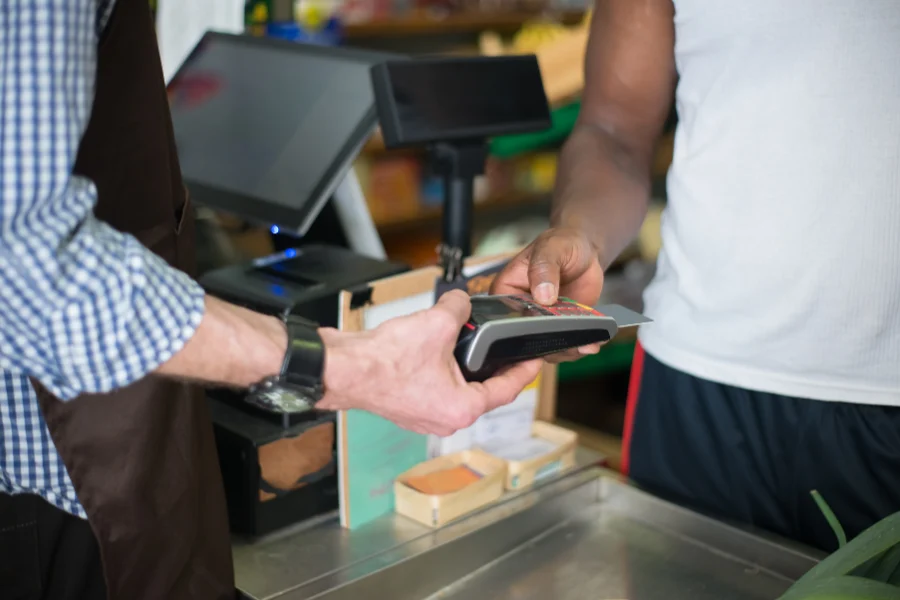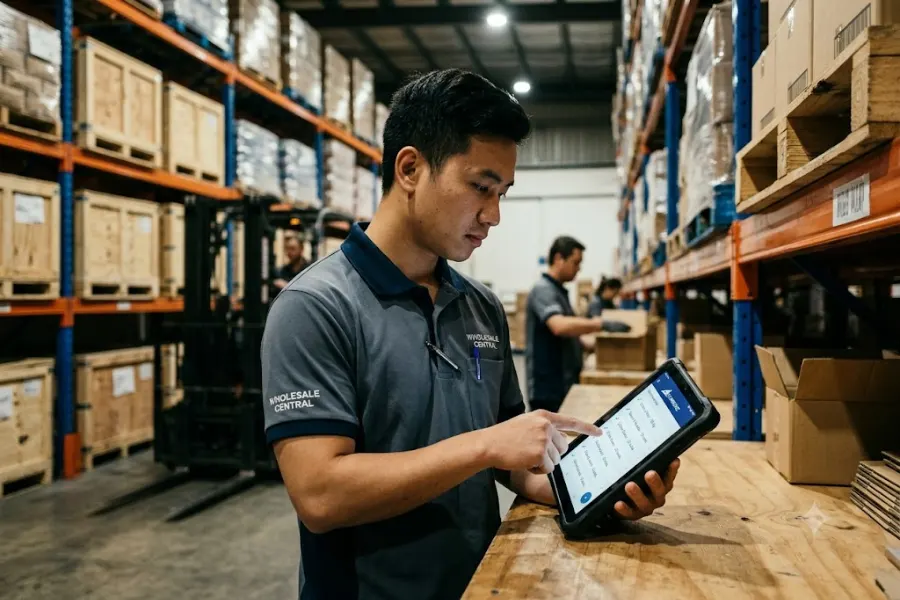
Virtual POS terminals are designed for businesses that need to accept card payments without using traditional checkout hardware. These systems run through a web browser or mobile interface, allowing transactions to be processed from any internet-connected device.
This makes them suitable for remote sales, service-based businesses, and online transactions, where speed and flexibility are required. In this article, we present the top 3 virtual POS terminals for 2026 and highlight features, pricing, and real-world use cases to support your business decisions.
Highlights
- Virtual POS terminals allow retailers to accept secure card payments without the need for traditional hardware.
- ConnectPOS stands out for its omnichannel capabilities, real-time syncing, and broad eCommerce integration.
- QuickBooks Payments is a practical choice for service-based businesses already using QuickBooks for accounting.
What is a Virtual POS Terminal?
A virtual POS terminal is a cloud-based payment solution that lets businesses process card transactions using a secure, browser-based interface. It removes the need for dedicated physical hardware, using software instead to capture card details and complete payments.
Merchants can input payment information from any connected device—such as a laptop, smartphone, or tablet. This gives retail teams the ability to handle payments in-store, by phone, or remotely, without being tied to a fixed system.
Market data reflects fast adoption. Expert Market Research valued the virtual POS terminal market at over $20 billion in 2023, with projections nearing $220 billion by 2032. As more transactions shift online, this type of setup is becoming standard in both eCommerce and service-focused environments.
To get started, retailers need a merchant account, a payment gateway, and access to a secure web browser. Card readers can be added, but they’re optional. The system turns any internet-enabled device into a functional POS terminal that supports most day-to-day retail needs.
| Differences | Normal POS | Virtual POS Terminal |
| Hardware | Requires cash register and terminal hardware, which involves ongoing maintenance and upgrade costs. | Runs on any internet-connected device with no long-term hardware commitments. |
| Features | Supports barcode scanning, card readers, and NFC. | Supports omnichannel selling, remote billing, and online-offline integration. |
| Cost | Setup and maintenance can range from $1,000 to $6,000 per year, excluding replacements. | Subscription-based pricing often ranges from $500 to $2,000 per year. |
What Makes Virtual POS Terminals Valuable for Retailers?
The use of virtual POS terminals has steadily grown as retail moves toward flexible, cloud-based payment infrastructure. They fill a clear role for teams looking to reduce hardware overhead and move faster across channels.
- Fewer delays caused by hardware issues
Physical POS systems often run into mechanical faults or wear-and-tear. Virtual POS terminals reduce these risks. If a device stops working, staff can quickly switch to another and continue making sales with minimal disruption.
- Support for a wide mix of payment methods
Customers now expect flexible payment choices, from cards to contactless options and digital wallets. Virtual terminals adapt to these preferences and often update faster than hardware-based solutions, giving retailers faster access to regional or channel-specific payment tools.
- Flexible access from any location
Sales staff or store managers can process transactions from any location where there’s a secure internet connection. For teams managing hybrid operations, this setup simplifies processes and cuts down on task switching and manual entry.
- Real-time data sync across channels
Platforms like ConnectPOS make it possible to sync orders, payments, and customer records across online and in-store channels in real time. This reduces errors and improves visibility into transactions across the business.
- Built-in security and compliance
Virtual POS terminals include features such as data encryption, tokenization, and compliance with PCI DSS. These standards help protect payment data and reduce exposure to fraud or breaches.
- Integration with other retail systems
These terminals can connect with accounting, CRM, and inventory management tools, leading to more structured sales reporting and fewer silos. They also scale with business growth, without adding major IT or hardware investments.
Key Features to Look For in a Virtual POS Terminal
Virtual POS terminals now include a wide range of built-in tools designed to fit remote, online, and flexible retail setups. Below are key features retailers should look for when evaluating a virtual POS system:
- Web-Based Interface: Access the POS through a secure browser or app from any connected device. Useful for remote staff, customer support agents, and mobile checkout.
- Manual Card Entry: Input card details for credit or debit manually, useful for sales processed via phone, email, or on-site without a physical terminal. Common in MOTO (Mail Order/Telephone Order) scenarios.
- Real-Time Payment Processing: Authorise and complete transactions in seconds. Get live updates, confirmation codes, and digital receipts instantly.
- PCI DSS Compliance & Data Security: Includes encryption, tokenisation, and secure access roles. Meets industry standards to protect sensitive payment information.
- Multi-Device Compatibility: Works across smartphones, tablets, laptops, and desktops. Provides flexibility for in-field service or remote teams with limited setup.
- Customizable Checkout & Invoicing: Create branded invoices and payment pages. Include fields for recurring billing, notes, tips, and contact information.
- Integration with Other Tools: Connect to accounting software, CRMs, inventory platforms, or shipping tools. Helps simplify reconciliation, reporting, and customer tracking.
- Transaction History & Reporting: View detailed logs, filter by date or payment method, and export reports for team use, reconciliation, or audits.
- Recurring Billing & Subscriptions: Set up automatic billing cycles, manage charges, and send alerts for renewals or cancellations, ideal for membership or service-based businesses.
- Fraud Detection & Risk Management: Monitor transactions in real time. Use settings and alerts to identify suspicious activity and reduce the risk of chargebacks.
Who Should Use a Virtual POS Terminal?
Virtual POS terminals are suitable for retailers and service providers looking to manage payments securely without investing in traditional POS hardware. Below are the types of businesses that benefit most from this setup:
E-commerce Businesses & Online Sellers: Manage card-not-present payments through secure portals or payment links. Easily attaches to platforms like Shopify, WooCommerce, or custom-built websites.
Call Centers & Customer Service Teams: Input transactions during customer interactions, straight from a browser or mobile device, with no hardware required. Often used for mail or telephone orders.
Freelancers & Service-Based Professionals: Useful for individual providers who invoice clients or process credit card payments during remote meetings or consultations.
Field Service Providers & Mobile Businesses: Accept payments directly at the job site using a phone or tablet. Ideal for electricians, home service providers, or delivery-based businesses.
Healthcare, Wellness & Education Providers: Payment processing for appointments, subscriptions, or packages. Can be used in clinics, tutoring services, personal coaching, and therapy sessions.
Hospitality & Event Services: Remote or advance payments for bookings, deposits, or last-minute transactions. Fits event planners, hotels, tour companies, or travel agents.
Small & Medium Enterprises (SMEs): Useful for businesses managing flexible operations and tight budgets. Offers scalable payment functionality that grows with the business.
International Businesses & Remote Teams: Supports centralised billing and multi-region access. Simple setup for teams working across different time zones or office locations.
How to Choose the Right Virtual POS Provider?
Finding the right virtual POS provider depends on evaluating how the system fits your operational priorities, workflows, and customer needs. Here’s what to focus on:
1. Identify Your Business Need
Start by mapping out:
- Type of payments: online, phone, in-person, or all three
- Number of users needing access
- Need for recurring billing or international transactions
- Level of integration with current tools
2. Confirm Security Standards
Choose a provider that offers:
- PCI-DSS compliance (mandatory for secure card processing)
- End-to-end encryption and tokenization
- Fraud detection tools (like 3D Secure or AVS for card-not-present transactions)
3. Check Supported Payment Methods
Look for broad compatibility, including:
- Major credit and debit cards
- Digital wallets (Apple Pay, Google Pay)
- Local payment methods (e.g., iDEAL, PayNow)
- Pay-over-time solutions like BNPL if you serve retail customers
4. Verify Integration Capabilities
Your virtual POS terminal should be able to connect with:
- Online store platforms (Shopify, Magento, WooCommerce)
- CRM, inventory, or accounting tools
- API options for custom workflows
5. Evaluate Pricing Transparency
Review contracts and fee structures for:
- Transaction costs and per-payment fees
- Charges related to international transactions
- Any setup, termination, or add-on service fees
6. Prioritise Ease of Use
The system should be:
- Quick to access from any connected device
- Easy for teams to operate, even with no advanced training
- Mobile-ready for remote transactions
7. Review Support Options
Select providers known for:
- Timely customer support (chat, phone, email)
- Well-written training materials and troubleshooting guides
- Positive reviews across verified platforms
8. Assess Scalability
Choose a system that can support:
- New locations or team members
- Increased transaction volume
- Add-ons for future use cases, such as in-store POS hardware
Top 3 Virtual POS Terminals for Retailers in 2026
Selecting the right virtual POS terminal can shape how efficiently your business runs, especially when dealing with mobile teams, remote billing, or online orders. Below are three standout options for 2026 based on compatibility, flexibility, and business fit.
1. ConnectPOS
ConnectPOS is built for retailers looking to unify their in-store and online operations without disrupting existing workflows. Its software works across multiple devices and integrates with leading eCommerce platforms, making it a practical choice for growing retailers.
Its consumer app lets retailers set up a customer-facing interface that works smoothly across mobile phones, tablets, or desktops. This improves the checkout experience without needing to invest in new hardware.
To experience the benefits firsthand, they offer a compelling 14-day free trial, allowing retailers to witness the improvements to their service without immediate commitment.
Pros:
- Omnichannel support: ConnectPOS connects online stores, back-office platforms, and in-store systems in one workflow. Orders, inventory, and customer profiles stay consistent no matter where the sale begins.
- Flexible Integration: Works with popular platforms like Magento, Shopify, BigCommerce, and WooCommerce. You can also use it as a standalone POS, with or without eCommerce integration.
- Hardware Compatibility: Supports a wide variety of retail hardware, from barcode scanners to cash drawers, letting retailers upgrade gradually without a complete hardware overhaul.
- Multi-store support: Manage multiple outlets from a single dashboard. Retailers can assign different roles, track performance per location, and view consolidated reports across branches.
- Real-time data sync: Inventory, orders, and customer data sync in real time across channels. Any updates made through one system reflect automatically across others, reducing errors and manual processes.
- Custom pricing and promotions: Retailers can set up discounts, custom pricing tiers, and time-based promotions for different customer groups or campaigns.
- User and permission control: Assign custom access levels for staff, from cashier view to full-store management. This helps maintain control over sensitive information and functions.
- Advanced reporting: ConnectPOS combines sales metrics, returns, inventory status, and customer data into unified dashboards that update live. Reports can be segmented by time range, location, or product category.
Cons:
- Lack of Proprietary Hardware: ConnectPOS doesn’t supply branded hardware bundles. Teams seeking an all-in-one POS+hardware system may need to source devices separately. Still, this opens the door to using preferred or existing equipment without vendor lock-in.
2. Payline Data
Payline Data works with a wide range of companies. However, it specializes in the medical field, offering HIPAA-compliant tools, ACH transfers, and customized pricing. It also considers nonprofit and educational services. Like Payment Depot, Payline provides substantial fraud and chargeback protection.
Pros:
- Strong fraud and chargeback protection system for safer transactions: Payline Data offers an advanced fraud detection system to protect its clients from unauthorized payments and chargeback risks. This feature effectively minimizes your business’s likelihood of financial loss and facilitates secure transactions.
- Healthcare-centered design: Tailored specifically for the healthcare industry, Payline Data simplifies compliance management concerning HIPAA (Health Insurance Portability and Accountability Act) standards. This helps keep patient data secure and safe.
- Flexible rate and pricing: Another advantage of Payline Data is its versatile pricing model. That accommodates growing businesses by offering various plan options, ensuring cost-effectiveness.
Cons:
- No warehouse or inventory management tools: This POS terminal’s lack of inventory management tools and warehouse support can create operational challenges for businesses with extensive inventory requirements.
- Limited customer-facing features like reward programs, self-checkout, and on-demand virtual POS: Payline Data lacks several customer engagement features common in other payment processing solutions, which limits its appeal to businesses requiring these functionalities.
3. QuickBooks Payment
With the virtual terminal, QuickBooks Payments will stream immediately into your QuickBooks accounts if you utilize QuickBooks. This may be a no-brainer for businesses that only want a simple virtual terminal to accept payments over the phone. Indeed, the low cost of invoicing makes it an excellent alternative for B2B and other invoice-type sales.
Pros:
- Seamless integration with QuickBooks: This is a key advantage of this POS terminal, as it allows businesses to consolidate their accounting operations and eliminate manual bookkeeping effortlessly.
- A focus on US-based payment methods: These include PayPal, Venmo, American Express, and others. This ensures quick transactions and an enhanced payment experience for customers. In case you don’t know, Statista reports that in 2021, PayPal handled nearly 4.5 billion transactions, with fast transaction times being a key factor in its popularity.
Cons:
- The lack of compatibility with existing POS systems: This may require an additional investment in new equipment for businesses adopting the platform.
- The absence of dedicated tools for cultivating customer relationships: It falls short of reward schemes, integration of customer data into CRM systems, and support for non-US payment options.
Conclusion
Virtual POS terminals make it possible for retailers to process payments from any connected device, manage transactions in real time, and stay aligned with modern shopping behavior. With options that support integration, mobility, and multi-location growth, they fit well into both online and physical retail setups.
If you’re ready to embrace the future of commerce and elevate your business with a virtual POS like ConnectPOS, don’t hesitate to contact us!
FAQs: Virtual POS Terminals
1. What is a virtual POS terminal and how does it work?
A virtual POS terminal is a software-based payment system that lets businesses process card payments through a web interface using any connected device.
2. Which types of businesses can benefit most from virtual POS terminals?
Virtual POS systems suit eCommerce stores, service professionals, mobile sellers, healthcare providers, and any business needing flexible, remote-friendly payment tools.
3. What makes ConnectPOS a strong option for retailers?
ConnectPOS offers real-time data sync, multi-store management features, and compatibility with various hardware and eCommerce platforms.
4. Can virtual POS systems integrate with accounting and inventory tools?
Yes, most virtual POS terminals integrate with tools like QuickBooks, CRMs, and inventory platforms to simplify operations and reporting.
►►► Optimal solution set for businesses: Shopify POS, Magento POS, BigCommerce POS, WooCommerce POS, NetSuite POS, E-Commerce POS