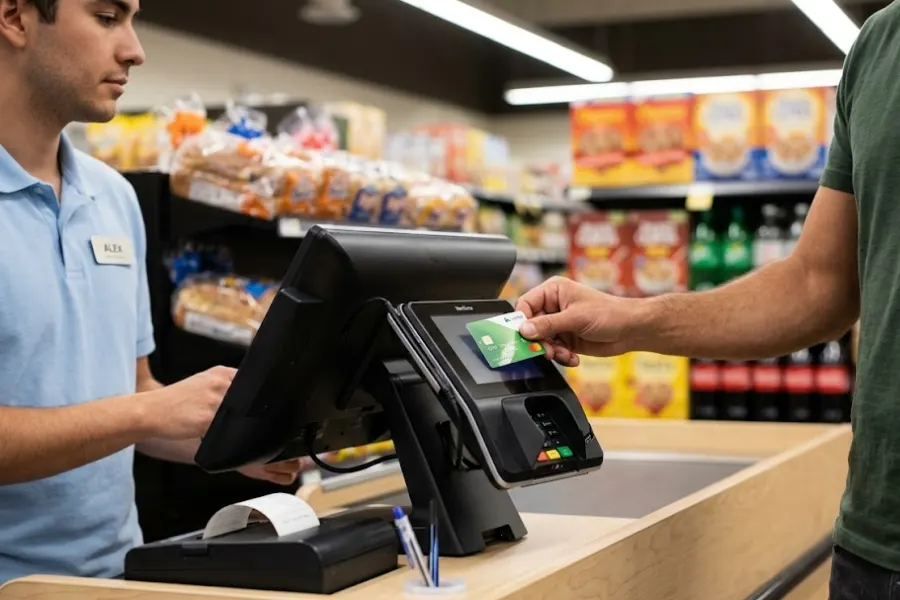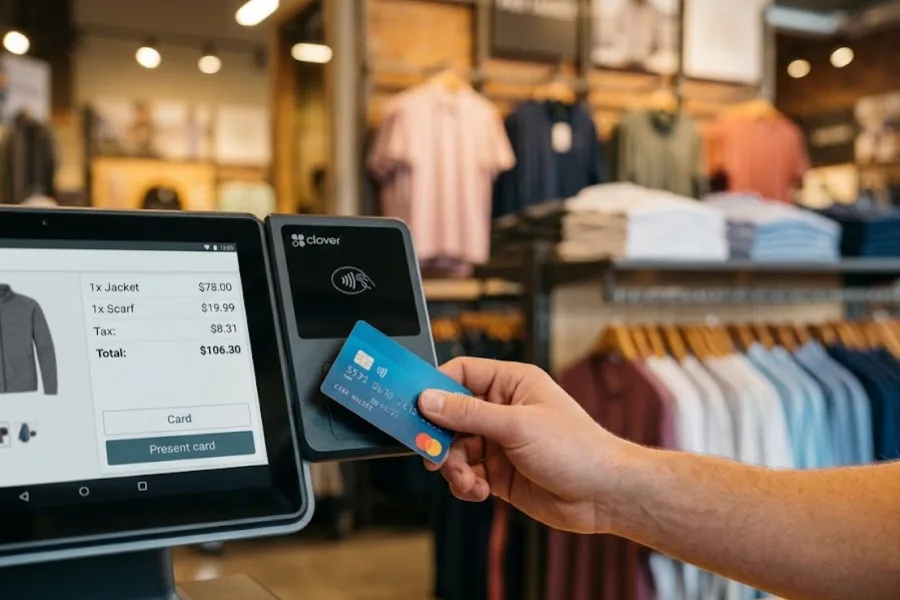
The best small business POS system in US is the one that holds up when days get busy. Many tools look alike on screen, yet results shift quickly once orders increase. Small teams feel the difference first. In this guide from ConnectPOS, we’ll focus on how POS decisions shape real operations and what you should examine before choosing.
Highlights
- Choosing the right small business POS system in the US affects everything from daily checkout speed and inventory tracking to cash flow management and long-term growth.
- First-time buyers avoid costly mistakes by focusing on real workflows, scalability, and support quality, not demos alone.
The Real Impact of POS Choices on Small Business Operations in the US
POS decisions shape far more than checkout screens. For small businesses across the US, the system you choose quietly controls speed, accuracy, and how smoothly each day runs. Early choices tend to lock in habits that are hard to change later. This is important because the U.S. now has 36.2 million small businesses, and they account for almost 46% of private sector employment, so small workflow problems can scale into a national-sized drag.
The POS market itself is growing fast, too. The U.S. point-of-sale terminal market generated about $24.46 billion in revenue in 2024 and is projected to reach about $34.67 billion by 2030.
- POS systems now extend beyond payments: Modern point of sale tools handle inventory counts, staff access, and customer records. They connect sales activity with back-office work, not just card swipes at the counter.
- First-time buyers face higher exposure to mistakes: New owners often judge tools by price or brand buzz. That approach leaves gaps once real traffic hits and small errors repeat all day.
- Daily operations, cash flow, and growth stay tightly linked: Sales data feeds reorders, staffing plans, and pricing updates. Picture a busy US retail store where stock numbers lag behind sales. Missed reorders quickly turn into lost revenue and frustrated buyers. NielsenIQ has shown how expensive “empty shelf” moments can get, estimating U.S. retailers lost over $82 billion in 2021 from out-of-stocks alone.
- Pain points surface fast without the right setup: Slow checkouts, unclear reports, and manual fixes drain time. Consider a café tracking sales on one system and inventory on another. Staff spend more time reconciling data than serving customers.
Strong POS choices reduce friction across the store. Weak ones multiply small issues into daily stress.
Breaking Down the Core Parts of a Small Business POS System
A POS system combines several moving parts into one working setup. For first-time buyers, knowing what sits inside these tools helps avoid confusion during demos and sales calls.
- POS software as the control layer: This software records sales, tracks items, and stores customer activity. It becomes the main workspace for owners and staff during every shift.
- Hardware that supports daily speed: Screens, barcode scanners, receipt printers, and cash drawers support fast service. Hardware quality affects how quickly staff move through busy periods.
- Payment processing connections: Card readers and mobile wallets link directly to the software. Clean payment flow keeps lines short and transactions accurate.
- Cloud access and data sync: Many POS systems in the US rely on cloud access to sync data across devices. Sales, inventory, and reports update without manual uploads.
Once these pieces work together, daily operations feel lighter. Clear structure also makes it easier to compare leading POS systems for US small business owners without getting lost in sales jargon.
Read more: Shopify POS Hardware: Complete Setup Guide for Small Businesses
How to Find the Best Small Business POS System in US?
Clarity comes before comparisons when choosing the best small business POS system in US. Many platforms appear similar during demos, yet daily use reveals sharp differences. Here, we’ll walk through practical checks that help you choose systems that hold up under real pressure.
- Step 1: Define your business type, size, and sales channels
Retail, food service, and service businesses work differently. A single counter shop needs a different setup than a growing brand selling online and in store.
- Step 2: Separate must-have tools from nice extras
List what you need every day, then what supports future plans. This keeps decisions grounded and prevents paying for tools that sit unused.
- Step 3: Check ease of use for owners and staff
Complicated screens slow service and raise training time. Simple layouts help new hires learn fast and keep shifts moving during rush hours.
- Step 4: Review payment flexibility across US preferences
Cards, mobile wallets, and contactless payments shape checkout speed. A system that supports common US payment habits avoids friction at the counter. McKinsey reports that in-store digital wallet use in the U.S. rose from 19% in 2019 to 28% in 2024, so “wallet-ready” checkout is becoming a normal expectation, not a bonus.
- Step 5: Examine inventory, reports, and customer records
Sales numbers should connect cleanly with stock levels and buyer history. Clear reports help spot trends before small issues grow larger, and solid inventory management software keeps counts reliable without manual fixes.
- Step 6: Think ahead about growth and locations
Even single-store owners plan to expand. A true multi-store POS setup should support new registers or locations without major changes.
- Step 7: Compare support access and onboarding quality
Strong tools still need guidance. Fast responses and clear training matter when questions appear during live sales.
- Step 8: Balance monthly fees, hardware costs, and processing rates
Low subscription prices can hide higher transaction costs. Looking at the full picture protects long-term margins.
Each step narrows choices based on daily reality, not marketing claims. This approach helps small business owners across America select POS solutions that fit today and remain reliable tomorrow.
Must-Have Features in the Best Small Business POS System in US
The best small business POS system in the US proves its value during everyday operations. Tools should ease checkout, keep records clean, and stay reliable when traffic spikes. We’ll look closely at what truly supports small business owners across the US.
- Fast and reliable checkout experience: Speed shapes customer satisfaction. Quick scans, responsive screens, and stable performance help lines move without tension, even during peak traffic or short-staffed shifts.
- Real-time inventory tracking and alerts: Stock accuracy protects cash flow and trust. As an example, ConnectPOS updates inventory instantly and sends alerts before items run low, helping owners react early instead of scrambling later.
- Sales reports that support daily and monthly decisions: Clear numbers guide smarter choices. ConnectPOS includes built-in report & analytics, giving teams clear views of sales trends, staff activity, and product performance in simple, readable reports.
- Basic CRM and customer history visibility: Knowing who comes back changes how you sell and how you serve. Repeat visits, past purchases, and preferences give teams context instead of guesswork. In practice, ConnectPOS supports CRM POS functions through customer profiles and full purchase history, helping staff recognize loyal buyers and adjust interactions naturally over time.
- Employee access control and activity tracking: Not every role needs full access. Defined permissions and activity logs keep operations organized and help spot issues without guesswork. In U.S. retail, this level of control directly supports loss prevention. The NRF estimates shrink totaled $112.1 billion in 2022, about 1.6% of total sales, and tighter access control helps limit the everyday leaks that quietly add up.
- Integration with accounting, eCommerce, and third-party tools: Disconnected systems slow teams down and create avoidable errors. When sales, inventory, and finance data live in separate tools, extra manual work follows. For example, ConnectPOS links sales data with accounting systems and online channels, keeping records aligned and supporting cleaner order fulfillment workflows as online orders grow.
When these elements work together, daily operations feel calmer and more predictable. That balance often separates top-rated POS platforms for US SMBs from tools that struggle once real pressure sets in.
Understanding POS Costs for First-Time Buyers in the US
Pricing causes hesitation for many first-time buyers. Yet costs make more sense once broken into clear pieces. Small business owners in the US often compare tools only on monthly fees, while real expenses sit across software, hardware, and payment processing.
| Cost area | What to expect | Estimated cost in the US |
| Monthly software fees | Usually charged per register or location. Prices vary by feature depth and support level. | $0 to $300 per month. Basic plans may be free or under $50, while full-feature systems often range from $100–$300 per month per location. |
| Hardware expenses | One-time purchases for terminals, scanners, printers, or tablets. Leasing may appear cheaper at first. | $50 to $2,000+ upfront. Simple card readers sit at the low end, while full counter setups with screen, printer, and cash drawer push costs higher. |
| Payment processing rates | Fees apply to each transaction and add up fast during high-volume periods. | About 2.3%–3.0% + $0.10–$0.15 per transaction for in-person payments. Online or manual entry transactions are usually higher. |
| Hidden setup costs | Data imports, training, or add-ons can raise early expenses if overlooked. | $0 to $2,000+ one-time. Small teams may spend a few hundred dollars, while complex setups cost more. |
| Ongoing add-ons and upgrades | Extra features may be needed as the business grows. | $20 to $200+ per month, depending on reporting tools, inventory depth, or advanced staff controls. |
| Value comparison | Focus on daily fit and long-term use, not just headline pricing. | A typical first-year budget for a single-location business often falls between $300 and $5,000+, excluding payment processing fees. |
Looking at the full picture lowers anxiety and prevents surprises. Clear cost planning helps you choose small business payment and sales systems in the USA that stay affordable as volume grows.
Read more: How Much is A POS System for A Small Business?
Cloud-Based vs On-Premise POS for Small Businesses
The choice between cloud and on-premise systems shapes flexibility. Many leading POS systems for US small business owners now favor cloud setups due to access and upkeep differences.
| Area | Cloud-based POS | On-premise POS |
| Fit for US small businesses | Works well for most shops and service teams | Suits fixed setups with limited change |
| Internet needs | Requires connection, often with offline fallback | Runs locally without constant internet |
| Data access and updates | Remote access and automatic updates | Manual updates and local access only |
| Security and upkeep | Managed by the provider | Handled internally |
Cloud options often feel lighter to manage, while on-premise systems still fit specific needs. Understanding this split helps small business owners across the United States pick tools that match how they actually work.
Industry-Specific POS Needs You Should Not Ignore
POS needs shift by industry, even among small businesses. What works for a café may fail in a retail shop. For small businesses in the US, matching system design to daily workflows prevents friction and missed sales.
- Retail stores, inventory depth and barcode speed: Retailers handle many SKUs and fast scanning. Strong barcode response and clear stock views keep shelves accurate during busy hours.
- Restaurants, order flow, modifiers, and split checks: Food service depends on clean order routing. Modifier handling and bill splitting help staff manage tables without slowing service.
- Service businesses, appointments and invoicing: Service teams rely on scheduling and simple billing. POS tools that track appointments and issue invoices keep cash flow predictable.
- Multi-channel sellers, online and in-store sync: Selling across channels adds complexity. Systems that sync stock and orders help avoid overselling when traffic spikes online.
Industry fit shapes long-term success. Choosing tools that align with how your business runs each day often matters more than flashy extras.
Read more: Retail POS System and Software
Common Mistakes First-Time POS Buyers Make
First-time buyers often rush decisions under pressure. That urgency leads to choices that feel fine early, yet cause strain later. Many US small business owners repeat the same missteps.
- Choosing based only on upfront cost: Low entry prices can hide higher fees later, especially when sales volume grows.
- Ignoring long-term scalability: A system that fits today may struggle once new registers or locations appear.
- Skipping demos and real-world testing: Sales screens look polished, yet real use reveals delays and confusing flows.
- Overlooking customer support quality: Slow help during live sales creates stress when issues appear.
- Buying features that never get used: Extra tools add cost without adding value when they do not match daily work.
Avoiding these traps keeps decisions grounded. Careful evaluation now prevents replacement headaches later.
Final Checklist Before Choosing Your POS System
Before signing, a short checklist brings clarity. This final review helps small business owners across the United States confirm they are ready to commit.
- Key questions to ask vendors before signing: Ask about contract terms, upgrade paths, and support access during peak hours.
- What to test during demos or trials: Run real transactions, refunds, and stock updates to see how the system behaves under pressure.
- Red flags to watch for in contracts: Long lock-ins, vague fee terms, or limited exit options deserve caution.
- Signs you found the right fit for your business: Daily tasks feel simpler, staff adapt quickly, and reports make sense without extra effort.
This final step turns research into confidence. Clear checks help you move forward with tools that support growth, not slow it down.
Meet ConnectPOS – Built for Growing Small Businesses in the US
ConnectPOS is built for retailers who want control without the clutter. We designed it for small businesses that plan to grow, add locations, and sell across channels without changing systems every year. From day one, it fits how US retailers actually work.
- True omnichannel sales keep in-store and online orders, stock, and customers in sync at all times.
- Real-time inventory tracking shows exact stock levels, transfers, and alerts before items run low.
- Multi-store management lets you run several locations from one dashboard with shared data.
- Fast checkout flow speeds up sales with barcode scanning, quick search, and offline mode.
- Flexible payment methods accept cash, cards, mobile wallets, split payments, store credit, and gift cards.
- Customer profiles and history store purchase records, loyalty points, and preferences in one place.
- Built-in loyalty programs support points, tiers, rewards, and exclusive offers for repeat buyers.
- Advanced product variants manage size, color, material, brand, bundles, and unique SKUs with ease.
- Self-service checkout options reduce lines and help staff focus on service during busy hours.
- Click and collect support connects online orders with fast in-store pickup.
- Clear sales reports break down revenue, staff performance, and product trends in plain numbers.
- Staff roles and permissions control access, shifts, and activity for better accountability.
- Industry-ready compliance tools support regulated retail with age checks and audit-friendly records.
- Open integrations connect smoothly with major eCommerce platforms like Shopify, BigCommerce, Magento, and WooCommerce, along with accounting tools, ERP systems, and in-store hardware.
- API-first architecture allows custom workflows as your business grows more complex.
- 24/7 support team helps with setup, training, and daily questions when you need it.
ConnectPOS gives small businesses room to grow without friction. As sales increase and operations expand, the system stays steady, simple, and ready for the next step. When you want a POS that grows with you, we are ready to help. Contact us to see how ConnectPOS fits your business.
Read more: Explore The 5 Best POS Systems for Small Business in The US 2026
FAQs: Best Small Business POS System in US
1. What features should a small business POS system include in the US?
A strong POS system should handle sales, inventory, payments, and reporting in one place. Real-time stock tracking, flexible payments, basic customer data, and clear sales reports matter most. Many small businesses also look for multi-location support as they grow.
2. How much does a small business POS system usually cost in the US?
Costs vary based on features and business size. Most systems charge a monthly fee per register, plus payment processing rates. Hardware like terminals and scanners often come as one-time costs, which new buyers should plan for early.
3. Is a cloud-based POS better than an on-premise system for small businesses?
Cloud-based POS systems work well for most small businesses. They allow access from anywhere, update automatically, and scale easily. On-premise systems may suit very specific setups, but they require more maintenance and upfront work.
4. Can a POS system support both in-store and online sales?
Many modern POS systems support both channels through shared inventory and order data. This helps businesses avoid overselling and keeps pricing and stock levels consistent. It is especially useful for stores adding online sales later.
5. How long does it take to set up a POS system for a small business?
Setup time depends on system complexity and data size. Simple setups can go live in a few days. Larger catalogs or multi-store setups may take longer due to product imports, staff training, and payment configuration.
Final Thoughts
Choosing the best small business POS system in US shapes how your business runs every day. The right setup supports sales, keeps data clear, and stays steady as operations grow. It should feel practical, not complicated, and match how teams work on the floor. ConnectPOS was built for that reality, helping small businesses scale without switching systems each year. If you want a POS that supports growth across locations and channels, we are ready to help. Contact us to see how ConnectPOS fits your next stage.