Running an omnichannel business is no longer just about having a website and a physical store. Customers now expect a seamless experience across every touchpoint. They may browse products online, visit your store to see items in person, place an order on mobile, and choose in-store pickup later. That means your POS system cannot operate as a separate tool. It needs to work as part of a connected commerce ecosystem.
For WooCommerce merchants, choosing the right POS is not only about processing payments at the counter. It is about making sure inventory stays accurate, customer data stays unified, and staff can serve buyers quickly without creating operational friction.
In this article, we will break down the five must-have WooCommerce POS features that matter most for omnichannel growth, and explain why each one directly affects customer experience, store efficiency, and long-term scalability.
Why WooCommerce POS features matter in omnichannel retail
An omnichannel business succeeds when all sales channels feel connected rather than fragmented. If your ecommerce store shows an item in stock but your in-store team has already sold the last unit, customer trust drops immediately. If customer profiles, loyalty data, and order history are split between systems, your team loses visibility, and personalization becomes much harder.
That is why the best WooCommerce POS setup should support more than checkout. It should help unify the online store and physical retail operation into one reliable workflow.
Real-time inventory synchronization across channels
If there is one feature that every omnichannel business must prioritize, it is real-time inventory sync. Your WooCommerce POS should instantly update stock levels whenever a sale happens online or in-store. Without that, you risk overselling, missing sales opportunities, fulfillment issues, and frustrated customers.
What to look for
A strong inventory feature should include:
- Real-time stock deduction
- Centralized product catalog management
- Variant-level stock updates
- Support for multiple outlets or locations
- Low-stock visibility and replenishment support
Business impact
When inventory is accurate everywhere, your team can confidently offer services like in-store pickup, ship-from-store, and store-assisted online ordering. It also improves customer trust because what shoppers see online matches what is actually available.
Unified customer data and order history
A POS system should not treat store shoppers and online buyers as two different audiences. In omnichannel retail, a customer is one customer, regardless of where they purchase. Your WooCommerce POS should connect customer profiles, order history, contact details, and ideally loyalty activity into one place.
What to look for
Prioritize a POS that allows staff to:
- Create and retrieve customer profiles at checkout
- View past purchases across channels
- Apply customer-specific pricing, notes, or segments
- Connect purchases to loyalty and rewards programs
- Support email receipts and future marketing follow-up
Business impact
When customer data is unified, retail staff can provide more personalized service. Marketing teams can also build better retention campaigns because online and offline behavior is not trapped in separate systems. This is especially important for brands focused on repeat purchases, membership programs, or personalized promotions.
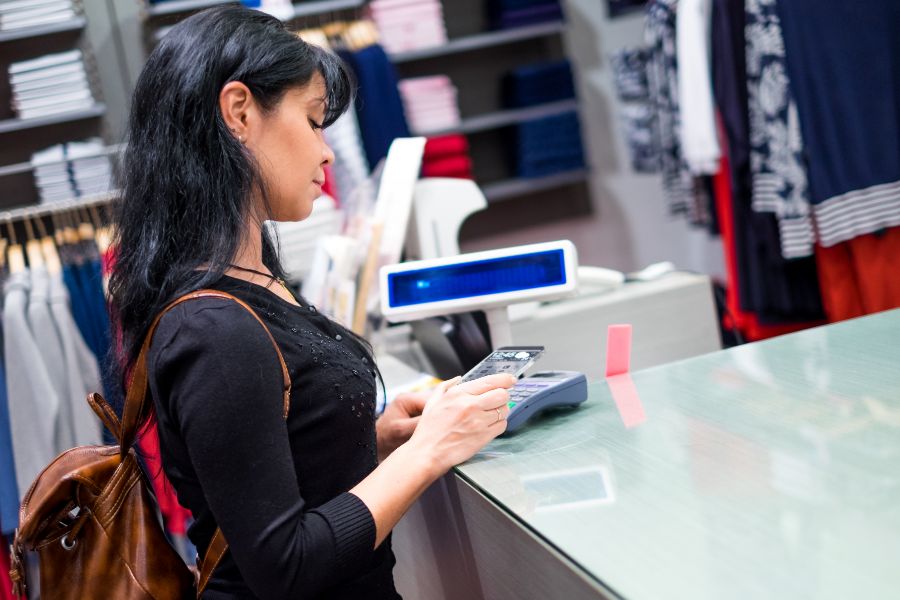
Fast checkout with barcode scanning and flexible payment support
Customers expect speed at the counter. Slow checkout creates lines, hurts store experience, and puts pressure on staff. That is why barcode scanning and flexible payment support are now must-have capabilities for any serious WooCommerce POS setup.
What to look for
A good checkout feature set should include:
- Barcode scanning POS for quick product lookup
- Support for product variations
- Cash and card payments
- Mobile wallet support, where available
- Receipt generation
- Coupon and discount application
- Tax calculation and order notes
Business impact
Fast checkout improves customer satisfaction and helps staff handle busy retail periods more efficiently. It also reduces manual errors, especially for stores with large catalogs, high SKU counts, or frequent walk-in traffic.
Offline mode for uninterrupted selling
Internet disruptions still happen, and when they do, your store should not stop selling. For brick-and-mortar retail, offline mode POS is a practical feature, not a luxury. A WooCommerce POS with offline capability allows your staff to continue processing transactions even if the internet connection becomes unstable, and then sync data once the connection is restored.
What to look for
Offline functionality should ideally cover:
- Product browsing during outages
- Order creation without an active internet connection
- Local transaction storage
- Automatic sync after reconnection
- Clear conflict handling for inventory updates
Business impact
Offline selling protects revenue and reduces operational stress during unexpected downtime. It is especially valuable for pop-up stores, events, mobile retail setups, or regions where internet stability is inconsistent.
Omnichannel order fulfillment and store operations support
A WooCommerce POS should do more than complete in-store sales. It should support the operational workflows that omnichannel POS businesses rely on, such as click-and-collect, store pickup, local fulfillment, and inventory visibility across locations.
What to look for
Look for features that help your team:
- Access centralized orders
- Fulfill pickup orders in-store
- Check stock by location
- Process returns or exchanges across channels
- Support staff permissions and outlet management
Business impact
These features make your operations more flexible. Instead of treating ecommerce and store retail as separate businesses, you can use both channels together to improve fulfillment speed, reduce lost sales, and create a smoother buying journey.
How to choose the right WooCommerce POS for your business
Not every WooCommerce POS solution is built for the same retail model. Some are better for small shops with simple catalogs, while others are more suitable for multi-location businesses with large inventories and heavier omnichannel demands.
When evaluating options, ask these questions:
Does it sync data in real time?
This is the foundation of omnichannel retail. Without it, every other workflow becomes harder to manage.
Can it support your current and future sales channels?
Your POS should fit both your present operations and your next stage of growth.
Is it easy for staff to use?
A feature-rich system is not enough if the interface slows your team down.
Does it support your preferred hardware and payment flow?
Check barcode scanners, receipt printers, card readers, and device compatibility.
Can it handle operational complexity?
If you have multiple outlets, in-store pickup, or channel-specific promotions, your POS needs to support those realities.
Conclusion
The best WooCommerce POS is not just the one that helps you accept payments in-store. It is the one that strengthens your entire omnichannel business. When inventory is updated in real time, customer data stays connected, checkout becomes faster, and your staff can continue selling even during connectivity issues. Your business becomes more agile, scalable, and customer-focused.
As customer expectations continue to evolve around convenience, flexibility, and seamless shopping experiences, these five POS features are no longer optional. They are essential for any WooCommerce merchant that wants to unify online and offline operations and build a consistent retail journey across every sales channel.
If you are looking for a solution that helps connect your WooCommerce store with your physical retail operations, ConnectPOS can be a strong option to consider. With features designed to support omnichannel growth, smoother store management, and better customer experiences, it can help businesses build a more connected retail system. Contact us at ConnectPOS to explore how the right WooCommerce POS can support your business growth.
►►► Optimal solution set for businesses: Shopify POS, Magento POS, BigCommerce POS, WooCommerce POS, NetSuite POS, E-Commerce POS