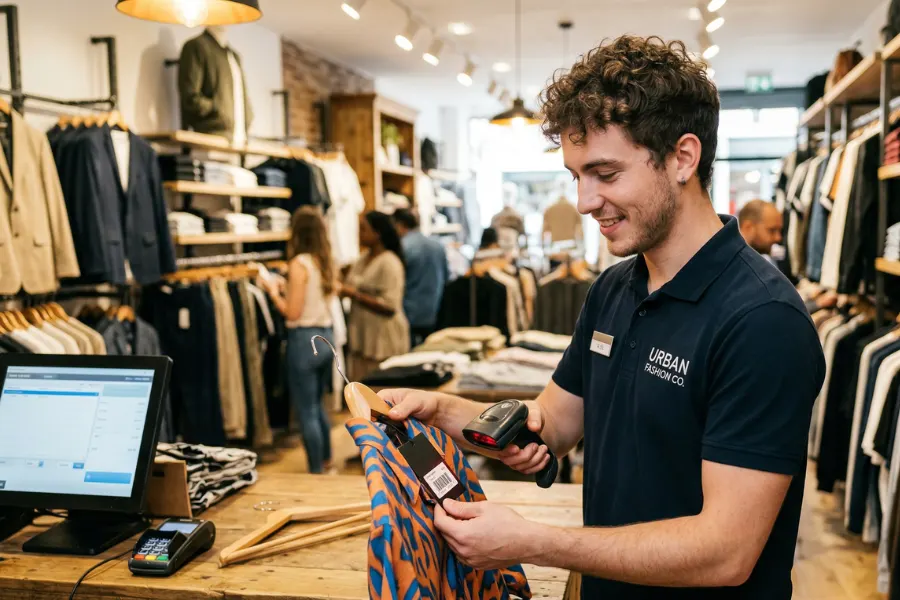
A shirt sold in five sizes and four colors creates 20 sellable variants. Each needs the right SKU, barcode, price, stock count, and sales history. Add ecommerce or another store, and one bad update can leave a sold-out size available for sale. In this ConnectPOS guide, we’ll show you how to select a clothing store POS around the workflows that matter in 2027.
Highlights
- Apparel POS selection starts with variant-level inventory, returns, and accurate stock across every selling location.
- A useful POS demo tests your own catalog, checkout flow, integrations, and store-to-store stock movement.
- Total cost includes software, hardware, payments, add-ons, onboarding, and the cost of future locations.
Why clothing retail puts more pressure on a POS
A basic register can work well when the catalog stays small. Trouble starts once one style branches into dozens of sizes, colors, fits, and seasonal versions.
The pressure quickly reaches far beyond checkout:
- Variant depth: One parent product can create dozens of sellable SKUs. Each variant needs its own stock record, barcode, price, and movement history.
- Seasonal stock: New collections often arrive in waves. Receiving, labeling, purchase orders, markdowns, and replenishment become harder when several drops overlap.
- Size accuracy: McKinsey reports that inaccurate stock purchasing across sizes can lead to an average monthly profit loss of up to 20%. Its fashion research also lists out-of-stock sizes as shoppers’ top complaint.
- Returns and exchanges: Swapping a medium shirt for a large shirt changes two inventory records. The returned item must also go back into the right size and location.
- Online stock: The last black medium sold in-store shouldn’t remain available online. Slow updates create overselling and an awkward customer conversation.
- Store-to-store visibility: Staff need stock by location, not one combined quantity. Transfers also need a clear record once merchandise starts moving between stores.
A clothing store POS should prove that it can manage these daily flows. A fast payment screen means little if your team spends the afternoon fixing stock.
How to choose a clothing store POS in 2027?
Treat the buying process as a workflow test rather than a software checklist. Run each candidate through the work your staff handles every week and watch where extra steps appear.
Start with your size, color, style, and SKU structure
Map your catalog before sitting through a demo. Count styles, sizes, colors, materials, fits, and any other attributes that create sellable variants.
The main catalog checks include:
- Variant records: Each sellable combination should carry its own SKU, barcode, price, and stock quantity.
- Parent styles: Staff should see one style grouped neatly, then choose the right size and color without hunting through near-identical products.
- Bulk product work: Seasonal drops can add hundreds of SKUs at once. Test imports and bulk edits using a realistic product file.
- Catalog limits: Ask about product, variant, attribute, and import caps before signing.
Barcode handling deserves a proper trial. GS1 says more than 1 billion products carry its barcodes, which are scanned 10 billion times every day worldwide.
For apparel, that scan should identify the exact variant. ‘Blue shirt’ isn’t enough when the customer is holding a blue medium.
Check whether inventory stays accurate wherever a sale happens
Inventory accuracy should survive a full day of movement. Receive stock, sell one variant, process a return, transfer another unit, then place an ecommerce order.
Run these checks during the demo:
- One stock picture: Compare quantities at the register, ecommerce store, warehouse, and another branch after each action.
- Location-level stock: Ten units company-wide tells staff little if nine sit in another city.
- Stock movement: Test receiving, adjustments, transfers, purchase orders, and low-stock alerts.
- Store lookup: Staff should see another location’s available size during the customer conversation.
- Sync timing: Manual or delayed updates create a gap between what shoppers see and what the business owns.
Retailers that need tighter control can connect the POS to inventory management software. One sale should still update the correct SKU in the correct location without a second manual step.
Walk through returns, exchanges, discounts, and seasonal selling
Apparel creates plenty of reverse movement. The National Retail Federation estimates that 15.8% of annual retail sales will be returned in 2025, reaching 19.3% for online sales.
Your test should include the messy cases, not one simple refund:
- Size and color swaps: Exchange one variant for another and inspect each stock record afterward.
- Refund choices: Try card refunds, store credit, gift cards, and cross-location returns where your policy permits them.
- Returned inventory: Confirm that resellable merchandise returns to the correct variant and store.
- Promotion rules: Run category markdowns, bundles, loyalty rewards, and seasonal clearance pricing.
- Manager controls: Check who can approve refunds, price overrides, and larger discounts.
Then combine returns and promotions in one session. Busy periods expose awkward workflows much faster than a clean vendor demo.
Map the POS to your ecommerce and back-office systems
List the systems your business already depends on before comparing POS vendors. That may include Shopify, Magento, BigCommerce, ERP, CRM, accounting software, payment gateways, loyalty tools, or marketplaces.
Online sales make those connections harder to ignore. U.S. Census Bureau data shows ecommerce reached 17.1% of total U.S. retail sales in Q2 2026, while ecommerce sales grew 12.2% year over year.
Focus your integration review on four areas:
- Data scope: Confirm which SKUs, prices, customers, orders, promotions, inventory records, and returns move between systems.
- Connection type: Ask if each link is direct, app-based, connector-based, or built through custom APIs.
- Failure handling: Staff need a way to spot missing orders, duplicate SKUs, and failed updates.
- Source of truth: Decide which system owns product and inventory data before setup begins.
A POS that needs heavy rebuilding around your existing ecommerce stack can turn a small project into months of extra work.
Price the whole operating model, not the headline plan
A low entry price can look attractive until the store adds the tools it actually needs. Compare every vendor against the same operating setup.
Include these costs:
- Monthly software: Count registers, locations, users, and the required plan tier.
- Hardware: Add terminals, tablets, scanners, printers, cash drawers, and replacement devices.
- Payment processing: Compare percentage rates, fixed transaction fees, and gateway requirements.
- Apps and connectors: Include inventory, loyalty, reporting, accounting, and ecommerce add-ons.
- Setup: Add migration, onboarding, training, and custom work.
- Growth: Price a second location now rather than waiting until the lease is signed.
The cheapest clothing store POS on day one may cost much more once transfers, reporting, or staff permissions require paid modules. Compare monthly totals, not one headline number.
Put checkout and staff usability through a real store test
A polished sales demo can hide small steps that frustrate staff all day. Ask your team to work through real transactions using your own catalog.
Try the workflows that happen most often:
- Product lookup: Scan similar items and search by barcode, SKU, title, size, and color.
- Checkout paths: Test split payments, discounts, held carts, customer lookup, returns, and receipts.
- Mobile selling: Try assisted checkout away from the counter. Mobile POS can suit busy floors, pop-ups, and fitting-room assistance.
- Permissions: Test manager approval for refunds, price changes, discounts, and inventory edits.
- Training: Give the system to a newer staff member and watch where questions appear.
Bring awkward SKUs, old barcodes, bundles, and genuine return cases. Your real products expose friction faster than a tidy demo catalog.
Plan for the second store or sales channel before you need it
One boutique can hide limits that appear quickly after expansion. Ask every vendor to show what changes after adding another store, warehouse, or online channel.
Focus on the workflows that cross locations:
- Inventory transfers: Move one size between stores and trace every stock change.
- Central reporting: Compare sales and inventory without exporting separate files.
- Role access: Test permissions for cashiers, store managers, regional staff, and head office.
- Fulfillment: Run BOPIS and ship-from-store orders if those models fit your growth plan.
- Shared retail rules: Confirm how prices and promotions stay consistent across locations.
A multi store POS becomes relevant once stock, staff, and orders cross store boundaries. Planning early can save another migration a year later.
Verify migration, go-live, and support before signing
Migration deserves as much attention as the POS demo. Poor opening data can make good software look broken on launch day.
Ask for a clear plan covering:
- Data migration: Products, variants, SKUs, customers, prices, and opening quantities should all have named migration steps.
- Stock validation: Reconcile inventory before launch and inspect sample records after the import.
- Staff training: Confirm who runs training and what setup help comes with the project.
- Failure procedures: Ask what staff should do when internet, integrations, or payments stop.
- Support ownership: Know who handles problems involving outside connectors.
- Post-launch support: Review support hours and escalation paths after the rollout team leaves.
Good preparation catches product errors before customers do. That alone can save plenty of opening-week headaches.
Common clothing store POS buying mistakes and how to avoid them
Many poor POS purchases look reasonable during the sales call. Problems usually appear later around inventory, returns, or store growth.
The most common mistakes include:
- Choosing for checkout alone: Quick payments don’t fix messy size and color records behind the register.
- Treating variants as product notes: Every sellable size-color pair needs accurate SKU-level inventory.
- Buying on the lowest starting price: Hardware, add-ons, processing, and new stores can reshape the monthly bill.
- Ignoring exchanges: Test a real size swap and inspect the inventory movement before signing.
- Accepting manual channel updates: Repeated hand edits become harder to control as online orders grow.
- Skipping your real catalog: Generic demos rarely expose duplicate SKUs, unusual barcodes, or deep variant groups.
- Planning only for one store: Expansion can expose weak transfers, missing permissions, and disconnected reports.
The safer buying process is practical and slightly demanding. Your clothing store POS needs to prove itself against the work that already gives your staff trouble.
When a basic retail POS starts creating more work
A simpler retail POS may suit one store and one selling channel. The pressure changes once you open another location or share the same inventory between physical and ecommerce stores.
That growth point is where ConnectPOS enters the discussion as a cloud POS for apparel retail. Its apparel setup supports variant management, centralized stock visibility, sales channel connections, staff access, customer records, and fulfillment workflows.
For clothing retailers, that means fewer separate steps when stock, staff, and orders start moving across stores and channels:
- Detailed size and color matrix: Keep sizes, colors, styles, and SKUs grouped under clear product records.
- Centralized inventory monitoring: Give store teams and head office a shared view of stock across locations.
- Cross-location and channel synchronization: Keep stock and pricing aligned as products sell in stores and online.
- Purchase order automation: Connect supplier ordering and receiving to replenishment work.
- Mobile POS: Let staff complete supported checkout tasks away from a fixed counter.
- Staff roles and permissions: Set access around each store role as your team grows.
- Personalized clienteling: Give staff customer history for more relevant assisted selling.
- Flexible fulfillment: Support BOPIS and shipping flows when physical and online orders meet.
Pricing starts at $49 per register per month for the Standard plan. ConnectPOS also lists Advanced at $79 per month and Premium at $99 per month, so retailers can compare the monthly cost against the number of registers and workflows they expect to support. Annual billing is lower, starting at $39 per register per month when billed annually.
Store 1892 gives this growth point a real apparel example. The Dutch retailer needed live inventory, order, and customer updates while preparing for another location. Its ConnectPOS case study reports a 20% increase in sales, 30% shorter wait time, and 20% higher customer satisfaction after the new setup.
That’s the trigger worth watching. If another store or sales channel creates daily reconciliation work, your POS has started adding work instead of containing it.
FAQs: clothing store POS systems
1. What should a clothing store POS include in 2027?
Look for variant inventory, SKU and barcode control, live stock, returns, exchanges, payments, customer records, integrations, and multi-store tools. Test those workflows using your own catalog before you commit.
2. How does a clothing store POS track different sizes and colors?
The POS groups related variants under one parent style. Each sellable size-color pair then keeps its own SKU, barcode, price, and stock count.
3. Does a clothing store need the same inventory for online and in-store sales?
Stores that sell from one shared stock pool need synchronized inventory. An in-store sale should remove that exact SKU from online availability before another shopper buys it.
4. How much does a clothing store POS cost?
Total cost can include monthly software, hardware, payment processing, integrations, extra registers, extra locations, onboarding, and paid modules. Compare vendors using the same store setup rather than their cheapest plans.
5. When should a clothing store replace or upgrade its POS system?
Watch for frequent stock corrections, difficult exchanges, unreliable online-to-store inventory, growing variant counts, or staff jumping between tools to finish one sale. A second store often makes these gaps much easier to see.
Final Thoughts
The right clothing store POS should keep apparel variants accurate before your retail operation becomes more complex. Test inventory movement, exchanges, ecommerce orders, staff access, and checkout using the products your team actually handles. A one-store boutique may need a simpler setup than a retailer adding another location or sales channel. If that growth point is close and you’re still comparing requirements, chat with us to discuss how ConnectPOS could fit your store structure and current systems.
Chat with our team►►► Optimal solution set for businesses: Shopify POS, Magento POS, BigCommerce POS, WooCommerce POS, NetSuite POS, E-Commerce POS