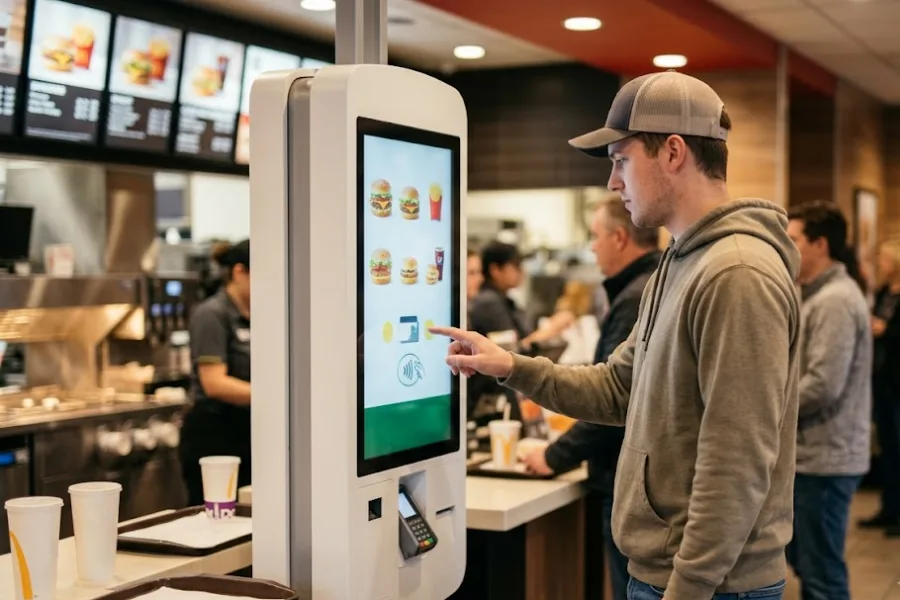
A shopper sees a jacket in stock online, drives to the store, then finds an empty rack. That mismatch can trigger a canceled pickup, refund work, and lost trust. POS integration with ecommerce keeps product, stock, order, customer, and fulfillment records aligned across physical and online retail. In this guide of ConnectPOS, we’ll map what retailers should connect first and why each step matters to O2O shopping.
Highlights
- Product identity, location stock, and orders should come before loyalty, CRM, and analytics.
- O2O testing should follow full customer journeys, including pickup, ship-to-home, returns, and exchanges.
- Each data type needs a clear system of record, sync direction, and recovery process before launch.
POS Integration With Ecommerce Goes Beyond Sending Sales Data
Sending an online order into the register solves one small part of connected retail. O2O shopping also depends on stock, product identity, customer records, payment state, returns, and fulfillment status staying aligned.
McKinsey reports that 60% to 70% of consumers research and shop across stores and online. That behavior puts real pressure on the data layer behind each channel.
- Shared commerce records: Product IDs, variants, SKUs, prices, inventory, orders, payments, customers, refunds, and fulfillment statuses need agreed data rules.
- One owner for each record: Decide which system controls stock, price, customer fields, and order status. Two systems writing the same field can create a quiet mess.
- Defined sync direction: One-way sync may suit a system of record. Two-way sync makes sense when actions must travel back across channels.
- Fast updates: Pickup promises depend on current stock, not last night’s batch file. Slow updates can turn a valid order into an apology.
A connected retail setup should follow the customer journey from product lookup through purchase and post-sale service. The goal is to keep every system working from the same reliable retail data.
What to Connect First: A POS Integration With Ecommerce Checklist for O2O Retail
The best sequence follows customer-visible risk and workflow dependency. Loyalty data has little value if the site sells stock that the store doesn’t have.
| Priority | What to connect | Data that must sync | O2O experience supported |
| P0 | Product and SKU master | SKU, variant, barcode, price, tax, status | Same product across channels |
| P0 | Inventory by location | Available stock, reservations, returns, transfers | Store availability, BOPIS |
| P0 | Orders and transactions | Order ID, payment, refund, source | Cross-channel order lookup |
| P1 | Customer identity | Customer ID, email, phone, history | Assisted selling, purchase lookup |
| P1 | Returns and fulfillment | Return state, pickup, routing, status | BORIS, pickup, ship-from-store |
| P2 | Promotions and loyalty | Coupons, points, tiers, gift cards | Consistent value across channels |
| P3 | CRM and analytics | Customer, order, product, store events | O2O attribution and segmentation |
1. Start With Product and SKU Mapping
A product master gives every later sync a stable identity. If ecommerce and POS use different codes for the same blue medium shirt, stock updates may land on the wrong item.
- Map core fields: Align SKU, barcode, variant, product status, price, tax rules, and product relationships.
- Assign field ownership: Let one system control each key field so routine edits don’t overwrite good data.
- Check variant logic: Map sizes, colors, bundles, and configurable products before migration.
Duplicate SKUs and missing barcodes can break POS integration with ecommerce before customers see any benefit. Clean product data first, then build the later flows on top.
2. Sync Inventory by Location Before Promising Availability
Inventory is the first connection shoppers can feel. Store-level stock must reflect sales, returns, transfers, reservations, and receiving quickly enough to support a promise online.
- Track location stock: A global quantity can hide the fact that Store A has none and Store B has six.
- Reserve pickup stock: Once a pickup order is confirmed, that unit should leave available-to-sell stock.
- Return stock correctly: A returned item needs the right location and condition before it becomes sellable again.
Your inventory rules should follow one stock authority across stores and ecommerce. The right inventory management software setup can support store availability, BOPIS, and endless aisle once those rules are sound.
3. Bring Online and In-Store Orders Into One Operational View
Store staff should find a purchase without asking which channel created it. Order sync needs IDs, line items, payment state, refunds, source channel, customer link, and service status.
- Keep one searchable history: Staff need online orders for pickup, service, returns, and exchanges.
- Label order source: Clear channel labels help teams apply the right payment, tax, and fulfillment rules.
- Preserve payment state: Paid, unpaid, partially refunded, and voided orders need matching meanings across systems.
A clean order view makes ecommerce POS integration useful at the counter, not just in reports. It also prepares the workflow for returns and fulfillment.
4. Match Customer Identity Across Channels
One shopper shouldn’t become two profiles because they bought online first. Matching rules should use stable identifiers, then keep consent and purchase history attached to the right record.
Salesforce reports that 79% of customers expect consistent interactions across departments. Split customer data works against that expectation.
- Set match rules: Email, phone, customer ID, and reference IDs can link records before creating a new profile.
- Prevent duplicates: Search first, create second. Duplicate profiles split purchase history and loyalty balances.
- Keep useful history: Staff need the right customer record for service, assisted selling, and order lookup.
Customer matching deserves the same care as SKU mapping. Once identities split, every later workflow becomes harder to trust.
5. Connect Returns and Exchanges to the Original Purchase
Returns expose weak integrations fast. Staff need the original order, purchased SKU, tender, refund state, returned quantity, and stock destination.
NRF projects that 19.3% of online sales will be returned in 2025. That volume makes cross-channel return logic part of normal retail work.
- Find the original sale: Store staff should retrieve an online purchase without rebuilding it by hand.
- Send stock to the right place: Returned goods may go back to saleable stock, quarantine, repair, or another location.
- Carry refund state across systems: Refund, order, customer, payment, and stock records should move together.
Size or color exchanges add another layer because the replacement SKU differs. The system must remove one item and add the other in the correct location.
6. Connect Fulfillment Once Inventory and Orders Agree
Fulfillment depends on trusted stock and order data. Start routing only after those layers agree on item, quantity, location, and status.
Deloitte reports that 34% of U.S. consumers regularly use buy-online, pick-up-in-store services. It also expects BOPIS to grow 54% faster than overall ecommerce through 2030.
- Map fulfillment fields: Pickup store, shipping method, routing location, reservation, picking, packing, and customer-facing status need clear mappings.
- Document status meanings: ‘Packed’, ‘ready for pickup’, and ‘completed’ may mean different things across systems.
- Plan exceptions: Split orders, canceled pickups, missing stock, and failed handoffs need recovery paths.
Order Fulfillment should support BOPIS, ship-from-store, transfers, and ship-to-home only after stock data is dependable. That keeps customer promises tied to what the store can actually fulfill.
7. Add Promotions, Gift Cards, and Loyalty After the Transaction Core Works
Once the transaction core is stable, connect the value customers carry across channels. That includes coupon rules, gift-card balances, loyalty points, tiers, and redemption history.
- Align promotion rules: An online campaign may need the same eligibility in store, or a clear channel limit.
- Sync stored value: Gift cards and loyalty balances should change after redemption without manual correction.
- Keep earn and burn connected: Customers may earn online and redeem in store, then reverse that path later.
A loyalty program works better when purchase history is already reliable. Otherwise, the loyalty message may look unified while the data still isn’t.
8. Feed CRM and Analytics After Core Commerce Records Are Stable
Marketing and analytics need clean commerce data. Send customer, order, product, store, channel, refund, and fulfillment events downstream after the source records are trustworthy.
- Build one customer story: CRM teams can segment repeat buyers only when identities and purchases line up.
- Measure O2O journeys: Track online discovery, pickup, returns, store-assisted sales, and repeat purchases as connected events.
- Keep reporting downstream: Dashboards should read trusted records rather than patch broken source data.
Report & Analytics can track channel sales, stock movement, refunds, staff activity, and store performance once the feeds are sound. Make the transaction reliable first, then make the experience more personal.
Test the O2O Journey, Not Just the API Connection
A 200 response only proves that one request worked. POS integration with ecommerce is ready when real customer journeys survive normal traffic, bad data, staff actions, and failure cases.
We recommend testing the flows your staff will face during an ordinary shift. Those paths expose gaps that isolated endpoint checks often miss.
- Online to store: Check local stock → order online → reserve stock → route to store → pick → send ready status → complete pickup.
- Store to online: Find an unavailable item → check network stock → place ship-to-home order → confirm payment → show it in customer history.
- Post-purchase: Find an online order → return or exchange in store → issue refund → update inventory → update customer and order history.
- Failure tests: Cancel a pickup, force a sync delay, disconnect the network, retry a duplicate order, and fail a refund.
Check stock, status, customer record, payment state, and store task after each step. If one layer stays stale, the journey isn’t ready for customers.
Where POS-Ecommerce Integrations Usually Break
Most failures start with ownership, mapping, or timing. POS integration with ecommerce becomes fragile when two systems disagree and nobody has defined which record wins.
- Competing systems of record: POS edits overwrite ecommerce data, then ecommerce writes old values back.
- Dirty product data: Duplicate SKUs, missing barcodes, and unmatched variants send stock or orders to the wrong item.
- Slow inventory updates: A delay of minutes can sell the last unit twice during busy periods.
- One-way status gaps: Orders arrive in POS, but refunds, cancellations, or pickup states never travel back.
- Weak identity rules: A new profile gets created for a shopper who already exists under another identifier.
- Silent failures: Teams need sync logs, rejected-record queues, retry rules, alerts, and daily reconciliation.
Salesforce Order Management guidance also calls for monitoring integration rejections instead of waiting for customer complaints. We’d give every failed record an owner, retry path, and point for manual review.
When Basic POS-Ecommerce Sync Stops Being Enough
A basic connector may work for one store and one online channel. Complexity rises when more locations, warehouses, CRM, ERP, payments, marketplaces, and service tools depend on the same retail data.
That’s the point where POS integration with ecommerce needs a POS built for connected operations, not just a bridge between two databases. ConnectPOS supports direct ecommerce links and connections with CRM, ERP, payments, marketplaces, and other retail systems.
Once the setup grows this complex, the POS has to support the daily workflows that sit on top of the connection. In ConnectPOS, those workflows include:
- Direct ecommerce integration: Connect supported ecommerce platforms with physical store operations and shared retail data.
- Real-time inventory synchronization: Keep stock aligned as products sell, return, transfer, or move between channels.
- Multi-store inventory management: Track stock and sales across stores and inventory locations.
- Cross-channel refunds and exchanges: Let staff handle supported online purchases, returns, and exchanges in store.
- Mobile POS: Mobile POS lets staff check stock, serve shoppers, and complete checkout away from a fixed counter.
- Customer profile management: Give staff purchase and customer records for more relevant in-store service.
- Self-service POS: Add another checkout path during busy periods without splitting inventory records.
- Real-time reporting: Track sales, stock, refunds, and store activity as O2O operations grow.
- API-first integrations: Connect POS workflows with CRM, ERP, payments, marketplaces, and other retail systems.
Pricing starts at $49 per register per month for the Standard plan. Advanced costs $79, while Premium costs $99 per register per month. Annual billing brings the monthly equivalents to $39, $69, and $89 respectively, billed annually. Retailers can check ConnectPOS pricing to compare plans against their store count and integration needs.
Yeti Cycles shows how that setup can work in practice. ConnectPOS linked BigCommerce and POS in both directions for orders, customers, and products. Yeti reported at least one minute saved per customer transaction.
Retailers still mapping requirements can talk through their stack, store model, and O2O workflows before choosing a setup. That keeps the discussion tied to real operating needs.
FAQs: POS Integration With Ecommerce
1. What should retailers integrate first between POS and ecommerce?
Start with product and SKU mapping, then location inventory and orders. Customer identity, returns, fulfillment, loyalty, and analytics depend on those records being accurate.
2. Does POS integration with ecommerce need two-way synchronization?
Not every field needs two-way sync. Use one-way flow when one system owns the record, then two-way flow where actions must move across channels.
3. How does POS ecommerce integration support BOPIS?
BOPIS needs store-level inventory, stock reservation, order routing, picking status, customer notification, and pickup completion. Each step should update the systems that staff and shoppers rely on.
4. Can customers buy online and return items in store with an integrated POS?
Yes, when the systems share the original order, purchased SKU, payment details, refund state, and inventory rules. The exact flow depends on the platform, POS, payment setup, and return policy.
5. How can retailers tell if their POS and ecommerce integration is working properly?
Run complete O2O acceptance tests. Check stock, order status, customer identity, payments, returns, fulfillment, error logs, and recovery steps rather than judging success from API responses alone.
Final Thoughts
A strong POS integration with ecommerce connects the records that decide whether customers can find, buy, collect, return, or exchange an item. Start with product identity, then inventory, orders, customers, returns, fulfillment, loyalty, and analytics. Judge success through complete O2O journeys, not the number of connected APIs. If your current setup still creates stock gaps, duplicate records, or broken handoffs, chat with us to review the retail workflows behind your integration and map a cleaner path forward across channels.
POS Integration With Ecommerce Checklist for Retailers: What to Connect First to Elevate O2O Customer Experience?
A shopper sees a jacket in stock online, drives to the store, then finds an empty rack. That mismatch can trigger a canceled pickup, refund work, and lost trust. POS integration with ecommerce keeps product, stock, order, customer, and fulfillment records aligned across physical and online retail. In this guide of ConnectPOS, we’ll map what retailers should connect first and why each step matters to O2O shopping.
Highlights
- Product identity, location stock, and orders should come before loyalty, CRM, and analytics.
- O2O testing should follow full customer journeys, including pickup, ship-to-home, returns, and exchanges.
- Each data type needs a clear system of record, sync direction, and recovery process before launch.
POS Integration With Ecommerce Goes Beyond Sending Sales Data
Sending an online order into the register solves one small part of connected retail. O2O shopping also depends on stock, product identity, customer records, payment state, returns, and fulfillment status staying aligned.
McKinsey reports that 60% to 70% of consumers research and shop across stores and online. That behavior puts real pressure on the data layer behind each channel.
- Shared commerce records: Product IDs, variants, SKUs, prices, inventory, orders, payments, customers, refunds, and fulfillment statuses need agreed data rules.
- One owner for each record: Decide which system controls stock, price, customer fields, and order status. Two systems writing the same field can create a quiet mess.
- Defined sync direction: One-way sync may suit a system of record. Two-way sync makes sense when actions must travel back across channels.
- Fast updates: Pickup promises depend on current stock, not last night’s batch file. Slow updates can turn a valid order into an apology.
A connected retail setup should follow the customer journey from product lookup through purchase and post-sale service. The goal is to keep every system working from the same reliable retail data.
What to Connect First: A POS Integration With Ecommerce Checklist for O2O Retail
The best sequence follows customer-visible risk and workflow dependency. Loyalty data has little value if the site sells stock that the store doesn’t have.
| Priority | What to connect | Data that must sync | O2O experience supported |
| P0 | Product and SKU master | SKU, variant, barcode, price, tax, status | Same product across channels |
| P0 | Inventory by location | Available stock, reservations, returns, transfers | Store availability, BOPIS |
| P0 | Orders and transactions | Order ID, payment, refund, source | Cross-channel order lookup |
| P1 | Customer identity | Customer ID, email, phone, history | Assisted selling, purchase lookup |
| P1 | Returns and fulfillment | Return state, pickup, routing, status | BORIS, pickup, ship-from-store |
| P2 | Promotions and loyalty | Coupons, points, tiers, gift cards | Consistent value across channels |
| P3 | CRM and analytics | Customer, order, product, store events | O2O attribution and segmentation |
1. Start With Product and SKU Mapping
A product master gives every later sync a stable identity. If ecommerce and POS use different codes for the same blue medium shirt, stock updates may land on the wrong item.
- Map core fields: Align SKU, barcode, variant, product status, price, tax rules, and product relationships.
- Assign field ownership: Let one system control each key field so routine edits don’t overwrite good data.
- Check variant logic: Map sizes, colors, bundles, and configurable products before migration.
Duplicate SKUs and missing barcodes can break POS integration with ecommerce before customers see any benefit. Clean product data first, then build the later flows on top.
2. Sync Inventory by Location Before Promising Availability
Inventory is the first connection shoppers can feel. Store-level stock must reflect sales, returns, transfers, reservations, and receiving quickly enough to support a promise online.
- Track location stock: A global quantity can hide the fact that Store A has none and Store B has six.
- Reserve pickup stock: Once a pickup order is confirmed, that unit should leave available-to-sell stock.
- Return stock correctly: A returned item needs the right location and condition before it becomes sellable again.
Your inventory rules should follow one stock authority across stores and ecommerce. The right inventory management software setup can support store availability, BOPIS, and endless aisle once those rules are sound.
3. Bring Online and In-Store Orders Into One Operational View
Store staff should find a purchase without asking which channel created it. Order sync needs IDs, line items, payment state, refunds, source channel, customer link, and service status.
- Keep one searchable history: Staff need online orders for pickup, service, returns, and exchanges.
- Label order source: Clear channel labels help teams apply the right payment, tax, and fulfillment rules.
- Preserve payment state: Paid, unpaid, partially refunded, and voided orders need matching meanings across systems.
A clean order view makes ecommerce POS integration useful at the counter, not just in reports. It also prepares the workflow for returns and fulfillment.
4. Match Customer Identity Across Channels
One shopper shouldn’t become two profiles because they bought online first. Matching rules should use stable identifiers, then keep consent and purchase history attached to the right record.
Salesforce reports that 79% of customers expect consistent interactions across departments. Split customer data works against that expectation.
- Set match rules: Email, phone, customer ID, and reference IDs can link records before creating a new profile.
- Prevent duplicates: Search first, create second. Duplicate profiles split purchase history and loyalty balances.
- Keep useful history: Staff need the right customer record for service, assisted selling, and order lookup.
Customer matching deserves the same care as SKU mapping. Once identities split, every later workflow becomes harder to trust.
5. Connect Returns and Exchanges to the Original Purchase
Returns expose weak integrations fast. Staff need the original order, purchased SKU, tender, refund state, returned quantity, and stock destination.
NRF projects that 19.3% of online sales will be returned in 2025. That volume makes cross-channel return logic part of normal retail work.
- Find the original sale: Store staff should retrieve an online purchase without rebuilding it by hand.
- Send stock to the right place: Returned goods may go back to saleable stock, quarantine, repair, or another location.
- Carry refund state across systems: Refund, order, customer, payment, and stock records should move together.
Size or color exchanges add another layer because the replacement SKU differs. The system must remove one item and add the other in the correct location.
6. Connect Fulfillment Once Inventory and Orders Agree
Fulfillment depends on trusted stock and order data. Start routing only after those layers agree on item, quantity, location, and status.
Deloitte reports that 34% of U.S. consumers regularly use buy-online, pick-up-in-store services. It also expects BOPIS to grow 54% faster than overall ecommerce through 2030.
- Map fulfillment fields: Pickup store, shipping method, routing location, reservation, picking, packing, and customer-facing status need clear mappings.
- Document status meanings: ‘Packed’, ‘ready for pickup’, and ‘completed’ may mean different things across systems.
- Plan exceptions: Split orders, canceled pickups, missing stock, and failed handoffs need recovery paths.
Order Fulfillment should support BOPIS, ship-from-store, transfers, and ship-to-home only after stock data is dependable. That keeps customer promises tied to what the store can actually fulfill.
7. Add Promotions, Gift Cards, and Loyalty After the Transaction Core Works
Once the transaction core is stable, connect the value customers carry across channels. That includes coupon rules, gift-card balances, loyalty points, tiers, and redemption history.
- Align promotion rules: An online campaign may need the same eligibility in store, or a clear channel limit.
- Sync stored value: Gift cards and loyalty balances should change after redemption without manual correction.
- Keep earn and burn connected: Customers may earn online and redeem in store, then reverse that path later.
A loyalty program works better when purchase history is already reliable. Otherwise, the loyalty message may look unified while the data still isn’t.
8. Feed CRM and Analytics After Core Commerce Records Are Stable
Marketing and analytics need clean commerce data. Send customer, order, product, store, channel, refund, and fulfillment events downstream after the source records are trustworthy.
- Build one customer story: CRM teams can segment repeat buyers only when identities and purchases line up.
- Measure O2O journeys: Track online discovery, pickup, returns, store-assisted sales, and repeat purchases as connected events.
- Keep reporting downstream: Dashboards should read trusted records rather than patch broken source data.
Report & Analytics can track channel sales, stock movement, refunds, staff activity, and store performance once the feeds are sound. Make the transaction reliable first, then make the experience more personal.
Test the O2O Journey, Not Just the API Connection
A 200 response only proves that one request worked. POS integration with ecommerce is ready when real customer journeys survive normal traffic, bad data, staff actions, and failure cases.
We recommend testing the flows your staff will face during an ordinary shift. Those paths expose gaps that isolated endpoint checks often miss.
- Online to store: Check local stock → order online → reserve stock → route to store → pick → send ready status → complete pickup.
- Store to online: Find an unavailable item → check network stock → place ship-to-home order → confirm payment → show it in customer history.
- Post-purchase: Find an online order → return or exchange in store → issue refund → update inventory → update customer and order history.
- Failure tests: Cancel a pickup, force a sync delay, disconnect the network, retry a duplicate order, and fail a refund.
Check stock, status, customer record, payment state, and store task after each step. If one layer stays stale, the journey isn’t ready for customers.
Where POS-Ecommerce Integrations Usually Break
Most failures start with ownership, mapping, or timing. POS integration with ecommerce becomes fragile when two systems disagree and nobody has defined which record wins.
- Competing systems of record: POS edits overwrite ecommerce data, then ecommerce writes old values back.
- Dirty product data: Duplicate SKUs, missing barcodes, and unmatched variants send stock or orders to the wrong item.
- Slow inventory updates: A delay of minutes can sell the last unit twice during busy periods.
- One-way status gaps: Orders arrive in POS, but refunds, cancellations, or pickup states never travel back.
- Weak identity rules: A new profile gets created for a shopper who already exists under another identifier.
- Silent failures: Teams need sync logs, rejected-record queues, retry rules, alerts, and daily reconciliation.
Salesforce Order Management guidance also calls for monitoring integration rejections instead of waiting for customer complaints. We’d give every failed record an owner, retry path, and point for manual review.
When Basic POS-Ecommerce Sync Stops Being Enough
A basic connector may work for one store and one online channel. Complexity rises when more locations, warehouses, CRM, ERP, payments, marketplaces, and service tools depend on the same retail data.
That’s the point where POS integration with ecommerce needs a POS built for connected operations, not just a bridge between two databases. ConnectPOS supports direct ecommerce links and connections with CRM, ERP, payments, marketplaces, and other retail systems.
Once the setup grows this complex, the POS has to support the daily workflows that sit on top of the connection. In ConnectPOS, those workflows include:
- Direct ecommerce integration: Connect supported ecommerce platforms with physical store operations and shared retail data.
- Real-time inventory synchronization: Keep stock aligned as products sell, return, transfer, or move between channels.
- Multi-store inventory management: Track stock and sales across stores and inventory locations.
- Cross-channel refunds and exchanges: Let staff handle supported online purchases, returns, and exchanges in store.
- Mobile POS: Mobile POS lets staff check stock, serve shoppers, and complete checkout away from a fixed counter.
- Customer profile management: Give staff purchase and customer records for more relevant in-store service.
- Self-service POS: Add another checkout path during busy periods without splitting inventory records.
- Real-time reporting: Track sales, stock, refunds, and store activity as O2O operations grow.
- API-first integrations: Connect POS workflows with CRM, ERP, payments, marketplaces, and other retail systems.
Pricing starts at $49 per register per month for the Standard plan. Advanced costs $79, while Premium costs $99 per register per month. Annual billing brings the monthly equivalents to $39, $69, and $89 respectively, billed annually. Retailers can check ConnectPOS pricing to compare plans against their store count and integration needs.
Yeti Cycles shows how that setup can work in practice. ConnectPOS linked BigCommerce and POS in both directions for orders, customers, and products. Yeti reported at least one minute saved per customer transaction.
Retailers still mapping requirements can talk through their stack, store model, and O2O workflows before choosing a setup. That keeps the discussion tied to real operating needs.
FAQs: POS Integration With Ecommerce
1. What should retailers integrate first between POS and ecommerce?
Start with product and SKU mapping, then location inventory and orders. Customer identity, returns, fulfillment, loyalty, and analytics depend on those records being accurate.
2. Does POS integration with ecommerce need two-way synchronization?
Not every field needs two-way sync. Use one-way flow when one system owns the record, then two-way flow where actions must move across channels.
3. How does POS ecommerce integration support BOPIS?
BOPIS needs store-level inventory, stock reservation, order routing, picking status, customer notification, and pickup completion. Each step should update the systems that staff and shoppers rely on.
4. Can customers buy online and return items in store with an integrated POS?
Yes, when the systems share the original order, purchased SKU, payment details, refund state, and inventory rules. The exact flow depends on the platform, POS, payment setup, and return policy.
5. How can retailers tell if their POS and ecommerce integration is working properly?
Run complete O2O acceptance tests. Check stock, order status, customer identity, payments, returns, fulfillment, error logs, and recovery steps rather than judging success from API responses alone.
Final Thoughts
A strong POS integration with ecommerce connects the records that decide whether customers can find, buy, collect, return, or exchange an item. Start with product identity, then inventory, orders, customers, returns, fulfillment, loyalty, and analytics. Judge success through complete O2O journeys, not the number of connected APIs. If your current setup still creates stock gaps, duplicate records, or broken handoffs, chat with us to review the retail workflows behind your integration and map a cleaner path forward across channels.
Chat with our team►►► Optimal solution set for businesses: Shopify POS, Magento POS, BigCommerce POS, WooCommerce POS, NetSuite POS, E-Commerce POS