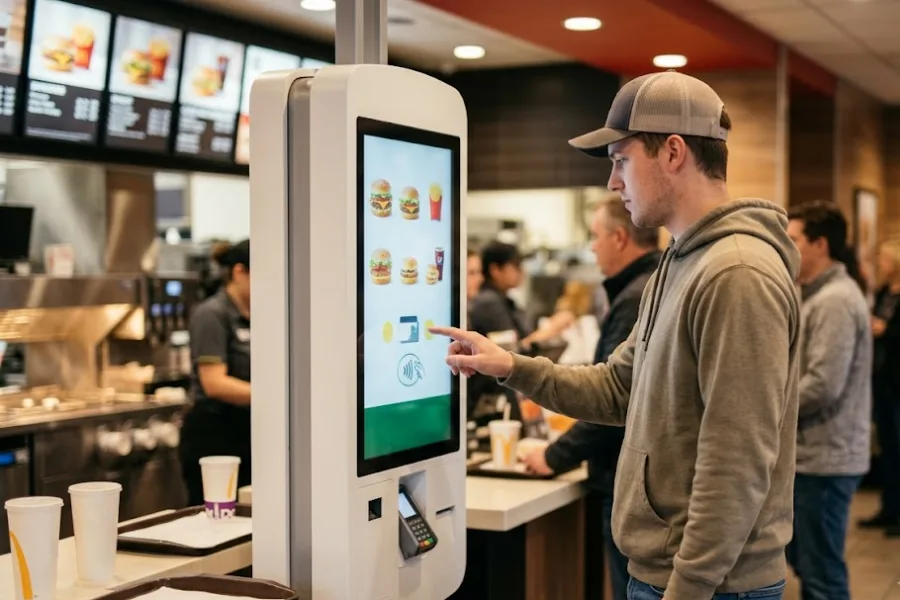
As retailers sell through more stores and digital channels, keeping inventory accurate becomes harder. A product sold in a physical store may also be available through an ecommerce website or marketplace, creating more inventory movements that need to be recorded consistently. POS system integration connects these sales activities with inventory data across the retail operation. A structured approach can help retailers identify disconnected systems, establish consistent inventory rules, and maintain more reliable stock information across channels.
Highlights
- Omnichannel inventory accuracy depends on keeping stock data consistent across online and physical sales channels.
- POS system integration connects sales and inventory data across stores and online channels.
- A structured integration process can help identify inventory discrepancies, establish a shared data source, and maintain more accurate stock levels.
What Is POS System Integration for Omnichannel Inventory?
POS system integration connects a point of sale system with other retail platforms so sales, inventory, product, and order data can move between them. In an omnichannel setup, this may include physical stores, ecommerce websites, marketplaces, warehouses, and other sales channels.
The POS records transactions that affect inventory, while connected systems may manage online orders, product information, fulfillment, or customer data. When these systems exchange the right information, a sale in one channel can be reflected in the inventory available to another channel.
Having multiple sales channels does not automatically mean those channels share inventory data. A retailer may sell the same SKU through a physical store, ecommerce website, and marketplace while maintaining separate stock records for each. Impinj’s 2025 survey found that only 36% of retail supply chain leaders consistently achieved accurate, real-time inventory visibility, showing the gap that can exist between having inventory tools and having reliable inventory visibility.
Steps to Achieve Omnichannel Inventory Accuracy With POS System Integration
A reliable inventory setup starts with understanding where stock data currently lives and how it changes across sales channels. The following steps provide a practical process for connecting those data flows and identifying gaps before they create larger inventory discrepancies.
Map Your Sales Channels and Inventory Sources
Start by documenting every channel where inventory is sold, received, returned, transferred, or otherwise changed. This gives the retailer a clearer picture of where inventory data enters the operation and where it is updated.
Include:
- Physical stores
- Ecommerce websites
- Online marketplaces
- Social or other digital sales channels
- Warehouses and fulfillment locations
Next, identify where the inventory record for each channel currently lives. One location may use the POS, while another relies on an ecommerce platform, spreadsheet, warehouse system, or marketplace dashboard.
The goal is to identify duplicate records and disconnected processes before changing the technology setup. A retailer may discover that the same SKU appears under different product codes, that some returns are recorded manually, or that stock transfers are not reflected in the ecommerce inventory.
It is also useful to map what happens after each type of inventory movement. A normal sale, online cancellation, customer return, store transfer, or manual stock adjustment may trigger different updates. Documenting these flows helps reveal where inventory data can become disconnected.
Establish a Central Inventory Data Source
Once the current inventory flow is documented, determine which system should act as the primary source for inventory data. This decision gives the POS system integration process a clear inventory reference that other connected systems can use.
The goal is not necessarily to store every piece of retail data in one platform. Instead, the business needs a clear source for the inventory quantity that other connected systems can reference.
Define how different inventory states should be recorded, including:
- Available stock
- Reserved stock
- Incoming stock
- Damaged or unavailable stock
- Stock held at individual locations
- Stock being transferred between locations
Product and SKU information also needs consistent naming and identification. If the ecommerce platform uses one SKU while the POS uses another, a transaction may not update the correct inventory record.
This step creates the data structure that later integrations will rely on. Without consistent product and inventory definitions, connecting two systems may simply move inconsistent information faster.
Connect POS With Online and Other Sales Systems
The next step is connecting the POS with ecommerce, marketplace, order management, or other systems that need inventory information.
The integration method can vary. Some platforms provide native integrations that handle common data exchanges. Others may rely on APIs, middleware, or custom connections between systems.
Before implementing POS system integration, define which data needs to move between each system. Common data includes:
- Product information
- SKU and variant data
- Inventory quantities
- Orders
- Returns and cancellations
- Prices
- Location information
Not every system needs every data field. Sending unnecessary information can make the integration harder to manage, while leaving out important transaction data can create gaps in inventory updates.
The integration should also define how data moves in each direction. For example, the POS may send an in-store sale to the central inventory system, while an ecommerce platform sends an online order back for fulfillment and stock adjustment.
Synchronize Inventory Changes Across Channels
After the systems are connected, define how inventory changes should be synchronized.
A customer purchasing an item in a physical store should trigger an inventory update that can reach other connected channels. The same principle applies when a customer places an online order, cancels it, returns it, exchanges an item, or when staff make a manual adjustment.
The main inventory movements to account for include:
- In-store sales
- Online sales
- Returns
- Cancellations
- Exchanges
- Stock transfers
- Receiving
- Manual adjustments
The required synchronization speed depends on the retailer’s inventory model. A business selling high-demand products from a limited stock pool may need near-real-time updates to avoid selling the same unit through two channels.
Multichannel inventory management can also become difficult when spreadsheets remain part of the process.A 2025 Veeqo survey found that 27% of 251 U.S. ecommerce sellers said they still used spreadsheets to manage inventory.
The more frequently inventory changes, the more important it becomes to define which system records the transaction and when other channels receive the updated quantity.
Set Rules for Multi-Location Inventory
Retailers with several stores need rules that determine how inventory is assigned and used across locations. These rules also need to be reflected in the POS system integration so connected systems use the same location-level inventory logic.
Start by defining inventory ownership for each store, warehouse, or fulfillment location. Then determine how online orders should interact with that stock.
For example, a retailer may decide that an online order can be fulfilled from the nearest store when the central warehouse does not have the item. Another business may reserve store inventory for in-person customers and use warehouse stock for ecommerce orders.
The system should also account for:
- Location-specific available inventory
- Transfers between stores
- Warehouse replenishment
- Store-to-store fulfillment
- Online orders using store inventory
- Locations running out of stock
These rules become especially relevant when the same product is available in several places. A central inventory view can show where stock exists, but the business still needs clear rules for when that stock can be allocated to another channel or location.
Monitor Inventory Accuracy and Reconcile Discrepancies
Integration does not eliminate physical inventory discrepancies. Products can be misplaced, damaged, incorrectly received, returned without proper recording, or assigned to the wrong SKU.
Retailers should compare system records with physical inventory on a regular basis. Common sources of discrepancies include:
- Manual inventory adjustments
- Unrecorded returns
- Receiving errors
- Incorrect SKU or product mapping
- Failed or delayed synchronization
- Incorrect stock transfers
When a discrepancy appears, identify where the inventory record changed incorrectly rather than simply correcting the final quantity. Reviewing recent sales, returns, receiving records, transfers, and adjustments can help identify recurring problems.
When Does Your Current Inventory Setup Start Falling Short?
A current setup may need review when inventory becomes harder to keep consistent across channels or locations. Common signs include:
- More sales channels: Separate inventory records become harder to maintain as online and marketplace sales increase.
- More locations: Managers need clearer visibility into stock by store and warehouse.
- Frequent manual updates: Repeated corrections can signal disconnected inventory workflows.
- Inconsistent online and in-store stock: Delayed updates can create inaccurate availability and overselling.
- Too many spreadsheets or systems: Multiple inventory records make discrepancies harder to trace.
When these issues become part of daily operations, it may be time to review whether the current POS and inventory setup can handle the business’s requirements.
For retailers facing these challenges, ConnectPOS can address several of the operational gaps identified above through a shared POS environment for sales, inventory, and store operations.
- Real-Time Inventory Synchronization: ConnectPOS synchronizes inventory data across online and offline sales channels, so stock changes from transactions can be reflected across the connected retail environment.
- Multi-Store and Warehouse Management: Retailers can manage inventory across stores and warehouses, view stock by location, and transfer inventory between locations. Its multi-store POS capabilities are relevant for businesses managing stock across several outlets.
- Omnichannel Order Management: ConnectPOS connects online and in-store sales workflows, including inventory updates for different sales channels. This can help retailers manage transactions that affect the same inventory pool.
- Inventory Management: The inventory management software includes stock tracking, inventory transfers, stocktaking, purchase orders, and inventory reporting across multiple locations.
- Reporting and Analytics: Retailers can access sales and inventory data to review stock levels, product performance, and location-level activity. This gives teams data for identifying discrepancies and reviewing inventory performance.
- AI POS: ConnectPOS also includes AI-powered POS capabilities that can help retailers work with sales and operational data. This can be relevant when businesses want their POS environment to cover broader retail workflows alongside inventory and transaction management.
The right configuration depends on the retailer’s sales channels, locations, inventory rules, and existing systems. These capabilities should be assessed against the workflows that currently create inventory discrepancies or manual reconciliation work.
FAQs: POS System Integration
1. How does POS system integration improve inventory accuracy?
POS integration can improve inventory accuracy by connecting sales transactions with inventory updates across relevant channels. When a sale, return, cancellation, or adjustment is recorded in one system, connected inventory records can be updated according to the integration rules. Retailers still need consistent product data and regular reconciliation because integration alone cannot account for every physical stock discrepancy.
2. Can POS integration sync inventory across online and physical stores?
Yes, depending on the POS and the connected ecommerce or retail systems. A suitable integration can exchange inventory data between physical stores and online channels so stock changes are reflected across the connected environment. Multi-location retailers may also need rules that determine which store or warehouse inventory can be used for online orders.
3. What should retailers do when inventory data does not match across channels?
First, identify which system is intended to act as the primary inventory source. Then compare recent sales, returns, cancellations, receiving records, transfers, manual adjustments, and synchronization logs to locate the discrepancy. Retailers should also check SKU mapping and integration errors before correcting the inventory quantity manually.
Conclusion
Omnichannel inventory accuracy depends on consistent product and inventory data across every channel where stock is sold or managed. POS system integration connects these data flows and gives retailers a structured way to manage sales, inventory, orders, and location-level stock.
As channels and locations increase, manual processes can create more discrepancies and reconciliation work. Reviewing the current inventory flow and identifying where systems disconnect can help determine when a more connected POS setup is needed.
If you are reviewing your current inventory workflow, chat with us to discuss your setup and requirements.
Chat with our team►►► Optimal solution set for businesses: Shopify POS, Magento POS, BigCommerce POS, WooCommerce POS, NetSuite POS, E-Commerce POS