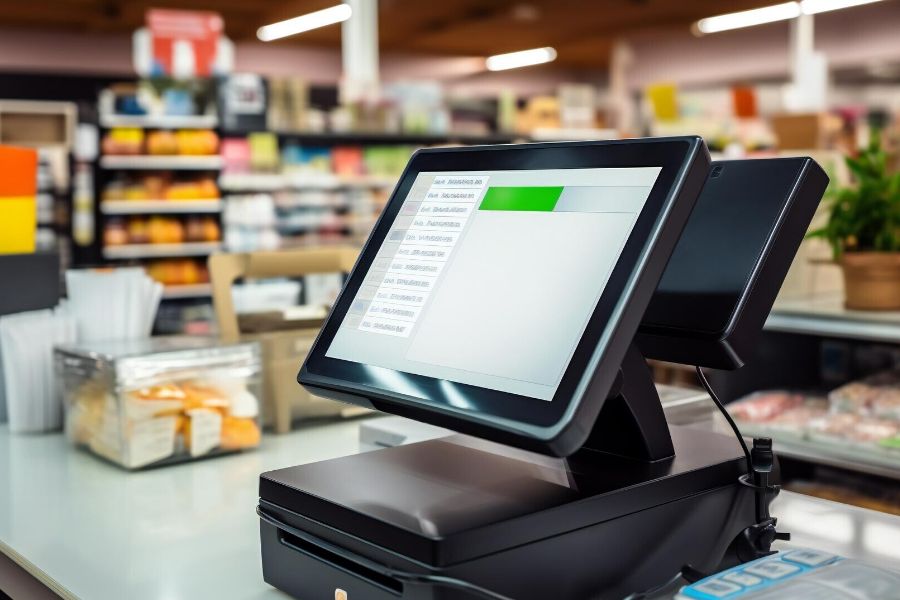
A sale looks simple at the counter. Then it turns into tax, payment settlement, inventory cost, refund rules, staff records, and finance reports. That’s where best practices for POS data integration with finance systems become the difference between clean books and late-night spreadsheet work. In this guide of ConnectPOS, you’ll understand how retailers can connect POS data with finance systems in a cleaner, safer, and more useful way.
Highlights
- POS and finance integration works best when product, payment, tax, and store data follow clear rules.
- Retailers should test refunds, split payments, inventory cost, and tax mapping before launch.
- Clean real-time reporting helps finance teams close faster and make sharper store decisions.
What is POS Data Integration with Finance Systems?
POS data integration means your checkout data moves into finance tools without endless manual work. Sales, refunds, discounts, taxes, payment types, inventory costs, customer records, and store data all need a clean path.
That path may go into accounting software, an ERP, a tax tool, or a reporting system. The goal is simple: one reliable record of what happened at checkout and what it means for finance.
Some retailers still use manual exports. A cashier or manager pulls a CSV file, sends it to finance, and someone uploads it into another system. It works for a small shop, at least for a while.
Native connectors make the process smoother. APIs give more control. Middleware helps when several systems need to talk to each other. ERP integration ties POS activity to the wider finance setup, covering sales, purchases, stock value, and reporting.
McKinsey noted that the global payments industry handled 3.4 trillion transactions in 2023, worth $1.8 quadrillion. Retailers may only see a tiny slice of that total, but the lesson is easy to spot. Payment data moves fast, and finance systems need to keep up.
Clean data beats more data. A finance team doesn’t need ten versions of daily sales. It needs one trusted version that matches the store, the bank, and the ledger.
Why Disconnected POS And Finance Data Creates Costly Problems
Disconnected systems don’t usually fail in a loud way. They create little gaps. One missing refund, one wrong tax code, one unmatched deposit.
After a few weeks, those gaps turn into messy reports. After a few months, they can affect cash planning, tax work, and buying decisions.
- Manual data entry: Copying sales numbers from POS to finance tools wastes hours and invites errors. A wrong digit can push revenue, tax, or payment totals out of line.
- Bank deposit mismatches: POS sales may show one number, while the bank shows another after fees, tips, chargebacks, or delayed settlements. Finance then needs to chase the difference.
- Refund and void errors: Refunds, exchanges, voids, and cancellations need their own logic. Treating them like normal sales creates false revenue and bad tax records.
- Inventory value drift: Stock movement affects COGS and margin. IHL’s inventory distortion study found that worldwide inventory distortion would cost retailers an estimated $1.77 trillion in 2023. Bad POS-to-finance links add more fog to that already expensive problem.
- Slow month-end close: Finance teams spend more time matching numbers when POS data arrives late or arrives dirty. That means fewer hours for analysis and planning.
- Store-level confusion: Multi-location retailers face a bigger risk. If each store uses different naming, tax, or refund rules, the head office can’t compare performance fairly.
The fix starts before software setup. Teams need clear data rules, shared ownership, and realistic tests. Otherwise, automation just moves bad data faster.
Best Practices For POS Data Integration With Finance Systems
Good integration starts with the boring stuff. Names. Codes. Rules. Permissions. It’s not glamorous, but it saves finance teams from chaos later.
The following best practices for POS data integration with finance systems give retailers a practical path. Start small, test hard, then widen the setup.
Audit Your Current POS And Finance Workflow First
Before changing systems, trace how money moves today. A quick map often reveals where reports break. Start at checkout, then follow the data through payments, refunds, stock, accounting, and reporting. The ugly parts usually appear fast.
- System list: Write down every tool that touches sales, money, inventory, tax, or customer data. Include POS, eCommerce, payment gateways, accounting tools, ERP, warehouse tools, and spreadsheets.
- Data route: Track how one sale becomes a finance record. Note every handoff, export, upload, and manual edit.
- Pain spots: Look for duplicate entries, missing refund details, late payment reports, and unmatched bank deposits. These are the spots that need attention first.
- Finance report needs: Ask finance what they check daily, weekly, and monthly. Net sales, tax, tender totals, gross margin, and store performance often sit at the top of the list.
A workflow audit turns a vague integration plan into a real project. It shows what to fix now and what can wait.
Standardize Product, Customer, And Store Data
Messy master data ruins good integration. A SKU named three different ways can break reports before they reach finance.
Product, customer, and store data need fixed rules. This gives every system the same language.
- SKU and product names: Use one naming rule for products, variants, bundles, and custom items. Keep it clear enough for store staff and finance teams.
- Category and tax codes: Match product groups with tax rules and finance categories. Don’t leave tax mapping to guesswork at checkout.
- Customer records: Online and in-store buyers should not split into duplicate profiles. Customer IDs help teams connect refunds, loyalty, store credit, and purchase history.
- Store IDs: Each branch, register, and channel needs a clean label. Head office reporting depends on it.
Retailers using inventory management software can keep stock data tighter across channels. That helps finance connect sales activity to stock value and buying needs.
Align POS Categories With The Chart Of Accounts
A POS category tells the store what was sold. A chart of accounts tells finance where that sale belongs. These two systems need a careful match. Too many accounts create noise. Too few hide useful detail.
- Sales mapping: Map sales by product type, channel, location, or brand where finance needs that view. Avoid mapping every small POS label into a separate ledger account.
- Tax mapping: Place tax categories into the right control accounts. This matters for stores selling across regions or sales channels.
- Refunds and discounts: Refunds, discounts, coupons, store credits, and gift cards need their own treatment. Mixing them with normal sales makes reports harder to trust.
- Review process: Let finance review mapping rules before launch. A small naming issue can snowball once daily transactions start moving.
Keep the chart clear. Finance needs detail, but it also needs reports that humans can read.
Automate Sales, Tax, And Payment Sync
Automation works best when the rules are already clean. Then POS transactions can move into finance tools without repeated exports.
The main value is speed and trust. A daily sales report should not depend on someone copying numbers after closing time.
- Transaction sync: Send sales, refunds, voids, discounts, taxes, and tender data into accounting or ERP tools on a set schedule or in near real time.
- Tender separation: Split cash, card, wallet, gift card, store credit, and mixed payments. Finance needs this detail to match settlements.
- Bank timing: Card payments may settle later than sales. Integration should help finance match the expected deposit against the real one.
- Tax records: POS tax data should carry product, store, and region details. This makes tax checks faster and less painful.
PwC’s 2025 Global Treasury Survey found that 36% of respondents still used some manual processes in exposure management. Retail finance teams face the same lesson in smaller daily ways. Manual links stay fragile.
A simple example is a split payment. A customer pays part in cash and part on card, then returns one item later. If the POS and finance tools don’t share the right details, the refund, tax, and settlement may all need manual cleanup.
Connect Inventory Movement With COGS
Sales data tells you what left the store. Inventory cost tells you what that sale was worth after cost. Finance teams need that link to read margin properly. Otherwise, revenue looks fine while profit hides in the dark.
- Stock updates: Sales, returns, exchanges, transfers, damaged goods, and stock counts should update inventory records.
- COGS connection: Link each sale to product cost where possible. This gives finance a clearer view of margin by SKU, category, or store.
- Shrinkage tracking: Missing or damaged stock should not vanish. Record it so finance can separate true sales from stock loss.
- Buying signals: Low stock and overstock alerts help finance plan cash. Stock ties up money, so the report needs to show what’s moving and what’s sitting still.
ConnectPOS’s multi store POS setup supports store-level control across locations. That helps retailers track sales, inventory, and store activity without asking each branch to run its own version of the truth.
Build Real-Time Reports For Finance And Store Teams
Real-time reports help teams catch problems while they’re still small. Waiting until month-end is risky. Gartner has reported that poor data quality costs organizations at least $12.9 million a year on average. Smaller retailers may not face that scale, but the pattern feels familiar. Bad data drains time, trust, and cash.
- Daily sales view: Track gross sales, net sales, tax, refunds, discounts, and payment totals. Finance should see the same totals that store leaders see.
- Store comparison: Compare locations fairly. Use the same definitions for sales, returns, discounts, and stock adjustments.
- Exception alerts: Watch for unusual refunds, missing payment data, negative stock, and large discounts. Small warnings can stop bigger cleanup later.
- Role-based views: Store leaders need sales and stock numbers. Finance may need tax, COGS, and payment settlement data. Don’t show every number to every user.
ConnectPOS Report & Analytics gives retailers dashboard views for sales, stock, customer behavior, and store performance. Finance teams can read trends faster when reports come from connected data rather than scattered exports.
Set Security, Roles, And Audit Trails
Finance data needs guardrails. The people who can edit price, tax, refunds, and payment rules should be limited. Security also matters after the data leaves the POS. Every connected system needs proper access control and change records.
- Role control: Cashiers, managers, finance users, and admins should have different access levels. A cashier shouldn’t edit tax rules.
- Change history: Track edits to product prices, refund rules, tax settings, and sync mappings. Audit trails help teams understand what changed and when.
- Sensitive data: Protect customer and payment records. Keep only the data each system truly needs.
- Regular checks: Review user access on a schedule. Old accounts and unused admin rights create quiet risk.
IBM’s 2025 Cost of a Data Breach Report found that the global average breach cost dropped to USD 4.44 million, down from USD 4.88 million in 2024. The number still hurts. Strong access rules are cheaper than cleanup.
Test Before Launching The Integration
A basic sale test isn’t enough. Retail data gets weird fast.
Run the messy cases before launch. Returns, exchanges, tax changes, bundles, loyalty discounts, offline sales, and split payments all deserve a test round.
- Real transaction set: Test normal sales, full refunds, partial refunds, exchanges, voids, discounts, and mixed tenders.
- Tax scenarios: Use different product tax rules, store regions, and order channels. Confirm that each record lands in the right account.
- Store load: Test busy periods and high transaction volume. A quiet Tuesday test won’t reveal Friday night issues.
- Finance match: Compare POS reports against accounting or ERP entries. Totals should match before go-live.
Testing protects your launch. It also gives store teams and finance teams confidence before real money starts moving through the new setup.
Monitor Sync Errors After Go-Live
Go-live isn’t the finish line. It’s the first day real data starts testing your setup. During the first weeks, check errors daily. A missed warning can turn into a painful month-end surprise.
- Failed sync queue: Review failed transactions and fix them quickly. Don’t let a backlog grow.
- Duplicate records: Watch for repeated sales, repeated refunds, or repeated customer entries. Retry logic can create duplicates when setup is weak.
- Owner list: Decide who handles each issue. POS team, IT, finance, and store managers should know their lane.
- Ongoing checks: Schedule regular mapping reviews. Product changes, new tax rules, new payment methods, and new stores can affect the integration.
Good monitoring keeps automation honest. It also stops the old spreadsheet habits from sneaking back in.
Sync The Right POS Data First
A clean project starts with the data finance needs most. Don’t try to connect everything on day one. Begin with core money records, then add deeper reporting once the base is stable.
- Sales transactions and net sales: These numbers anchor daily reporting. Finance needs clean totals by store, date, and channel.
- Refunds, exchanges, voids, and cancellations: These records protect revenue accuracy. They also affect tax and payment matching.
- Tax details: Product, store, and region tax data must move cleanly. This keeps filing and review work more stable.
- Payment methods and settlements: Tender data helps finance match POS totals to cash drawers, card deposits, wallets, and store credit.
- Inventory cost and COGS: Cost data turns sales reports into margin reports. That’s where finance gets real value.
- Discounts, coupons, loyalty points, and gift cards: These items affect revenue and liabilities. Treat them with care.
- Store, cashier, terminal, and channel data: Operational labels help finance spot patterns. They also help managers find training or process issues.
This is the core of best practices for POS data integration with finance systems. Start with high-value data, prove it works, then expand.
POS And Finance Sync Issues Retailers Should Watch For
Some integration mistakes appear only after the system goes live. Others are easy to spot early, if you know where to look.
Retailers should treat these issues as warning lights. Fixing them early saves hours later.
- Dirty data gets synced too early: Old SKUs, duplicate customers, and unclear tax codes should be cleaned before connection. Automation won’t fix messy inputs.
- Too many finance accounts: A category map with too much detail can make reports hard to read. Finance needs useful detail, not clutter.
- Refund rules get ignored: Partial refunds, exchanges, and split-payment refunds are common in retail. They need real test cases.
- Tax setup goes stale: Tax rules can change by location, product, or channel. Review them often.
- Store teams change core rules: Staff may adjust product names, discounts, or tax classes for convenience. Limit these edits and create an approval path.
- Testing stays too basic: A single card sale doesn’t prove the setup works. Test the messy cases that happen on real store days.
- Monitoring fades after launch: Sync logs need attention. Errors don’t disappear just because the integration is live.
A simple rule helps here. If a transaction affects revenue, tax, cash, inventory, or liability, it deserves a clear sync rule.
Choosing The Right POS For Finance System Integration
The right POS should fit your finance setup, not fight it. Ask direct questions before signing anything. You need to look past the sales demo. The real test is how the POS handles data, errors, reporting, and future growth.
- ERP and accounting fit: Check whether the POS can connect to your accounting or ERP system. Native connectors are helpful, but APIs may be needed for custom flows.
- Payment support: The POS should handle the payment methods your stores already use. It should also keep tender and settlement data clear.
- Multi-location support: Growing retailers need store-level data and head-office reporting. A finance system can’t work well if each branch behaves like a separate island.
- Reporting flexibility: Finance may need net sales, tax, COGS, discounts, payment totals, and refund trends. Store teams may need daily sales and stock alerts.
- Error handling: Ask how failed syncs are logged. Quiet failures create the worst kind of finance problem.
- Customization path: Retail workflows differ. A Custom POS can help when standard setup doesn’t match tax rules, store processes, or reporting needs.
- Support after launch: Good support matters during setup, but it matters more after launch. Real retail data always finds edge cases.
A POS that supports clean data flow gives finance more than reports. It gives the team fewer arguments about which number is right.
Meet ConnectPOS, the Link Between Store Data and Finance
Finance data starts at checkout. If sales, refunds, payments, and stock updates sit in separate tools, your team spends more time fixing numbers than reading them. ConnectPOS helps retailers keep store data clear, current, and ready for finance work.
- Real-time reporting dashboard: ConnectPOS gives teams one place to view sales, product trends, staff performance, and store activity. Finance teams can check daily numbers without waiting for manual reports.
- AI POS forecast support: ConnectPOS uses AI-powered tracking to follow sales, inventory, and customer signals. Retailers can read demand patterns earlier and plan stock or cash needs with fewer blind spots.
- Sales data breakdown: Retailers can review customer, discount, and refund trends by day, month, or custom date range. This makes period comparison easier and shows changes in store performance.
- Centralized multi-location management: ConnectPOS lets retailers monitor sales and operations across locations. Finance teams can work with more consistent store data.
- Inventory alerts: The system sends alerts for low stock or overstock items. Finance teams get a clearer link between stock movement, purchasing needs, and cash planning.
- Online and in-store data segmentation: ConnectPOS helps compare e-commerce and store data side by side. Retailers can see which channel drives sales, refunds, and customer demand.
- Integration with finance-related tools: ConnectPOS integrates with ERPs, payment tools, eCommerce platforms, inventory systems, and CRM tools. Sales data can move into the right systems with fewer manual steps.
- Reports from any device: Teams can view reports on different devices when needed. Store leaders and finance teams can act faster when numbers are easy to reach.
Yeti Cycles is a strong case to note. ConnectPOS connected POS and BigCommerce data directly, covering promotions, inventory, and customer information. The team also reported checkout became at least one minute faster per transaction.
JAT Clothing saw another clean data win. ConnectPOS synced Shopify data across sales, inventory, and customer records, then gave the team 100% reporting accuracy in its case results.
ConnectPOS turns retail data into finance-ready records. Your team gets cleaner sales reports, clearer stock numbers, and fewer gaps between the store floor and the back office.
FAQ: POS Data Integration With Finance Systems
1. What are the best practices for POS data integration with finance systems?
Start with clean product, tax, payment, and store data. Then map POS categories to finance accounts, test real transaction cases, and monitor sync errors after launch. The strongest setup also includes access control and audit trails. Finance data should stay clean, traceable, and easy to review.
2. Which POS data should be synced with accounting software first?
Start with sales, refunds, taxes, payment methods, and settlement data. These records affect daily cash checks and financial reports. After that, add inventory cost, COGS, discounts, loyalty, gift cards, cashier data, and channel data. This gives finance a richer view without overloading the first phase.
3. How does POS integration help with tax reporting?
POS integration carries tax data from each transaction into finance systems. It can include product type, store location, region, refund status, and channel. This makes tax review faster. It also lowers the risk of missed or wrongly grouped taxable sales.
4. Should retailers use API, native connectors, or middleware for POS finance integration?
Native connectors work well for common setups. APIs give more control when retailers need custom rules. Middleware helps when several systems need to share data. The right option depends on data volume, finance needs, store count, and IT support. Keep the setup as simple as possible, but not weaker than your business requires.
5. How often should POS data sync with finance systems?
Daily sync may work for small retailers. Near real-time sync fits retailers with high sales volume, several stores, or fast inventory movement. Finance teams should at least see daily sales, refunds, payment totals, and tax data before the next business day. Faster sync gives teams more room to act.
Final Thoughts
Strong POS-finance integration gives retailers cleaner books, faster reports, and better control over sales, tax, payments, and inventory. The best setup starts with clear data rules, then grows through testing and daily monitoring. If you’re reviewing best practices for POS data integration with finance systems, ConnectPOS can help connect store activity with finance-ready reporting. Whether you operate a single store or manage a multi-location retail network, our team can help you explore the right integration approach for your business needs. Learn more about how ConnectPOS supports finance and retail operations, contact us for personalized guidance.
►►► Optimal solution set for businesses: Shopify POS, Magento POS, BigCommerce POS, WooCommerce POS, NetSuite POS, E-Commerce POS