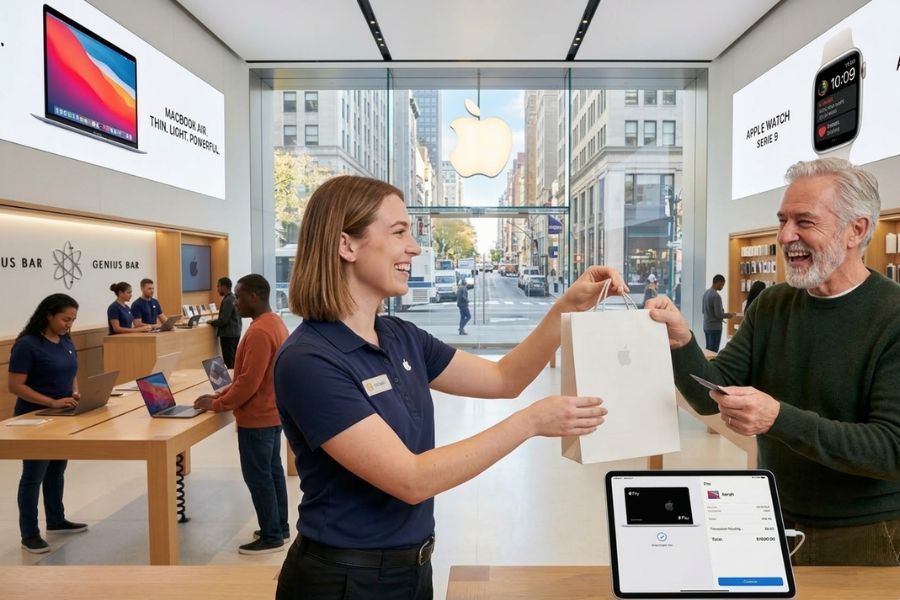
Retail performance no longer depends on checkout speed alone. Store ROI and staff agility now come from how technology shapes selling space, employee behavior, and customer interaction on the floor. Apple’s point of sale software ecosystem reflects this shift through mobile-first workflows, coordinated device systems, and a store model where selling happens beyond fixed counters.
This article explores how Apple point of sale software ecosystem reshapes store economics, employee roles, and operational design, then turns those lessons into practical insight for modern retailers. Shared as guidance from ConnectPOS, it aims to help merchants rethink how POS software supports growth, flexibility, and long-term store performance.
Highlights:
- Apple’s POS ecosystem shifts checkout away from fixed counters, helping stores capture sales anywhere and raise return per square foot.
- iOS-based POS tools let staff move fluidly between advising, selling, and closing transactions with minimal training.
- Integrated hardware, payments, and retail software align operations, customer interaction, and cost control into one scalable model.
Apple Point Of Sale Software Ecosystem: Designed for High-Performance Retail
Apple point of sale software is not a single off-the-shelf app from Apple, but a strategic ecosystem combining Apple’s hardware (iPad, iPhone, Mac), third-party retail software, and native technologies such as Apple Pay and Tap to Pay.
This ecosystem has reached large-scale adoption. Apple Pay had an estimated 785 million active users globally by 2024, is projected to process over $7.6 trillion in transactions in 2025, and accounts for more than half of in-store mobile wallet transactions. Meanwhile, the iPad POS market is growing at ~12.7% annually (2024–2030) as businesses shift toward mobile, cloud-based POS. Together, these figures highlight Apple’s strong influence on modern POS workflows despite not offering a proprietary POS application.
The Core Infrastructure: Hardware & OS
High-performance retail relies on the stability and speed of Apple’s proprietary chips (A-series and M-series).
- iPad & iPhone (mPOS): The primary interfaces. They allow “line-busting” where associates complete transactions anywhere on the floor.
- Mac Mini & iMac: Often used as “back-office” hubs or fixed terminals in high-volume environments due to their superior processing power for large inventory databases.
- Native Security: Features like Secure Enclave and biometric authentication (FaceID/TouchID) guarantee that employee access and customer data remain encrypted at the hardware level.
Advanced Ecosystem Capabilities
To operate at a “high-performance” level, these systems integrate three critical functions into one interface:
- Real-Time Inventory Management: Using the iPad’s camera or Bluetooth scanners to track stock levels instantly across multiple warehouses and storefronts.
- CRM POS & Personalization: Associates can view a customer’s global purchase history and preferences on their iPhone, allowing for “clienteling”, personalized service that increases average transaction value.
- Unified Payments: Native support for Apple Pay and NFC (Near-field communication) allows for sub-3-second transaction times, significantly faster than traditional EMV chip insertion.
Integration & Extensibility
High-performance retail rarely uses a POS in isolation. The Apple ecosystem lets these apps to talk to:
- ERP/Accounting: Direct sync with Xero, QuickBooks, or NetSuite.
- Marketing: Automated loyalty triggers via Mailchimp or Klaviyo.
- Custom SDKs: Many enterprise retailers (like Apple itself) use custom-built POS software developed via Swift to meet specific workflow needs.
Read more: HP POS System in the US: Popular Choices for Retailers
How Apple Point Of Sale Software Strategy Drives Store ROI and Employee Agility
Apple point of sale system strategy connects store layout, sales activity, and staff workflow through mobile-first tools. This approach links financial return and workforce flexibility by reshaping how space is used and how employees interact with customers on the sales floor.
How The Apple POS Software Strategy Drives Store ROI
Apple point of sale system strategy transforms the checkout from a “cost center” (a place where people wait) into a “revenue engine.”
- Increased Sales Floor Density: Traditional POS systems require large, fixed counters. By using iPad-based POS software, retailers can shrink or eliminate the checkout desk, reclaiming valuable floor space for high-margin product displays.
- Reduced Lost Sales (Line-Busting): High-performance retail loses millions to “walk-aways” – customers who see a long line and leave. Apple’s mPOS (Mobile POS) helps associates to process transactions anywhere, capturing the sale at the moment of peak interest.
- Higher Average Transaction Value (ATV): Software like Shopify POS or Lightspeed on iPad provides “Clienteling” tools. Associates can see a customer’s past purchases and suggest matching items, directly increasing the size of the basket.
- Lower Total Cost of Ownership (TCO): Unlike proprietary legacy systems that require expensive specialized technicians, Apple hardware is easy to maintain, updates over the air, and has a high resale value, lowering long-term capital expenditure.
How Apple’s POS Enhances Employee Agility
Agility in retail means the ability to adapt to a customer’s needs in real-time. Apple’s software ecosystem empowers staff in three ways:
- Zero-Learning-Curve Training: Most retail employees (especially Gen Z and Millennials) are already experts at iOS. Training an employee on an iPad POS takes minutes, not days, allowing for a more flexible, seasonal workforce.
- Information Symmetry: In traditional retail, the customer often has more info (via their smartphone) than the associate. Apple POS software gives the associate instant access to global inventory, technical specs, and shipping dates, making them more confident and effective.
- Role Fluidity: A staff member isn’t just a “cashier.” With an iPhone in their pocket running POS software, they can transition from stocking shelves to greeting customers to closing a sale without ever leaving the floor.
Lessons Retailers Can Learn from Apple’s POS Playbook
Apple point of sale system strategy changes the role of in-store technology from simple payment handling to customer interaction. Mobile devices replace fixed checkout counters, so that staff can sell and assist anywhere in the store, which turns more floor space into active selling areas and supports strong return on store investment.
Core Lessons from Apple’s Playbook
- Eliminate Checkout Bottlenecks: Use mobile POS (mPOS) to check out customers directly on the sales floor, eliminating physical queues and preventing lost sales due to long wait times.
- Empower Staff with Real-Time Data: Equip employees with devices to instantly access inventory and customer history, transforming them from “cashiers” into “consultants” capable of closing high-value deals.
- Minimize Training Complexity: Leverage the familiar iOS interface so new hires can master the system in minutes, increasing operational agility and reducing labor costs.
- Optimize Floor Space for Revenue: Remove bulky checkout counters to reclaim space for product displays or experience zones, directly increasing the revenue generated per square foot.
- High-Speed and Secure Payments: Utilize Apple Pay and NFC technology to complete transactions in under 3 seconds, providing maximum convenience while building customer trust through hardware-level security.
ConnectPOS: Apple Point Of Sale Software For Omnichannel Retailers
ConnectPOS is a point of sale software app available for iPhone, iPad, and Mac that links physical store sales with online commerce POS platforms in real time. It helps merchants manage product lists, customer information, and order histories across in-store and e-commerce channels in one place.
The system supports order creation, multiple payment options, and fulfillment choices such as home delivery or in-store pickup, making it suitable for retail environments that sell both offline and online.
Key Points
- Omnichannel synchronization: Inventory, products, customers, and orders update instantly between store systems and connected e-commerce platforms like Shopify, Magento, WooCommerce, and BigCommerce.
- Mobile POS on Apple devices: ConnectPOS’ mobile solution runs well on iPad and iPhone. Staff can handle checkout, returns, and order creation directly on the sales floor. This setup supports queue-free selling and flexible store layouts without fixed checkout counters.
- Multi-store and multi-warehouse management: Retailers manage pricing, inventory, and sales activity across several store locations and warehouses from one system. Stock transfers and location-based inventory rules help control availability without manual reconciliation.
- Flexible payment handling: The software supports various payment methods, split payments, partial payments, and refunds. This flexibility supports different customer preferences and complex transaction scenarios at checkout.
- Integrated order fulfillment options: Orders can be completed as in-store pickup, ship-to-home, or mixed fulfillment within the same transaction. Staff select fulfillment methods during checkout without switching systems.
- Customer data and purchase history access: Store teams view customer profiles and past orders at the point of sale. This supports personalized service, repeat purchases, and better handling of exchanges or returns.
- Self-service and kiosk support: ConnectPOS supports self-checkout and kiosk setups, allowing customers to browse products, place orders, and complete payments with limited staff involvement in suitable store environments.
- Hardware compatibility within the Apple POS setup: The system works with common POS peripherals such as barcode scanners, receipt printers, and payment terminals, making it suitable for daily retail operations across different store formats.
Read more: The Best POS Systems for Retail Stores in US for Omnichannel Selling
FAQs
What makes Apple’s POS ecosystem different from traditional retail POS systems?
Apple’s POS ecosystem runs on mobile devices instead of fixed terminals. Sales, payments, and customer interaction happen anywhere on the floor, which changes how space, staff roles, and checkout flow work inside the store.
How does Apple’s POS software improve store ROI?
The software removes the need for large checkout counters, frees up selling space, and limits missed sales caused by long lines. Mobile checkout captures purchases at the point of customer interest and supports higher basket value through customer history and product suggestions.
How does Apple point of sale software ecosystem support employee agility?
Staff use familiar iOS devices to sell, check inventory, and complete payments without staying at one location. Employees switch between tasks on the floor, respond faster to customer needs, and adapt easily during peak hours or staffing changes.
Is Apple POS suitable for multi-store or growing retailers?
Yes. Sales data, inventory, and device control sync across locations through cloud services. Store teams follow the same workflows while management keeps visibility across stores without a complex system setup.
Conclusion
Apple point of sale software shows that POS shapes more than transactions. It influences how space generates revenue, how staff respond to customers, and how stores adapt to demand without adding complexity. The strongest gains appear when checkout becomes mobile, data stays consistent across channels, and employees move freely between selling, service, and fulfillment tasks on the floor.
Retailers applying these lessons need a POS platform that fits Apple hardware, supports real-time data flow, and scales across stores without slowing teams down. ConnectPOS helps businesses apply this playbook in real operations through Apple-based POS software built for omnichannel selling and staff mobility. Explore how ConnectPOS supports store ROI and employee agility by seeing it in action for your retail model. Contact us now!
►►► Optimal solution set for businesses: Shopify POS, Magento POS, BigCommerce POS, WooCommerce POS, NetSuite POS, E-Commerce POS