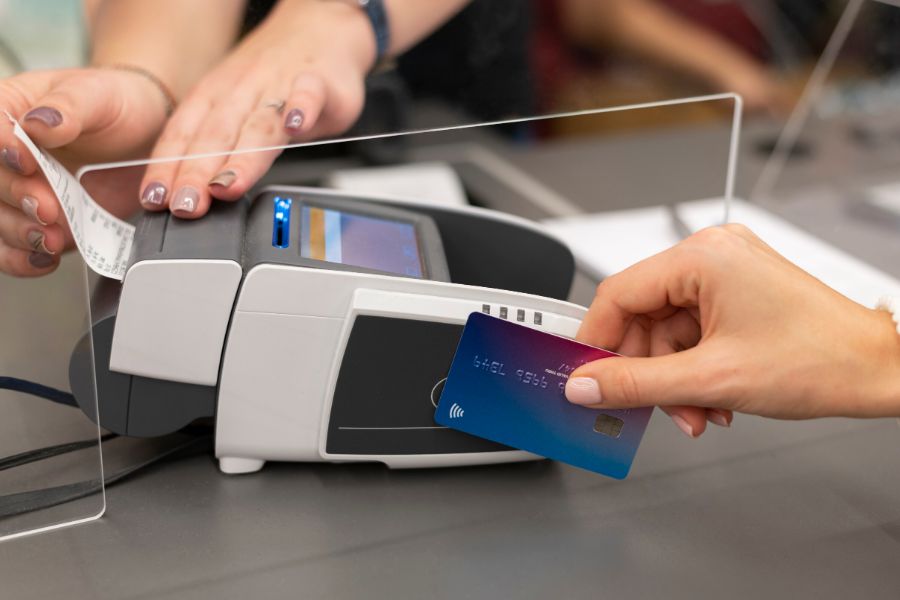
The concepts of NetSuite ERP and POS systems are no longer strange to modern retail businesses. However, many of them are still not convinced that these two systems can be integrated and work well together. In this article, we would like to discuss an overview of the NetSuite POS system so you can understand the solution and see if it’s a suitable choice for your business.
Highlights
- The NetSuite POS system connects store-level transactions with ERP functions to support real-time inventory updates and reporting.
- Retailers with multiple locations or omnichannel sales can benefit from using NetSuite POS with ConnectPOS to manage inventory, customers, and promotions in one flow.
What Is NetSuite and How Does It Support Retail Operations?
NetSuite is a cloud-based ERP platform used to manage core business processes through a single, integrated system. For retailers, it combines functions like inventory control, order management, accounting, and customer records – connecting sales channels and team operations into one cohesive framework.
Rather than relying on multiple tools for daily tasks, retailers using NetSuite can work from a centralized dashboard to:
- Track inventory across warehouses, stores, and online platforms
- Monitor orders and fulfillment in real time
- Manage customer data, pricing, and promotions
- Run financial reports tied directly to transaction data
This kind of system structure is especially valuable for retailers operating across multiple locations or channels. It reduces duplicated work, gives more visibility across departments, and supports better decision-making with live data across the board.
Overview of the NetSuite POS System
The NetSuite POS system is built to connect in-store transactions directly to the rest of the ERP platform. It gives retail businesses a single, cloud-based solution to manage store operations while staying linked to inventory, finance, and customer activity across every sales channel.
Used inside physical stores, the POS system provides:
- Live access to inventory, promotions, and product details
- Pre-configured support for loyalty programs and discounts
- Mobile checkout across tablets or registers
- Customer insights at the point of sale
- Centralized reporting across locations and teams
All transactions feed directly into NetSuite’s ERP, which means stock levels, accounting data, and customer records are updated without manual input. This setup allows head office teams to track performance at the store level while giving staff the tools to serve walk-in customers efficiently.
For retailers looking to manage both face-to-face and online transactions in one system, NetSuite POS supports a true omnichannel flow without the need to switch between disconnected platforms.
Key Benefits of Using the NetSuite POS System in Retail
NetSuite POS system The NetSuite POS system brings together key retail functions under a unified platform. For businesses already using NetSuite ERP, adding its POS solution can improve visibility, coordination, and speed across in-store operations.
Read more: Top 3 NetSuite POS Integrations for Business Retailers
Some practical benefits include:
Connected customer data
Sales associates can view purchase history, loyalty status, and buyer preferences during checkout, supporting more personalised service.
Accurate inventory tracking
Since POS activity links directly to ERP inventory, stock levels adjust automatically with every sale, return, or transfer—reducing manual updates and inventory errors.
Simplified returns and exchanges
Customers can return or exchange items at any location in the network, with orders traceable across channels via the same account and record system.
Scalable for multi-location retail
Retailers managing multiple stores can apply standard configurations across outlets, while tracking performance individually from a central dashboard.
Streamlined reporting
Operational data flows directly from POS to the broader system, giving finance, sales, and store managers access to live reports for performance review and resource planning.
The system works best when the business relies heavily on shared systems across locations and looks to maintain consistency between online and offline experiences.
Limitations to Consider in the Standard NetSuite POS Setup
While the NetSuite POS system supports many retail functions, there are a few areas where stores may look for additional tools or integrations to meet specific needs.
Common limitations include:
Limited UI flexibility for staff-facing screens
The interface may not feel immediately intuitive to teams used to more streamlined POS systems, especially if they work in high-volume or fast-paced environments.
Customisation often requires developer support
Adjusting workflows or tailoring front-end elements may involve more technical input, which can slow down deployments or changes.
Offline support is minimal
NetSuite POS functions best with uninterrupted internet access. If the connection drops, transaction handling may be delayed or disrupted.
Hardware compatibility depends on the setup
Retailers may need to verify which devices, printers, and scanners are fully supported or consider extra investment in certified hardware.
These are not dealbreakers for every business, but understanding them early helps teams plan for smoother implementation or choose complementary tools where needed.
How ConnectPOS Completes the NetSuite POS Experience
For retail teams that need more flexibility on the shop floor or added support across devices, ConnectPOS can be a practical alternative to the standard NetSuite POS setup.
ConnectPOS integrates directly with NetSuite ERP and extends its retail capabilities with tools that fit multi-location stores and omnichannel workflows. Here’s how it supports day-to-day operations:
Real-time two-way data sync
Product updates, orders, inventory, and customer records flow instantly between the POS system and NetSuite, reducing lag and eliminating the need for manual entries.
Device compatibility across store setups
ConnectPOS runs smoothly on mobile devices, tablets, PCs, and traditional terminals, allowing stores to set up flexible checkouts based on space and sales volume.
User-friendly checkout screens
Simple, intuitive interfaces make it easier for staff, volunteers, or new team members to navigate transactions without long training sessions.
Flexible promotions and loyalty handling
Stores can apply custom discount rules, time-based offers, or loyalty point systems directly from the POS interface, without jumping into external menus.
Support for omnichannel retail
The system tracks orders across online and in-store channels, giving teams full visibility into stock movement, fulfilment, and customer activity wherever the transaction starts.
ConnectPOS keeps the front-end retail experience seamless while continuing to share real-time data with the NetSuite platform, making it easier to expand store networks, manage hybrid selling models, or train rotating staff.
Who Can Benefit From the NetSuite POS + ConnectPOS Setup?
This integration suits retailers who want the stability of NetSuite ERP while needing a more flexible, intuitive POS experience at the store level.
It’s a strong fit for:
- Brick-and-mortar chains running multiple store locations with centralized inventory and team coordination
- Non-profit organisations managing donation-based inventory and relying on volunteers at checkout
- Niche or specialty retailers with unique inventory needs, custom promotions, or detailed sales workflows
- Hybrid retail businesses that sell both in-store and online and need consistent visibility across channels
- Pop-up retailers or mobile sales teams using portable devices to serve customers on the go
Final Thoughts
This overview of the NetSuite POS system highlights how it connects in-store activity to broader retail operations through real-time data, inventory visibility, and centralised reporting. While the core setup supports multi-channel growth, some workflows may benefit from added flexibility. ConnectPOS extends these capabilities with smoother device compatibility, easier checkout tools, and stronger support for omnichannel retail. To see how ConnectPOS can improve your NetSuite POS setup, contact our team today.
FAQ: Overview of NetSuite POS System
- What is the NetSuite POS system designed to do?
It links point-of-sale activity directly with ERP processes to keep inventory, orders, and customer records updated across all channels. - Why might a retailer consider using ConnectPOS instead of the native NetSuite POS?
ConnectPOS provides a more user-friendly POS experience, supports a wider range of devices, and handles in-store promotions more flexibly. - How does the NetSuite POS help multi-location retailers?
It allows teams to manage store performance, inventory, and transactions across locations from a central system. - Who benefits most from the NetSuite + ConnectPOS integration?
Retailers running physical stores, hybrid models, or using rotating sales teams will find this setup valuable for handling real-time data and customer-facing processes.