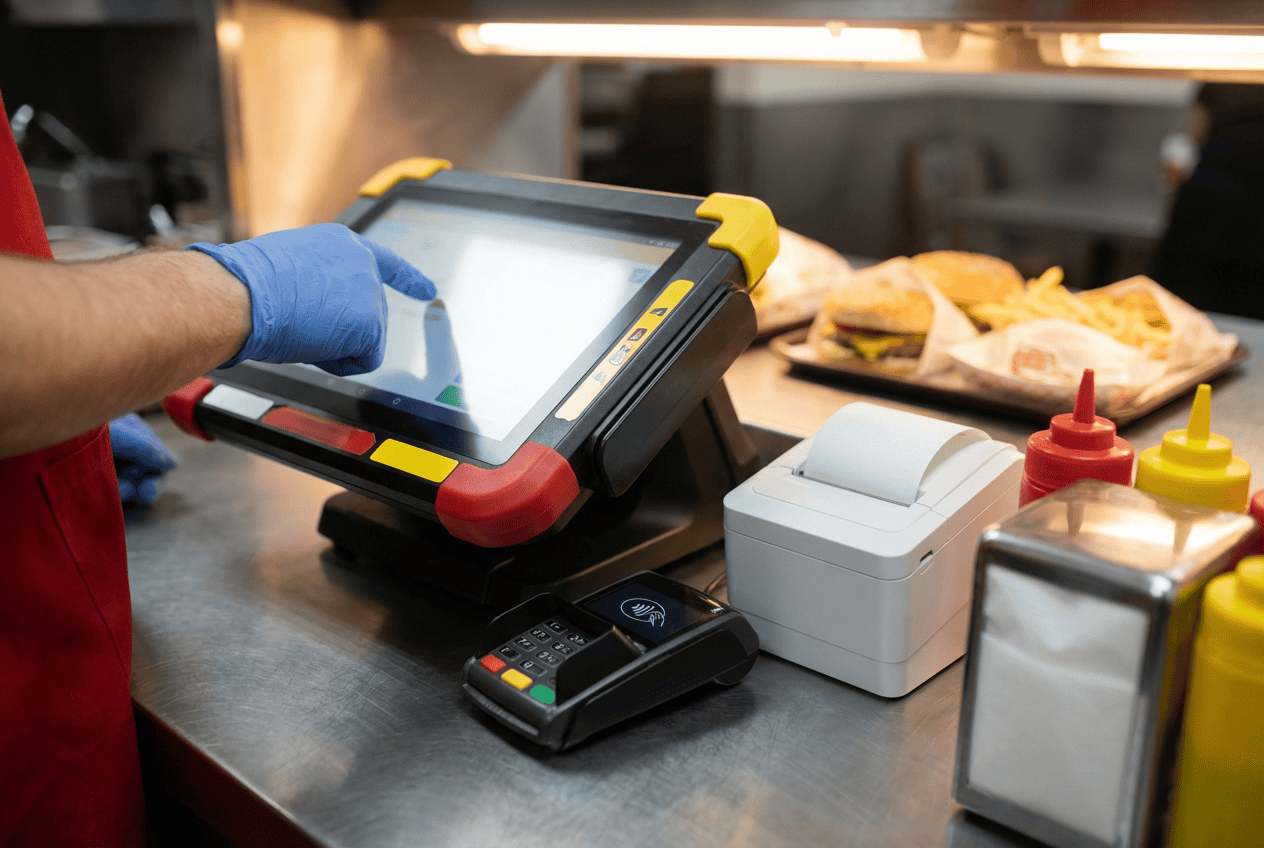
The McDonald POS System is built to do far more than process payments. It connects order taking, kitchen preparation, drive-thru queues, and staff workflows into one coordinated system designed for speed, accuracy, and high-volume service.
By combining real-time order routing, kitchen display integration, standardized workflows, and AI-supported operations, McDonald’s keeps transactions moving even during peak hours. This article explores how the McDonald POS System powers fast drive-thru and kitchen operations, and what other restaurant businesses can learn from its approach.
How McDonald POS System Integrates with Kitchen and Drive-Thru Operations
McDonald’s POS system synchronizes order taking, kitchen production, and drive-thru fulfillment into a single high-speed workflow. Using real-time data, queue control, and AI-driven logic, the system expects to support McDonald’s goal of reaching 250 million active loyalty members and $45 billion in annual loyalty sales.
Real-Time POS-to-KDS Communication
The connection between the POS and the Kitchen Display System (KDS) functions as a live data stream that triggers production the moment a selection occurs. Instead of waiting for a completed payment, the NP6 system transmits individual item data to kitchen monitors in real-time. This allows the grill and assembly stations to begin preparing high-cook-time items while the customer is still speaking at the Drive-Thru speaker or counter.
This integration relies on a localized network to bypass external internet delays, maintaining a sub-second response time. When a staff member keys in a complex modification, the KDS highlights this change instantly with bold visual cues for the assembly team. This direct link removes the need for verbal communication between the front and back of the house, preventing errors and keeping the kitchen synchronized with the incoming flow of cars.
The system refines communication through data separation based on station requirements. A Big Mac order appears on the initiator’s screen, while a McCafé drink order appears on the beverage station monitor, allowing each part of the meal to enter the kitchen flow at the same time and keeping transaction time tight.
Read more: Starbucks POS System: A Complete Overview in 2026
Order Prioritization and Queue Management
McDonald POS system manages the production queue through order origin and preparation time. Drive-thru orders receive priority to keep vehicles moving, while walk-in and mobile orders are balanced into a clear, sequenced task list for the kitchen.
Queue management also includes a “parking” feature for orders that require extra time. If a specific car has a large or specialized order that would stall the Drive-Thru lane, the manager can “bump” the order on the POS to a parked status. This action shifts the digital priority to the cars behind them, allowing the high-volume flow to continue while the system continues to track the parked order’s progress on a secondary fulfillment screen.
The software tracks the age of every order in the queue and applies color codes from green to yellow to red as service targets are exceeded. This visual hierarchy directs staff attention to the oldest orders first, preventing outlier delays and positioning the POS as a digital traffic controller for the restaurant.
Reducing Bottlenecks Between Ordering and Preparation
The system removes the gap between order taking and food preparation through a dual-point service logic. By the time a car moves from the order speaker to the payment window, the beverage system has often already poured the drinks and the kitchen has assembled the main items. The POS acts as the conductor, timing these events so that the food and the customer arrive at the delivery window at the exact same moment.
To prevent physical bottlenecks, the POS analyzes real-time “Speed of Service” (SOS) data to identify which station is lagging. If the “Fried” station is slower than the “Grill” station, the system provides visual feedback on the KDS to alert the manager. This data-driven approach allows for immediate labor reallocation, ensuring that the technical speed of the POS is matched by the physical speed of the crew members.
AI-Power System
In March 2025, The Wall Street Journal reported on a major technology overhaul across 43,000 McDonald’s restaurants. This initiative integrates internet-connected kitchen equipment with AI-driven systems for drive-thru lanes and management tasks. These updates target higher operational precision and faster service speeds.
As part of this rollout, McDonald’s deployed AI-powered Accuracy Scales across thousands of locations. These scales weigh every order at drive-thrus, kiosks, and delivery stations to verify the contents. The system compares the actual weight against target metrics and alerts the crew if an item is missing. This automated check prevents errors before the food reaches the customer.
What POS System Does McDonald’s Use?
McDonald’s uses a proprietary, custom-built Point of Sale (POS) system called NewPOS (specifically version NP6). The software was originally developed with outside partners but was taken entirely in-house. It is not available for commercial sale or use by other businesses.
The McDonald POS System Is Built For Speed Not Only For Drive-Thrus
The McDonald’s POS system is engineered to handle extreme transaction volumes while keeping every step of ordering fast and predictable, not just for drive-thru operations. Through standardized workflows and minimal human input, the system reduces decision time at the register and maintains consistent speed across drive-thru, counter, and self-service channels.
High-Volume Transaction Design
The McDonald’s POS architecture targets zero-latency performance during peak hours. The system uses a distributed local-server model instead of sequential task processing. Internal networks sync orders between the counter, drive-thru, and kitchen during internet fluctuations. This setup prevents bottlenecks and maintains high-speed responsiveness for hundreds of transactions.
Beyond connectivity, the system is designed for massive data throughput through instantaneous task delegation. As soon as a cashier or customer selects an item, the data is sliced and routed to separate production zones in real-time.
Standardized Workflows Across Locations
McDonald’s POS system is designed around highly standardized workflows to securespeed and consistency across thousands of locations. Menu layouts, button placements, and order flows are identical or nearly identical from store to store, allowing crew members to take orders quickly with minimal training. This standardization reduces decision time at the register, lowers the risk of errors during peak hours, and guarantees that even new staff can operate the system efficiently within a short learning curve.
Behind the interface, the POS integrates tightly with kitchen display systems, timers, and inventory controls to keep operations moving at scale. Orders are routed instantly to the correct preparation stations, while predefined modifiers and combo logic prevent incorrect pricing or missing items.
Minimizing Human Input to Reduce Order Time
Minimizing human input sits at the center of how the McDonald’s POS supports fast order taking. The system relies on preset menu buttons, fixed combos, and default modifiers, so crew members rarely type or search during a transaction. Orders move forward through a limited number of taps, keeping actions predictable and cutting down time spent making choices at the counter.
For example, when a customer orders a Big Mac meal. The cashier selects a single combo button instead of entering the burger, fries, and drink one by one. The POS applies the standard size and current pricing rules, then sends the order straight to the kitchen display.
Self-service kiosks follow the same logic, suggesting a combo automatically and keeping default options unless the customer changes them. This setup requires more than just fast hardware; it requires a POS built to control every step of ordering, from menu selection to kitchen handoff.
Read more: POS System PayPal in the US: A Comprehensive Review
What Modern POS Systems Can Learn from McDonald’s POS System for Drive-Thru
McDonald POS System for Drive-Thru is a benchmark for high-speed, high-volume operations. Instead of adding excessive features, it focuses on execution: reducing friction for staff, preventing errors, and keeping orders flowing smoothly during peak hours. Modern POS systems can learn a great deal from this approach.
- Speed-first interface design: The POS uses large buttons, clear screen hierarchy, and minimal navigation depth, allowing staff to complete orders quickly without hesitation, even during intense rush periods.
- Workflow design that reduces human error:Built-in combo logic, required modifiers, and confirmation steps assure orders are complete and accurate before being sent to the kitchen.
- SmoothPOS-to-kitchen integration: Orders are transmitted instantly to kitchen display systems (KDS), eliminating manual handoffs and reducing preparation delays.
- Smart upselling built into the order flow: Context-aware prompts encourage add-ons at the right moment, increasing average order value without slowing service or annoying customers.
- Reliability over feature overload: The system prioritizes stability, fast response times, and offline readiness, ensuring uninterrupted operations during peak traffic or network issues.
- Standardized workflows across all locations: Consistent POS behavior guarantees uniform service quality regardless of staff experience, location, or store size.
- Fast training and onboarding for staff: Intuitive design and guided workflows allow new employees to become productive quickly, reducing training time and labor costs.
- Actionable operational data: Real-time metrics such as drive-thru time, order accuracy, and throughput help managers continuously optimize staffing, menu design, and service speed.
- AI-Enhanced Operational Oversight: Modern POS systems can leverage AI to monitor and optimize every phase of the restaurant’s workflow. AI guarantees high-speed operations are maintained without sacrificing quality or order precision.
ConnectPOS – Applying Enterprise-Level Speed to Growing Restaurant Chains
ConnectPOS provides a scalable software solution designed to bring the operational velocity of global fast-food giants to growing restaurant chains. A speed-first architecture positions the system as a central hub that links front-of-house ordering, digital payments, and kitchen fulfillment into a single data stream. This integration allows smaller enterprises to handle high-volume periods with the same precision as major industry players.
Enterprise-Level Speed and Standardization Features
- Sub-Second Data Synchronization: The system uses a high-speed engine to transmit orders from the POS to the kitchen instantly. This real-time link allows the assembly team to begin preparation as soon as an item is selected, cutting down the total wait time for the customer.
- Centralized Menu Control: Managers can update prices, add new menu items, or launch promotions across multiple locations quickly from a central dashboard. This standardization guarantees a predictable customer experience and allows for rapid scaling without technical friction.
- Offline Operational Mode: The software includes robust offline capabilities to prevent service interruptions during internet outages. Local data handling empowers the restaurant to continue taking orders and routing them to the kitchen, maintaining the flow of service regardless of connectivity.
- User-Friendly Interface: ConnectPOS is designed with ease of use in mind. Its intuitive interface allows staff to get up to speed quickly, reducing training time and improving day-to-day efficiency.
- Real-Time Order Synchronization: Orders placed at the counter, on tablets, or from integrated online ordering platforms sync instantly within the system. Sales data and order details remain aligned across touchpoints, helping kitchen teams prepare items based on live demand while managers track activity without delay.
- Loyalty Programs and Point Accumulation: ConnectPOS supports loyalty programs with point accumulation and member incentives, linking purchases to customer profiles to encourage repeat visits and track engagement over time.
FAQs
Why is McDonald’s POS system faster than traditional POS systems?
McDonald’s POS is built on a local-server architecture with real-time order routing, which removes internet dependency and eliminates delays between order entry and kitchen production.
What role does standardization play in POS speed?
Standardized menu layouts, combo buttons, and modifiers reduce decision time and human input, enabling staff to process orders quickly with minimal training.
Is the McDonald’s POS system optimized only for drive-thrus?
No. The same speed-focused design supports counter orders, self-service kiosks, and mobile orders, ensuring consistent performance across all channels.
Conclusion
McDonald POS system demonstrates that speed does not come from hardware alone; it requires disciplined workflows, real-time system coordination, and POS logic that controls the flow of work across every station. For retailers facing rising order volumes and tighter service expectations, these principles translate beyond quick service restaurants into grocery, specialty retail, and omnichannel commerce.
ConnectPOS works with growing businesses to apply these speed-driven concepts into POS systems built for scale, clarity, and execution under pressure. If your operation demands faster transactions without sacrificing control, ConnectPOS is ready to help redesign how your POS works at the core. Contact us!
►►► Optimal solution set for businesses: Shopify POS, Magento POS, BigCommerce POS, WooCommerce POS, NetSuite POS, E-Commerce POS