Retailers want deeper connections with shoppers, yet many still juggle scattered systems that slow service and weaken loyalty. A unified setup built on POS and CRM brings those gaps into one place, helping teams act faster and serve with more clarity. In this guide, ConnectPOS will show you how an integrated approach improves clienteling and raises AOV without adding extra strain on your staff.
Highlights
- POS and CRM integration creates one unified customer view, helping retail teams understand buying habits, personalize conversations, and guide shoppers toward higher-value choices.
- Clienteling becomes stronger and more precise when sales data, loyalty activity, and customer preferences sync in real time across every channel.
- Automation and clean data flows raise AOV naturally, supporting smarter outreach, targeted rewards, and consistent service from online to in-store.
What Is POS and CRM Integration?
A POS system handles sales at the counter. It records each transaction, updates inventory, and processes payments. Retail teams rely on it to keep orders moving and stock levels accurate.
A CRM system collects customer information and stores purchase history, preferences, and interactions. It helps retailers understand who their shoppers are and what they tend to buy. This data supports better conversations, targeted campaigns, and stronger relationships.
An integrated POS and CRM setup connects these two systems so data moves freely between them. Sales activity updates customer profiles instantly. Customer preferences flow back to the POS, giving staff the context they need during each visit. This creates one source of truth instead of split databases that cause delays. Retailers using a dedicated CRM POS can manage this link in one place, so staff always work with up-to-date profiles and sales history.
This connection also removes data gaps that frustrate teams. Real-time syncing supports smoother promotions, loyalty activity, and personalized service across channels. Many stores now use POS CRM software to bring these flows together, helping them respond faster and guide customers with clearer information. The result is a retail flow that feels cleaner, clearer, and more personal for every customer.
Why POS and CRM Integration is Important for Modern Retailers
Recent research from McKinsey shows that 71% of consumers expect brands to give them personalized interactions, and 76% feel frustrated when this does not happen. Retail shoppers expect service that feels quick, personal, and consistent. Many retailers fall short because their data sits in separate tools that never speak to each other. A connected setup built on POS and CRM helps teams close that gap and create smoother interactions across every touchpoint.
- Rising demand for tailored service: Customers want attention that reflects their habits. A connected system gives staff clear profiles so they can respond with confidence and personalize each visit.
- Support for omnichannel journeys: Shoppers move between online, mobile, and in-store paths. A Harvard Business Review study of 46,000 shoppers found that omnichannel customers spend about 4% more in store and 10% more online than shoppers who use only one channel. Integrated data keeps their carts, preferences, and loyalty activity aligned so the experience stays cohesive at every step.
- Lower operational strain: Automation replaces manual data entry and reduces the risk of mistakes. Teams save time, and managers get clearer visibility into daily activity.
- Sharper, faster decision-making: Integrated reports bring sales, customer behavior, and inventory into one view. Retailers can act on trends sooner and adjust stock or promotions before problems appear.
- Real-time support for store associates: Staff see what a customer bought, what they like, and what they might need next. This helps them suggest the right items and raise transaction value naturally. Integrated CX Solution tools also push key prompts to the POS so teams never miss chances to serve better.
Retailers using POS CRM software often see smoother coordination between marketing and in-store teams. It creates a direct path to better engagement and stronger revenue without adding pressure on staff.
How POS and CRM Integration Drives Smarter Clienteling and Higher AOV
Retail teams want stronger relationships with shoppers, yet many still work with scattered tools that hide useful details. A connected setup built on POS and CRM clears that roadblock by placing sales and customer data in one place. This shift creates a smoother rhythm on the sales floor and helps associates hold richer conversations that lead to higher AOV. The more complete the picture, the easier it becomes to guide customers toward products that fit their habits and needs.
Unified Customer View
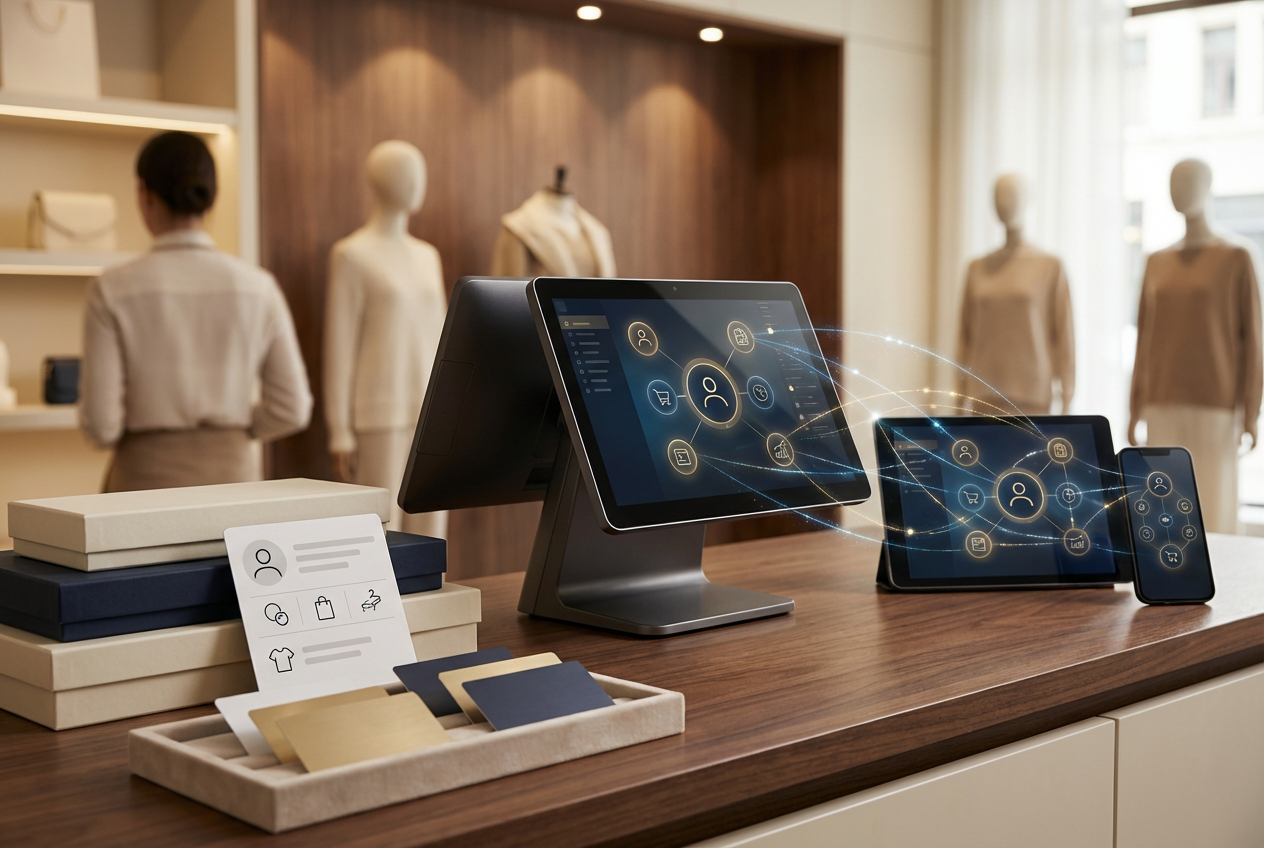
A unified profile collects purchase history, saved preferences, and behavior across online and in-store visits. Associates no longer guess who the shopper is or what they like, because the key details sit right in front of them.
This matters when someone returns for a familiar item. A store might recognize that a customer often buys a certain style or size, which helps the staff guide them straight to options that match. High-value shoppers also stand out quickly, since their history highlights patterns that point to stronger buying power.
Personalized Recommendations
Connected systems make it easier to suggest useful add-ons at checkout. CRM data highlights preferred categories, past favorites, or products that pair well together. This helps staff present bundles or upgrades that feel natural, not forced.
A retailer selling skincare might see that a shopper picked up a cleanser last month. The associate can suggest a toner from the same line, backed by past buying behavior. Predictive data sharpens these suggestions by pointing to what customers tend to buy after similar purchases.
Triggered Outreach & Follow-Ups
Automated reminders help stores stay present without overwhelming customers. Birthdays, restocks, or expiring warranties create moments that feel thoughtful and well-timed.
A shopper who bought running shoes might receive a message two months later about new arrivals in the same style. Another might get a friendly nudge when their favorite product returns. These small touches add up and create more chances for repeat purchases.
Loyalty & Segmentation Synergy
Loyalty status stays accurate across both systems, making rewards easier to apply. Segments based on spend or frequency help retailers send perks that match real behavior.
A VIP customer could receive early access to a new drop, while a casual shopper might get a targeted bundle tied to their past choices. These thoughtful touches lift long-term value and keep customers engaged.
Omnichannel Consistency
Sales activity and customer behavior follow the shopper across channels. This removes the friction that appears when online and in-store systems fail to match up.
If someone adds items to an online cart but chooses to visit the store, associates can pull up the saved list and help them decide. A furniture retailer might use this to show fabrics or finishes in person that the shopper viewed online. When your Mobile POS and Self-Service kiosks POS share the same profiles as your eCommerce site, customers can move between channels without losing progress.
Data-Driven Clienteling Workflows
CRM triggers guide staff toward the next-best action. These prompts help associates follow the right steps without second-guessing themselves.
A reminder may signal that a shopper hasn’t visited in a while. Another cue might prompt a follow-up tied to interest in a new collection. Many retailers using POS CRM software rely on these prompts to raise conversion rates without overwhelming staff.
Steps to Implement POS and CRM Integration Successfully
Retailers need a setup that feels clear, fast, and reliable. A connected system built on POS and CRM creates that structure, but the process works best with a steady plan. A few practical steps help teams move from scattered tools to a smooth flow of data and customer understanding.
- Evaluate current systems: Check your POS, CRM, loyalty tools, and eCommerce POS platform. Look for overlaps, gaps, and outdated processes that slow your daily rhythm or confuse your team.
- Select the right integration method: API connections work well for stores with modern systems, while middleware simplifies linking tools that don’t connect naturally. Custom solutions fit retailers with special workflows or unique data needs.
- Map the key data fields: Decide what matters most, like orders, customer profiles, and inventory levels. Clear mapping prevents mismatches and helps the data move cleanly between systems.
- Set up real-time two-way syncing: Sales activity should update CRM data instantly, and customer insights should appear on the POS without delay. This keeps your team informed at every step.
- Train your staff early: Show associates how to read customer profiles and apply data during conversations. This helps them guide shoppers toward better choices and raise AOV.
- Test before launching: Run sample transactions and check how data moves. Fix any slowdowns or mismatches before your team works with live customers.
- Track performance metrics: Follow AOV, repeat purchase rates, and lifetime value to see how the integration helps your store grow.
A structured approach makes the process smoother, giving your retail team strong tools and clearer insights from day one.
Common Pitfalls to Avoid During Integration
A connected setup built on POS and CRM can change how a retail team works, but small mistakes can slow everything down. Many issues appear before the system even goes live, often due to rushed setups or skipped steps. A careful approach prevents these setbacks and keeps the integration stable.
- Poor data hygiene: Old records, duplicates, or incomplete profiles can disrupt syncing. Cleaning up customer and product data before integration helps the system read and match information correctly.
- Loading unnecessary data: Pulling every field into the new system creates clutter. Focus on the data that supports daily operations, clienteling, and core business metrics.
- Lack of staff training: Teams struggle when they do not understand how to use the new tools. Early training helps associates read profiles, respond faster, and use insights during conversations.
- Ignoring mobile or omnichannel needs: Many shoppers switch between online and in-store paths. The integration should support mobile POS, online carts, and loyalty activity so the experience stays cohesive.
- Skipping real-world testing: Systems may look smooth during setup but fail under real workloads. Testing transactions, refunds, and inventory updates helps catch errors before launch.
Avoiding these issues gives retailers a stronger foundation for growth. A clean setup, trained staff, and consistent testing create a system that supports daily work and long-term customer engagement.
ConnectPOS – The All-in-One POS for Unified Customer Experience
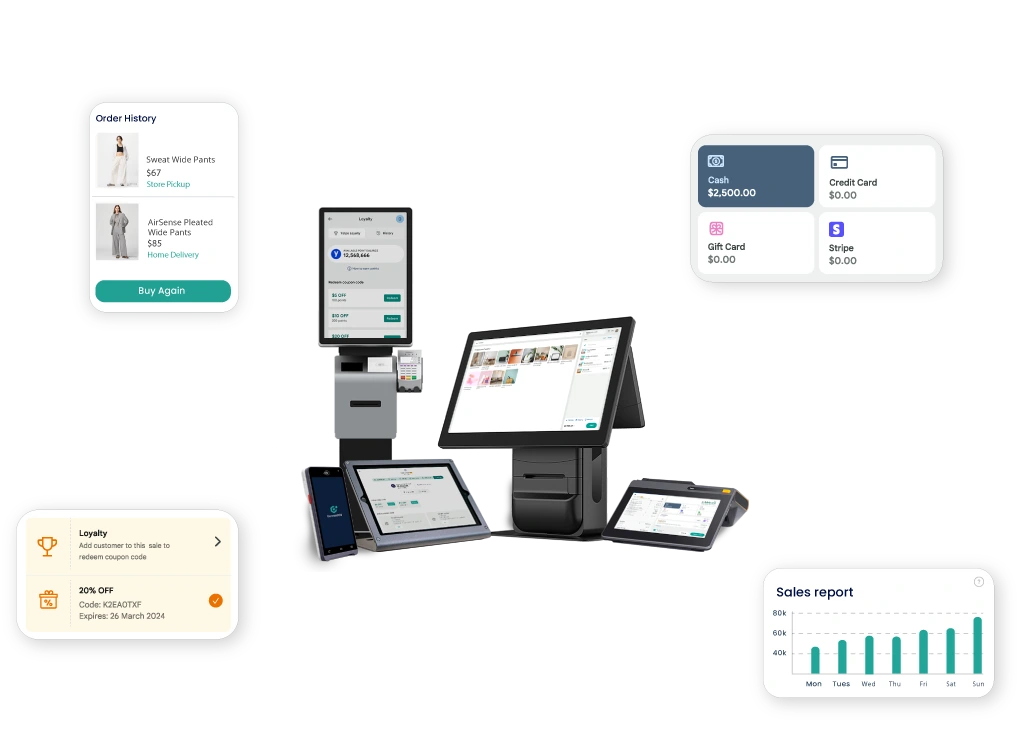
ConnectPOS brings your sales, customer, and inventory data together into one seamless system. It’s more than a POS, it’s a smart bridge between transactions and relationships, designed to help you connect every customer touchpoint, from online to in-store.
- Centralized customer management: ConnectPOS helps retailers build complete customer profiles in one place. Every purchase, preference, and visit is recorded in real time, giving you the data to personalize service and tailor promotions instantly.
- Workflow automation for better engagement: Repetitive tasks like updating customer details, syncing orders, or assigning loyalty points happen automatically. ConnectPOS uses powerful automation so your staff can focus on meaningful interactions that build stronger relationships.
- Unified inventory and sales tracking: Inventory updates the moment a sale happens, online or in-store. You can see what’s available, what’s moving fast, and where to restock. This unified view keeps customers happy and operations efficient.
- Targeted marketing and loyalty programs: ConnectPOS integrates CRM-driven marketing campaigns to reach the right audience at the right time. You can design personalized rewards, tiered loyalty offers, or custom bundles that match each customer’s buying pattern, driving repeat purchases and higher AOV.
- Omnichannel experience, made simple: ConnectPOS unifies your retail ecosystem across Shopify, Magento, BigCommerce, and WooCommerce. Whether customers shop through mobile, self-checkout, or social media, the experience stays consistent. Associates can track orders, apply promotions, or view online carts in-store, creating a connected and effortless journey.
- Custom insights and analytics: From daily reports to long-term performance dashboards, ConnectPOS turns data into action through built-in Report & Analytics tools. You can filter by product, location, or customer type to make faster, smarter business decisions.
- Flexible integration and scalability: Built on MACH architecture, ConnectPOS connects smoothly with your favorite CRM, ERP, and loyalty platforms. It adapts as your business grows, supporting multiple stores, currencies, and regions without disruption.
Trusted by 3,000+ global retailers, ConnectPOS drives both efficiency and customer loyalty across industries, including Apparel, Home & Furniture, Grocery & Supermarket, and Vape retail. Boost engagement, loyalty, and profitability with one integrated POS system built for real growth. Contact us to see how ConnectPOS can transform your customer experience.
FAQs: POS and CRM
1. What is POS and CRM integration?
POS and CRM integration means your point-of-sale system and customer relationship management software work together as one. It syncs customer data, sales history, and inventory in real time, helping you manage transactions and relationships through a single platform.
2. Why should retailers integrate POS with CRM?
Integrating POS with CRM allows businesses to access complete customer profiles, personalize service, and improve marketing accuracy. It also reduces manual data entry, minimizes errors, and ensures consistent experiences across online and in-store channels.
3. How does POS and CRM integration improve customer loyalty?
When both systems are connected, loyalty points, purchase histories, and preferences are tracked automatically. Retailers can offer personalized promotions and rewards, making customers feel valued and encouraging repeat purchases.
4. Can small businesses benefit from POS and CRM integration?
Yes. Small retailers gain the same advantages, better customer insights, smoother sales processes, and improved communication, without needing large teams or complex systems. Integration helps them compete with bigger brands more efficiently.
5. What data should sync between POS and CRM systems?
Key data includes customer contact details, purchase history, loyalty status, product preferences, and transaction records. Syncing this information creates a unified customer view that supports smarter decisions and stronger client relationships.
Final Thoughts
A connected approach built on POS and CRM gives retailers a clearer view of every shopper and a smoother way to serve them. It strengthens clienteling, raises AOV, and helps teams act with more confidence at each touchpoint. The stores that thrive today are the ones that use real insights, clean data, and steady tools to support meaningful engagement. ConnectPOS brings these pieces together in one cohesive system that grows with your business. To see how this setup can support your next step, contact us and explore what’s possible.
►►► Optimal solution set for businesses: Shopify POS, Magento POS, BigCommerce POS, WooCommerce POS, NetSuite POS, E-Commerce POS