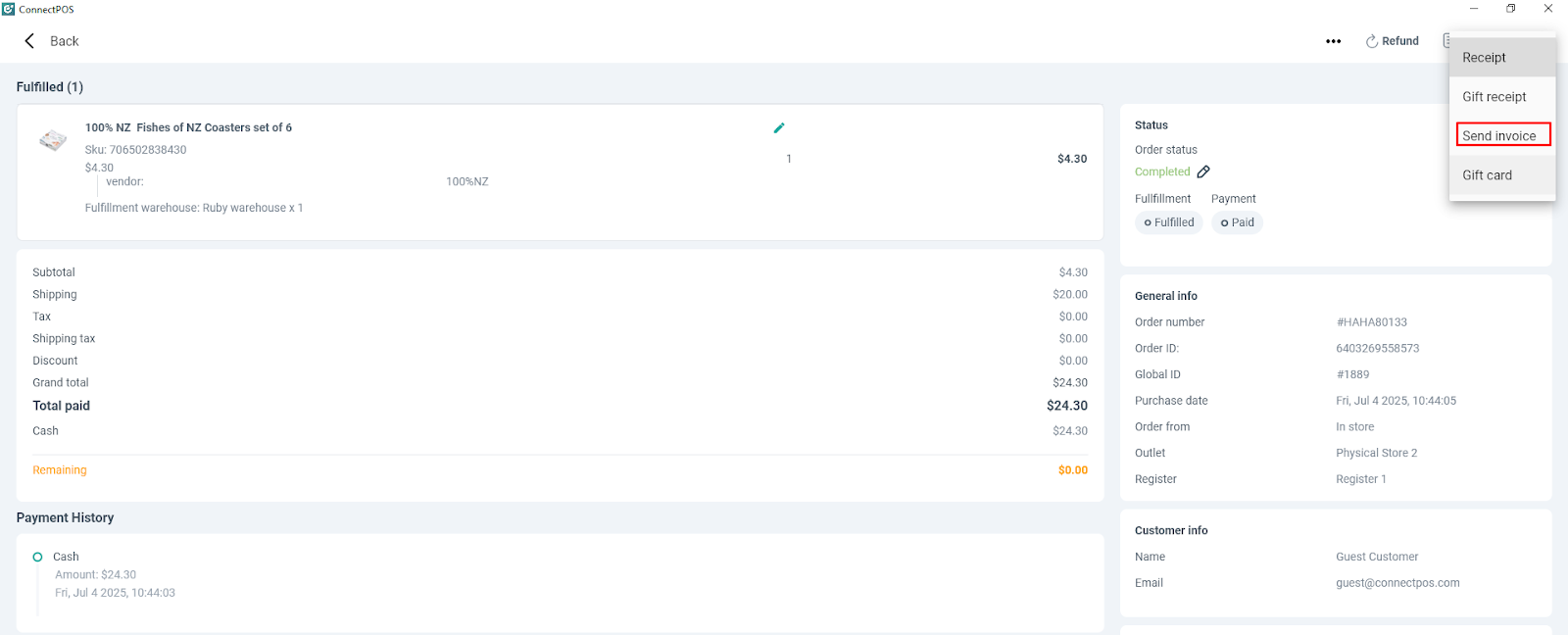
This feature allows you to send an invoice to your customer’s email. To configure this feature, kindly go to Settings > Send Invoice > Fill in the information > Save.

To fill in information, you can follow this guideline: spos-send-invoice-configuratio_1me7ktx (3).pdf
Please note that:
- If you are using Gmail, the SMTP password is not your Gmail password, the customer has to refer to this [LINK], App name is ConnectPOS, then copy App Password and remove the space in between.
- If you are using Outlook or any other, the SMTP password is your email password.
After setup, in case a customer needs to send invoices to your customer on occasion (not au-send), kindly search for the order in Order List > Receipt > Send Invoice > Enter email Send.