Rush hours, especially in fast food restaurants, don’t forgive slow systems. One wrong modifier, one delayed kitchen ticket, one missed delivery order, and the whole line starts to wobble. A POS system for fast food chains has to connect speed, kitchen work, payments, inventory, and store control in one clear flow. In this ConnectPOS guide, we’ll cover the POS features that help fast food chains handle rush-hour pressure, cut order mistakes, track stock, and manage many stores without losing control.
Highlights
- Fast food chains need POS tools that connect checkout, kitchen screens, stock data, payments, and reports.
- The strongest setups focus on order flow, real-time inventory, flexible checkout, loyalty, and branch-level control.
Fast Food Chains Need A POS Built For Rush-Hour Pressure
Fast food service runs on timing. Customers expect a short wait, a correct order, and a smooth payment. Staff need clear tickets, quick modifiers, and fewer screen taps when the counter gets packed.
The National Restaurant Association projects U.S. restaurant industry sales to reach $1.55 trillion in 2026. The same report points to digital ordering, automation, and data analytics as areas tied to better productivity. That puts real pressure on the tools behind the counter, not only the staff using them.
Basic billing doesn’t cover that pressure. It may close a sale, but it won’t always guide a cashier through combo rules, send an order to the right prep station, or warn a manager that chicken stock is almost gone.
A POS system for fast food chains needs to act like a daily control center. It should connect the front counter, kitchen, inventory, payments, reporting, and store management. Otherwise, each branch ends up solving the same small problems over and over.
Rush hours make weak systems visible fast. Staff start writing notes on receipts. Kitchen teams shout across stations. Managers check stock too late. Owners only see the full picture after the day is already done.
Fast food chains don’t have room for that kind of delay. The POS must support the pace of the store, not slow it down.
The POS Friction Fast Food Teams Notice First
POS problems rarely start as big failures. They show up as small annoyances during busy service. Then those small issues turn into longer queues, wrong orders, and tired staff.
Most teams already know where the friction sits. The hard part is fixing it before it becomes part of the daily routine.
- Too Many Order Channels: Counter, kiosk, QR, delivery, app, and drive-thru orders often arrive at the same time. A weak setup spreads orders across tablets, screens, and printed tickets. Staff lose time checking where each order came from.
- Unclear Kitchen Handoff: Kitchen teams need clean tickets with modifiers, timing, and pickup details. A missing note about sauce or size can cause a remake. During peak hours, that one remake can slow the next ten orders.
- Manual Delivery Entry: Delivery orders create extra work when staff have to type them into the POS again. Grand View Research estimated the global online food delivery market at USD 288.84 billion in 2024 and projected it to reach USD 505.50 billion by 2030. Manual handling won’t age well in that kind of market.
- Hidden Stock Gaps: Ingredients move quickly in fast food stores. If stock only gets checked at the end of the day, managers find out too late. That’s how popular items disappear during the busiest shift.
- Messy Combo Logic: Meal deals sound simple until customers add toppings, swap drinks, change sizes, or use coupons. Staff shouldn’t need to memorize every possible rule. The POS should guide them before the mistake happens.
- Late Reports: Owners need to know which branch is busy, which item is moving, and which shift needs more support. End-of-day reports help, but real-time views help more when the store is still open.
A pos system for fast food chains should remove these daily blocks. Better yet, it should prevent them from becoming normal.
Advanced Features A POS System For Fast Food Chains Should Have
Fast food chains need modern POS functions that support how stores actually work. The right setup should help staff move faster, give managers live control, and keep branches aligned.
A POS system for fast food chains doesn’t need every shiny tool on the market. It needs the right mix of order, kitchen, inventory, payment, CRM, and multi-store controls.
Order And Kitchen Operations That Keep Service Moving
Kitchen Display System Integration
Kitchen display system integration sends orders straight to the right prep station. A burger order goes to the grill area. A drink order goes to the beverage station. Staff don’t need to wait for printed tickets or verbal updates.
Good kitchen screens also show order status and timing. Teams can see what’s new, what’s in prep, and what needs to leave first. During a drive-thru rush, that clarity matters.
The goal is simple. Cashiers take orders, the kitchen sees them right away, and managers spot delays before customers start asking.
Multi-Channel Order Synchronization
Fast food chains now receive orders through many paths. Pickup is gaining ground too. McKinsey found that pickup orders at limited-service restaurants grew 14% in frequency over the last year, while delivery basket value fell 6 percent and spend per unit dropped 12%.
That shift makes order sync a real priority. Dine-in, mobile, kiosk, QR, delivery, and drive-thru orders should land in one queue. A clean queue keeps the kitchen focused.
A quick service restaurant setup also needs clear order source labels. Staff should know if an order is for pickup, dine-in, delivery, or drive-thru before packing begins.
Self-Service Kiosks And QR Ordering
Self-service ordering gives customers more control when the counter gets crowded. Some people want to browse, choose add-ons, and pay without waiting for a cashier.
A good Self-Service setup can also guide customers through menu options. Combo upgrades, drink sizes, and sauces appear in the right place instead of depending on staff memory.
For a fast food branch near schools, malls, or offices, this can keep the line moving during short rush windows. Staff can focus on prep, pickup, and support.
Delivery Platform Integration
Delivery platform integration keeps third-party orders from becoming a second workload. Orders should flow into the POS and kitchen screen without manual re-entry.
Delivery also needs clear prep timing. Staff should know which order belongs to which courier and when it should be packed. That helps branches avoid cold food, missed tickets, and confused handoffs.
Fast food chains need one view across dine-in, pickup, and delivery. Otherwise, delivery sales look separate from store sales, and managers lose part of the picture.
Inventory And Food Cost Control with Real-Time Accuracy
Real-Time Raw-Material Inventory Tracking
Fast food inventory moves ingredient by ingredient. A combo meal may use chicken, buns, lettuce, sauce, fries, cups, lids, and packaging. A basic product count won’t show what’s really happening.
Real-time raw-material tracking updates stock as orders are placed. Managers can see ingredient movement during the day, not hours later.
The National Restaurant Association notes that food costs represent 28% to 35% of restaurant sales. It also reports that every dollar invested in food-waste reduction could return about $8 in cost savings. That makes real-time stock control feel a lot less like ‘back-office admin’.
A strong inventory management software setup helps fast food teams track what sells, what runs low, and what gets wasted.
Ingredient-Level Deduction For Combos And Modifiers
Ingredient-level deduction matters because fast food menus are full of small changes. One customer adds cheese. Another removes onions. A third swaps a soft drink for bottled water.
Each change affects stock. The POS should update inventory based on the actual order, not the default menu item.
Take a quick case. If a branch sells 300 chicken combos in one lunch shift, the system should deduct chicken, buns, fries, cups, and packaging together. Managers get a clearer view of what needs restocking before dinner.
Low-Stock Alerts And Waste Control
Low-stock alerts help stores act before the menu breaks. A branch shouldn’t learn it’s out of fries only when the cashier tries to place the next order.
Smart alerts can warn managers when stock falls under a set level. Better yet, they can reflect sales patterns, time of day, and branch demand.
Food waste also needs better tracking. For fast food chains, every hidden waste pattern deserves attention before it becomes a margin leak.
Checkout And Payment Tools Should Keep The Line Moving
Fast And Flexible Payment Support
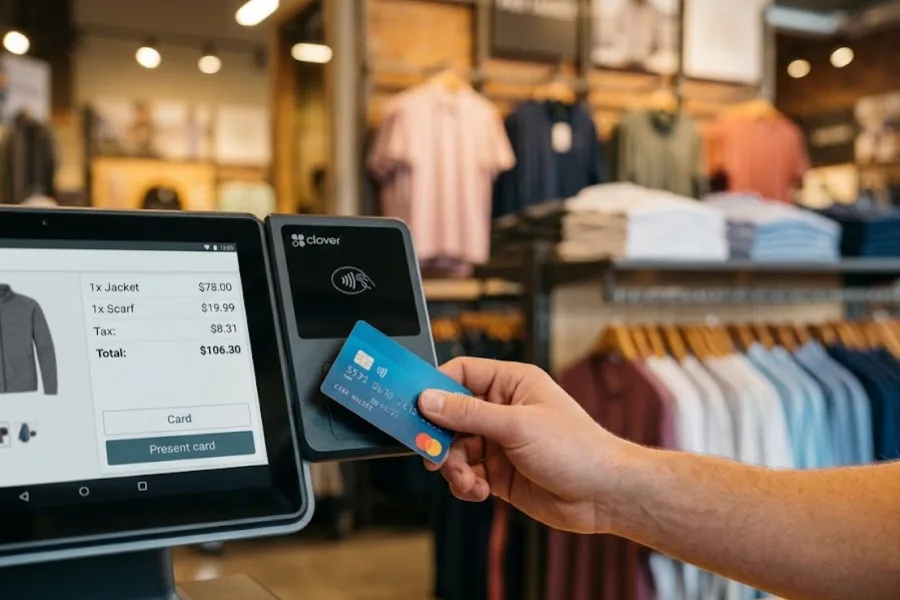
Fast food checkout should feel quick and familiar. Customers may pay with cards, mobile wallets, QR payments, gift cards, loyalty points, or split payments.
Grand View Research reported that online payment held over 67% of the online food delivery market in 2024. That tells a clear story. Digital payments are already part of everyday food ordering.
The POS should support those payment habits in one flow. Staff shouldn’t need different devices for different payment types.
Smart Combo Prompts And Add-On Suggestions
Smart combo prompts help cashiers suggest the right upgrade at the right time. A sandwich order can trigger a drink and fries suggestion. A breakfast item can trigger a coffee add-on.
This doesn’t need to feel pushy. The prompt simply reminds staff of the current offer and applies the right rule when the customer agrees.
Combo prompts also keep promotions consistent across stores. Head office can run one campaign, and each branch follows the same pricing logic.
CRM And Loyalty Features Help Fast Food Brands Bring Customers Back
Loyalty And CRM Tools
Fast food brands depend on repeat visits. A customer may buy coffee every morning, snacks after school, or dinner on the way home. A POS with loyalty and CRM tools can turn those habits into better campaigns.
PYMNTS reported that loyalty influenced decisions for 61% of delivery customers and 54% of QSR patrons. It also found that restaurant loyalty enrollment reached 48 percent of diners in 2025.
A CRM POS can track visit history, favorite items, and spending patterns. That data helps brands send better rewards instead of random discounts.
Customer Profiles And Targeted Promotions
Customer profiles help teams understand buying behavior across channels. If someone often orders chicken wraps through QR ordering, the brand can send a lunch deal that matches that pattern.
Reuters reported that Yum China’s loyalty programs across KFC and Pizza Hut passed 590 million members. The company said 55% of sales took place through those programs. That’s a strong reminder of what digital loyalty can become at chain scale.
Fast food brands don’t need to copy that model. Still, the lesson is clear. Loyalty works best when it connects orders, payments, rewards, and customer data.
Multi-Store Control Gives Chain Operators A Clearer View
Multi-Location Menu And Promotion Control
Chain operators need menu control across stores. A new seasonal combo, price change, or limited-time deal shouldn’t require branch-by-branch edits.
A multi store POS lets head office manage menus, pricing, discounts, and reports in one place. Branch managers can still handle local tasks based on their role.
This gives brands better control without locking store teams out of daily decisions.
Real-Time Analytics And Store-Level Reports
Store-level reporting turns daily sales into clearer action. Managers can compare peak hours, staff activity, product trends, refunds, discounts, and branch performance.
The right Report & Analytics tools are essential so teams can spot patterns while they still matter. If one branch sells out of chicken wraps every Friday, the manager shouldn’t wait until Monday to see it.
Good reporting also helps owners compare locations fairly. A mall store, street store, and drive-thru branch may need different staffing and stock plans.
Staff Permissions And Labor Tracking
Staff permissions protect daily operations. Cashiers, shift leads, and managers should not have the same access level.
Role-based access can control refunds, voids, discounts, reports, and cash handling. That protects the store from mistakes and misuse.
Labor tracking also supports better planning. Managers can compare sales with staff hours and adjust schedules around real rush periods.
Offline Mode And Cloud Sync
Internet issues should not stop a fast food store from taking orders. Offline mode keeps transactions moving when the connection drops.
Cloud sync updates the system once the connection returns. Owners can still review data across branches after the issue is fixed.
This matters most during peak hours. A short outage at noon can create a long line if the POS can’t keep working.
The Feature Mix That Gives Chains The Biggest Daily Wins
The strongest POS setup is rarely one single tool. Fast food chains get better results when connected functions work together. Order speed, stock accuracy, payment flow, and reporting all affect the same customer visit.
A POS system for fast food chains should support the full service path. That starts when a customer orders and ends when managers review sales, stock, and staff performance.
- KDS Plus Order Sync: Kitchen screens work better when every channel feeds into one queue. Staff see the right order details sooner, and the kitchen doesn’t chase scattered tickets.
- Raw-Material Tracking Plus Analytics: Inventory data means more when managers can connect it to sales patterns. If a branch sells more spicy chicken after 5 p.m., stock planning should reflect that.
- Self-Service Ordering Plus Flexible Payments: Kiosks and QR ordering shorten the front-counter line. Payment support then closes the loop, so customers can order and pay without extra steps.
- Loyalty Plus CRM: Rewards should connect to real customer behavior. A breakfast buyer and a late-night delivery customer need different offers.
- Multi-Store Control Plus Permissions: Head office needs brand-wide control. Branch teams need enough access to solve daily problems. The POS should support that balance.
- Cloud Sync Plus Offline Mode: Store teams need local stability and head office needs live visibility. These two functions work best as a pair.
The best mix should feel practical. If a demo looks impressive but doesn’t match your store flow, it’ll become shelfware. Fast food teams need tools they’ll actually use when the queue is out the door.
How To Choose The Right POS Features For Your Chain?
Choosing POS tools gets easier when you start with real store pressure. Don’t begin with a long vendor checklist. Begin with where service slows down.
A POS system for fast food chains should fit your busiest channel, menu setup, staffing model, and growth plan. The right choice will feel close to the way your branches already work.
- Start With The Busiest Order Channel: A drive-thru-heavy chain needs different controls than a mall kiosk brand. If delivery is growing, delivery integration should sit near the top of your list.
- Check Combo And Modifier Logic: Test real orders, not perfect ones. Add sauces, remove toppings, swap drinks, apply discounts, and split payments. The POS should handle messy orders without confusing staff.
- Review Ingredient-Level Needs: If margins depend on ingredients, don’t settle for product-level stock counts. Ask how the system deducts raw materials, sides, toppings, packaging, and modifiers.
- Test Reports Before Buying: Look at reports by store, item, staff, time, and channel. A good report should answer a daily business question, not just display numbers.
- Ask About Offline Sales: Internet problems happen. The POS should still process orders and sync later without creating data gaps.
- Plan For More Stores: A one-store setup may feel fine now. But chain growth needs menu control, user roles, store reporting, and branch comparisons.
- Watch Staff Training Time: Fast food teams change often. If the screen takes too long to learn, errors will rise during rush hours.
A clean product demo can hide weak daily fit. Ask vendors to walk through your real order flow, your combo rules, your stock process, and your reporting needs. That conversation reveals more than a polished slide deck.
ConnectPOS Helps Fast Food Chains Run Orders, Stock, And Stores In One Flow
Fast food chains need a POS that keeps pace with every order, menu change, and stock move. ConnectPOS gives teams one connected setup for front-counter service, kitchen prep, inventory, payments, and store reports. That means fewer gaps between what customers order, what the kitchen makes, and what managers see.
- Raw-Material Inventory: ConnectPOS tracks ingredient use as orders are placed. When a combo meal sells, stock can update based on each item inside that order. This helps managers spot low stock before it turns into a lunch rush headache.
- Real-Time Analytics: Store managers can track sales, peak hours, top items, and staff activity in real time. Chain owners can also compare branch results without waiting for end-of-day reports. It keeps decisions close to what’s happening on the floor.
- Digital Kitchen Displays: Orders can move from the counter, kiosk, or QR order flow to the kitchen screen. Staff see what needs to be prepared, where it came from, and what should go out first. It cuts confusion when tickets pile up.
- Smart Combo Prompts: ConnectPOS can guide cashiers with meal deals, add-ons, and upgrade prompts. A burger order can trigger a drink or side suggestion without staff needing to remember every promotion. Upselling feels natural, not forced.
- Self-Service And QR Ordering: Customers can order through kiosks or QR menus when the front counter gets packed. This helps shorten lines and gives staff more room to handle prep, pickup, and customer support.
- Customer Loyalty: ConnectPOS supports loyalty points, rewards, and customer profiles. Fast food brands can bring people back with targeted deals based on past orders. A quick coffee, snack, or lunch combo can turn into a repeat habit.
- Multi-Store Control: Chain operators can manage menus, pricing, discounts, and reports across locations. Head office gets control, and branch teams still get the tools they need for daily service.
- Flexible Payments: ConnectPOS supports different payment flows, including cards, mobile wallets, gift cards, and loyalty redemption. Faster checkout matters when customers want to grab food and go.
For fast food chains, control should not stop at the cashier screen. ConnectPOS connects daily service with stock movement, kitchen flow, and branch data. That gives teams a clearer way to serve faster, waste less, and grow without losing control.
FAQs: POS System For Fast Food Chains
1. What is a POS system for fast food chains?
A POS system for fast food chains manages orders, payments, kitchen handoff, stock, reports, and store controls across one or many branches. It supports faster service than a basic cash register.
It also helps teams handle combo meals, modifiers, delivery orders, loyalty rewards, and real-time reporting. These tasks matter more as order volume grows.
2. Which POS feature is most useful for fast food chains?
Kitchen display system integration and order synchronization often bring the fastest daily gains. They keep orders clear and help the kitchen move through tickets in the right order.
Inventory tracking also ranks high for chains with tight food margins. It helps managers catch stock gaps before popular menu items run out.
3. Do fast food chains need self-service kiosks?
Self-service kiosks make sense when stores face long lines, repeat orders, or limited counter staff. They let customers browse menus, add modifiers, and pay with less pressure.
Not every branch needs the same setup. A busy mall store may need kiosks sooner than a small pickup-focused location.
4. How does a POS cut order mistakes?
A POS cuts order mistakes through clear modifiers, combo prompts, kitchen routing, and order status tracking. Staff don’t need to rely on memory during busy shifts.
Clean kitchen tickets also prevent confusion between dine-in, pickup, delivery, and drive-thru orders. That helps teams prepare and pack orders correctly.
5. What should chains check before choosing a fast food POS?
Chains should test order flow, combo logic, delivery links, inventory tracking, reports, payment options, and offline mode. Real test orders reveal more than a feature list.
Also check how the system handles more locations. Growth needs stronger menu control, staff permissions, branch reports, and stock visibility.
Final Thoughts
A POS system for fast food chains should do more than close payments. It should help teams move orders faster, guide kitchen work, track ingredients, support loyalty, and give owners a clear view across stores. ConnectPOS brings these daily needs into one connected flow for fast food brands ready to grow with more control. To discuss the right setup for your chain, contact us today and our team will help you find a POS workflow that fits your stores, staff, and growth plans.