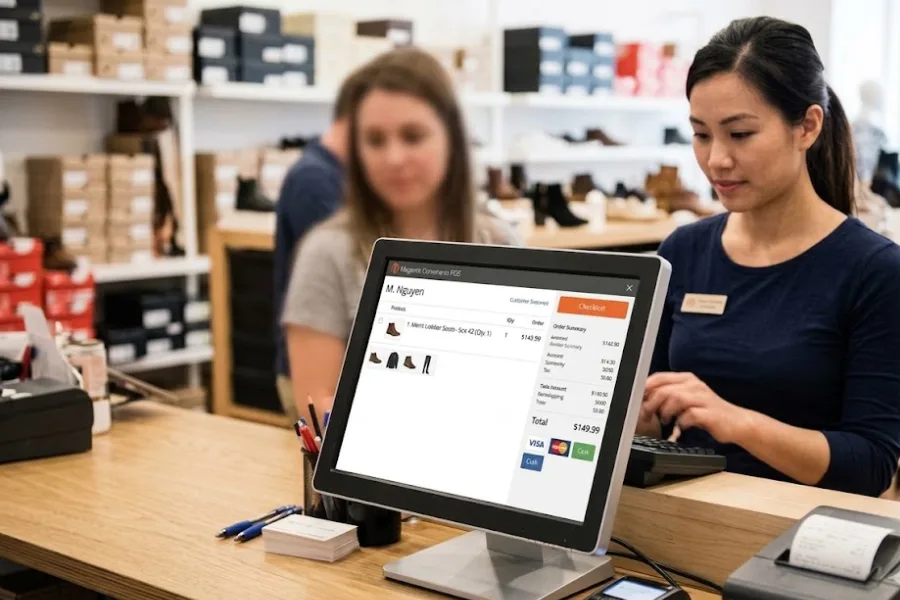
A pharmacy counter can look calm and still hide a lot of pressure. One stock gap, one wrong handoff, or one missing record can slow the day fast. This guide from ConnectPOS will look at what POS software for pharmacy should handle through three practical lenses: management, compliance, and integration.
Highlights
- Speed at the counter only works when stock, records, and staff actions stay in sync.
- Compliance depends on traceable actions, clear permissions, and tighter control over sensitive items.
- Integration decides whether your pharmacy runs as one system or a pile of disconnected tasks.
Pharmacy Retail Runs On Precision, Not Just Transactions
A pharmacy does not work like a standard store. The front counter may handle shampoo, vitamins, and skincare, but the same team also deals with sensitive products, refill timing, customer records, and requests that cannot go wrong.
That changes the job of the POS. It has to support quick service, but it also has to support accuracy under pressure. A small error at checkout can turn into a return, a stock mismatch, or a much bigger issue once records are reviewed later.
Patient trust grows in very ordinary moments. A fast pickup. A clean handoff. A correct item. A staff member who can answer right away because the system is clear. That trust drops just as fast when the queue stalls or the record on screen feels incomplete.
Consumer behavior is also moving toward more choice in how prescriptions get fulfilled. McKinsey found that 44% of consumers who use mail-order or home delivery services say they choose those options more often than they did two or three years ago, and convenience and price lead that shift. That tells us one thing very clearly. Pharmacy retail now has to support more than one service path.
Generic retail tools often fall short here. They may ring up sales just fine, yet break down once batch tracking, expiry logic, audit trails, and connected pharmacy workflows enter the picture.
That’s why this article stays focused on three areas that truly shape the buying decision. Daily management. Compliance. Integration. Get those right, and the rest of the system starts to make sense.
Key Aspects POS Software for Pharmacy Usually Cover
A pharmacy POS sits in the middle of checkout, stock control, customer records, reporting, and system connections that keep daily work moving.
When the system fits the job, staff spend less time chasing details and more time serving people at the counter. That shift matters more than many owners expect.
- Checkout built for pharmacy flow: The system should support prescription pickup, OTC purchases, split payments, returns, and staff notes in one clean process. That cuts confusion when the counter gets busy.
- Customer record access: Staff need quick access to the right information at the right moment. A slow search or a messy screen wastes time and raises the chance of mistakes.
- Inventory visibility: A pharmacy cannot rely on rough counts or end-of-day checks. Live stock data, batch details, and expiry tracking help the team act before a problem grows.
- Role control and action history: Not every staff member should handle every action. A good setup lets owners control who can edit, void, approve, or view certain records.
- Branch oversight: Pharmacies with more than one location need a shared view of stock, sales, and movement between stores. That’s where connected tools like multi-store POS become useful in real daily work, not just on a sales page.
- Reporting that supports action: Numbers only help when teams can read them quickly and do something with them. Clear dashboards and Report & Analytics tools help managers spot fast sellers, aging stock, and branch gaps before those issues hit service.
- Customer follow-up and repeat business: Pharmacies also need a better way to track buying habits, refill patterns, and loyalty activity. A connected CRM POS setup can support that without turning the counter into a marketing desk.
- Connected business systems: The right platform should work well with accounting, ERP, eCommerce, and pharmacy-related systems. If data has to be entered twice, the system is already costing time.
That’s the baseline. Once those basics are clear, the real buying decision becomes easier to judge. You stop asking what a pharmacy POS is, and start asking whether the system can actually hold up under real pharmacy pressure.
3 Key Considerations When Choosing POS Software for Pharmacy Store
The shortlist usually looks good on paper. Nice screens, polished demos, and a long list of modules. But pharmacy owners need a sharper filter than that.
A better way to judge any system is simple. Look at how it handles management, compliance, and integration. Those three areas tell you whether the platform will help the business run cleanly or create more work behind the scenes.
Management Considerations
Day-to-Day Workflow Control
Daily pharmacy work moves fast, then suddenly faster. A few customers in line can turn into a rush in minutes, and weak counter flow shows up right away.
The POS should help staff move through routine tasks without second-guessing the next step. That means fewer clicks, clearer screens, and less jumping between pages.
- One counter flow for mixed baskets: Prescription pickup and OTC checkout should happen in the same sale flow. Staff should not have to pause the whole sale just because one basket includes items from two parts of the business.
- Faster queue handling: Busy hours expose slow systems. Staff need a quick product search, fast customer lookup, and clean payment steps so the line keeps moving.
- Cleaner screens for staff: The best screens don’t try to show everything at once. They show what matters now, so staff can focus on the customer instead of hunting across the page.
- Support for real payment situations: Pharmacies deal with split payments, partial balances, returns, exchanges, and refund questions. The system should handle those moments without extra workarounds.
- Less manual backtracking: If staff have to keep leaving the sale screen to fix simple issues, the workflow has a design problem.
Take a quick example. A customer arrives to pick up two prescription items, adds vitamins, then asks to pay part by card and part by cash. A pharmacy-ready POS should handle that on one smooth path. No switching tools. No awkward delay at the counter.
That sounds small. It is not. Repeated hundreds of times a week, small friction turns into lost hours.
Inventory and Stock Accuracy
Inventory pressure hits pharmacies in a very direct way. A missing product can mean a missed sale, an upset customer, or a delayed refill that should have been simple.
That is why livestock control matters so much in this space. Pharmacy teams need to know what is on hand, what is aging, and what should move first.
- Real-time stock visibility: Staff should not guess whether an item is available. The system should show the current picture right away, across the store or across branches.
- Batch and expiry tracking: Pharmacies need tighter control over aging stock. Batch details and expiry dates help staff work with more confidence and help managers act sooner.
- Reorder support: Fast sellers should be easy to spot. Teams need a clear way to see when stock is falling and what should be reordered before shelves go thin.
- Dead stock control: Slow lines cost space and cash. Good stock data helps managers see which items keep sitting and which ones need a different plan.
- Better aging visibility: A connected inventory management software layer helps managers see stock movement clearly instead of waiting for end-of-month surprises.
This matters even more when supply gets unstable. In April 2024, ASHP tracked a record 323 active drug shortages in the first quarter of the year, above the previous record of 320 in 2014. When supply is that tight, weak stock visibility becomes a real business risk.
A pharmacy owner does not need perfect conditions. But the owner does need a system that shows the truth fast enough to act on it.
Multi-Store and Head Office Oversight
A second branch changes everything. The same goes for a small group of stores under one head office. You are no longer watching one counter. You are watching movement between locations, shared stock pressure, and store-level gaps.
Centralized oversight helps keep pricing, promotions, and stock logic aligned. Without that, branch teams start solving the same problem in different ways, and inconsistency creeps in fast.
Shared inventory visibility also matters when one location runs low, and another still has stock. The POS should make those decisions easier, not bury them under exports and phone calls.
Head office reporting adds another layer of control. Managers need to compare branch sales, aging stock, slow lines, and staff activity without digging through separate systems.
This is also where cloud access matters. If the owner or operations lead cannot see what is happening until the next day, the system is already too slow for a growing pharmacy group.
Reporting for Better Decisions
Many pharmacies already collect data. The bigger question is whether that data leads to action.
Daily sales, margins, and item movement should be easy to read. Managers should be able to spot fast-moving lines, weak categories, and refill patterns without building a spreadsheet from scratch every week.
SKU performance also matters more than it seems. One product may sell well in one branch and sit still in another. That kind of difference helps shape purchasing, transfers, and local promotions.
Staff activity can also reveal what is really happening at the counter. Slow sales flow may be a training issue. It may be a screen issue. It may be a stock lookup issue. Reporting helps separate one from the other.
A simple example is a pharmacy group using ConnectPOS to review sales, branch movement, and stock aging from one dashboard instead of pulling separate reports from each store. ConnectPOS highlights multi-location synchronization and reporting as part of its custom setup and analytics capability.
Compliance Considerations
Data Security and Access Control
Pharmacies hold data that needs tighter care. Customer details, purchase history, staff actions, and item records all sit inside the system. Access cannot be loose.
Role-based permissions help set limits clearly. A cashier does not need the same rights as a manager. A manager does not need the same rights as an owner or system admin.
Audit history also matters because it shows what changed, when it changed, and who handled it. That record becomes very useful when teams need to review a problem instead of debating what happened.
Security also has a hard cost. IBM’s 2024 Cost of a Data Breach Report put the average healthcare breach cost at $9.77 million, keeping healthcare as the costliest industry for breaches. That’s one reason pharmacies cannot treat access control as an afterthought.
Backup and recovery should also be part of the buying discussion. A pharmacy does not just need data saved. It needs data restored cleanly when something goes wrong.
Medication and Transaction Traceability
Traceability gives pharmacy owners something very simple and very useful. Proof.
Proof of what was sold. Proof of which batch moved. Proof of who edited a record. Proof of which staff member approved a void, refund, or manual override.
- Sensitive item tracking: Pharmacies need stronger visibility for products that demand tighter handling. The system should make those actions easy to review later.
- Accurate records for audits: Record quality matters long after the sale is done. Clean logs save time when teams need to answer questions fast.
- Action history for changes: Edits, voids, returns, and overrides should never disappear into the background. Teams need a visible trail.
- Staff accountability: When the system clearly shows who did what, training becomes easier and review becomes fairer.
- Recall support: Batch-level selling matters when the business needs to isolate stock quickly and act without confusion.
That level of control is one reason generic retail software often feels too thin for pharmacy work. A simple sales log is not enough.
Local Regulatory Readiness
Compliance does not look the same in every market. Tax rules differ. Receipt rules differ. Item handling can differ. The same goes for internal approval steps and record expectations.
A pharmacy POS should be flexible enough to fit those local rules without forcing staff to invent manual side steps. That flexibility matters even more for groups that operate across regions.
Controlled product handling also calls for tighter logic. The POS should support clear permissions, stronger traceability, and records that are easy to review.
Electronic prescribing is part of that shift, too. According to the ONC, 71% of office-based physicians who prescribe controlled substances said they used EPCS often or sometimes in 2021, and the share using it “often” rose from 37% in 2019 to 62% in 2021. That kind of change makes connected pharmacy systems far more practical than isolated ones.
A rigid system may look cheaper at first. But if local rules change, that low price can turn expensive very fast.
Risk Reduction at the Counter
Counter risk usually begins with small moments. A wrong item chosen from a long list. A rushed refund. A barcode not checked. A staff member using a shortcut that nobody reviews later.
Barcode logic helps cut manual entry. Clear exception handling helps staff stop and review before an error travels further. Clean user permissions help stop the wrong person from pushing through a sensitive action.
Speed still matters. But fast service only works when the system helps staff move quickly without losing control.
That is what owners should really look for. A setup that supports cleaner actions under pressure, not just faster clicks.
Integration Considerations
ePrescription, PMS, or Healthcare System Connections
Disconnected systems create repeat work. Staff re-enter the same item, search twice for the same customer, and fix mismatches that should never have appeared in the first place.
That kind of friction looks small in isolation. Across a full week, it drains time from the counter and adds more chances for error.
- Fewer duplicate entries: The best integrations remove repeated typing and repeated searching. That alone saves time and lowers mistakes.
- Shared data across systems: Customer, order, and item records should move cleanly between connected tools. Staff should not have to wonder which screen holds the right answer.
- Better front and back office flow: Integration helps the counter and the back office work from the same set of facts.
- Fewer handoff problems: When connected systems stay aligned, staff spend less time fixing data that drifted apart.
- Support for digital prescription flow: ePrescription links matter more each year because volume keeps rising across the market.
That last point is not abstract anymore. Surescripts reported that 2.6 billion electronic prescriptions were filled in 2024. When that much prescribing volume moves through digital channels, pharmacies need systems that can keep up.
A pharmacy can still run on disconnected tools. It just pays for that choice every day in hidden labor.
ERP, Accounting, and Inventory Integration
Finance and operations should not live in separate worlds. Sales, purchases, stock movement, and reconciliation all connect in real life, so the systems should connect too.
- Cleaner financial records: Sales data should flow into finance records without manual rework at the end of the day.
- Better purchase and stock alignment: If inventory moves but purchasing does not reflect it quickly, planning slips.
- Less reconciliation work: Teams should not need to compare three systems to understand one stock issue.
- More clarity for managers: Owners and finance teams need one reliable view when they review branch performance or inventory value.
A good integration setup also helps when the business grows. More branches, more suppliers, and more payment methods all put pressure on disconnected back-office tools.
That is why API openness matters. It gives the business room to connect what it needs now and what it may need later.
Payments, CRM, and Loyalty Tools
Payments shape speed at the counter, but they also shape customer experience. Pharmacies need flexible payment support because real customers do not all pay the same way.
- Flexible payment handling: Card, cash, split payment, and store-level rules should feel easy for staff to manage.
- Customer profile links: Staff should be able to view the right record quickly when a repeat customer comes back.
- Loyalty and refill outreach: A pharmacy may want points, reminders, or targeted messages tied to buying behavior and visit frequency.
- Consistent service across channels: If online, phone, or in-store records do not match, service quality drops.
This is where connected customer tools help. A pharmacy can use connected records to keep service more personal without making the workflow heavier.
McKinsey also noted that 61% of consumers preferred digital tools in 2022, and digital use had risen 16 percentage points since 2016. That wider shift matters because pharmacy customers now expect clearer, faster, and more connected service than they did a few years ago.
Scalability and API Flexibility
Some owners buy for the store they have today. That is understandable. But POS decisions usually stay around longer than expected.
A system may need to support another branch, a new delivery flow, a fresh compliance rule, or a new software connection. If the platform is closed, every change becomes harder than it should be.
Open APIs and custom connection options give the business room to adapt. They also lower the risk of getting trapped inside one rigid workflow that no longer fits the business.
That matters a lot in pharmacy. Business needs to shift. Regulations shift. Customer behavior shifts. The POS must be able to move, too.
Red Flags to Watch for When Evaluating POS Software for Pharmacy
A polished demo can hide weak foundations. That is why it helps to look for warning signs early, before the team gets too attached to a smooth sales pitch.
- Generic retail logic: If the system treats a pharmacy like any other store, expect gaps in stock control, traceability, and workflow fit.
- Thin audit history: Weak logs make reviews harder. Owners need a clear trail for edits, voids, refunds, and permission-based actions.
- No livestock visibility: Delayed stock data creates problems at the counter and problems in purchasing.
- Closed integration approach: If the vendor cannot explain how the POS connects with outside systems, expect manual work to stay in place.
- Poor onboarding: Training should feel practical, not rushed. Pharmacy teams do not need a pile of generic tutorials. They need a setup that makes sense for their actual workflow.
- Weak reporting depth: If managers cannot quickly see sales, stock movement, and branch gaps, the system will leave too many blind spots.
- Limited room for local rules: A system that cannot adapt to local workflow or compliance needs will force staff to patch it with manual steps.
A short vendor list gets much clearer once you look for these signs. Some platforms fall away very quickly when you stop judging the surface.
Questions Pharmacy Owners Should Ask Before Choosing a Vendor
The right questions save time. They also make weak vendors uncomfortable, which is often useful.
- Can the platform support pharmacy-specific workflows? Ask the vendor to show how the system handles mixed baskets, sensitive items, returns, and role-based actions in one live flow.
- How does it support compliance and traceability? Ask about logs, permissions, batch control, and record review. If the answer stays vague, that is a signal.
- Which systems can it connect with today? Look at ePrescription tools, accounting, ERP, payments, customer systems, and any software already in use.
- Can it scale across branches? A system may work in one store and struggle badly in three. Ask what changes once more locations come online.
- What does onboarding actually look like? Ask who trains the team, how long setup takes, and what help stays available after launch.
- What can be tailored if workflows differ by market? This matters a lot for pharmacies with different local rules, branch formats, or approval steps.
Good vendors answer these questions clearly. Weak ones drift back to the surface, talk about screens, speed, and general value.
ConnectPOS: Built For Pharmacy Workflows That Need Speed And Control
Pharmacy retail gets messy fast when stock, fulfillment, and compliance all move in different directions. We support that pressure with a POS setup that can be shaped around pharmacy workflows, branch control, and traceable inventory, while still keeping daily selling simple.
- Prescription Management: ConnectPOS can support prescription-linked workflows, so staff can work with clearer customer records, faster lookups, and fewer manual steps at the counter.
- Batch and Expiry Date Management in MSI: We can track stock by batch and expiry date inside MSI, giving pharmacy teams a tighter grip on what is available, what is aging, and what needs attention soon.
- Batch Selling: ConnectPOS can support selling from a specific batch when the business needs tighter traceability. This helps with stock control, internal checks, and recall handling.
- FEFO Stock Selling: We can apply First Expire, First Out logic so items with earlier expiry dates move first. That helps cut waste and lowers the chance of old stock sitting too long.
- Reports That Help Teams Act Faster: ConnectPOS gives teams a clearer view of sales, branch activity, stock movement, and aging inventory. Managers can spot slow-moving lines, refill needs, and store-level gaps without digging through scattered data.
- Drive-Thru, Curbside, and Delivery Options: We can support different fulfillment flows for pharmacies that serve customers beyond the front counter. That gives staff one system for pickup, quick handoff, and local delivery coordination.
- Multi-Store Control: ConnectPOS supports centralized control across branches, so teams can check inventory, sales, and store activity from one place. This is useful for pharmacy groups that need tighter coordination between locations.
- Custom Compliance Based On Client Demand: Pharmacy rules can vary by market and business model. ConnectPOS can be tailored around specific compliance needs, including workflow logic, permissions, records, and other operational requirements. Those capabilities align with ConnectPOS materials that highlight tailored workflows, multi-location synchronization, reporting, adaptive compliance support, and broad integrations through its Custom POS setup.
That makes ConnectPOS a strong fit for pharmacy retailers that need more than a basic checkout system. We support the day-to-day reality of regulated selling, while giving teams better control as the business grows.
FAQs: POS Software for Pharmacy
1. What makes POS software for pharmacy different from a regular retail POS?
A pharmacy POS needs tighter control over stock, staff permissions, records, and traceability. A regular retail POS may handle payment well, but it often lacks the workflow depth pharmacy teams need.
2. Can pharmacy POS software help with expiry tracking and stock control?
Yes. The right system can track stock live, sort by batch, watch expiry dates, and support faster reordering. That helps teams keep shelves ready and aging stock under control.
3. What compliance tools should pharmacy owners ask for in a POS system?
Ask about role-based permissions, audit logs, batch tracking, action history, and data security. Those tools help teams review issues clearly and keep records clean.
4. Which integrations matter most when choosing POS software for pharmacy stores?
The big ones usually include ePrescription or pharmacy systems, ERP, accounting, payments, and customer tools. Good integration cuts repeat work and keeps records aligned.
5. Is a cloud-based pharmacy POS a good fit for multi-location operations?
Yes, especially for businesses that need one shared view of stock, sales, and branch activity. Cloud access helps owners and managers act faster across locations.
Final Thoughts
The best POS software for pharmacy keeps daily selling simple while giving owners tighter control over stock, records, staff actions, and system connections. That balance matters because pharmacy retail does not leave much room for drift. If your team needs cleaner workflows, better branch oversight, and a setup that can adapt to local rules, ConnectPOS is worth a closer look. You can contact us to talk through your pharmacy workflow and see what fits.