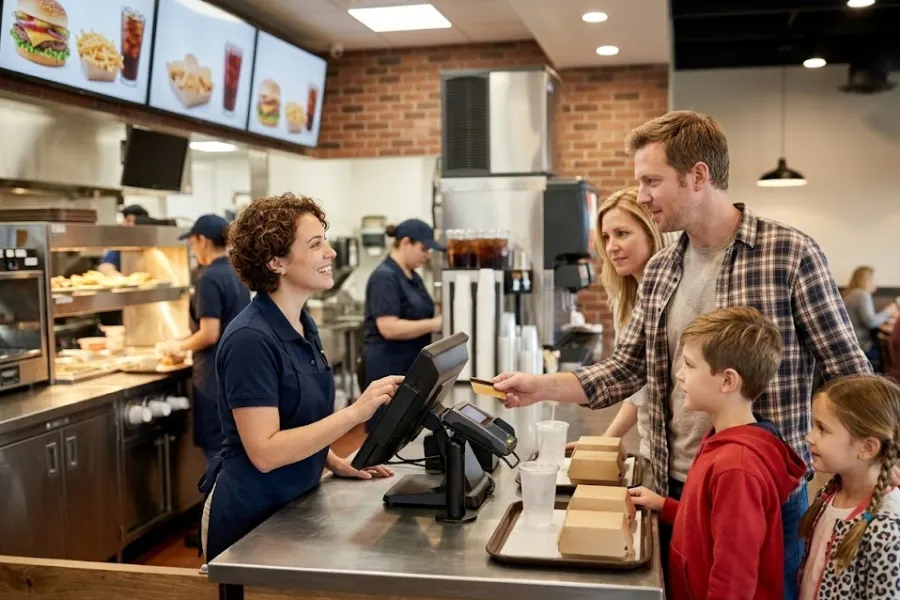
It usually starts with a small hiccup. A wrong modifier slips through, a payment screen takes a few extra seconds, or the kitchen misses a ticket. Before you know it, the line gets longer, staff feel the pressure, and you’re trying to fix things on the fly. That’s when you really see what your system can or can’t handle. In this guide, you’ll get a clear look at what the best POS for quick service restaurant operations should actually handle, where teams tend to get stuck, and what McDonald’s and Starbucks can teach growing QSR brands.
Highlights
- The right QSR POS keeps order entry, kitchen flow, payments, and inventory working together during rush hours.
- Strong POS setups help quick service brands handle modifiers, sync every sales channel, and keep service fast and accurate.
- McDonald’s and Starbucks show that better order control, loyalty connection, and real-time visibility help drive smoother operations and repeat visits.
POS for Quick Service Restaurant Shapes How Fast You Serve and How Much You Sell
The National Restaurant Association forecasts that U.S. restaurant sales will exceed $1.1 trillion in 2024, while 45% of operators say they still need more staff to keep up with demand. That mix of high volume and limited labor puts pressure on every part of daily service, especially how orders move through the system.
A POS in a quick service restaurant setting does much more than process payment. It handles order entry, sends tickets to the kitchen, tracks stock movement, records customer activity, and keeps sales data current across the store. That’s why the system sits in the middle of daily service, not at the end of it.
Speed matters in QSRs because every second stacks up. A cashier needs to move through combos and modifiers fast, the kitchen needs clean order details, and the pickup area needs clear status updates. When one part slows down, the rest of the line feels it.
The system also touches more channels than before. Counter orders, kiosks, QR menus, mobile orders, delivery apps, and digital payments all feed into the same operation. If they don’t stay aligned, you get duplicate tickets, wrong prices, long waits, and tired staff.
That’s why the best POS for quick service restaurant teams supports faster service, stronger order control, and better sales decisions. The goal is simple. Serve more guests, keep errors low, and keep the business ready for the next stage of growth.
Factors That Make Quick Service Restaurants So Demanding in Real Life
In limited-service restaurants, off-premises traffic rose from 76% of all traffic in 2019 to 83% in 2024. So the pressure now comes from more channels at the same time, not just from the front counter. Quick service looks simple from the customer’s side. Order, pay, wait a few minutes, pick up food. Behind the counter, it’s a tight system that has to stay sharp all day.
- Rush periods hit hard and fast: Breakfast, lunch, and evening peaks don’t leave much room for hesitation. Teams need screens, shortcuts, and workflows that help them move fast under pressure.
- Small order changes happen all the time: Extra cheese, no onions, larger drink, switch the side. These changes seem minor, yet they pile up quickly and can slow the cashier or confuse the kitchen.
- Front and back of house must stay aligned: Cashiers, kitchen staff, and pickup teams all depend on the same order data. When communication slips, remakes rise and wait times stretch.
- Channels keep multiplying: A QSR may handle dine-in, takeaway, drive-thru, app orders, QR ordering, and delivery platforms in the same hour. One disconnected channel can cause a mess.
- Margins stay tight: Waste, delays, and order mistakes cost more than many owners expect. A weak workflow can quietly eat into daily profit.
- Training needs stay high: Staff changes happen often in this segment. New team members need a system they can learn quickly, without slowing the whole store. Labor pressure stays real too, with 70% of restaurant operators saying they have job openings that are hard to fill.
That’s what makes POS selection such a serious call for QSR operators. The right setup supports the pace of the business. A weak one keeps creating friction shift after shift.
The Checklist to Success with the Best POS for Quick Service Restaurant
A strong QSR POS should match how your store actually works. Fast lines, short prep windows, busy kitchens, changing menus, repeat guests, and branch growth all need support from one setup.
Fast Order Entry That Keeps Lines Moving
Order entry needs to feel quick and natural. Cashiers should see clear product groups, one-tap combo buttons, fast modifier choices, and a clean layout that cuts hesitation. When staff need too many taps just to build one order, lines back up fast.
According to McKinsey & Company, customers using Chipotle’s digital order-ahead Chipotlane average less than 30 seconds at pickup, and those locations can post up to 20% higher sales volumes than traditional stores. That kind of speed advantage shows how small time savings at each step can scale into real revenue gains. Breakfast and lunch peaks make this even more obvious. A few extra seconds per customer may not sound like much, yet across dozens of tickets, that lag becomes visible. Faster order entry helps staff serve more guests without turning the front counter into controlled chaos.
Multi-Channel Order Sync From One Place
A busy QSR doesn’t sell from one source anymore. Orders can come from the counter, a kiosk, a QR menu, a branded app, or a delivery marketplace, all within the same short rush.
- One workflow matters: Every channel should feed into one shared order stream. Staff shouldn’t jump across disconnected tools to find what came in. This becomes even more important for brands using a multi store POS setup, where orders across locations need to stay aligned.
- Ticket duplication causes problems: Split systems can create missed orders, repeated prep, and slower pickup times. That kind of confusion shows up quickly during high traffic periods.
- Menu consistency keeps service cleaner: Prices, availability, and item names should match across touchpoints. Guests notice when the app shows one thing, and the counter shows another.
A synced setup keeps the store calmer. It also gives managers a clearer view of what the business is really selling.
Smart Menu Management for Combos, Add-Ons, and Customization
QSR menus change more often than many teams expect. Limited-time meals, value bundles, side swaps, extra toppings, and seasonal items all need to appear correctly at the counter and in digital channels.
- Combo logic should stay simple for staff: Cashiers need guided meal building that helps them move fast through mains, drinks, and sides. That keeps the order flow steady.
- Add-ons should appear at the right time: Upsell prompts work best when they fit the moment. A drink add-on or dessert suggestion can raise basket value without feeling forced.
- Price and item updates must be quick: Promotions lose value when stores struggle to update them. The same applies to sold-out items and time-based offers.
That flexibility matters because QSR menus are never static. Promotions, dayparts, and local demand keep changing, and the POS has to keep up.
Kitchen Communication That Cuts Errors Fast
Kitchen speed depends on clean ticket flow. Orders should move straight from the point of sale to the right prep station, with clear modifiers, timing, and status cues.
A digital kitchen display or strong ticket routing keeps the back of house from guessing. It also helps the pickup staff know what’s still cooking and what’s ready to hand out. That clarity improves accuracy, keeps remakes lower, and helps the whole line move with more control.
Real-Time Inventory Tracking for Fast-Moving Ingredients
The United States Department of Agriculture estimates that 30% to 40% of the U.S. food supply is lost or wasted, and industry data shows that half of limited-service operators planned to invest in better inventory control or management systems in 2024. That pressure shows up clearly in day-to-day QSR operations. A QSR can sell out of a key item much faster than planned. When stock data lags, staff keep selling what the kitchen can’t make, or managers over-order products that don’t move well.
- Ingredient-level tracking matters: It’s not enough to track only finished items. Teams need a view of raw materials, toppings, sides, and fast-moving drink supplies. This is where strong inventory management software makes a clear difference in day-to-day operations.
- Live visibility helps daily decisions: Managers should be able to spot low-stock items, top sellers, and waste-heavy products before the problem gets worse.
- Promo periods need tighter stock control: A discount combo or local campaign can change item demand within hours. Better stock visibility helps stores react sooner.
This is where data becomes practical. It helps the store protect sales, control waste, and make better calls during a busy day.
Flexible Payments and Self-Service Options
Customers want checkout to feel fast and familiar. Card taps, mobile wallets, QR payments, gift cards, and self-service screens all help shorten the queue when they work well.
Kiosk-ready and mobile-friendly checkout options also take pressure off cashiers. That matters during rush periods, when every saved step helps. Better yet, self-service screens can make large or customized orders easier for guests to review before payment.
Customer Loyalty Tools That Bring Guests Back More Often
QSR growth depends on repeat visits. A customer who comes back twice a week is worth more than a one-time guest who never returns.
- Loyalty programs should connect with real buying habits: Reward points, member profiles, digital receipts, and stored order history help stores understand what guests actually like.
- Future promotions should use past purchases: If a guest buys breakfast combos often, the next campaign should reflect that. Generic discounts don’t work as well.
- Retention has direct sales value: Repeat customers help smooth out the ups and downs of weekly traffic. They also respond better to targeted campaigns.
This part often gets pushed aside as a ‘later’ task. Yet repeat business is one of the clearest ways to build steadier revenue in a quick service model.
Reporting, Offline Reliability, and Multi-Store Control
Managers need more than end-of-day totals. They need sales dashboards, item trends, peak-hour patterns, staff activity, and store-by-store performance in a format that’s easy to read.
- Real-time reporting & analytics support better calls: Teams can see what’s selling, when traffic jumps, and where problems begin. That helps with staffing, menu updates, and campaign timing.
- Offline selling protects service continuity: Internet issues happen. Stores still need to take orders and keep trading when the connection drops.
- Central control supports growth: Brands with more than one branch need shared visibility across locations. Menu updates, pricing rules, and reporting should stay easier to manage as the business expands.
That’s the full checklist. When a POS handles these areas well, the store runs with less friction and more confidence.
What McDonald’s and Starbucks Can Teach Any QSR About POS Success
Big brands don’t win just because they’re big. They win because their systems support consistency during high-volume service, across every customer touchpoint.
- McDonald’s shows the value of unified ordering: Across 70 loyalty markets, its systemwide sales to loyalty members rose 20% to nearly $37 billion in 2025, with nearly 210 million 90-day active loyalty users at year-end. Its NP6 setup connects in-store, kiosk, drive-thru, mobile, and delivery channels into one operating flow, which helps protect speed and accuracy at scale.
- Starbucks shows the value of mobile and loyalty connection: Its Rewards program reached more than 35 million 90-day active members, and Rewards members drove nearly 60% of U.S. company-operated revenue in fiscal 2025. Its Oracle MICROS Simphony setup supports mobile ordering, digital payment, rapid drink customization, and the Starbucks Rewards program in one linked experience.
- Operational consistency matters more than flashy tools: These brands keep service reliable because order flow, menu control, payment, and reporting work together. That’s the lesson smaller QSR brands should pay attention to.
- Smaller operators can still apply the same thinking: You may not need enterprise-level infrastructure. You do need clean order sync, quick customization, loyalty support, and good store data.
The goal stays the same at every size. Faster service, better accuracy, easier ordering, and more repeat visits.
Where Many QSR POS Buying Decisions Go Wrong
A lot of POS buying mistakes happen before the demo even starts. Teams look at price first and daily workflow second, which usually leads to the wrong fit.
- Price gets too much attention: A cheap system can end up costing more when it slows service, causes order errors, or creates manual work.
- Kitchen flow gets ignored: Some buyers focus only on the cashier screen. That misses the kitchen display, ticket routing, and pickup coordination that keep orders moving.
- Integration needs get underestimated: Online ordering, loyalty, ERP, inventory tools, and reporting systems all affect the final setup. Gaps between them create extra work later.
- Training gets treated as a side issue: In QSRs, it isn’t. High staff turnover means the system must be easy to learn and easy to use under pressure.
- Future plans stay out of the conversation: New branches, self-service ordering, and omnichannel growth should shape the buying decision from the start.
- Rush-hour testing gets skipped: A calm demo rarely reflects real store pressure. Teams should test combo orders, modifiers, payment speed, and kitchen flow in realistic conditions.
Those mistakes are common because many POS reviews stay too broad. QSR buyers need a tighter checklist tied to real service demands.
ConnectPOS – A POS Designed for Busy QSR Workflows
ConnectPOS gives quick service brands more control over what happens before, during, and after each sale. It helps teams move faster at the counter, keep kitchens in sync, and turn daily order data into better decisions. For QSRs that want more than basic billing, that makes a real difference.
- Raw-Material Inventory: ConnectPOS helps track raw ingredients, not just finished menu items. That gives teams a clearer view of usage, shortages, and waste before they turn into bigger problems.
- Real-Time Analytics: Sales data updates as transactions happen. Managers can spot busy hours, top-selling combos, and weaker items without waiting until the end of the day.
- Digital Kitchen Displays: Orders can move straight from the POS to kitchen screens. This cuts paper clutter, helps staff read tickets faster, and keeps prep teams focused during rush periods.
- Smart Combo Prompts: ConnectPOS can guide staff toward add-ons, meal upgrades, and bundle suggestions during checkout. That helps raise basket size without slowing the ordering flow.
- Self-Service & QR Ordering: Customers can place orders through self-service setups or QR-based touchpoints. This takes pressure off cashiers and gives guests a faster path to checkout.
- Customer Loyalty: ConnectPOS helps brands connect repeat visits with rewards, member data, and buying patterns. That makes it easier to bring customers back with offers that fit what they already like.
That is why ConnectPOS works well for quick service brands that need speed, clearer store data, and tighter control across the whole order journey. It does the billing part, of course, but it also helps the rest of the operation run with less friction.
FAQs: Best POS for Quick Service Restaurant
1. What is the best POS for quick service restaurant setups?
The best POS for quick service restaurant setups handles fast order entry, kitchen flow, and multi-channel orders in one place. It should support combos, modifiers, and real-time updates. Systems like ConnectPOS work well when speed and control matter.
2. How does a POS help cut wait times in QSRs?
A good POS speeds up ordering with simple screens and quick taps. It can send orders straight to the kitchen and cut down on miscommunication. Some setups also include self-service or QR ordering to ease pressure during peak hours.
3. Can a POS manage in-store and online orders together?
Yes, modern POS systems can sync orders from counter, mobile, and delivery apps. This keeps menus, pricing, and stock aligned. It also helps stores avoid duplicate or missed orders during busy periods.
4. Why does inventory tracking matter in a quick service restaurant POS?
QSRs rely on fast-moving ingredients. A POS with inventory tracking helps monitor stock in real time. This lowers the chance of running out of key items or over-ordering supplies.
5. Does a POS system help increase repeat customers?
Yes, many POS systems include loyalty tools and customer data tracking. This allows restaurants to run targeted offers and reward repeat visits. Over time, it helps build stronger customer habits and steadier sales.
Final Thoughts
The best POS for quick service restaurant teams supports much more than checkout. It keeps order flow cleaner, helps kitchens stay aligned, gives managers better store data, and makes it easier to win repeat visits. If your current setup slows the line, weakens visibility, or creates too much manual work, it may be time for a better fit. ConnectPOS gives growing QSR brands a clearer path forward. When you’re ready to explore that fit, contact us and see how it can support your next stage of growth.
►►► Optimal solution set for businesses: Shopify POS, Magento POS, BigCommerce POS, WooCommerce POS, NetSuite POS, E-Commerce POS