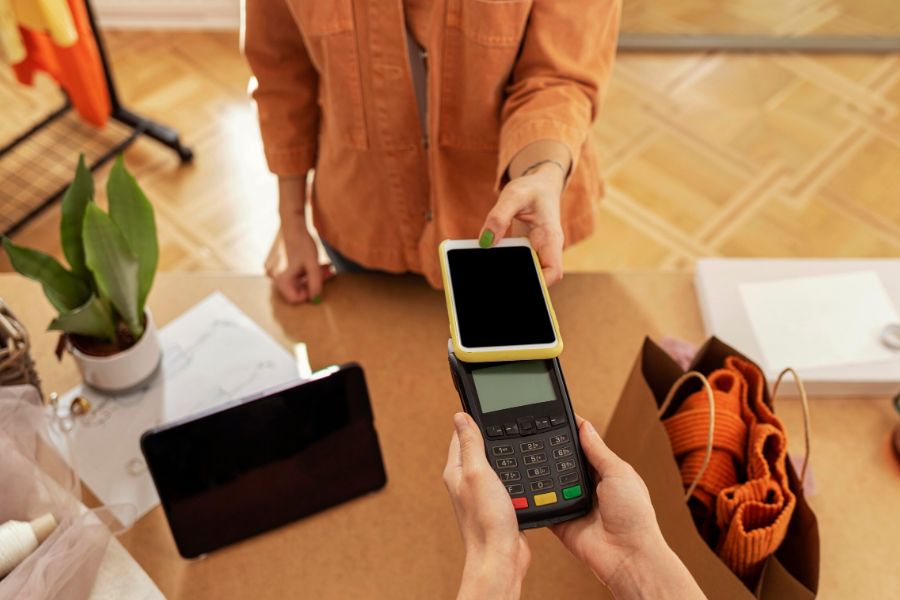
Retail technology is evolving rapidly, and many businesses still operating with traditional registers are beginning to feel the limitations. When comparing POS system with cash register, the difference goes far beyond payment processing. Modern retailers need real-time inventory, centralized reporting, and seamless customer experiences.
In this guide from ConnectPOS, we explain the key differences, why integration matters, and how to successfully connect a POS system with your existing cash register setup.
Highlights
- Integration converts your traditional cash drawer into a cloud-synced management hub, providing real-time inventory visibility and advanced sales analytics across all retail channels.
- Modernizing your checkout process eliminates manual data entry errors and accelerates transaction speeds through automated tax calculations and high-speed barcode scanning.
POS System With Cash Register – What’s the Difference?
Understanding a POS system with cash register is the first step before considering integration. While both tools process payments, their capabilities differ significantly in scope and efficiency.
A traditional cash register focuses mainly on transaction recording and receipt printing. It stores limited sales data and often requires manual inventory tracking. In contrast, a POS system functions as a centralized business management platform. It handles payments, inventory, customer data, reporting, employee performance, and even omnichannel sales.
Cash Register Capabilities:
- Basic payment processing
- Receipt printing
- Manual sales recording
- Limited daily summaries
POS System Capabilities:
- Barcode scanning and automated checkout
- Real-time inventory updates
- CRM and loyalty program management
- Advanced reporting dashboards
- Integration with eCommerce platforms
Why It’s Important to Integrate a POS System with Your Cash Register
Choosing between a POS system with cash register shouldn’t be a “one or the other” struggle if you already own hardware. Integration lets you keep the physical security of your cash drawer while gaining the digital brains of a smart system. The global POS terminal market was valued at $85.6 billion in 2022 and is projected to grow steadily through 2030.
Let’s examine the operational advantages of a POS system with cash register integration.
- Faster checkout and reduced human error: Manual entry is the enemy of efficiency. When you integrate a POS system, barcode scanning replaces manual typing. The system calculates taxes automatically based on the latest local rates, ensuring your books are accurate and your lines move faster.
- Centralized sales and inventory tracking: When you compare a POS system vs. a cash register, inventory is the “killer feature.” A POS system tracks every item sold in real-time. If you sell a shirt in-store, your online stock levels update instantly. You can set low-stock alerts so you never run out of your best-sellers again.
- Better reporting and business insights: A cash register tells you how much money you made today; a POS system tells you why you made it. You can see which staff members are top performers, which products have the highest margins, and what time of day is your busiest.
- Improved customer experience: Today’s shoppers expect flexibility. An integrated POS system allows for digital receipts sent via email, personalized loyalty points, and multiple payment options, including “Buy Now, Pay Later” or mobile wallets. This level of service keeps customers coming back.
Step-by-Step Guide to Integrating a POS System with Cash Register
Transitioning your workflow from a basic POS system with cash register mindset to a fully integrated digital setup requires a structured approach. Follow these steps to guarantee a smooth technical rollout.
Step 1: Assess Your Existing Cash Register Hardware
The first hurdle in the POS system vs cash register integration is determining if your current gear can “talk” to modern software. Most legacy cash registers are standalone units, but the cash drawer itself is often salvageable. Inspect the bottom or back of your drawer for a DK (Drive Key) port, which typically looks like a standard RJ11 or RJ12 phone jack.
If your drawer has this port, it can be triggered by a POS-compatible receipt printer. However, if your register is an all-in-one “antique” model where the drawer is permanently hardwired to a numeric keypad, you may need to invest in a dedicated printer-driven cash drawer.
Step 2: Choose a Compatible POS System
When weighing a POS system vs. a cash register, compatibility is your top priority. You need software that doesn’t just “work” but thrives within your specific retail niche. Look for a cloud-based POS that offers “Agnostic Hardware Support.”
Check for API availability if you plan to link your in-store sales with an existing e-commerce site like Shopify or Magento. A truly compatible system should offer a mobile app interface (for iPad or Android tablets) that serves as the visual “brain,” replacing the bulky buttons of your old register. This choice is critical because the software will eventually handle everything from your inventory levels to your employee shift clock-ins.
Step 3: Connect Cash Drawer, Receipt Printer, and Scanner
This is where the physical POS system vs cash register transformation happens. In a modern setup, the receipt printer acts as the gateway between your software and your cash drawer.
- The Printer Link: Connect your receipt printer to your tablet or PC via Bluetooth, Wi-Fi, or a USB-OTG cable. Ensure the printer is loaded with paper and powered on.
- The “Kick” Connection: Plug the RJ11/RJ12 cable from your cash drawer into the DK port on the back of the receipt printer. When the POS software finishes a sale, it sends a signal to the printer, which then “kicks” the drawer open.
- Peripheral Pairing: Plug your barcode scanner into the tablet’s charging port (using a hub) or pair it via Bluetooth. Test that the scanner correctly inputs digits into a simple notepad app before opening your POS software.
Step 4: Configure Software and Tax Settings
Before you process a single “live” sale, you must build your digital storefront. In the POS system vs cash register transition, the data entry phase is the most time-consuming but rewarding.
- Product Catalog: Instead of punching in prices manually, upload a CSV spreadsheet containing your SKUs, product names, cost prices, and current stock levels.
- Tax Jurisdictions: Configure your POS to automatically apply state and local sales taxes based on your GPS location. This eliminates the manual “Tax 1/Tax 2” buttons found on old registers.
- Payment Gateway: Securely link your credit card terminal (EMV reader) to the POS software. Modern POS technology significantly improves checkout efficiency. Studies show that mobile POS systems can reduce checkout times by up to 41% compared to traditional checkout setups, helping retailers serve more customers and reduce long lines.
Step 5: Test Transactions and Staff Workflow
The final step in mastering the POS system with cash register switch is a rigorous “Beta Test.” Do not skip this; a line of frustrated customers is not the time to realize your receipt printer isn’t paired.
- The “Full Loop” Test: Perform a sale using a barcode scanner, apply a 10% discount, and pay with a mix of cash and credit. Verify that the cash drawer opens, the receipt prints correctly, and the digital inventory count drops by exactly one unit.
- Staff Training: Gather your team for a hands-on session. Show them how to perform “voids,” how to look up a customer’s loyalty profile, and crucially, how to manually open the drawer in an emergency.
- End-of-Day Reconciliation: Run a “Z-Report” at the end of your test day. Compare the POS digital totals against the physical cash in the drawer to confirm your reporting is 100% accurate before your grand “digital” reopening.
ConnectPOS-Smart POS System with Cash Register Integration
When evaluating a POS system with cash register, the best solution is one that combines power with simplicity. ConnectPOS is a leading provider of high-speed, omnichannel POS solutions designed specifically to bridge the gap between traditional retail and modern digital demands.
ConnectPOS offers specialized features, including:
- Real-Time Online-to-Offline (O2O) Sync: Your physical store and online platforms (Shopify, Magento, BigCommerce, WooCommerce) always show the same stock levels, preventing overselling.
- Multi-Source Inventory (MSI) Management: Track stock across multiple warehouses and stores from a single dashboard, with support for complex product variants and bundles.
- Advanced Offline Mode: Keep processing transactions even if the internet goes down. The system stores data locally and automatically reconciles it once you are back online.
- Agnostic Hardware Compatibility: ConnectPOS works seamlessly with a wide range of Bluetooth and USB printers, scanners, and cash drawers, allowing you to reuse your existing high-quality hardware.
- Global Enterprise Scalability: Perfect for US retailers expanding to multiple locations, offering centralized control over pricing, promotions, and staff permissions for 100+ stores.
- Personalized Customer Engagement: Access unified customer profiles across all channels, allowing staff to offer personalized recommendations and redeem loyalty points instantly.
- Smart Cash Drawer Management: The system automatically triggers the cash drawer to open after cash transactions and records all drawer activities. Managers can also track cash movements, perform cash counting, and review shift-based cash reports to prevent discrepancies.
- Integrated Payment Processing: ConnectPOS supports multiple payment methods, including credit cards, debit cards, mobile wallets, and contactless payments. This flexibility helps retailers accommodate modern customer preferences while ensuring secure and fast checkout.
- Customizable Receipt and Invoice Management: Retailers can customize digital or printed receipts with branding elements such as logos, return policies, and promotional messages, enhancing brand identity and customer engagement.
FAQs: POS system with cash register
- Is a POS system better than a cash register?
For any business planning to grow, yes. While a cash register is cheaper upfront, a POS system saves money in the long run by automating inventory, reducing theft, and providing the data needed to make smarter purchasing decisions.
- Do POS systems need the internet to work?
While they perform best online, high-quality systems like ConnectPOS feature an “Offline Mode.” This allows you to scan items, open the cash drawer, and print receipts without an active connection.
- How much does a POS system with cash register cost?
Software subscriptions generally range from $49 to $150 per month per register. A full hardware bundle (tablet, printer, drawer, and scanner) can range from $800 to $1,500 as a one-time investment.
Wrap Up
The debate of the POS system with cash register highlights a clear trend: retail is becoming more digital and more connected. A cash register is a tool for counting coins, but a POS system is a tool for growing a brand. By integrating your hardware with a smart, cloud-based platform, you ensure your business is ready for the demands of the modern consumer.
Don’t let outdated technology slow down your checkout line. Embrace the efficiency, accuracy, and scalability of a unified retail ecosystem.
Ready to upgrade your retail operation? Contact us to discover how our integrated solutions can power your business.