Margins feel tighter every year, and investing in a cheap POS often looks like the fastest way to control costs. A cheap point of sale system promises quick setup, low monthly fees, and fewer technical headaches. Yet pricing alone never tells the full story. In this guide of ConnectPOS, we’ll clarify when a budget solution works and when your business needs something stronger.
Highlights
- A cheap POS works for early-stage retailers with simple operations, but it often struggles once inventory, channels, and locations expand.
- Entry-level systems may reduce upfront costs, yet limited integration, reporting depth, and scalability can slow long-term retail growth.
- Choosing the right solution means evaluating total ownership cost, future expansion plans, and omnichannel readiness, not just the lowest monthly fee.
When a Cheap POS Makes Sense
Every retail journey begins somewhere. Early stages demand focus, discipline, and careful spending. A lower-priced retail POS can support daily transactions without draining capital that you still need for inventory, rent, or marketing.
- Early-stage startups with tight capital: When cash flow feels unpredictable, protecting liquidity matters. A cheap POS or even the cheapest POS system can handle sales, basic receipts, and simple tracking while you validate your concept. You avoid heavy upfront investment and keep risk controlled.
- Single-location stores with simple operations: One counter. One team. Limited complexity. A budget-friendly POS solution often fits well when your store runs from a single address and reporting requirements stay modest.
- Small product catalogs with low SKU volume: Fewer items mean fewer stock adjustments and minimal variant management. Entry-tier POS platforms can comfortably process transactions without advanced inventory rules.
- No immediate omnichannel plan: If you are not selling online and have no short-term expansion goals, deep integrations may not feel urgent. In that case, a basic POS setup may cover your needs for now.
- Primary focus on fast checkout: Some retailers simply need reliable payment processing. An affordable checkout software handles cash, card, and contactless payments without unnecessary extras.
For early phases, this approach makes sense. Stability and simplicity often matter more than expansion tools.
The Reality: Where Cheap POS Systems Start to Fall Short
Growth changes everything. What worked smoothly during your first few months can start to feel restrictive once sales increase and operations expand. An entry-level setup handles transactions well, yet pressure builds as complexity rises.
Limits do not appear on day one. They show up when your business moves beyond basic checkout needs. A Statista-backed whitepaper notes that 67% of consumers making a purchase use multiple channels to do so. Another finding shows that 40% will actively choose not to complete a purchase if their preferred channel is unavailable. Gaps can appear faster than many retailers expect.
- Inventory synchronization gaps: Forbes Tech Council cites research showing that 67.5% of inventory distortion losses come from out-of-stocks, while 32.5% come from overstocks. Delayed syncing can quickly turn into lost sales and frustrated shoppers. Stock updates in many lower-priced retail systems rely on delayed syncing. When online and in-store sales happen close together, mismatches become common. A product may appear available in one channel and sold out in another. That inconsistency frustrates customers and forces manual corrections.
- Weak integration beyond the counter: A cheap point of sale system often connects poorly with eCommerce platforms or accounting software. Data transfer requires extra steps or third-party connectors. Over time, reconciliation tasks pile up, and reporting accuracy suffers.
- Reporting that stops at surface numbers: Daily totals and simple sales summaries are standard. Deeper analysis rarely comes included. You may see revenue figures, yet identifying trends by product category, staff performance, or seasonality becomes harder. Decision-making slows because visibility remains shallow.
- Limited customer engagement tools: Loyalty programs, personalized discounts, and detailed purchase histories rarely sit inside a cheap POS system. That absence weakens repeat business strategies. Customer retention depends on insight, not guesswork.
- Scaling friction across locations: Opening a second store introduces new demands. Centralized inventory control, cross-store transfers, and unified dashboards matter at that stage. Many affordable POS systems struggle to manage operations across branches.
- Restricted pricing flexibility: Complex promotions, tiered discounts, and location-specific rules often exceed the capabilities of a basic POS setup. Manual overrides increase errors and slow down checkout.
- Performance strain under higher volume: As transaction counts rise, system responsiveness can drop. Slower processing times affect both staff confidence and customer experience.
Daily selling may continue without interruption. Yet expansion, automation, and deeper retail intelligence demand a stronger infrastructure. A basic POS setup may support daily operations, but it rarely supports retail growth.
How to Choose a Cheap POS Without Regretting It Later?
Price attracts attention. Long-term stability keeps your business steady. Before committing to a cheap POS, look beyond monthly fees and ask how this system fits your next stage, not just your current one.
1. Identify Your Current vs. Future Needs
Growth rarely happens overnight, yet it always arrives faster than expected. A budget decision today can create limits tomorrow if you skip this step.
- Daily operational demands: Map out your real transaction flow. Do you process only in-store payments, or do you handle returns, exchanges, and partial refunds daily? A basic POS setup may work for simple checkout, but complexity grows quickly.
- Expansion within 1–3 years: Opening another branch changes reporting, inventory control, and staffing oversight. An entry-level POS platform should support that shift without forcing a full replacement.
- Online sales ambitions: Planning to connect with an eCommerce store later? Integration matters early. Adding digital channels to a low-cost point of sale software often reveals hidden constraints.
- Multi-store vision: Central dashboards and unified stock visibility are not optional when operating more than one location. Clarify that direction before selecting the cheapest POS system available.
A clear roadmap protects you from short-term thinking.
2. Evaluate Total Cost of Ownership
Sticker price rarely tells the whole story. A lower monthly subscription may look attractive, yet other expenses quietly add up.
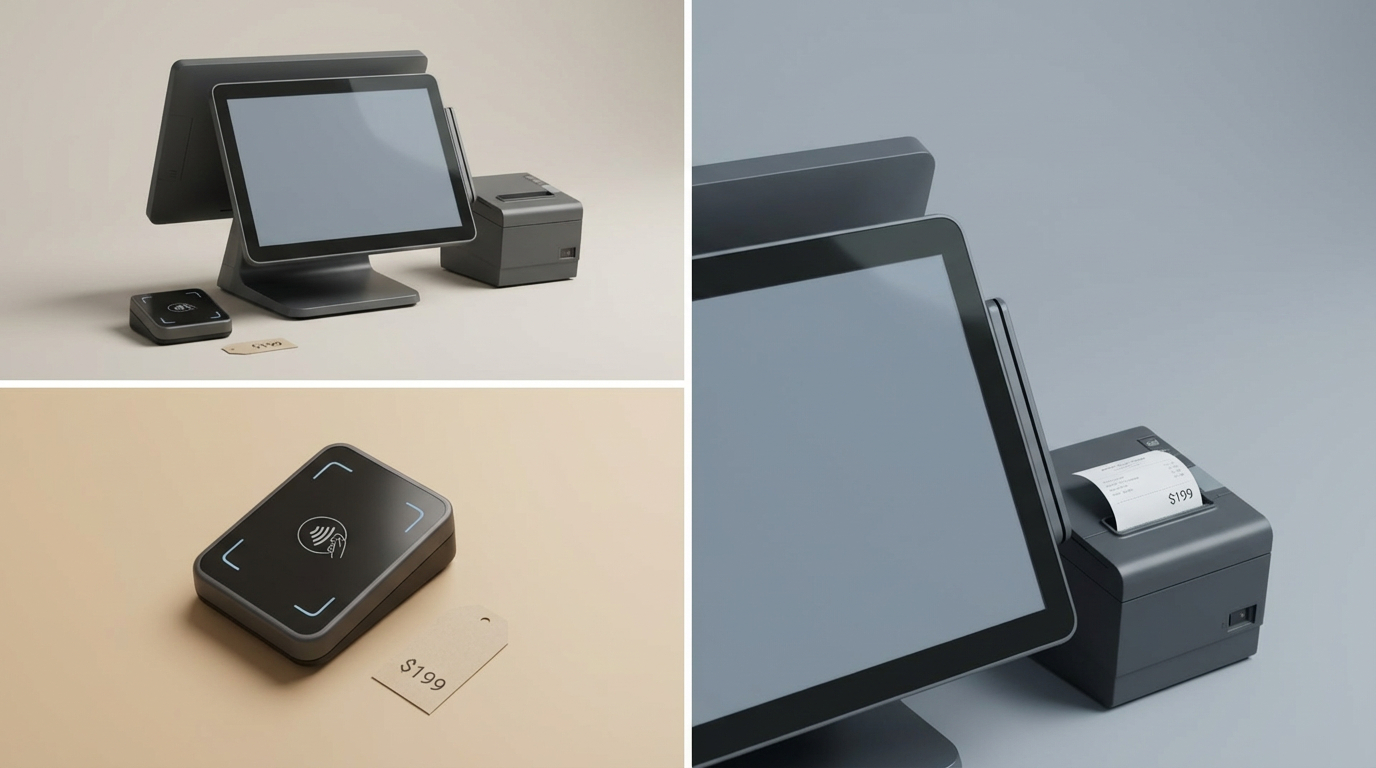
- Hardware investment: Terminals, barcode scanners, receipt printers, and payment devices carry upfront costs. Some affordable POS systems require proprietary hardware that increases spending.
- Recurring subscription and transaction fees: Payment processing percentages can outweigh software costs. Small differences per transaction multiply over thousands of sales. Bloomberg reported that U.S. merchants paid a record $160.7 billion in swipe fees, a 16.7% increase from 2021. Small transaction fees can scale quickly as payment volumes grow.
- Add-ons and upgrades: Loyalty tools, reporting modules, and integration connectors often require extra fees. What starts as a cheap point of sale system may grow expensive as needs expand.
- Migration risk: Switching platforms later involves data export, staff retraining, and downtime. That cost often exceeds initial savings.
Looking at the full financial picture prevents surprises.
3. Check Integration Capabilities Early
Retail rarely operates in isolation. Your checkout system connects to accounting, inventory planning, and marketing.
- Accounting compatibility: Automatic data sync reduces reconciliation errors. Manual exports create delays and inconsistencies.
- eCommerce connection: Two-way product and order synchronization keeps stock accurate across channels.
- API access and marketing tools: CRM systems and promotional software rely on data flow. Limited connectivity restricts growth-ready platforms.
Integration defines how flexible your POS setup becomes over time.
4. Test Scalability Before You Commit
Future capacity matters as much as present stability. Many retailers overlook this step when choosing a budget-friendly POS solution.
- Location expansion: Adding a new branch should feel like configuration, not reconstruction.
- Higher transaction volume: Owners need consolidated performance metrics across stores, and report & analytics should not be an afterthought.
- Central reporting visibility: Owners need consolidated performance metrics across stores.
- Upgrade path clarity: Confirm whether the platform evolves with you or forces replacement after a year.
Starter software can work. Growth-ready infrastructure prevents costly resets later.
Signs It’s Time to Upgrade from a Cheap POS
Every system has a lifespan. What once felt practical and cost-effective can start creating friction as your retail operation matures. A cheap POS works well at the beginning, yet growth exposes its limits faster than most owners expect.
The warning signs rarely appear all at once. They build gradually, then suddenly feel overwhelming.
- Inventory mismatches across channels: Online orders reduce stock, yet in-store counts do not update instantly. Customers place purchases for items that are no longer available. Staff then scramble to explain delays or cancellations. That inconsistency signals that your affordable POS system cannot handle synchronized retail operations.
- Rising manual workload: Data exports, spreadsheet adjustments, and duplicate entries start filling your team’s schedule. A lower-priced retail system often relies on manual intervention once sales volume increases. Time spent correcting numbers means less time serving customers.
- Inconsistent customer experience: Promotions differ between channels. Returns processed in one location do not reflect in another. A basic POS setup struggles to maintain unified policies across stores and online platforms.
- Expansion pressure: Opening a second or third branch demands centralized control. Entry-tier POS platforms frequently lack consolidated reporting and cross-location inventory visibility.
- Loyalty and marketing limitations: Launching rewards programs or personalized discounts requires structured customer data. Many budget-friendly POS solutions cannot support those initiatives without costly add-ons.
- Warehouse complexity: Managing stock across storage locations increases operational demands. An entry-level POS platform rarely handles multi-warehouse tracking smoothly.
- Performance slowdowns during peak hours: As transaction counts climb, response time drops. Checkout delays erode customer confidence and staff morale.
When these signs appear, your retail infrastructure needs more than a cheap POS. Daily selling may continue, but sustainable growth requires a stronger foundation.
What Growing Retailers Actually Need Beyond a Cheap POS
Early-stage tools focus on transaction speed and cost control. Growing retailers think differently. Once operations expand, the priority shifts toward coordination, visibility, and customer retention. A cheap POS can process payments, yet scaling requires infrastructure that connects every moving part of your business.
Entry-level systems keep stores running. Growth-ready platforms keep them aligned.
True Omnichannel Synchronization
Disconnected channels create confusion. McKinsey found that 75% of consumers want a seamless omnichannel experience, but only 25% are satisfied. It also notes that omnichannel consumers are at least 1.25 times more valuable than single-channel shoppers. Inventory must update instantly across online and offline sales.
- Real-time two-way synchronization: Orders placed online immediately adjust in-store stock levels. Returns processed at the counter reflect across digital channels. This eliminates overselling and protects brand credibility.
- Unified product, order, and customer database: One central source of truth simplifies operations. Staff no longer check separate systems to confirm availability or purchase history.
Synchronization transforms retail from isolated transactions into a coordinated network.
Advanced Customer Experience Tools
Growth depends on repeat business. Simple checkout functions do not build loyalty.
- Integrated loyalty programs: Reward points, member tiers, and targeted incentives encourage return visits. A lower-priced retail system rarely supports this structure effectively.
- Personalized promotions: Purchase history enables relevant offers instead of random discounts. Targeted campaigns feel intentional rather than generic.
- Detailed customer profiles: Consolidated data allows staff to recognize preferences and buying patterns.
- Cross-channel returns: Customers expect flexibility. An item bought online should be returnable in-store without friction.
Customer engagement evolves from basic transactions to relationship management.
Multi-Location & Multi-Warehouse Management
Expansion introduces operational complexity. Central oversight becomes mandatory.
- Centralized inventory control: Stock visibility across branches prevents duplication and shortages.
- Inter-store transfers: Moving products between locations supports balanced supply.
- Location-based performance tracking: Owners compare store metrics through unified dashboards.
Managing distributed operations demands more than a basic POS setup.
Advanced Reporting & Analytics
Surface-level sales totals do not drive strategy. Growth depends on meaningful interpretation.
- Product and staff performance analysis: Identify top sellers and underperforming categories.
- Demand forecasting: Anticipate seasonal shifts and adjust purchasing plans.
- Data-driven planning: Clear insights guide expansion decisions and promotional timing.
Starter software often lacks this depth.
Reliable Offline Mode & Enterprise-Level Security
Operational stability cannot depend solely on internet connectivity.
- Continuous selling during outages: Transactions proceed offline and sync automatically once the connection returns.
- Role-based access control: Permissions restrict sensitive functions to authorized staff.
- Secure payment processing: PCI-compliant infrastructure protects transaction data.
At this stage, retail infrastructure shifts from cost control to coordinated growth. A cheap point of sale system may sustain early momentum, yet scaling requires technology built for sustained expansion.
ConnectPOS: A Strategic Upgrade for Scaling Retailers
Some retailers start with a cheap POS to control early expenses. Growth eventually demands more structure. ConnectPOS is built for businesses that are ready to move beyond entry-tier tools and build a stable retail infrastructure.
Built for Omnichannel Retail
Retail today runs across stores, websites, and marketplaces. Disconnected systems slow everything down. ConnectPOS centralizes operations inside one coordinated environment.
- Cloud-based architecture with real-time two-way synchronization: Every in-store transaction updates online inventory immediately. Orders placed through eCommerce reflect inside the POS dashboard without delay. This prevents overselling and removes manual reconciliation.
- Direct integration with Shopify, Magento, and BigCommerce: The platform connects natively to major commerce engines. Product data, customer information, and order records stay aligned automatically.
- Unified inventory, orders, and customer database: Staff access one centralized source of truth. No switching between platforms. No duplicated records.
This structure supports retail expansion instead of limiting it.
Designed for Growth
Starter software often works for one store. Scaling requires stronger coordination.
- Multi-location and multi-warehouse management: ConnectPOS tracks stock across branches and storage facilities. Owners monitor transfers and performance through a single dashboard.
- Scalable system architecture: Adding new stores or registers does not require rebuilding your POS setup. The platform adapts as transaction volume increases.
- Flexible pricing tiers: Retailers choose plans based on operational stage. Upgrading does not demand a full system replacement.
Growth becomes controlled and predictable.
Focused on Customer Experience
Check out speed alone does not build loyalty. Customer retention depends on structured data and consistent engagement.
- Faster checkout workflows: Intuitive interfaces support smooth payment processing during peak hours.
- Loyalty and customer management tools: Purchase histories and reward programs live inside the system, enabling targeted campaigns.
- Consistent cross-channel experiences: Returns, exchanges, and promotions operate under unified policies across online and offline stores.
Retail shifts from transactions to long-term relationships.
Reliable and Secure
Operational stability cannot depend on ideal conditions. ConnectPOS prepares for disruptions.
- Automatic offline mode with synchronized recovery: Sales continue during internet outages. Data syncs automatically once connection returns.
- Custom staff permissions: Role-based access protects sensitive settings and reporting tools.
- 24/7 global support and onboarding guidance: Assistance remains available during setup and daily operations.
ConnectPOS is not simply another affordable POS system. It is long-term retail infrastructure for businesses that plan to scale beyond a basic POS setup.
Common Mistakes Retailers Make When Choosing a Cheap POS
Budget decisions often feel urgent. Cash flow pressures push many retailers toward the lowest visible price. Yet selecting a cheap POS without a broader evaluation can create hidden operational strain later.
Short-term savings sometimes mask long-term constraints.
- Focusing only on subscription cost: The monthly fee of a cheap point of sale system may look attractive, but hardware, transaction percentages, and add-ons increase total expenses. A lower-priced retail system can become costly once those layers accumulate.
- Overlooking scalability from the start: Entry-level systems handle basic checkout. Expansion into new stores or higher transaction volumes demands more. Ignoring that reality leads to early platform replacement.
- Neglecting integration compatibility: Accounting software, inventory planning tools, and eCommerce platforms must connect smoothly. When integration feels limited, manual work grows.
- Underestimating customer experience impact: Basic reporting and minimal CRM tools restrict loyalty initiatives. Customers expect consistent service across channels, not fragmented processes.
- Failing to anticipate omnichannel direction: Retail rarely stays offline. Choosing the cheap system without online alignment slows future expansion.
A cost-effective retail system can support early operations. Strategic thinking protects your business from avoidable resets later.
FAQs: Cheap POS
1. What is considered a cheap POS system?
A cheap POS system usually refers to software and hardware with low upfront costs or affordable monthly subscriptions. This may include free starter plans, tablet-based setups, or cloud platforms priced under $100 per month. Still, you should calculate the full expense, including payment processing fees, hardware, add-ons, and future upgrade costs.
2. Can a cheap POS still support inventory management?
Yes. Many budget-friendly POS solutions include basic stock tracking, low-stock alerts, and simple product variant management. What you need to confirm is whether multi-warehouse tracking, purchase orders, or automated reordering are included or locked behind higher pricing tiers.
3. Are low-cost POS systems secure enough for payment processing?
Reputable providers comply with PCI standards and use encrypted payment processing. Look for support for EMV chip cards, contactless payments, and tokenization. Even if you choose a low-cost point of sale software, security standards should remain strong and non-negotiable.
4. What hidden costs should I watch out for?
Watch for payment processing markups, hardware rental fees, premium support charges, add-on modules, and upgrade costs. Cancellation penalties may also apply. A clear breakdown helps you avoid surprises after signing up.
Can a cheap POS grow with my business?
Some entry-level systems allow you to add registers, users, or new locations over time. Others require a full migration once your operation expands. Before committing to an affordable POS system, confirm that the upgrade path supports your projected growth plans.
Final Thoughts
A cheap POS can serve your store well in the early stages. It keeps costs predictable and supports daily transactions without complexity. Yet growth demands stronger coordination, deeper visibility, and consistent customer experiences across every channel. Choosing the right system means thinking beyond short-term savings. It means selecting infrastructure that supports where your business is heading next. If you are ready to move from entry-level tools to scalable retail infrastructure, we invite you to contact us and explore how ConnectPOS can support your next phase of growth.
►►► Optimal solution set for businesses: Shopify POS, Magento POS, BigCommerce POS, WooCommerce POS, NetSuite POS, E-Commerce POS