Lunch rush can expose every weak spot in your setup within minutes. A slow screen, a missed modifier, or a payment delay can back up the line and frustrate guests fast. In this guide, you’ll see what a POS for quick service restaurant operations should include, which tools deserve your attention, and how the right setup supports speed, sales, and repeat visits.
Highlights
- A QSR POS must connect order entry, kitchen flow, payments, inventory, and reporting in one system.
- The most useful tools for fast-service brands include quick order management, real-time menu and stock updates, kitchen display routing, and multi-channel order sync.
- The right setup supports daily revenue by keeping lines shorter, cutting order errors, improving repeat visits, and making growth easier to manage.
A POS for Quick Service Restaurant is Totally Different from a Standard POS
A regular POS can process a sale. A quick-service setup has to do far more in far less time. The pace is different, the order flow is tighter, and small delays pile up fast.
- Built for speed: A POS for quick service restaurant has to keep taps to a minimum. Staff need to find items fast, apply modifiers fast, and move to payment without extra clicks.
- Made for high-volume ordering: QSR teams do not work through long, relaxed transactions. They handle short, repeated orders all day, often with combos, add-ons, and special requests mixed in.
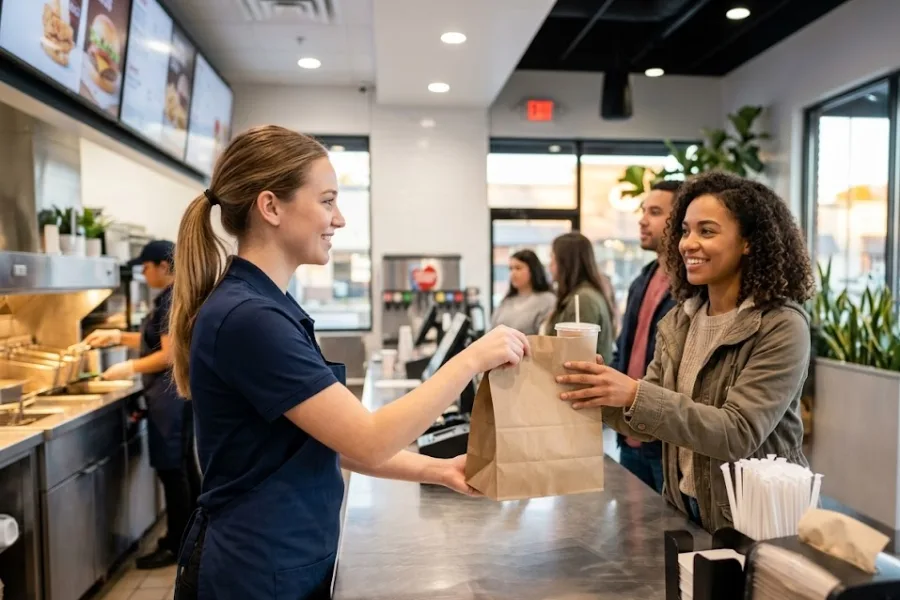
- Queue control plays a bigger role: In many retail settings, one slow checkout feels annoying. In a QSR, one slow checkout can affect the whole line, the kitchen, and pickup timing at once.
- Accuracy has a direct service effect: A wrong shirt size causes a return in a few days. A wrong sauce, wrong combo, or wrong modifier can mean a remake, a refund, and an unhappy guest in the same ten minutes.
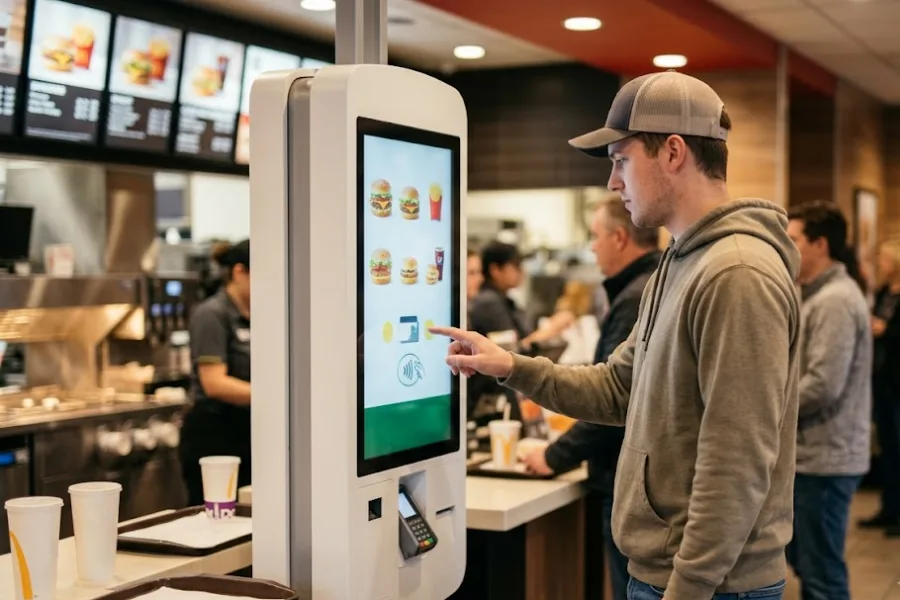
- Orders come from more places now: In 2024, off-premises traffic made up 83% of limited-service restaurant traffic, up from 76% in 2019, and Ipsos reported that 1 in 5 restaurant orders now happens through digital platforms. This shift shows how fast ordering habits have changed. Counter orders no longer stand alone. Many brands now juggle takeout, QR ordering, self-service kiosks, mobile POS, and delivery apps inside the same shift.
A standard register helps process payments. A good QSR system keeps the front counter, kitchen, stock, and guest experience moving together.
The Daily Operational Problems a Weak QSR POS Creates
You can usually spot a weak setup before anyone says it out loud. The line grows, staff start repeating questions, and the kitchen keeps asking for order checks. In ACSI’s 2024 fast food study, order accuracy scored 86 out of 100, while speed of check-out or delivery scored 83. This shows how directly guests feel service friction when systems break down
- Slow order entry: Peak periods punish clunky screens. When staff need too many taps to ring up a meal, the queue length grows almost right away.
- Combo and modifier mistakes: One missed add-on or wrong combo button can throw off the whole ticket. That slows prep and creates awkward handoff moments at pickup.
- Poor kitchen communication: If orders do not move clearly from the counter to the prep station, teams start double-checking tickets. That wastes time and breaks rhythm.
- No real-time stock view: Selling an item that is already out of stock leads to refunds, apologies, and last-minute substitutions. None of that feels smooth to guests.
- Checkout friction: Limited payment choices can hold up the line. The same goes for systems that do not handle contactless payments or split payments cleanly.
- Disconnected sales channels: Many restaurants still treat in-store, online, and delivery orders as separate streams. That leads to missed tickets, repeated entries, and messy reporting.
- Weak reporting: Managers cannot wait until the end of the week to see what is going wrong. They need fast visibility on sales, staff pace, and top-selling items during live operations.
Once these issues show up every day, the POS stops being a back-office tool. It becomes the source of lost time and lost sales.
Essential Features a POS for Quick Service Restaurant Must Have
A better system does not just ring up orders faster. It supports the whole service flow, from menu control to kitchen timing to guest retention. That is why the right POS for quick service restaurant operations should cover the tools below.
Fast and intuitive order management
45% of restaurant operators say they need more employees to meet customer demand, and 70% say they have job openings that are hard to fill. That gap shows up clearly during busy hours, when teams have to move fast with limited support.
Staff need a screen that feels easy on day one. Clear buttons, short paths to common items, and quick modifier access help teams work at line speed.
That also shortens training time. New hires can pick up the flow faster, and experienced staff can work through busy periods without hunting for the right option.
Real-time menu and product customization
Menus change often in QSR. Limited-time meals, daypart bundles, seasonal drinks, and upsell prompts need quick updates.
A good system lets you adjust pricing, bundles, and modifiers without slowing the shift. That keeps the menu current across the counter and every ordering channel.
Kitchen display and order routing
Paper tickets still create confusion in fast-moving kitchens. Digital routing gives prep teams a cleaner view of what came in, what needs priority, and what changed.
That helps the front and back of house stay aligned. When special requests show up clearly, remake risk goes down, and ticket flow gets cleaner.
Multi-channel order integration
One of the biggest demands on a POS for quick service restaurant brands comes from channel sprawl. Orders can come through the counter, online store, kiosk, QR flow, and third-party delivery in the same half hour.
Those orders need to land in one place. A central system cuts repeated entry and gives the team one working view of current demand.
Inventory tracking in real time
ReFED estimates that 31% of the U.S. food supply is lost or wasted, which shows how costly poor stock control can be for food businesses.
Fast service still depends on stock discipline. If a fast-selling side, topping, or drink runs out without warning, service slips right away.
Real-time inventory management software helps staff and managers see what is left, what is moving quickly, and what needs restocking soon. It also helps control waste and keeps menu availability more accurate.
Flexible and integrated payments
Guests expect payment to feel simple. Tap to pay, cards, mobile wallets, QR payments, and split payments should move without confusion.
A slow payment step can erase the time saved at order entry. That is why payment flow deserves as much attention as the menu screen.
Customer profiles and loyalty support
Quick service still depends on repeat guests. The right POS should track visit patterns, favorite items, reward activity, and response to promotions.
That gives you a better base for return-visit campaigns. It also helps staff recognize guest habits and keep service more personal, even in a fast setting, through stronger CRM POS and Loyalty Program POS capabilities.
Reporting and analytics for daily decisions
A strong POS for quick service restaurant setup should show what is happening right now, not just what happened last week. Managers need live views of sales pace, top items, channel mix, and staff performance.
With this, teams can react during service, not after the problem has already cost them money. Historical report & analytics also shape pricing, staffing, and menu planning over time.
Offline reliability and cloud-based access
Internet issues still happen. Your team still needs to process orders and payments when that happens.
Offline continuity keeps service moving during short outages. Cloud access also gives managers a way to check performance, menus, and store activity without being tied to one terminal.
Scalability for growing QSR brands
Growth changes the job of your POS. A setup that works in one location may fall apart when you add stores, kiosks, or extra order channels.
That is why growth-ready tools matter. Central menu control, shared reporting, and support for added devices make expansion easier to manage.
Important Features for Different Types of Quick Service Restaurants
Not every QSR needs the same mix on day one. The priorities depend on your service model, order mix, and growth plan.
- Single-location shops: Speed at the counter and easy staff training usually come first. Clean order screens and fast payments can change daily service right away.
- Growing chains: Central control becomes more important as stores increase. Shared reporting, remote menu updates, and store-level visibility save a lot of admin time.
- Delivery-heavy brands: Multi-channel order integration moves higher on the list. These teams need clean order flow between delivery apps, direct ordering, and in-store traffic.
- High-volume counter service: Kitchen display tools, order routing, and combo handling deserve close attention. These brands live on fast handoff and tight ticket control.
- Flexible or mobile formats: Handheld or self-service options can help a lot. They support quicker ordering in limited spaces and can ease pressure on counter staff.
Don’t just ask, “Is this a good system?” A better question is, “Does this match how our team works every day?”
How These POS Features Have a Direct Effect on Revenue and Customer Retention
POS tools shape sales pace, guest satisfaction, and the chance that a customer comes back next week.
- Faster service means more completed orders: When the counter keeps moving, you can process more transactions during peak windows. In QSR, that can change daily sales more than people expect.
- Better order accuracy protects revenue: Wrong items create refunds, remakes, and lost trust. Cleaner order flow protects margin and keeps guests from feeling disappointed.
- Live stock visibility prevents avoidable lost sales: Guests get frustrated when they order something you cannot serve. Real-time inventory helps keep menu availability honest.
- Loyalty tools support repeat business: A return visit is often built through small habits. Reward tracking, targeted deals, and recognizable guest history help build those habits. Customers are already used to this model. 52% say they already participate in loyalty programs at restaurants, coffee shops, snack places, or delis that offer them.
- Reporting supports better decisions: Managers can spot weak sellers, rush patterns, and staffing issues sooner. That leads to smarter daily adjustments and fewer blind guesses.
- Smoother service shapes brand memory: Guests remember short waits, correct orders, and easy pickup. They also remember long lines and confusion. The POS plays a direct role in that memory.
When people talk about tech spend in restaurants, they often focus on cost first. The better lens is revenue flow and guest retention over time.
Checklist for Choosing a POS for Quick Service Restaurant
A long tool list can look impressive and still fail in service. Before you commit, check how the system performs in the moments that usually go wrong.
- Peak-hour speed: Ask how quickly staff can build a common order, edit a combo, and complete payment during rush periods.
- Training curve: Look at the screen layout through a new hire’s eyes. If staff need too much guidance for basic orders, daily operations will feel heavier than they should.
- Integration depth: Payment tools, kitchen displays, delivery platforms, and online ordering should connect cleanly. Gaps between those systems create more manual work.
- Inventory and menu updates: Stock counts and menu changes should reflect in real time. Delays there create confusion for staff and guests.
- Reporting quality: Basic sales totals are not enough. You need reports that help with staffing, menu decisions, and channel performance.
- Room for growth: Think ahead a little. A POS for quick service restaurant brands should still support you after new locations, new order channels, or new service formats appear.
A good demo should answer these questions without vague language. If it cannot, the setup may not be ready for real QSR pressure.
ConnectPOS Brings the Right Building Blocks for a Modern QSR Setup
A quick-service restaurant needs more than fast billing. It needs a quick service POS system that keeps orders moving, stock under control, and repeat customers coming back. That is where ConnectPOS fits well, because it brings together the tools that help QSR teams work faster and stay organized across every busy shift.
- Raw-Material Inventory: ConnectPOS helps track ingredients and raw materials with better accuracy. This gives QSR teams a clearer view of what is available, what is running low, and what needs restocking before service gets disrupted.
- Real-Time Analytics: Managers can check sales, order trends, and store performance as they happen. This helps them react faster during peak hours and make better decisions on staffing, pricing, and menu planning.
- Digital Kitchen Displays: Orders move from the front counter to the kitchen in a cleaner and faster way. This cuts down on ticket confusion, helps kitchen staff see modifiers clearly, and keeps prep flowing during rush periods.
- Smart Combo Prompts: ConnectPOS can support combo selling with prompts that guide staff at checkout. This makes upselling easier, keeps orders more consistent, and increases average order value without slowing the line.
- Self-Service & QR: QSR brands can give customers quicker ways to order and pay. ConnectPOS supports self-service flows, multi-device use, QR scanning, and digital receipts, which can help shorten queues and ease pressure on staff.
- Customer Loyalty: ConnectPOS includes personalized loyalty support and real-time analytics, while also supporting inventory and sales management across stores and varied payment methods. That gives QSR teams a stronger base for repeat visits and tighter control during daily operations.
These tools fit well with a cloud-based setup focused on mobility, centralized control, and customer lifetime value, which makes ConnectPOS a practical choice for operators who want one connected system instead of scattered tools.
FAQs: POS for Quick Service Restaurant
1. What is the most important feature in a POS for quick service restaurant?
Fast order management usually sits at the top. If staff cannot enter orders quickly and accurately, every other part of service feels the pressure.
2. Can a QSR POS help reduce order mistakes?
Yes. Clear modifier handling, digital kitchen routing, and cleaner order flow can cut many of the common mistakes that happen during busy periods.
3. Does a quick service restaurant need kitchen display integration?
For many brands, yes. It helps prep teams see orders clearly, handle priority better, and avoid ticket confusion during rushes.
4. How does a quick service restaurant POS support loyalty programs?
It can track guest activity, purchase history, reward points, and promotion response. That helps teams run repeat-visit campaigns with better timing.
5. Can one POS manage in-store, online, and delivery orders together?
A good one should. Centralized order flow gives staff one working view instead of splitting attention across disconnected systems.
6. Is mobile POS useful for quick service restaurants?
Yes, especially for brands that need more flexibility at the counter, in pickup zones, or in smaller service spaces.
Final Thoughts
The right POS for quick service restaurant operations supports speed, cleaner order flow, better stock control, and stronger guest retention. That is a direct business decision, not a small tech upgrade. If your current setup slows the line, hides data, or makes staff work around the system, it is time to rethink the tools behind your service. ConnectPOS gives QSR teams a more connected setup built for real daily pressure. When you’re ready to explore the fit, contact us to see how it can support your day-to-day operations and growth.
►►► Optimal solution set for businesses: Shopify POS, Magento POS, BigCommerce POS, WooCommerce POS, NetSuite POS, E-Commerce POS