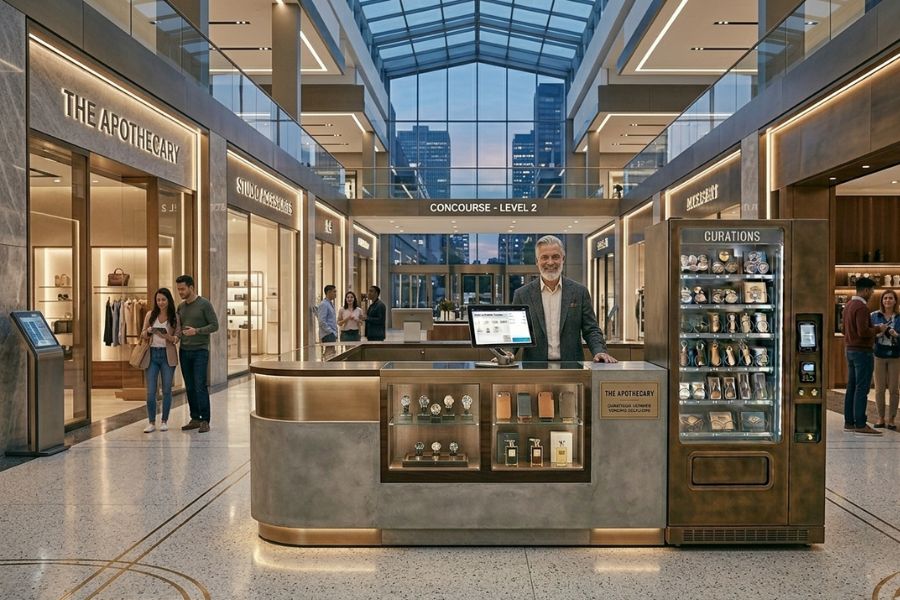
Retail margins are tight. One wrong inventory count, one sync delay, or one slow checkout can cost real revenue. In 2026, retail POS software is no longer a basic cash register. It decides how well your stores scale, connect online and offline sales, and stay accurate under pressure. This guide breaks down which platforms truly handle modern retail operations.
Highlights
- The best retail POS software in 2026 connects online, in-store, and warehouse inventory in real time without manual reconciliation.
- Scalability, offline reliability, and clean data sync matter more than long feature lists.
- Some platforms fit startups, others are built for multi-location growth, and the gap is significant.
Why Retail POS Software Looks Very Different in 2026
Retail operations no longer revolve around a single counter or one sales channel. Stores sell everywhere, move stock constantly, and expect systems to keep up without pauses. This shift is clear in the U.S., where e-commerce made up16.4% of total retail sales in Q3 2025, showing how much buying now happens beyond the physical store. In this section, we’ll explore why modern platforms have moved so far from traditional checkout tools and what that change means for retailers.
- Stores now act as fulfillment hubs, not just showrooms: In 2026, physical stores handle click and collect, ship-from-store, exchanges, and online returns. The POS must manage real-time stock movement across channels, not just ring up sales.
- Inventory complexity has increased sharply: Retailers track variants, bundles, pre-orders, and stock across multiple warehouses. A delay of even a few minutes can cause overselling, canceled orders, or margin loss.
- Customer data drives in-store decisions: Staff no longer sell blind. POS systems surface purchase history, loyalty status, and channel behavior at checkout, supporting personalized offers and faster service.
- Decision-making happens in real time, not after closing: Managers monitor live dashboards during peak hours. Pricing tweaks, stock transfers, and staffing decisions happen mid-day, not in weekly reviews.
- Retail growth is multi-location from day one: Many brands launch online first, then expand into pop-ups, flagship stores, or cross-border markets. POS platforms must scale across currencies, tax rules, and locations without rebuilding the system.
This shift explains why today’s POS platform for retailers feels closer to an operations command center than a payment tool. As expectations rise, systems that can’t keep up quietly create friction across the entire retail operation.
How We Evaluated the Best Retail POS Software
Retail tools often look good on paper but feel very different during a real shift. Store teams need systems that match how sales, stock, and staff actually move throughout the day. In this section, we’ll explain how we assessed each platform based on real-world retail use, not surface-level claims.
- Daily workflows over long feature lists: A point-of-sale system for stores should feel natural at the counter and in the back office. We looked closely at how quickly staff can process sales, handle returns, and adjust inventory without slowing the line.
- Inventory control in real conditions: A sales and inventory system only works when stock stays accurate across locations and channels. We checked how well each platform handles transfers, stock counts, and online order fulfillment under pressure.
- Omnichannel readiness in practice: Many tools mention omnichannel support, but execution varies. We focused on how smoothly in-store and online sales connect inside one in-store and omnichannel POS, not just whether the option exists.
- Integration with existing systems: Retail rarely runs on one tool alone. We reviewed how easily each POS platform for retailers connects with ecommerce platforms, accounting software, payment services, and other core systems.
- Advanced retail capabilities: Modern retail demands more than checkout and stock sync. We assessed features like multi-warehouse inventory logic, role-based staff permissions, loyalty programs, custom pricing rules, bulk order handling, real-time analytics dashboards, and flexible tax configuration for different regions.
- Automation and smart controls: We looked at how platforms automate repetitive tasks such as low-stock alerts, price updates, promotions, and order routing. Systems that reduce manual intervention scored higher.
- Ease of use for store teams: Training time matters. A store-level POS platform should feel intuitive for new hires while still giving managers control. We paid attention to layout, navigation, and day-to-day usability.
- Scaling without disruption: Growth brings complexity. We examined how well each POS solution for multi-location retail supports new stores, added registers, and higher transaction volume without forcing major rework.
- Customer support and onboarding quality: Implementation support often determines long-term success. We evaluated response time, technical expertise, documentation quality, migration assistance, and whether providers offer dedicated account management for growing retailers.
- Clear pricing and long-term cost: Transparent pricing helps retailers plan ahead. We compared upfront fees, monthly costs, add-ons, and expansion expenses to understand the real financial picture.
These criteria helped separate systems that simply list capabilities from platforms that actually support retail teams at scale. That difference becomes obvious once stores move beyond a single location or channel.
The Best Retail POS Software in 2026 (In-Depth Comparison)
Choosing the right platform often comes down to how well it fits daily retail reality. Some systems shine at checkout, others at inventory depth, and a few manage both without friction. This section looks closely at how leading platforms perform once stores grow, channels multiply, and expectations rise.
ConnectPOS (Top Choice for Retailers in 2026)
Built with retail operations in mind, ConnectPOS focuses on stores that run across channels and locations. The platform supports fast-moving floors, complex stock flows, and teams that need clarity in real time. It’s designed for retailers who’ve outgrown basic setups and want one system to run sales and inventory together.
Key features
- Unified in-store and online sales: Orders from physical stores and ecommerce flow into one retail checkout and inventory system. Staff see the same data everywhere, which keeps pricing and availability aligned.
- Real-time inventory sync across locations: Stock updates move instantly between stores, warehouses, and online channels. This helps prevent overselling and reduces manual fixes during busy periods.
- Advanced reporting and analytics: Managers track sales trends, staff performance, and product movement from one dashboard. Reports stay clear and actionable, even across many locations.
- Flexible staff roles and permissions: Store owners control who can access pricing, refunds, or reports, and teams can tailor workflows through Custom POS configurations.
- Offline selling with automatic sync: Sales continue during network issues. Once the connection returns, the system updates automatically, keeping records clean.
- Omnichannel features including click and collect: Customers buy online and pick up in store without friction. Store teams handle order fulfillment directly inside the same POS solution for multi-location retail.
ConnectPOS is preparing to introduce AI-powered capabilities designed to support smarter retail decisions. Upcoming enhancements will focus on demand forecasting, automated stock suggestions, real-time anomaly detection, and data-driven product recommendations. These updates aim to help retailers react faster to trends and manage growth with more precision.
Best for: Mid-size to enterprise retailers, omnichannel brands, multi-location stores
Pros and Cons
Pros
- Strong omnichannel foundation
- Scales well for complex retail operations
- Clear reporting for owners and managers
Cons
- Initial configuration required for advanced setups
Integrations: Ecommerce platforms like Shopify POS and BigCommerce POS, plus ERP, accounting tools, CRM, payment gateways, and retail hardware
Pricing
- Standard: $49 per register per month
- Advanced: $79 per register per month
- Premium: $99 per register per month
- Enterprise: Custom pricing
Square for Retail
Square is often the first system many small stores turn to. It focuses on quick setup and simple daily use, which makes it appealing for teams that want to start selling without much planning. The platform fits shops that prioritize speed at the counter over deep back-office control.
Key features
- Simple product and inventory management: Items are easy to add, edit, and track. This works well for stores with smaller catalogs and steady stock flow.
- Built-in payments: Card processing sits inside the same point-of-sale system for stores. Staff don’t switch tools during checkout, which keeps lines moving.
- Basic staff management: Owners assign roles and track sales by employee. The setup stays light and works best for lean teams.
- Mobile and countertop selling: Sales run on tablets, phones, or compact terminals. This suits pop-ups, kiosks, and small storefronts.
Best for: Small retailers and startups
Pros and Cons
Pros
- Easy setup
- Free entry-level plan
Cons
- Inventory controls stay fairly basic as stores grow
Integrations: Accounting, ecommerce platforms, marketing tools
Pricing
- Free plan: $0 per month
- Retail Plus: $60 per location per month
- Payment processing: 2.6% + $0.10 per transaction
Lightspeed Retail
Lightspeed is built for stores where inventory drives most decisions. It suits retailers who manage large catalogs, frequent reorders, and several locations at once. The platform puts data at the center of daily store work rather than treating it as an afterthought.
Key features
- Advanced inventory and purchase ordering: Stock levels, suppliers, and reorder points live in one sales and inventory system. Buyers see what’s moving and what needs attention without jumping between tools.
- Multi-store stock management: Inventory moves across locations with clear visibility. This helps balance stock between stores when demand shifts.
- Detailed sales analytics: Reports focus on product performance, margins, and trends over time. Managers rely on this data to adjust buying and pricing decisions.
- Omnichannel selling: In-store and online sales connect inside one store-level POS platform. Product availability stays aligned across channels.
Best for: Inventory-focused and multi-store retailers
Pros and Cons
Pros
- Strong inventory depth
- Reporting that supports data-driven decisions
Cons
- Monthly fees sit higher than many small-store systems
Integrations: Ecommerce POS platforms, accounting systems, marketing tools
Pricing
- Basic: $89 per month
- Advanced: $149 per month
- Pro: $269 per month
- Additional registers cost extra
Shopify POS
Shopify POS works as the in-store layer of a larger ecommerce setup. It suits brands that already sell online and want their stores to run on the same data. The system keeps storefronts, stock, and customer records aligned under one retail checkout and inventory system.
Key features
- Unified online and in-store inventory: Stock updates move between channels as sales happen. This helps avoid overselling when traffic spikes online or in store.
- Shared customer profiles: Purchase history follows shoppers across channels. Staff see what customers bought online before they reach the counter.
- Mobile POS selling: Phones and tablets handle checkout on the floor. This works well for pop-ups, events, and assisted selling.
- Omnichannel fulfillment: Orders can ship from stores or be picked up locally. The POS supports flexible fulfillment without switching tools.
Best for: Ecommerce-first brands opening physical stores
Pros and Cons
Pros
- Tight ecommerce integration
- Strong app ecosystem
Cons
- Advanced retail features require add-ons
Integrations: Shopify apps, accounting, marketing, shipping tools
Pricing
- Shopify plans: $39 to $399 per month
- POS Pro add-on: $89 per location per month
- Payment fees apply unless using Shopify Payments
KORONA POS
KORONA POS focuses on control, accuracy, and compliance. It’s built for stores where inventory tracking and staff permissions matter more than flashy add-ons. Many retailers choose this platform when regulations or shrinkage risks shape daily operations.
Key features
- Real-time inventory tracking: Stock levels update as items move. This helps teams spot gaps and discrepancies early.
- Loss prevention tools: The system tracks voids, returns, and unusual patterns. Managers get clearer visibility into what happens at the register.
- Role-based permissions: Staff access follows job roles. Cashiers, supervisors, and owners each see what they need.
- Customer loyalty tools: Built-in loyalty options support repeat visits without heavy setup.
Best for: Specialty retail, convenience, regulated retail
Pros and Cons
Pros
- Strong inventory accuracy
- No long-term contracts
Cons
- Interface feels dated to some users
Integrations: Accounting, ecommerce, payment processors
Pricing
- Core POS: $59 per terminal per month
- Advanced Retail: $69 per terminal per month
- No long-term contracts
Epos Now
Epos Now is built for retailers that want flexibility without heavy setup. It fits stores that are growing step by step, adding locations, staff, or hardware as demand changes. The system focuses on everyday store tasks rather than deep customization.
Key features
- Multi-location inventory: Stock levels stay visible across stores. Managers can move products between locations without manual tracking.
- Barcode and product management: Item setup stays simple. New products scan into the system fast and stay consistent at checkout.
- Staff tracking: Shift activity and sales follow each employee. This helps owners spot patterns without digging through reports.
- Hardware bundles: Registers, scanners, and receipt printers come packaged. Stores can open quickly without sourcing equipment separately.
Best for: SMBs and growing retail chains
Pros and Cons
Pros
- Flexible hardware options
- Broad feature coverage
Cons
- Add-ons increase total cost
Integrations: Ecommerce, accounting, workforce tools
Pricing
- Software: $39 per terminal per month
- Hardware often sold separately or bundled
- Add-ons raise the total monthly spend
Magestore POS
Magestore POS is built for retailers who run on Magento or Shopify and want tighter control inside the store. It focuses on complex catalog logic, order handling, and workflows that match how ecommerce teams already work. This makes it a natural fit when online and in-store operations must move as one.
Key features
- Deep inventory control: Stock rules go beyond simple counts. Variants, bundles, and location-level quantities stay aligned across channels.
- Omnichannel order fulfillment: Orders flow between online and physical stores. Staff can fulfill, return, or exchange without switching systems.
- Offline-first capabilities: Stores continue selling during outages. Transactions sync once the connection returns.
- Customizable workflows: Checkout steps and staff actions follow store rules. This helps teams keep processes consistent.
Best for: Magento and Shopify merchants with complex needs
Pros and Cons
Pros
- High customization
- Strong omnichannel support
Cons
- Higher setup effort
Integrations: Magento, Shopify, ERP, accounting, shipping
Pricing
- Cloud POS: from $99 per month
- On-premise license: from $2,000 one-time
- Customization costs apply
PayPal Zettle
PayPal Zettle is built for speed and simplicity. It works best when selling happens on the move, at pop-ups, markets, or small counters. The platform stays tightly connected to PayPal, which keeps payments familiar for both staff and shoppers.
Key features
- Simple product catalog: Items are quick to add and easy to manage. This suits short menus or limited product ranges.
- Mobile selling: Sales run from phones or tablets. Staff can take payments anywhere without fixed registers.
- PayPal payment ecosystem: Transactions flow through PayPal accounts. Funds stay visible in one place.
- Basic inventory tracking: Stock counts update as sales happen. This works for small volumes and short selling cycles.
Best for: Pop-ups, micro retailers, PayPal users
Pros and Cons
Pros
- No monthly software fees
- Fast setup
Cons
- Limited advanced retail features
Integrations: PayPal ecosystem, ecommerce platforms
Pricing
- Software: $0 per month
- Payment processing: 2.29% + $0.09 per transaction
- Card reader: from $29
eHopper
eHopper is designed for stores that need the basics to work without pushing costs higher. It focuses on everyday selling tasks and keeps setup light, which suits small teams that want to get started fast. The system keeps things simple rather than layered with extras.
Key features
- Inventory tracking: Stock levels update as items sell. This gives owners a clear view without complex rules.
- Cash discount programs: Pricing adjusts automatically for cash payments. Many small stores use this to manage card processing costs.
- Basic reporting: Sales summaries and product performance stay easy to read. Owners can review results without digging through dashboards.
- Android and Windows support: The system runs on common devices. Stores don’t need specialized hardware to begin.
Best for: Small retail stores with tight budgets
Pros and Cons
Pros
- Low entry cost
- Supports cash discounting
Cons
- Limited integrations
Integrations:
Accounting and basic ecommerce tools
Pricing
- Free plan: $0
- Essential: $10 per month
- Pro: $39.99 per month
POS Nation
POS Nation is built for retailers who operate in specific verticals rather than broad formats. It works best in stores where inventory rules, product categories, and compliance needs vary by industry. Grocery, liquor, and specialty shops often value this focus.
Key features
- Industry-specific inventory tools: Product handling follows store type. Weight-based items, age-restricted goods, and category rules stay consistent at checkout.
- Purchase ordering: Stock replenishment follows real sales patterns. Orders can be created directly from inventory levels.
- Barcode scanning: Item lookup stays fast and accurate. This matters in stores with large or regulated catalogs.
- Customer management: Basic profiles track purchase history. Staff can recognize repeat shoppers without complex setups.
Best for: Specialty retail, grocery, liquor stores
Pros and Cons
Pros
- Tailored retail features
- Solid inventory management
Cons
- Less emphasis on omnichannel
Integrations: Accounting software, payment processors
Pricing
- Software: from $99 per month
- Hardware bundles often required
- Final pricing depends on setup and industry
Side-by-Side Comparison of the Best Retail POS Software
Choosing between platforms gets easier when you see them side by side. Pricing, offline support, and omnichannel readiness often tell a clearer story than long feature lists. This comparison helps you quickly spot which systems fit your store size, selling model, and growth plans.
| POS Software | Starting Price (USD) | Pricing Model | Omnichannel Ready | Offline Mode | Best For |
| ConnectPOS | $49 per register per month | Per register, tiered plans | Yes | Yes | Mid-size to enterprise retailers, multi-location stores |
| Square for Retail | $0 | Free or per location | Limited | Limited | Small retailers, startups |
| Lightspeed Retail | $89 per month | Per location, tiered | Yes | No | Inventory-heavy, multi-store retail |
| Shopify POS | $39 per month + $89 POS Pro | Ecommerce plan + add-on | Yes | Limited | Ecommerce-first brands with stores |
| KORONA POS | $59 per terminal per month | Per terminal | Limited | Yes | Specialty and regulated retail |
| Epos Now | $39 per terminal per month | Subscription | Limited | Limited | SMB retailers, growing chains |
| Magestore POS | $99 per month or $2,000 one-time | Cloud or license | Yes | Yes | Magento and Shopify merchants |
| PayPal Zettle | $0 | Transaction-based | No | Limited | Pop-ups, micro retail |
| eHopper | $0 | Free or low-cost plans | No | No | Budget-focused small stores |
| POS Nation | $99 per month | Custom setup | Limited | Limited | Grocery, liquor, niche retail |
How to Choose the Right Retail POS Software for Your Business
Every store runs a little differently. The right system should match how you sell today while staying ready for what comes next. This is where clear priorities help, not long wish lists.
- Match the platform to how you sell: A single storefront needs different tools than a brand selling online and in-store. A retail checkout and inventory system should reflect your daily flow, not future guesses.
- Think beyond one location: One store can run lean. Two or ten locations change everything. A POS solution for multi-location retail must keep stock, pricing, and reporting aligned without extra work.
- Respect inventory complexity: Apparel, grocery, and specialty goods behave differently. Look for a sales and inventory system that handles variants, bundles, or regulated items without manual fixes.
- Check how data connects: Reports only help when they pull from every channel. An omnichannel retail platform should sync sales, returns, and stock with your accounting and ecommerce tools.
- Plan for growth without friction: New stores, new staff, and new channels add pressure fast. The platform should scale cleanly so you’re not forced into a rebuild later.
- Don’t ignore retention tools: If repeat visits are a big part of your model, built-in loyalty program POS features can reduce the need for extra add-ons.
When these pieces line up, decisions feel simpler. You spend less time fixing gaps and more time running the store the way you want.
FAQs: Retail POS Software
What is retail POS software and what does it actually handle in 2026?
Retail POS software now manages sales, inventory, staff activity, and customer data in one system. It also connects in-store sales with online orders, returns, and reporting, not just checkout.
How is modern retail POS software different from older POS systems?
Older POS systems focused on transactions only. Modern retail POS software supports omnichannel selling, real-time inventory sync, offline selling, and detailed analytics across locations.
How much does retail POS software usually cost?
Pricing ranges from free plans to around $49–$99 per register per month for full retail systems. Enterprise or custom setups can cost more depending on store count and features.
Is retail POS software priced per register or per location?
It depends on the provider. Some charge per register, others per location, and some add fees for advanced features or extra users.
Do small retailers really need omnichannel POS software?
If you sell online and in-store, even at a small scale, omnichannel POS prevents inventory mismatches and pricing errors. Single-channel stores can start simpler and upgrade later.
What features matter most when comparing retail POS software?
Real-time inventory, reporting clarity, offline mode, integrations, and scalability matter more than long feature lists. These affect daily operations and growth.
Final Thoughts
Choosing the right retail POS software shapes how smoothly your stores run each day. The systems that stand out in 2026 handle sales, inventory, and reporting together, without workarounds. They scale as locations grow and stay reliable when traffic spikes. ConnectPOS is built with those realities in mind. It supports omnichannel selling, clear reporting, and store-level control as operations expand. If you’re ready to align your POS with how modern retail really works, contact us to see how ConnectPOS can support your next stage of growth.
►►► Optimal solution set for businesses: Shopify POS, Magento POS, BigCommerce POS, WooCommerce POS, NetSuite POS, E-Commerce POS