In the high-stakes world of Quick Service Restaurants (QSRs), the difference between a profitable shift and a chaotic one often comes down to seconds. For a global giant like Subway, speed and inventory accuracy aren’t just “nice-to-haves”; they are mission-critical pillars of the business model.
In this comprehensive review from ConnectPOS, we’ll explore how Subway’s POS system works, its core features, strengths, and limitations, and how modern alternatives offer greater flexibility for today’s evolving QSR operations.
Highlights
- The Subway POS system is designed around a modifier-first interface and visual ingredient logic, allowing staff to customize sandwiches quickly while keeping order flow smooth.
- You can consider a POS similar to Subway to optimize your operations, but it’d need further customization to deliver the best results for your team.
What is a Subway POS System?
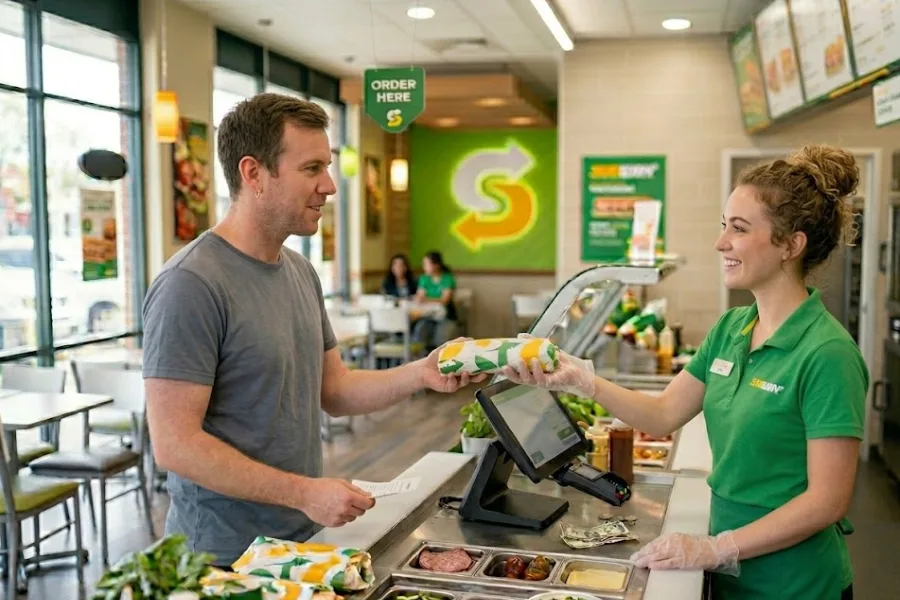
The Subway POS system is a proprietary, end-to-end hardware and software solution specifically engineered for Subway franchises’ unique workflows. Unlike a generic “off-the-shelf” cash register, this system is deeply integrated with Subway’s global supply chain and brand standards.
At its core, the system manages:
- Order processing at high speed
- Menu customization based on ingredients and portions
- Payment handling and digital receipts
- Inventory updates at the ingredient level
- Staff activity tracking and shift reporting
Because Subway operates on a franchise model, the POS system also ensures operational consistency. Headquarters can standardize pricing, promotions, product availability, and reporting formats across thousands of locations.
How POS Technology Powers Subway’s Business Model
Subway operates on a high-volume, low-margin model. To maintain profitability, the brand relies on automation and data-driven workflow efficiency to eliminate waste and maximize throughput. The Subway POS system enables this by turning every transaction into a data point for labor optimization and supply chain forecasting.
Here is how this technology serves as the engine for Subway’s operational success:
- High-Speed Order Flow: The POS interface allows employees to build orders quickly using visual ingredient logic. Each selection automatically updates pricing and prep instructions, keeping lines moving even during rush hours.
- Ingredient-Level Cost Control: Rather than tracking only finished products, Subway’s POS monitors individual ingredients, from lettuce and tomatoes to sauces and proteins. This provides operators with accurate food-cost analysis and reduces waste.
- Franchise Performance Standardization: Sales data, inventory usage, labor costs, and promotions are reported in a unified format across all stores, making performance comparisons and audits simple.
- Maximizing Peak-Hour Throughput: In a low-margin model, volume is king. High-performance QSR POS software is designed to shave vital seconds off every transaction. According to industry data, high-performance POS systems can cut average transaction times by around 15%, enabling faster customer turnover during peak lunch hours and decreasing lost sales caused by long lines.
- Enhanced Order Accuracy and Waste Elimination: Digital integration within the POS system for fast food restaurants can increase order accuracy by up to 20%. For Subway, this precision significantly minimizes “remakes” and food waste, making sure that ingredients are sold for profit rather than thrown in the bin due to entry errors.
7 Core Features of Subway’s POS System
The Subway POS system is built to mirror the assembly-line nature of the restaurant, guaranteeing that the software never slows down the person making the sandwich.
Ingredient-Level Mapping and Menu Logic
The system uses sophisticated “recipe mapping.” When a “Footlong Subway Club” is rung up, the POS automatically deducts the exact number of turkey slices, ham slices, and roast beef portions from the digital inventory.
This granular tracking is what allows the Subway ordering system to maintain such tight control over food costs.
Flexible Customization Capabilities
Subway is famous for “having it your way.” The Subway POS features include a “modifier-first” interface. This allows staff to quickly toggle between bread types, cheeses, and veggies without navigating through multiple sub-menus, ensuring the POS system for fast food restaurants remains agile during customization.
Efficient Order Management
The system synchronizes in-store walk-ins with online orders and third-party delivery apps. When centralizing the Subway ordering system into one screen, it prevents “order friction,” where staff might prioritize one channel over another, leading to long wait times.
Inventory Monitoring and Control
As a dedicated restaurant inventory POS, the Subway system tracks “Theoretical vs. Actual” (TvA) usage. It alerts managers when stock levels for high-value items like steak or chicken are dipping below par levels, facilitating automated reordering through the Subway supply chain portal.
Customer Loyalty Integration (MVP Rewards)
The Subway POS system is fully integrated with the “MVP Rewards” program. This allows for seamless “earn and redeem” cycles at the terminal. Operators can see customer history, which helps in personalizing service and driving repeat visits through targeted digital coupons.
Secure Payment Processing
Modern QSR POS software must be bulletproof regarding security. The Subway system supports EMV chip cards, NFC (Apple/Google Pay), and the Subway app’s QR code payments. This multi-modal approach cuts friction at the final step of the customer journey.
Staff and Workforce Management
Beyond the sandwich, the POS handles clock-ins, break tracking, and labor cost analysis. It compares real-time sales data against scheduled labor, helping managers decide whether to send staff home early or call in reinforcements during an unexpected rush.
Pros and Cons of Subway POS System
While the Subway POS system is a formidable tool for high-volume sandwich operations, it presents a specific set of trade-offs that franchise operators must navigate. Below is a detailed analysis of the advantages and limitations of the system.
Pros
- Workflow-Optimized Speed: The system is highly optimized specifically for the Subway “Line” workflow, confirming that the software matches the physical pace of the sandwich assembly process.
- Exceptional Inventory Precision: Operators benefit from exceptional ingredient-level tracking and reporting, allowing for a granular view of stock depletion and food costs.
- Seamless Corporate Integration: The software is deeply integrated with Subway’s corporate supply chain, simplifying the process of replenishment and aligning store data with global standards.
- Industrial-Grade Durability: The hardware provided is commercial-grade and durable, specifically designed to withstand the harsh environmental conditions of a kitchen, such as high grease and heat.
Cons
- Operational Rigidity: Because the system is so specialized, it can feel rigid to operators who wish to add non-standard items or customize menus beyond the corporate template.
- Complex Audit Learning Curve: While the automated tracking is powerful, there is a steep learning curve for staff when performing manual inventory management audits through the system.
- Ecosystem Lock-in: Franchisees are essentially “locked-in” to a proprietary ecosystem, which limits their ability to integrate third-party tools or choose alternative software providers.
- Significant Hardware Costs: The system carries high upfront costs, particularly when corporate mandates periodic hardware refreshes across the franchise network
ConnectPOS: An Alternative POS for More Flexible QSR Operations
Subway’s POS is built to run one brand at scale. Yet, many growing QSR chains and independent franchise groups need a POS that can adapt to their menu structure, store formats, and tech stack. That’s where ConnectPOS fits in – businesses can reach similar speed and control, with more freedom to configure workflows across locations.
As a modern cloud POS for QSR and franchise operations, ConnectPOS supports:
- Fast checkout built for rush hours with a streamlined cashier flow for quick item entry and payment
- Multi-location operations with centralized control for menus, pricing, and store performance tracking
- Real-time inventory synchronization to keep stock accurate across stores and back-of-house locations, reducing sell-outs and end-of-day surprises
- Multi-warehouse inventory support for brands managing commissaries, central kitchens, or shared storage across multiple sites
- Click-and-collect style fulfillment for pickup orders, with cleaner coordination between ordering and in-store handoff
- Cross-device compatibility so you can run POS on PCs, tablets, and mobile devices, which suits counters, kiosks, and compact store layouts
- Flexible integrations with the tools you already run (accounting, ERP, marketing, delivery partners), instead of pushing you into a single ecosystem
- Customizable interface and workflows so staff follow your service steps, modifiers, and rush-hour routines without extra taps
- Offline mode reliability so stores keep taking orders during internet interruptions, then sync data once you’re back online
- Reporting and analytics that managers can use daily, including product performance and location-level sales visibility
FAQs: Subway POS System
- What are the 4 types of POS systems?
The four primary types are Legacy/On-Premise (local servers), Cloud-Based (web-access), Mobile POS (handheld tablets), and Self-Service Kiosks. Most modern QSRs, including Subway, are moving toward a hybrid Cloud/Mobile model.
- How does a POS system contribute to inventory management?
A restaurant inventory POS deducts ingredients in real-time based on recipes. It allows for “Theoretical vs. Actual” reporting, helping owners identify “shrinkage” (theft or waste) and optimize their ordering cycles.
- How does the Subway POS system support fast order processing?
It uses a “hotkey” layout and “modifier” logic that follows the physical movement of the sandwich down the assembly line. By mirroring the physical workflow in the digital interface, it minimizes the number of taps required to complete an order.
Wrap Up
In sum, the Subway POS system is a masterclass in operational efficiency, proving that when software is perfectly aligned with a physical workflow, it can drive incredible speed and inventory precision. However, for many growing brands, the “lock-in” of a proprietary system is a hurdle to innovation. Ready to upgrade your QSR operations with a system that matches Subway’s power with even greater flexibility? Contact us today for a personalized demo.