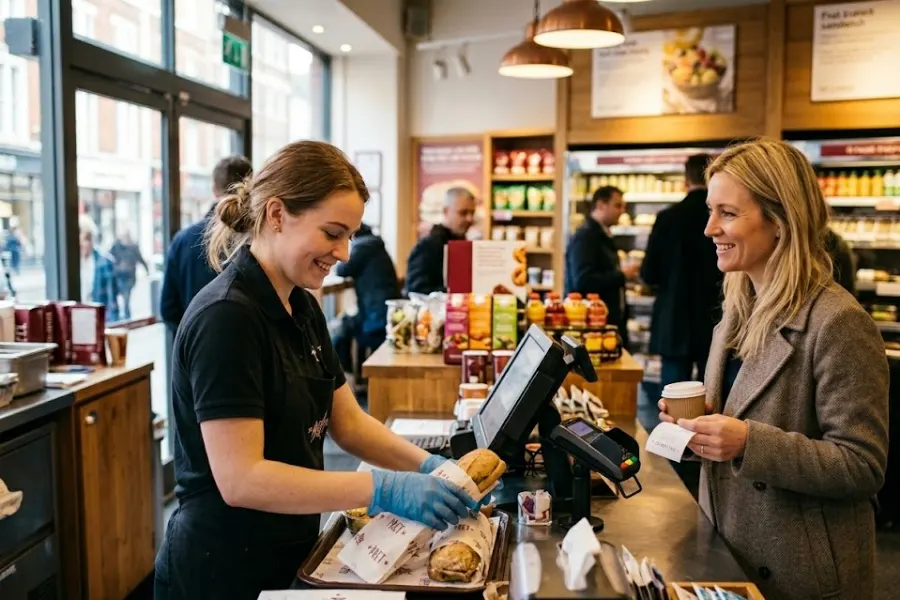
A successful food and beverage business pays great mind to keeping service fast, accurate, and consistent, especially during peak hours. A quick service POS software can streamline order processing, manage inventory, and improve customer interactions. Thanks to it, staff work more efficiently while giving managers better visibility into daily operations. With the right approach, this technology can support smoother workflows and stronger customer loyalty. In this guide, you’ll explore practical best practices to get the most out of a quick service POS and create a more responsive, well-organized F&B operation.
Highlights
- Quick service POS software solves common F&B challenges such as long wait times, order errors, and inventory waste by streamlining operations and improving accuracy.
- Best practices such as optimizing order workflows, enabling self-service options, and leveraging data analytics can significantly enhance efficiency, customer experience, and revenue.
- Avoiding common implementation mistakes and staying up to date with emerging trends, F&B businesses can fully leverage POS technology and remain competitive across dine-in, takeaway, and delivery channels.
Key Challenges in F&B Operations
Food and beverage businesses often face daily operational hurdles that directly affect customer satisfaction and profitability. One of the most common issues is long wait times, especially during peak hours. Slow order processing or inefficient communication between front-of-house and kitchen staff can quickly lead to frustrated customers and lost sales.
Order errors are another frequent challenge. Miscommunication, manual-entry errors, or unclear order tracking can result in incorrect dishes being served, which affects both the customer experience and operational costs. Even small errors can damage brand reputation over time.
Inventory waste also remains a major concern. Without accurate tracking, businesses may overstock perishable items or run out of key ingredients at critical moments. This leads to unnecessary waste, increased expenses, and missed revenue opportunities.
Addressing these challenges requires better coordination, real-time data visibility, and streamlined processes across the entire operation.
Best Practices to Maximize the Value of Quick Service POS Software
To get the most out of a quick service POS software, F&B businesses need more than just installation. The real value comes from how well it is used in daily operations. By focusing on workflow efficiency, customer convenience, and data-driven decisions, businesses can unlock better performance and consistent service quality.
Optimize Ordering Workflows
A smart ordering process reduces delays and improves accuracy. Start by simplifying menu layouts on the POS interface so staff can find items quickly, even during busy hours. Clear categories and intuitive navigation minimize confusion and speed up service.
Smart combo suggestions and upselling prompts can also increase order value without slowing down the process. These prompts guide staff to recommend add-ons naturally. During rush hours, reducing the number of steps required to place an order is essential. Faster input means shorter queues and a smoother customer experience.
Enable Self-Service Ordering Options
Self-service technology helps reduce pressure on staff while giving customers more control. Kiosks allow customers to browse menus and place orders independently, which can significantly cut wait times.
QR code ordering is another practical option, letting customers order directly from their phones without waiting in line. Mobile ordering supports both dine-in and takeaway, offering flexibility and convenience. These options not only improve efficiency but also enhance the overall customer experience.
Use Data Analytics for Better Decision Making
Quick service POS systems provide valuable insights that can guide smarter decisions. By analyzing best-selling items and peak hours, businesses can adjust staffing levels and inventory planning more effectively.
By tracking staff performance and service speed, businesses can identify areas for improvement and maintain consistent service standards. Detailed reports also support menu optimization and pricing strategies so that businesses can focus on high-performing items and improve profitability.
Streamline Staff Training and Operations
Consistent operations start with proper training and clear processes. Standardized order workflows ensure that every staff member follows the same steps, reducing errors and improving efficiency.
An intuitive POS interface makes onboarding faster, allowing new employees to become productive in less time. Role-based permissions enhance control access and maintain security, while workflow automation reduces manual tasks and keeps operations running smoothly.
Common Mistakes F&B Businesses Make When Implementing POS Systems
Adopting a quick service POS software can improve operations, but mistakes during implementation often limit its effectiveness. Many F&B businesses focus only on basic functions and overlook how the system fits into their daily workflows. Avoiding these common pitfalls can help ensure a smoother transition and better long-term results.
- Choosing a system without industry-specific features: A generic POS may lack essential tools like table management, quick menu navigation, or kitchen display integration, making it harder to support fast-paced F&B environments.
- Ignoring staff training and workflow setup: Even the best system won’t perform well if staff are not properly trained. Poor onboarding can lead to slow service, order errors, and underutilized features.
- Not using data and reports effectively: Many businesses fail to leverage built-in analytics, missing opportunities to improve menu performance, staffing, and pricing decisions.
- Failing to integrate POS with inventory and online ordering systems: Without integration, businesses face disconnected data, manual updates, and higher risks of stock errors or order delays.
Future Trends of Quick Service POS Technology in the F&B Industry
Quick service POS technology continues to evolve as F&B businesses look for faster service, better customer experiences, and more efficient operations. By staying up to date with emerging trends, businesses can remain competitive and adapt to changing customer expectations.
- Self-service and contactless dining experiences: More businesses are adopting kiosks, QR ordering, and contactless payments to reduce wait times and improve convenience.
- Mobile-first ordering and payments: Customers increasingly prefer to use their smartphones to order and pay, both in-store and remotely. This shift supports faster service and greater flexibility.
- Real-time analytics and predictive insights: Advanced POS systems now offer instant data and forecasting tools for businesses to make quicker, more informed decisions.
- Omnichannel F&B operations: Seamless integration across dine-in, delivery, and takeaway channels maintains consistent service and unified data management.
How ConnectPOS Helps F&B Businesses Improve Quick Service Operations
A powerful POS system should support every part of your F&B operation, from kitchen coordination to customer experience. ConnectPOS delivers a complete quick-service restaurant POS system for businesses to run faster, smarter, and more efficiently, even during peak hours.
- Gain Better Control Over Kitchen Operations and Inventory
ConnectPOS offers advanced raw material inventory management that automatically tracks ingredient usage, helping reduce waste and control food costs. Supplier relationship management keeps orders and deliveries organized for reliable replenishment.
The software also simplifies shift management, allowing you to schedule staff, track hours, and maintain smooth operations. With real-time analytics, you can instantly identify top-selling items and busy hours to make quick, informed decisions.
- Built to Maintain Speed and Accuracy During Peak Hours
ConnectPOS supports efficient digital kitchen displays that integrate seamlessly with order management systems via APIs, enabling teams to process orders quickly and accurately.
Menu customization and modifiers make it easy to update items or handle special requests, such as extra toppings or no sauce. Smart combo prompts can suggest upsells at checkout, while the save cart feature gives staff greater flexibility in managing large or complex orders.
- Deliver a Seamless and Convenient Customer Experience
Customers can pay with credit cards, e-wallets, QR codes, and tipping options through a versatile all-in-one payment flow. Self-service kiosks and QR ordering reduce wait times and improve order accuracy.
Customizable receipts help reinforce branding and promotions, while loyalty integration encourages repeat visits. Reliable offline mode keeps orders moving even when internet service is interrupted, with data syncing automatically once the connection is restored.
- Advanced Analytics and Automation
With real-time reporting and sales insights, businesses can quickly identify trends and optimize performance. Built-in automation supports promotions, customer loyalty programs, and targeted campaigns. Its API-first architecture allows easy integration with e-commerce platforms and third-party tools.
FAQs: Quick Service POS Software
1. What is quick-service POS software?
A quick service POS system is a point-of-sale solution designed for fast-paced food and beverage environments. It helps process orders quickly, manage menus, handle payments, and coordinate communication between the front counter and the kitchen for smooth, efficient service.
2. How does a POS system improve efficiency in F&B businesses?
It speeds up order-taking, reduces manual errors, and improves communication between staff. Features like simplified menus, kitchen display systems, and automated workflows will reduce wait times and keep operations organized, especially during peak hours.
3. Can quick service POS systems manage ingredient inventory?
Yes, many systems include inventory management features that track ingredients in real time. Therefore, businesses can monitor stock levels, reduce waste, and ensure that popular menu items are always available.
4. Is cloud-based POS better for restaurant chains?
Cloud-based POS systems are ideal for restaurant chains because they offer real-time data access across locations, centralized management, and easy scalability. They also support online and offline operations, ensuring business continuity.
5. How much does a POS system for quick service restaurants cost?
Costs vary depending on features, hardware, and provider. Small setups may start from a monthly subscription fee, while more advanced systems with integrations and multiple terminals can require a higher investment.
Final Thoughts,
A quick service POS software can play a key role in improving speed, accuracy, and overall customer experience in F&B operations. By optimizing workflows, enabling self-service options, and using data effectively, businesses can reduce daily challenges and unlock new growth opportunities. Avoiding common implementation mistakes also ensures that the system delivers long-term value.
With the best quick service POS software in place, F&B businesses can stay agile and meet rising customer expectations across all service channels. ConnectPOS offers the tools and flexibility needed to support this journey. Get in touch with ConnectPOS today to discover a modern POS solution that can elevate your quick service operations.