In 2026, a reliable POS terminal for quick-service restaurants keeps lines moving, connects in-store and online sales, and equips staff to handle peak hours with confidence. Customers expect fast service, flexible payment options, and smooth pickup or delivery. That puts pressure on restaurants to choose technology that can keep up without slowing operations down.
This guide highlights practical POS terminal recommendations for quick-service restaurants to select systems that support their daily operations and enhance the customer experience from the counter to the kitchen. Let’s check it out!
Highlights
- POS terminals play a central role in QSR success, supporting fast service, accurate order processing, and seamless experiences across in-store, online, and self-service channels.
- Different types of POS terminals, including countertop, mobile, self-service kiosks, and drive-thru solutions, serve specific functions and help restaurants handle high-volume operations.
How POS Terminals Are the Backbone of QSR Success in 2026
Quick service restaurants in 2026 face growing pressure to serve more customers in less time without sacrificing accuracy. Busy lunch hours, high order volumes, and rising customer expectations make speed and consistency essential. Guests want quick checkouts, correct orders, and flexible payment options every time they visit.
At the same time, ordering habits have shifted. Contactless payments are now standard, while self-service kiosks and mobile ordering continue to gain traction. Many customers switch between in-store, online, and pickup channels, expecting a smooth experience across each touchpoint. This shift pushes restaurants to manage multiple order streams at once.
POS terminals sit at the center of all these operations. They connect front-of-house and kitchen workflows, sync orders from different channels, and support fast, secure payments. A well-chosen POS terminal helps reduce errors, shorten wait times, and keep service running smoothly, making it a key driver of both efficiency and customer satisfaction.
Key Features to Look for in QSR POS Terminals
Beyond basic payment processing, modern systems need to support speed, flexibility, and reliability across every touchpoint. Here are the key features to consider when evaluating the POS terminal recommendations for quick-service restaurants.
- Fast & intuitive order processing. Speed is critical during peak hours. A POS terminal should allow staff to take and process orders quickly with minimal steps. A clean, easy-to-navigate interface helps reduce training time and minimizes input errors.
- Flexible payment acceptance. A good POS terminal supports cards, mobile wallets, and QR payments to match different preferences. Integration with various payment providers also gives restaurants the flexibility to choose suitable processing options and avoid disruptions during transactions.
- Hardware durability. QSR environments are fast-paced and demanding. POS terminals should be built to withstand constant use, accidental spills, and long operating hours. Durable, spill-resistant hardware reduces downtime and maintenance costs.
- Real-time sync & offline mode. Unstable internet connections can interrupt service if the system is not prepared. POS terminals with offline capabilities allow transactions to continue without disruption. Once the connection is restored, data syncs automatically.
- Integration with kitchen & self-service systems. Integration with Kitchen Display Systems (KDS) helps send orders to the kitchen instantly, reducing miscommunication. Support for self-order kiosks and mobile ordering also allows restaurants to manage multiple order channels efficiently while maintaining a consistent customer experience.
Top POS Terminal Recommendations For Quick-Service Restaurants
Quick service restaurants often rely on a mix of POS terminal types to handle different service areas efficiently. Each setup plays a specific role in keeping operations smooth, especially during busy hours.
Countertop POS Systems
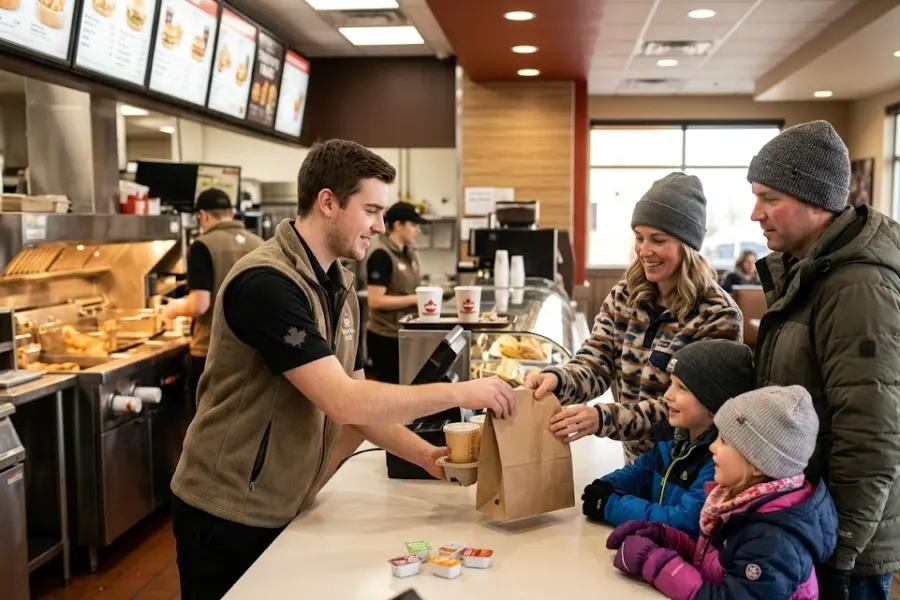
Countertop POS systems remain a core part of many QSR setups. Positioned at cashier stations, they are designed to handle a high volume of transactions quickly and reliably. These terminals typically come with larger screens, stable connectivity, and integrated peripherals such as receipt printers and cash drawers.
They work best in fixed checkout areas where staff manage steady customer flow. With their robust performance and consistent uptime, countertop systems are ideal for restaurants that prioritize speed and accuracy at the front counter. Their reliability makes them a dependable choice during peak hours when every second counts.
Mobile POS (mPOS) Devices
Mobile POS devices, including tablets and handheld units, give staff the flexibility to take orders from anywhere in the restaurant. This setup is especially useful for line-busting, where employees can assist customers before they reach the counter.
mPOS systems also support tableside ordering or curbside service, improving convenience for both staff and customers. Their portability allows restaurants to adapt quickly during busy periods or special promotions. With wireless connectivity and user-friendly interfaces, mPOS devices speed up service while maintaining order accuracy.
Self-Service Kiosks
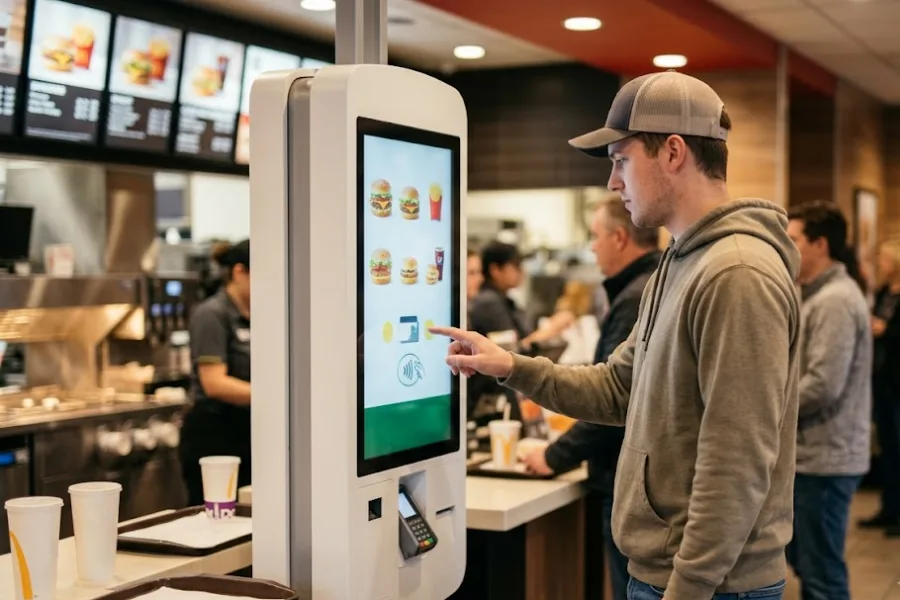
Self-service kiosks are becoming more common in QSR environments as businesses look to streamline operations. These terminals allow customers to place and customize their own orders, reducing staff workload and shortening queues.
Kiosks can also improve order accuracy since customers input their preferences directly. Many systems are designed to encourage upselling by suggesting add-ons or combo deals during the ordering process. This not only enhances the customer experience but can also increase average order value over time.
Drive-Thru POS Solutions
Drive-thru POS systems are built specifically for speed and efficiency in outdoor settings. They are optimized to handle quick order input, clear communication, and fast payment processing in a compact workflow.
These solutions often include weather-resistant hardware and specialized interfaces that enable staff to manage orders without delays. By streamlining the drive-thru process, restaurants can serve more customers in less time while maintaining accuracy, which is essential for maximizing revenue in high-traffic locations.
Introducing ConnectPOS for Modern QSR Operations
Quick service restaurants need more than a basic POS system to keep up with growing demand. ConnectPOS is a next-generation cloud POS ecosystem built to support fast-moving QSR businesses with the flexibility to scale and adapt across locations.
At its core, ConnectPOS’s QSR solution streamlines operations and unifies sales channels through:
- Real-time synchronization across terminals and outlets for consistent menus, pricing, and reporting across the network
- Digital kitchen display support (KDS) and API-based connections to order management systems for fast, accurate kitchen processing
- Menu customization and modifiers (extra toppings, no sauce, special instructions) to keep ordering flexible without slowing checkout
- Smart combo prompts that suggest bundle deals during checkout to raise average ticket size while keeping service moving
- Save cart for complex or group orders, so staff can keep lines moving during peak hours
- Self-service and QR ordering via kiosks or QR codes to reduce queues and improve order accuracy
- All-in-one payments (cards, e-wallets, QR codes, tipping) for quick transactions
- Advanced raw-material inventory to track ingredient usage, reduce waste, and control food costs
- Supplier relationship management to track orders, deliveries, and replenishment records
- Shift management for scheduling, hours tracking, and smoother peak-hour staffing
- Real-time analytics to spot top sellers and busy hours fast, then adjust staffing, menu, and operations
ConnectPOS stands out with:
- Offline mode that keeps orders running without internet, then auto-syncs data once connectivity returns
- Scalability for franchises and multi-store chains, built for high transaction volume and centralized control
- Connected integrations across payments, KDS, online ordering, loyalty, and hardware, so teams run one joined-up system instead of patchwork tools
ConnectPOS offers flexible integration with a variety of payment terminals, allowing QSRs to choose hardware that fits their setup.
PayPal Here Card Reader is a compact and easy-to-use option that supports contactless, chip, and swipe payments, making it a good fit for smaller or mobile QSR setups.
The Tyro Mobile EFTPOS Card Reader is designed for reliability in high-volume environments, offering robust connectivity and fast transaction processing, making it well-suited for busy restaurants and cafés.
Stripe Terminal provides a more customizable solution with seamless integration into cloud POS systems, supporting global payment methods and future business growth.
How to Choose the Right POS Terminal for Your QSR?
Selecting the right POS terminal starts with understanding how your restaurant operates and what your team needs to perform efficiently. The right choice should support your current workflow while leaving room for future growth.
First, consider your service model. Whether you run dine-in, takeaway, drive-thru, or a mix of all, your POS setup should match how you take and fulfill orders. For example, mobile devices may suit line-busting, while fixed terminals work better at counters.
Next, look at payment flexibility. Make sure the terminal supports your preferred payment methods and providers, including cards, mobile wallets, and QR payments, to meet customer expectations.
Scalability is also important. Choose a system that can expand easily as your business grows, whether that means adding more devices or managing multiple locations.
Finally, balance cost and performance. While hardware investment matters, a reliable and efficient POS terminal can improve speed, reduce errors, and deliver better long-term value.
FAQs: POS Terminal Recommendations for Quick-service Restaurants
1. Can I use multiple payment devices with one POS system?
Yes. Most modern POS systems allow you to connect multiple payment devices simultaneously. This is especially useful for QSRs that operate across different service areas, such as front counters, self-service kiosks, and drive-thru lanes, helping reduce wait times and improve efficiency.
2. Do I need mobile card readers for my QSR?
Mobile card readers are not required for every setup, but they can be very helpful. They support line-busting, curbside service, and flexible ordering during peak hours, making them a great addition for busy or space-limited restaurants.
3. Are contactless payments necessary in 2026?
Yes. Contactless payments have become a standard expectation. Many customers prefer tap-to-pay, mobile wallets, or QR code payments for speed and convenience, so supporting these options improves the overall customer experience.
4. How do I choose the right payment terminal?
Start by understanding your service model and transaction volume. Then look for terminals that support your preferred payment methods, integrate easily with your POS system, and can scale as your business grows. Durability and ease of use are also important for long-term performance.
In Conclusion,
Choosing the right POS terminal is a key step toward building a faster, more efficient quick-service restaurant in 2026. From handling high transaction volumes to supporting flexible payments and multiple ordering channels, the right setup can make daily operations smoother and improve the overall customer experience. Each restaurant has different needs, so it’s important to select solutions among the POS terminal recommendations for quick-service restaurants that align with your service model, growth plans, and budget.
If you’re looking for a scalable and flexible POS ecosystem, ConnectPOS can help you streamline operations and unify your sales channels. Get in touch with the ConnectPOS team today to explore how the right POS solution can support your QSR’s next stage of growth.
►►► Optimal solution set for businesses: Shopify POS, Magento POS, BigCommerce POS, WooCommerce POS, NetSuite POS, E-Commerce POS