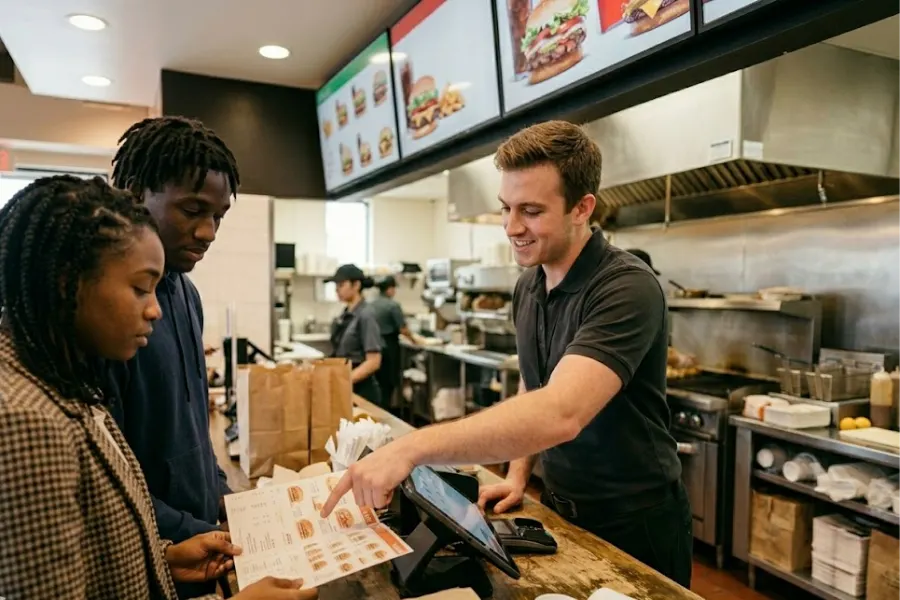
A lunch rush can make a weak POS setup look painful in minutes. Orders pile up, staff repeats the same taps, the kitchen misses notes, and stock counts start drifting. Fast food restaurant POS software should fix those gaps before they turn into daily chaos. In this ConnectPOS guide, we’ll show you what fast food brands should check before setup, from order flow and kitchen routing to staff training, integrations, hardware, reporting, and launch planning.
Highlights
- A fast food POS rollout should start with real store workflows, not a perfect demo screen.
- Kitchen routing, stock tracking, and payment speed deserve close review before launch.
- Staff training, test runs, and backup plans help protect peak-hour service.
A Fast Food POS Has To Keep Up With The Rush
Fast food teams run in seconds. Casual dining can absorb a slower table update or a delayed bill, but quick service restaurants feel every small delay at the counter, drive-thru, kiosk, and pickup shelf.
The market is not slowing down either. The National Restaurant Association projected U.S. restaurant and foodservice sales to reach $1.5 trillion in 2025, with the industry expected to employ 15.9 million people. Bigger demand means more pressure on daily store systems, especially during peak hours.
A basic cash register can take payment. A stronger fast food restaurant POS needs to manage orders, menus, kitchen routing, payments, stock, staff access, reports, and customer data in one working flow.
Planning is important here. The wrong setup can slow down good staff. The right setup can make busy service feel less messy, even when the queue gets long.
Signs Your Current POS Setup Is Holding the Restaurant Back
A weak POS setup rarely fails all at once. It usually creates small problems that repeat every day until managers accept them as ‘normal.’
Watch what happens during your busiest 30 minutes. The signs show up fast.
- Long queues at peak hours: Staff need too many taps to finish each order. Small delays turn into a visible line, and customers start checking their phones or leaving.
- Manual order re-entry: Delivery orders, counter orders, and kitchen tickets live in separate places. Staff copy details across screens, which raises the chance of missed notes.
- Wrong stock counts: The system tracks finished items, but not raw materials. A burger may still appear available even when buns or patties are running low.
- Slow manager reporting: Daily numbers sit in spreadsheets or end-of-day exports. Managers can’t spot a bad lunch shift until the damage is done.
- Limited payment choices: A customer wants a wallet payment, gift card, voucher, or split bill. The cashier needs a workaround, and the line waits.
- Weak access control: Too many staff can edit discounts, voids, refunds, or menu items. That creates risk and makes audits harder.
- Late menu updates: A sold-out item stays visible on a kiosk or delivery channel. The guest orders it anyway, and staff must apologize later.
If these problems sound familiar, your store may not need ‘more tools.’ It needs a better match between daily work and the POS setup.
What To Check Before Rolling Out Fast Food Restaurant POS Software?
A strong rollout starts before installation day. The best move is to test the system against your real rush-hour habits, not a clean sales demo.
Use the points below as a practical checklist before signing, setting up, or training staff on fast food restaurant POS.
Map Your Order Flow Before Choosing Any System
Every fast food store has its own path from order to pickup. A counter-heavy shop works differently from a drive-thru store, and a kiosk-first branch has another rhythm.
Map that flow before you choose screens, devices, or payment tools.
- Order entry points: List every place customers order: counter, kiosk, QR code, website, app, delivery marketplace, drive-thru, and phone. Each path needs a clean route into the same order queue.
- Mistake zones: Check where staff often miss modifiers, sauces, combo swaps, allergy notes, or pickup names. Those points need clearer screen prompts.
- Kitchen handoff: Follow one order from cashier to prep station to pickup. If staff still shout details across the counter, the system needs better routing.
- Peak-hour pressure: Test the flow during a mock rush. Ten simple orders won’t show the real problem. Fifty mixed orders will.
- Real staff habits: Some teams rely on shortcuts. Others need large menu buttons. Match the setup to how people work in-store, not to a perfect training script.
A quick service restaurant setup should support speed, but it also needs clear steps. Fast clicks mean little if staff pick the wrong item under pressure.
Check If The POS Can Handle Fast Menu Changes
Fast food menus change more often than many operators expect. Limited-time items, combo meals, size upgrades, sauces, toppings, and local deals can create messy screens fast.
Your POS should make menu updates easy for managers, not a weekly headache.
- Combos and modifiers: Staff needs clear buttons for meal swaps, drink sizes, toppings, side upgrades, and extra sauces. Hidden options slow the counter.
- Limited-time items: Seasonal meals should appear and disappear on schedule. Manual cleanup across devices wastes time.
- Channel sync: A menu change should reach registers, kiosks, QR menus, online ordering, and kitchen screens without duplicate work.
- Price control: Stores need guardrails for discounts, tax rules, local pricing, and branch-level changes.
- Sold-out items: Staff should mark an item unavailable fast. The update should stop new orders across all active channels.
A quick case: a chicken combo runs out of one sauce during dinner. The manager should disable that sauce once, not update every device one at a time.
Review Kitchen Display And Order Routing Needs
Kitchen speed depends on clean order routing. Paper tickets can work for small stores, but they get messy during lunch rush, drive-thru queues, and delivery spikes.
A kitchen display system can route each order to the right station and keep prep status visible.
- Station routing: Grill items, fryer items, drinks, dessert, and pickup orders should reach the right screen. One long ticket can slow everyone down.
- Prep status: Staff needs to see new, preparing, ready, and completed orders. The pickup team should know when to call the guest.
- Order priority: Drive-thru, delivery, dine-in, and pickup may need different timing rules. The system should let managers set a clear order flow.
- Item notes: Kitchen staff should see modifiers, meal changes, and special notes without guessing.
- Fewer lost tickets: Digital routing cuts the risk of a paper slip falling, smearing, or being read too late.
Speed still rules the category. In the 2025 QSR Drive-Thru Report, the study average was 335.4 seconds, and order accuracy shifted by daypart, with afternoon accuracy at 90%, lunch at 87%, breakfast at 88%, and dinner at 86%. That small spread can mean many corrected orders across a busy week.
Test Inventory Tracking Against Real Fast Food Stock Use
Fast food inventory is tricky because one ingredient can sit behind many items. Cheese may belong to burgers, wraps, breakfast items, and promo meals.
Your system should track stock use close to how the kitchen actually uses it.
- Raw-material tracking: Follow buns, patties, cheese, sauces, cups, lids, napkins, and packaging. Finished-item counts alone won’t give enough control.
- Recipe-based deduction: Each sale should deduct the right ingredients. A double burger should count differently from a single burger.
- Low-stock alerts: Managers need alerts before popular ingredients run out. A warning after stock is gone comes too late.
- Waste checks: Spoiled items, dropped items, wrong orders, and over-prepped batches should be recorded. Otherwise, waste hides inside vague cost numbers.
- Branch visibility: Multi-store brands need to see stock by location. One branch may have extra sauce while another is running short.
The food waste problem is big. A U.N. report found 1.05 billion metric tons of food were wasted in 2022, and about 28% came from food service. That makes ingredient-level tracking a serious margin topic, not a back-office side task.
For tighter control, tools like inventory management software connect sales movement with stock counts. That link matters when every topping, cup, and sauce packet carries cost.
Review Payment Speed And Checkout Flexibility
Payment is the last step customers remember. If checkout feels slow after a fast order, the whole visit feels clunky.
A fast food restaurant POS should support payment choices without making staff jump through extra screens.
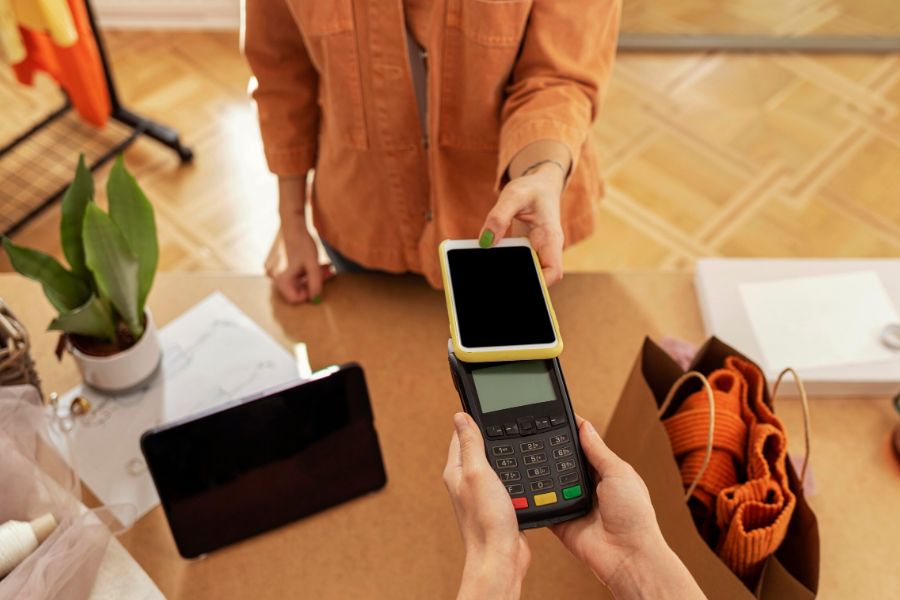
- Payment mix: Cash, cards, mobile wallets, gift cards, vouchers, and split payments should be easy to process.
- Fewer taps: Each tap adds time. A cashier shouldn’t need five screens to finish a simple combo order.
- Offline fallback: Internet issues happen. The store still needs a safe way to continue service when the connection drops.
- Customer display: Order confirmation screens can help customers catch mistakes before payment.
- Fast receipts: Digital receipts and printed receipts should fit the store’s flow. Some guests want speed, others need proof.
Off-premise demand adds pressure here. Food & Wine, citing the National Restaurant Association’s 2025 report, noted that takeout makes up 75% of restaurant traffic, and nearly 95% of consumers view speed as part of the experience.
Self-Service options, QR ordering, and customer-facing screens deserve early review. They can move simple orders away from the main counter and give staff more time to handle tricky requests.
Plan Staff Training Before Launch Week
Even a strong system can fail when training is rushed. Staff need practice before they face real customers, real queues, and real pressure.
A good training plan should feel close to actual service.
- Role-based practice: Cashiers need order edits, payments, refunds, discounts, and combo changes. Managers need reports, void checks, staff access, and stock adjustments.
- Mock rush sessions: Run practice orders with modifiers, coupons, payment changes, and kitchen notes. Let staff make mistakes before launch.
- Simple cheat sheets: Put short guides near registers and prep areas. Long manuals rarely help during a busy shift.
- POS champions: Pick a few staff who learn deeper functions. They can answer quick questions on the floor.
- Shift-end tasks: Closing, cash count, sales checks, and report pulls need practice too. A smooth day can still end badly at close.
One mistake is expecting staff to ‘figure it out’ while customers wait. That mindset burns time, hurts morale, and makes the new system look worse than it is.
Check Integration Fit Before Signing The Contract
A POS system sits at the center of many tools. Delivery apps, loyalty, accounting, inventory, eCommerce, reports, and marketing all pull from the same daily data.
Disconnected tools create double work. Worse, they create different versions of the truth.
- Online ordering: Orders should flow into one queue without staff typing them again.
- Delivery channels: Menus, prices, and stock availability need clean sync across third-party apps.
- Accounting tools: Sales, taxes, refunds, and payment records should be easy to export or connect.
- Loyalty tools: Customer profiles and rewards should update after each visit.
- Reporting tools: Managers need one source for sales, labor, stock, and customer trends.
Food delivery keeps pulling more orders into the system. Grand View Research estimated the global online food delivery services market at USD 380.43 billion in 2024 and projected it to reach USD 618.36 billion by 2030.
That growth makes integration fit a core buying point. A strong fast food restaurant POS should connect channels before store teams end up copying orders by hand.
Prepare A Backup Plan For Launch Day
Launch day can go wrong in boring ways. A printer stops. A payment terminal freezes. A menu item shows the wrong price. The internet drops during lunch.
Plan for these issues before they happen.
- Support contacts: Keep vendor support details, payment support, and hardware support easy to find.
- Manual order flow: Staff should know how to take orders if a screen goes down.
- Menu backup: Keep a clean list of menu items, prices, taxes, modifiers, and combos.
- Payment backup: Decide what staff should do if one payment method fails.
- Soft launch: Start during a slower shift or one branch. Let the team fix rough edges before a full rollout.
Calm launch planning protects service hours. It also keeps staff from blaming the tool when the real issue is missing prep.
Implementation Timeline: What A Smart Rollout Should Look Like
A POS rollout works better when each stage has a clear owner. Fast food teams don’t need a drawn-out project, but they do need enough time to test real work.
The timeline below gives a practical path for fast food restaurant POS software setup.
| Stage | Main Work | What To Check |
| Workflow review | Map current orders, kitchen steps, payments, and reports | Identify slow points and repeated manual tasks |
| System setup | Add menu, taxes, roles, discounts, payments, and stock rules | Confirm prices, modifiers, and branch settings |
| Integration testing | Connect online ordering, delivery, loyalty, and reporting tools | Test order sync, menu sync, and data flow |
| Hardware setup | Install registers, printers, screens, terminals, and kiosks | Check placement, cables, network, and backup devices |
| Staff training | Run role-based practice sessions | Test refunds, order edits, stock updates, and closeout |
| Soft launch | Go live during a slower shift or pilot store | Watch staff speed, payment flow, and kitchen routing |
| First-week review | Study reports and collect team feedback | Fix menu errors, slow taps, and unclear buttons |
For chains, one store should go first. A pilot branch gives managers cleaner feedback before the same setup rolls across every location.
Fast Food POS Hardware You Should Review Before Setup
Software gets most of the attention, but hardware decides how the system feels during service. A great screen layout won’t help much if the printer sits too far from the prep station.
Match hardware to the store layout before final setup.
- Counter register or tablet POS: The main checkout device should match counter space, order volume, and staff movement. Tablets can work well for tight stores or mobile lines.
- Receipt printer and cash drawer: Cash is still part of many fast food stores. Printers and drawers need quick access without blocking staff.
- Kitchen display screen or kitchen printer: A display works well for station routing and status tracking. A printer may still fit smaller kitchens.
- Barcode scanner: Stores that sell packaged drinks, snacks, sauces, or retail items may need scanning at checkout.
- Customer-facing display: Guests can confirm items, prices, and payment details before paying. That catches mistakes early.
- Self-service kiosk: Kiosks help move simple orders away from the counter. They also give customers time to browse combos and add-ons.
- Payment terminal: Terminals should support common methods and sit where customers can tap or insert cards without awkward movement.
- Backup device: A spare tablet, printer, or payment terminal can save a shift when hardware fails.
ConnectPOS describes its mobile POS around fast checkout, mobile inventory tracking, mobile reporting, payment experience, and customer profile management, which fits stores that need movement across counters, shelves, or pickup areas.
Reporting And Data Points Managers Should Track After Launch
The first week after launch should not be a guessing game. Managers need to watch the numbers and compare them with what staff feels on the floor.
Good reports turn fast food restaurant POS into a daily control tool.
- Sales by hour: Spot true rush periods. Labor plans should follow real sales rhythm, not old assumptions.
- Sales by item: Find best-selling combos, weak items, and promo meals that need better placement.
- Void and refund patterns: Frequent voids may point to menu confusion, staff errors, or weak access rules.
- Order speed: Track where delays happen: counter, kitchen, pickup, or payment.
- Inventory variance: Compare expected stock use with actual stock. A large gap may point to waste, theft, over-prep, or recipe setup errors.
- Payment mix: Card, cash, wallet, voucher, and gift card data can guide terminal setup and checkout planning.
- Loyalty behavior: Repeat visits, reward use, and customer profiles can guide smarter offers.
ConnectPOS also has Report & Analytics tools for sales tracking and operational visibility. That matters when managers need quick answers instead of late-night spreadsheet work.
Common POS Implementation Mistakes Fast Food Restaurants Should Avoid
Most POS rollout problems are predictable. The hard part is catching them before they land on your busiest shift.
Use this list to stress-test the plan before launch.
- Buying based on price alone: A cheap setup can become expensive when it adds manual work, weak support, or missing tools.
- Ignoring kitchen workflow: Checkout speed means little if the kitchen receives messy tickets or unclear modifiers.
- Skipping staff practice: Training should cover common store cases, not just button names.
- Cleaning data too late: Old menu items, wrong prices, duplicate modifiers, and messy stock names should be fixed before import.
- Choosing a system that can’t grow: A one-store setup may fail when you add kiosks, new branches, delivery channels, or loyalty.
- Forgetting support response: Fast food stores need help during service hours. Slow support can turn one issue into a full shift problem.
- Skipping integration tests: Test delivery, online ordering, loyalty, inventory, and payment links before go-live.
DoorDash’s planned Deliveroo deal shows how big connected ordering has become. Reuters reported that the two companies had a combined $90 billion in orders in 2024 and 49 million monthly active users. For fast food brands, that scale makes channel sync and clean order routing harder to ignore.
A useful rule: if a task requires staff to copy data between tools, test it again. Manual steps often become the first failure point during rush hours.
ConnectPOS Gives Fast Food Brands More Control From Day One
Fast food teams don’t have much room for slow steps. A lunch rush can expose every weak spot, from stock gaps to missed combo sales. ConnectPOS helps teams keep orders, kitchen tasks, inventory, and customer data under one clear system from the start.
- Raw-Material Inventory: Track ingredients behind every menu item, not just finished products. Teams can monitor buns, patties, sauces, cups, toppings, and packaging before shortages hit service.
- Real-Time Analytics: See sales, order trends, staff activity, and stock movement as they happen. Managers can spot peak hours, best-selling items, and slow-moving products without waiting for end-of-day reports.
- Digital Kitchen Displays: Send orders straight to the right prep stations. Kitchen staff can view order details, item notes, and order status without reading messy paper tickets.
- Smart Combo Prompts: Remind cashiers to suggest meals, add-ons, drinks, or sides during checkout. This helps staff sell more naturally without slowing down the line.
- Self-Service & QR Ordering: Let customers place orders through kiosks or QR codes. This cuts pressure at the counter and gives guests more time to check the menu.
- Customer Loyalty: Build repeat visits through points, rewards, and customer profiles. Fast food brands can bring regular guests back through offers that fit their buying habits.
ConnectPOS materials highlight self-checkout, automated inventory management, multi-device support, flexible product options, personalized loyalty programs, digital receipts, configurable menu layouts, and integration with payment gateways, eCommerce platforms, inventory systems, CRM tools, and ERP software.
For stores that want repeat visits, Loyalty Program POS can connect rewards with real buying behavior. A quick case: a regular guest buys the same lunch combo three times a week. The POS can help the brand send a fitting deal instead of a random discount.
FAQs: Fast Food Restaurant POS Software
1. What is fast food restaurant POS software?
Fast food restaurant POS software is a system that handles orders, payments, menus, staff access, inventory, and sales reports. It helps restaurants serve customers faster and keep daily work more organized.
2. What should a fast food restaurant POS include?
A good fast food restaurant POS should include quick checkout, menu management, kitchen order routing, payment support, inventory tracking, staff permissions, and sales reports. These tools help teams handle rush hours with fewer mistakes.
3. How much does fast food restaurant POS cost?
Pricing depends on the provider, number of registers, hardware, and add-ons. Many systems charge a monthly fee per register, plus extra costs for payment terminals, kitchen screens, kiosks, or loyalty tools.
4. Do small fast food restaurants need POS software?
Yes. Small stores still need fast order taking, clean reports, stock tracking, and payment control. A simple fast food restaurant POS can help owners spend less time on manual tasks.
5. What should restaurants check before setting up a fast food POS?
Restaurants should review order flow, menu setup, kitchen process, payment needs, staff training, hardware layout, and reporting needs. A clear plan helps the rollout go smoother.
Final Thoughts
Fast food teams need speed, but speed alone won’t fix weak store control. The right fast food restaurant POS software should match real workflows, support the kitchen, track raw materials, handle fast payments, and give managers useful reports after launch. ConnectPOS helps fast food brands bring these moving parts into one clearer setup. To discuss the right POS rollout for your stores, contact us and our team will help you plan a setup that fits your workflow, staff, and growth goals.