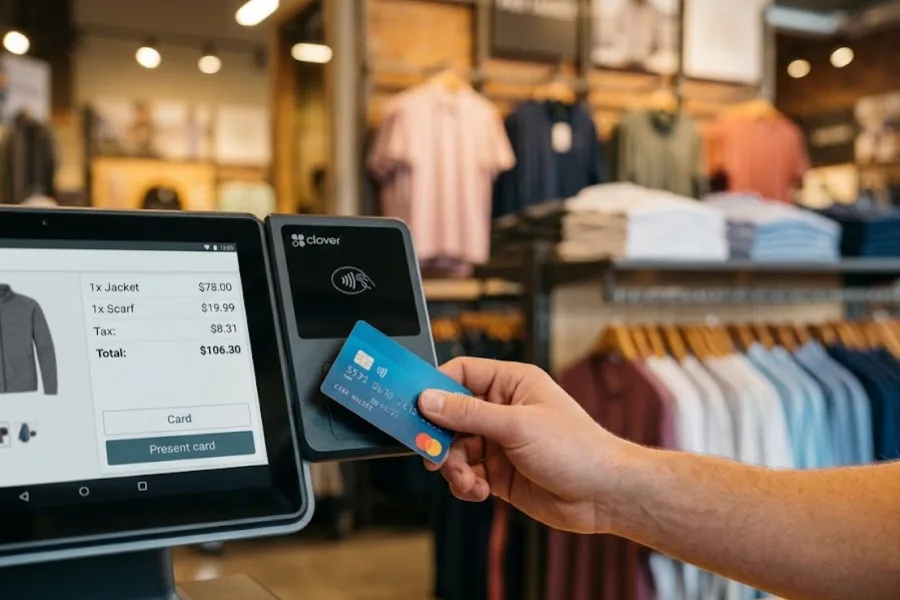
The price beside a Clover plan is only part of what reaches your monthly bill. Clover POS pricing also changes with your business type, hardware, card volume, and paid add-ons. A useful starting formula is simple: software + hardware payment + processing fees + apps + optional services = estimated monthly Clover cost. This guide by ConnectPOS will break those costs apart, then shows where spending can be kept under control.
Highlights
- Clover costs vary widely once software, devices, processing rates, and add-ons are counted together.
- Payment volume can create a far larger monthly expense than the gap between two software tiers.
- Growing stores should recalculate POS costs whenever they add registers, locations, or online channels.
Clover POS pricing breakdown: Software, hardware, processing, and extra costs
There’s no single Clover price that fits every merchant. Clover POS pricing follows different paths for retail, restaurants, and service businesses, with different tools and devices attached to each package.
| Cost area | How Clover charges | Main cost driver |
| Software | Monthly plan | Business type and required tools |
| Hardware | Upfront or 36-month payments | Device type and quantity |
| Payment processing | Percentage + fixed fee | Sales volume and payment method |
| Apps and extras | Monthly, one-time, or usage-based | Added tools and services |
That structure explains why a $16 device payment tells you very little about total ownership cost. Each layer deserves its own calculation.
Software plans: The monthly base cost
Clover software pricing changes with your business type and the tools included in each plan. Professional Services lists software fees directly, while Retail and Quick-Service Restaurant packages often combine software and hardware.
Professional services
| Plan | Software cost | Main additions |
| Starter | $0/month | Payments through Clover Dashboard and Clover Go |
| Essentials | $29.95/month | Estimates, items, shifts, bill pay, bookkeeping sync |
| Services Growth | $84.95/month | Scheduling, appointments, online booking |
Professional Services has the simplest pricing structure because no hardware purchase is required for these plans.
Retail
| Plan | 36-month option | Upfront hardware + monthly software |
| Basic | $16/month | $349 upfront |
| Standard | $180/month | $1,899 + $84.95/month |
| Advanced | $240/month | $2,648 + $104.90/month |
Basic runs on Clover’s Starter software with a Compact terminal. Standard and Advanced use Retail Growth software, with Advanced adding a Flex handheld to the Station Duo setup.
Quick-service restaurants
| Plan | 36-month option | Upfront hardware + monthly software |
| Starter | $135/month | $849 + $89.95/month |
| Standard | $185/month | $1,899 + $89.95/month |
| Advanced | $245/month | $2,648 + $109.90/month |
All three QSR tiers use Restaurant Growth software. The main difference comes from the hardware package, with higher tiers adding larger countertop or handheld setups.
Clover’s pricing layout can make a monthly figure look like a software subscription when hardware financing is also included. For a fair comparison, separate software cost from hardware commitment before calculating your monthly POS spend.
Hardware: Upfront purchase or 36-month payments
Hardware can change the total quickly, particularly when each store needs several devices. Clover sells countertop terminals, handheld devices, kiosks, and kitchen screens.
Current published device prices include:
| Clover hardware | Published price |
| Go | $199 |
| Compact | $16/month for 36 months or $349 |
| Flex Pocket | $35/month for 36 months or $699 |
| Flex | $40/month for 36 months or $749 |
| Mini | $45/month for 36 months or $849 |
| Station Solo | $174/month for 36 months or $1,799 |
| Station Duo | $180/month for 36 months or $1,899 |
Forbes Advisor’s 2026 POS research counted nine Clover hardware choices and placed outright hardware costs between $199 and $1,899.
Those numbers also need some care. A Clover hardware payment and a software charge can appear together in a package, so check which part of your quote pays for what.
Clover POS pricing becomes harder to judge once three counters, two handhelds, and several stores enter the picture. Count devices per location before deciding whether a monthly hardware payment looks small.
Payment processing: The cost that grows with sales
Processing deserves a separate calculation because it moves with every card sale. Clover POS pricing starts as low as 2.3% + $0.10 per transaction, though the final rate depends on the plan, business type, and payment method.
Card use also dominates consumer payments. Federal Reserve Financial Services reported that credit and debit cards accounted for two-thirds of U.S. consumer payments in its 2026 Diary of Consumer Payment Choice.
| Payment type | How it works | Typical pricing effect |
| Tap, dip, and swipe | Physical card or digital wallet presented at checkout | Usually lower |
| Keyed-in | Staff enter card details manually | Usually higher |
| Online/card-not-present | Card isn’t physically presented | Rate depends on setup |
Take Clover Retail Basic. Published pricing lists 2.6% + $0.10 for card-present transactions and 3.5% + $0.10 for keyed-in transactions.
Example: What could Clover payment processing cost per month?
Assume a retailer processes $50,000 in card sales across 1,000 transactions.
| Scenario | Rate | Estimated monthly cost |
| All card-present | 2.6% + $0.10 | $1,400 |
| All keyed-in | 3.5% + $0.10 | $1,850 |
Card-present processing equals $1,300 in percentage fees plus $100 in fixed fees. Keyed-in payments reach $1,750 plus the same $100.
That leaves a $450 monthly gap from the payment method alone. Suddenly, a $10 or $20 software difference doesn’t look like the main cost decision.
Apps and add-ons: The costs that are easy to miss
A Clover setup can also pick up smaller recurring charges. Those costs often look harmless one at a time.
| Extra cost area | What may add cost |
| Apps | Third-party App Market subscriptions |
| Staff tools | Payroll and related integrations |
| Hardware extras | Scanners, cash drawers, additional devices |
| Restaurant tools | KDS hardware and kitchen equipment |
| Cash services | Rapid Deposit |
| Online selling | Optional commerce tools |
Clover lists Rapid Deposit at a 1.75% fee on its current pricing pages. Payroll connections can also sit as optional add-ons.
Ask for recurring and one-time charges on separate lines. That makes a ‘small’ app stack much easier to spot.
What does a Clover setup actually cost for different businesses?
The numbers make more sense once Clover POS pricing is placed inside a real operating setup. These scenarios use published prices and should be treated as examples, not quotes.
Small retail counter: Clover Basic currently starts with a Compact terminal at $16/month for 36 months or $349 upfront. Processing, apps, and optional services sit on top of that amount.
Quick-service restaurant: A Mini-based Starter setup adds restaurant software, order tools, and card processing. Handhelds, kitchen screens, or extra checkout points push the figure higher as the operation grows.
Growing retailer: A second location adds far more than another subscription. You may need extra terminals, apps, staff permissions, stock controls, and stronger inventory management software.
That last scenario is becoming more common. U.S. Census Bureau data put ecommerce at 17.1% of total U.S. retail sales in Q2 2026, up 12.2% year over year.
How to keep Clover POS costs under control?
Cost control doesn’t mean buying the cheapest package. It means paying for workflows your team actually uses and catching costs that have quietly outlived their purpose.
- Match the plan to daily work: Don’t move up a tier for tools staff rarely touch.
- Map every device to a role: Decide who truly needs a countertop terminal, handheld, scanner, or KDS.
- Check the full 36-month hardware commitment: A smaller monthly figure can hide a much larger total commitment.
- Model card fees from actual sales: Use last month’s card volume and transaction count rather than a rough guess.
- Watch keyed-in payments: They can cost more than card-present transactions.
- Audit paid apps: Remove tools already covered by accounting, payroll, CRM, or ecommerce software.
- Request an itemized quote: Separate software, devices, processing, apps, and accessories before signing.
- Recalculate after growth: Another store or sales channel can change the cost model completely.
Payment fees deserve special attention. A U.S. Government Accountability Office review found interchange represented nearly 90% of card fees paid by selected federal entities in fiscal 2023.
Where Clover pricing starts to bite as operations grow
Clover can suit smaller merchants that want hardware and payments in one setup. The pressure usually appears when the original store model changes.
- More stores and registers: Each site may add hardware, subscriptions, payment volume, accessories, and staff access needs. At this point, a dedicated multi store POS setup becomes much more relevant.
- More online sales: Product, customer, order, and inventory data need tighter links between ecommerce and physical stores. Extra apps can fill some gaps, but they also add cost and admin work.
- More manual work outside the POS: A cheaper system loses some appeal if staff still reconcile stock, orders, or customer data elsewhere.
The payment sector itself is getting larger and more complex. McKinsey reported 3.6 trillion transactions and $2.5 trillion in payments revenue worldwide in its 2025 Global Payments Report.
At scale, the useful question becomes simple: what does the POS cost, and how much work does it actually remove?
Is Clover POS worth the price?
Clover can make sense for small and midsize merchants that like its hardware range and built-in payment setup. Restaurants may get particular value from its menu, kitchen, online ordering, and staff tools.
Clover POS pricing becomes harder to justify when hardware spreads across many stores or paid apps begin stacking up. Retailers running heavier ecommerce and inventory workflows may also want greater control over integrations and payment choices.
The right answer depends on the operation behind the register. A one-store café and a five-location omnichannel retailer are buying very different systems, even when the logo on the terminal is the same.
FAQs: Clover POS pricing
1. How much does Clover POS cost per month?
Monthly cost varies by business type, plan, hardware, card volume, and add-ons. Retail hardware can start at $16/month for 36 months, but processing and software may add far more.
2. Does Clover charge a monthly software fee?
Yes, many Clover packages include monthly software charges. Some professional-service setups can start without hardware, and pricing changes as more business tools are added.
3. What payment processing fees does Clover charge?
Clover advertises processing from 2.3% + $0.10. Rates vary by plan and payment type, and keyed-in transactions generally cost more.
4. Is it cheaper to buy Clover hardware upfront or pay monthly?
That depends on cash flow and commitment length. Compare the full financed amount against the upfront purchase price before deciding.
5. How can I lower my Clover POS costs?
Choose the right software tier, buy only needed devices, review apps, limit avoidable keyed-in payments, and recalculate costs after adding stores or sales channels.
Final Thoughts
Clover POS pricing makes more sense when you total software, hardware, payment processing, apps, and optional services together. Run that calculation across 12 and 36 months using your own card volume and store count. The best setup covers the workflows you need without carrying unused recurring spend.
When Clover is no longer enough for your retail setup
Clover can handle a straightforward store well. Needs change once retailers add locations, ecommerce channels, larger stock pools, and more complex checkout rules.
ConnectPOS is a cloud POS aimed at retailers that need physical and online operations connected in one flow. Its current monthly plans are $49/register for Standard, $79 for Advanced, $99 for Premium, while Enterprise uses custom pricing. Annual plans list lower per-register rates.
ConnectPOS capabilities most relevant once the retail setup grows include:
- Real-time inventory synchronization: Keep product and stock data aligned across supported sales channels.
- E-commerce integrations: Connect store checkout with supported eCommerce POS platforms and online order flows.
- Multi-source inventory: Manage stock across more complex inventory structures, including stock transfer and stock-take on higher plans.
- Offline mode: Continue supported selling workflows during connection loss and sync later.
- Unlimited payment gateway support: Give retailers more choice over payment connections.
- Flexible staff access control: Match access to store roles and responsibilities.
- Report and analytics: Track sales and store activity through connected POS reporting and analytics tools.
That difference becomes useful when growth creates work that a simpler POS setup leaves outside the register.
If you’re comparing costs for a growing retail operation, check ConnectPOS POS pricing and see how each plan maps to your store structure.
See ConnectPOS Pricing