Quick-service restaurants operate under constant pressure to deliver fast service while maintaining accuracy across orders, payments, and kitchen coordination. POS systems sit at the center of this environment, shaping how orders move, how staff interact with technology, and how data flows across the business. Clover POS has gained traction among QSR operators due to its all-in-one setup, combining ordering, payment, and basic management tools within a single ecosystem. At the same time, businesses evaluating this system often look beyond surface-level convenience, focusing on scalability, flexibility, and long-term operational control. This article outlines a comprehensive review of Clover POS features for quick-service restaurants, so you can evaluate its fit for real QSR operations.
Highlights
- Clover POS covers core QSR operations through order handling, payment processing, inventory tracking, and staff management within one system
- The system performs well in fast-paced environments with quick setup and simple workflows, though limits appear in customization, scaling, and hardware flexibility
Core Clover POS Features for Quick-Service Restaurants
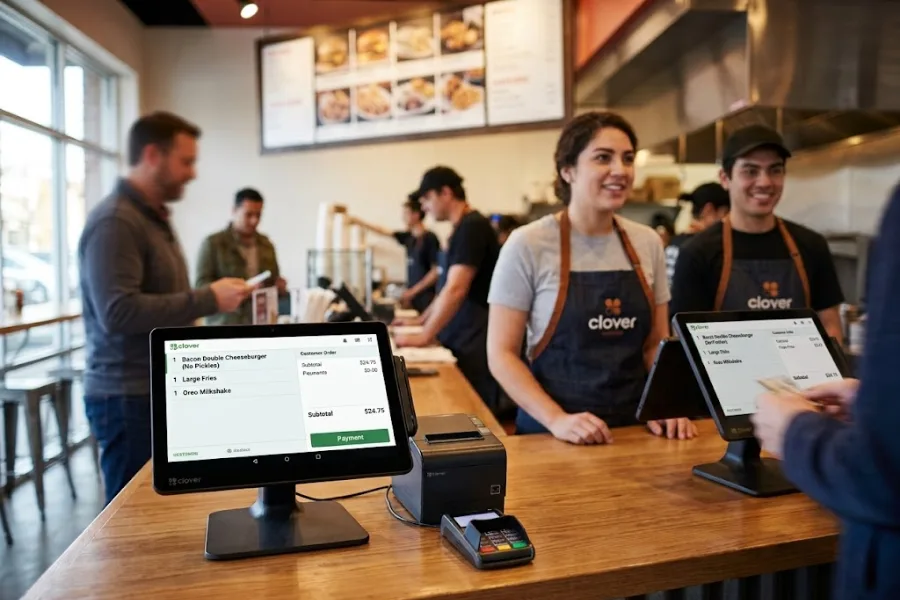
Clover POS features for quick-service restaurants bring together order handling, payment processing, inventory tracking, and staff management in one platform built for fast-paced operations. It supports high-volume environments through quick order entry, real-time updates, and direct connection with kitchen workflows, helping maintain speed and accuracy during peak hours.
Order Management
Speed and accuracy define order handling in quick-service environments, and Clover POS is designed to support both under pressure. The interface allows staff to input orders quickly through customizable menus, reducing the time spent navigating between items. Modifiers, add-ons, and combo meals can be selected in a few taps, which helps maintain consistency across orders even during peak hours.
Orders are routed instantly to kitchen display systems or printers based on categories such as drinks, mains, or sides, allowing kitchen staff to begin preparation without delay. The system also supports order queue management, helping staff track order status and avoid missed or duplicated tickets. For restaurants handling dine-in, takeaway, and delivery at the same time, all orders remain organized within one workflow, which reduces operational friction.
Payment Processing
Payment speed directly affects customer flow, especially during busy periods. Clover POS supports a wide range of payment methods, including credit cards, debit cards, mobile wallets, and contactless payments. Transactions process quickly at the counter or through handheld devices, allowing staff to take payments anywhere in the store.
Clover POS features for quick-service restaurants, such as split billing, partial payments, and tipping options, are handled within the same interface. Offline payment capability allows transactions to continue during temporary internet disruptions, preventing lost sales.
Security is built into the payment process, with encryption protecting cardholder data during each transaction, helping reduce exposure to payment-related risks.
Inventory Management
Inventory control in quick-service restaurants goes beyond counting finished items. Clover POS links menu items to ingredients, allowing the system to track stock at a more detailed level. Each transaction updates inventory in real time, giving managers a clear view of what is available at any moment. Low-stock alerts prevent situations where popular items become unavailable during peak hours.
The system also supports bulk updates and supplier tracking, which simplifies restocking processes. Historical data provides insight into usage patterns, so managers can adjust purchasing decisions based on demand trends.
Research from the National Restaurant Association indicates that food and beverage costs typically account for around 32% of restaurant sales, with broader industry benchmarks placing food costs in the range of 28% to 35% of revenue.
Employee Management
Managing staff performance and access control plays a direct role in both operations and security. Clover POS allows managers to assign roles with defined permissions, limiting access to sensitive functions such as refunds, voids, and discounts. Each employee has a unique login, which creates a clear record of actions taken within the system.
Time tracking features record clock-in and clock-out data, making it easier to manage shifts and payroll. Performance insights can be drawn from transaction data to identify top-performing staff or areas where additional training may be needed. This structured approach supports accountability and helps maintain consistent service standards across shifts.
Reporting And Analytics
Data from daily operations becomes a valuable resource when it is properly organized and accessible. Clover POS provides detailed reporting that breaks down sales by time of day, product category, and location.
Managers can identify peak hours, track best-selling items, and spot underperforming menu options. Reports can also highlight the impact of promotions, helping businesses understand which campaigns drive results. Custom filters provide deeper analysis, such as comparing weekday and weekend performance or tracking seasonal trends.
These insights support informed decisions around pricing, staffing, and menu adjustments, thus restaurants are able to respond to real customer behavior rather than assumptions.
Integrations And Apps
Modern quick-service restaurants often rely on a range of external tools, and Clover POS connects with many of them through its app ecosystem. Integration with delivery platforms let online orders flow directly into the POS, keeping all sales channels synchronized.
Accounting integrations simplify financial tracking by syncing sales data with bookkeeping systems, reducing manual entry errors. Marketing tools can connect to customer data, enabling targeted campaigns based on purchase history. This connected environment reduces the need for separate systems and helps maintain consistency across operations, even as the business scales or adds new service channels.
Data from Statista shows that online food delivery revenue worldwide is projected to exceed $1 trillion in the coming years, which reflects how deeply digital ordering and third-party platforms are embedded in restaurant operations and why POS integrations play a central role in managing these channels.
Customer Engagement Tools
Customer retention depends on consistent interaction and personalized experiences. Clover POS supports this through built-in tools that track customer behavior and preferences. Each transaction can contribute to a customer profile, building a history of purchases over time. Loyalty programs reward repeat visits, encouraging customers to return more often.
Promotions can be tailored based on buying patterns, making offers more relevant to each customer. Digital receipts provide a direct communication channel, while feedback tools help businesses capture customer opinions immediately after a purchase. This ongoing engagement helps build stronger relationships and supports long-term revenue growth.
Pros and Cons of Using Clover in a Fast-Paced Environment
Quick-service restaurants operate under constant time pressure, where speed, accuracy, and system stability shape both customer experience and revenue flow. Clover POS fits this environment through its flexible setup and wide range of operational tools, though certain limitations may appear depending on scale, customization needs, and integration depth.
Pros
- Fast transaction handling: Supports quick order entry and payment processing, helping reduce queue time during peak hours
- Flexible hardware options: Countertop and handheld devices so staff can take orders and payments across different service points
- App ecosystem: Access to third-party apps for delivery, accounting, and marketing expands operational capabilities
- User-friendly interface: Staff can learn and operate the system without long training periods
- Integrated payments: Built-in payment processing keeps transactions within one system, reducing reliance on external setups
Cons
- Monthly costs: Subscription fees and app add-ons can increase total operating expenses over time
- Limited deep customization: May not fully meet highly specific workflow requirements in complex restaurant setups
- Dependence on internet: Some functions rely on stable connectivity, which can affect operations during outages
- Hardware lock-in: System works best with Clover-approved devices, limiting flexibility with third-party hardware
- Scaling challenges: Larger restaurant chains may require more tailored solutions beyond standard configurations
Pricing Structure Review
Clover POS follows a layered pricing model that combines monthly software fees, payment processing rates, and hardware investment. For quick-service restaurants, total cost depends on transaction volume, number of terminals, and the level of functionality required. The pricing setup allows businesses to start at a basic level and expand as operations grow, though overall expenses tend to increase as more tools and integrations are added.
Key cost components
- Monthly subscription plans: Quick-service restaurant plans typically start around $135/month with a long-term commitment and can go higher depending on Clover POS features for quick-service restaurants and scale
- Payment processing fees: Around 2.3% + $0.10 per in-person transaction and 3.5% + $0.10 for online payments, which scale directly with sales volume
- Hardware investment: Devices such as Clover Station, Mini, or Flex can range from a few hundred to several thousand dollars depending on configuration and vendor
- App marketplace costs: Third-party apps for accounting, delivery, or marketing often require monthly subscriptions, adding to total cost over time
- Add-on services: Loyalty programs, advanced reporting, and marketing tools may require higher-tier plans or extra fees
- Transaction-based extras: Services like instant payout (Rapid Deposit) may include around 1.75% per transfer fee
- Contract and commitment factors: Many plans involve multi-year agreements (e.g., 36 months), which affects flexibility and long-term cost planning
ConnectPOS: A Powerful Alternative to Elevate Your QSR Operations
Quick-service restaurants depend on speed, coordination, and visibility across every step of the operation. ConnectPOS Quick Service POS positions itself as an alternative built around unified control, connecting front counter, kitchen, and back-office processes into a single system.
ConnectPOS brings these elements together, so operators can maintain consistency across locations and service channels. The platform is designed to support high-volume environments, where delays or data gaps can directly impact service quality and revenue.
Key advantages
- End-to-end operational flow: Connect ordering, kitchen preparation, and checkout in one system to keep service moving without bottlenecks
- Real-time data synchronization: Orders, inventory, and customer data update instantly across all touchpoints, giving operators full visibility into daily performance
- Advanced inventory control: Track raw ingredients, monitor usage, and manage supplier relationships to control food costs and reduce waste
- Digital kitchen integration: Link POS with kitchen display systems for faster and more accurate order processing during peak hours
- Flexible ordering experience: Support self-service kiosks, QR ordering, and customizable menus to handle different service models within one system
- Comprehensive analytics: Access real-time insights on top-selling items, peak hours, and performance metrics to guide operational decisions
- Multi-location management: Control multiple outlets from a centralized dashboard, keeping menus, pricing, and operations aligned across branches
- Offline mode reliability: Continue processing orders without internet connection, with automatic data sync once the system reconnects
- Integrated ecosystem: Connect with payment gateways, loyalty programs, online ordering platforms, and other tools to maintain a unified workflow
Key pricing tiers:
- Standard plan: Around $49 per register/month. It includes core POS functions, real-time sync, reporting, and integrations
- Advanced plan: Around $79 per register/month. This plan includes inventory control, loyalty tools, and deeper checkout features
- Premium plan: Around $89–$99 per register/month. It supports multi-source inventory, omnichannel operations, and extended control features
- Enterprise plan: Custom pricing. This plan is designed for large chains with API access, dedicated support, and global operations
ConnectPOS vs Clover POS Comparison
For quick-service restaurants, Clover POS works well for speed and ease of deployment in smaller setups. ConnectPOS stands out in environments that require centralized control, real-time data across locations, and flexibility to adapt as the business grows.
| Criteria | ConnectPOS | Clover POS |
| System Type | Cloud POS with strong omnichannel focus | Cloud POS with bundled hardware ecosystem |
| Best Fit | Omnichannel retail, multi-store, growing businesses | SMBs, small restaurants, basic QSR setups |
| Omnichannel (Online + Offline) | Real-time sync across all channels | Available through third-party apps |
| eCommerce Integration | Native integration with platforms like Shopify, Magento, BigCommerce | Mostly via app marketplace |
| Payment Flexibility | Connects with various payment gateways | Tied closely to Clover payment processing |
| Hardware | Flexible, works with various devices | Proprietary hardware (Station, Flex, Mini) |
| Customization | High level of workflow and system customization | Limited customization within ecosystem |
| Advanced Features | Omnichannel sync, PWA, customer display, face recognition | CRM, loyalty, inventory, employee management |
| Offline Capability | Strong offline mode with data sync after reconnect | Offline payments supported with limitations |
| Ease of Use | User-friendly with setup flexibility | Simple, plug-and-play experience |
| Pricing Model | Per register, scalable based on business needs | Subscription + hardware + transaction fees |
| Long-term Cost | Flexible, scales with usage | Increases with transaction fees and add-ons |
| Scalability | Suitable for multi-store and franchise operations | Better for small to mid-sized businesses |
FAQs: Clover POS Features for Quick-Service Restaurants
1. What makes Clover POS suitable for quick-service restaurants?
Clover POS features for quick-service restaurants are designed to support high-speed environments with fast order entry, flexible menu customization, and integrated payment processing. It helps reduce wait times and improve order accuracy through digital workflows and real-time updates.
2. Can Clover handle high-volume orders during peak hours?
Yes. The system routes orders directly to kitchen display systems and supports kiosks for self-ordering, which helps manage large volumes without overloading staff. This setup improves speed and keeps operations consistent during busy periods.
3. Does Clover support online ordering and delivery integration?
Clover connects with online ordering systems and third-party delivery platforms, allowing restaurants to manage dine-in, takeaway, and delivery orders within one system.
4. How does Clover improve order accuracy?
Digital ordering, modifiers, and kitchen display integration help reduce manual errors. Customers can also place orders through kiosks or online systems, which minimizes miscommunication.
5. Can I track sales and performance with Clover POS?
Yes. Clover provides real-time analytics, including sales trends, best-selling items, and peak hours. These insights support better decisions around menu planning and staffing.
Conclusion
Clover POS features for quick-service restaurants deliver a practical solution for quick-service restaurants that prioritize fast setup and integrated payment handling. Its strength lies in simplicity at the point of sale, where speed and ease of use support daily operations. As transaction volume grows and business models expand across channels or locations, limitations may appear in areas such as customization, integration depth, and system flexibility.
For operators planning long-term growth or managing more complex workflows, a broader system perspective becomes necessary. ConnectPOS provides an alternative built around omnichannel control, real-time synchronization, and scalable architecture that aligns with expanding QSR operations. Contact ConnectPOS to achieve stronger control to every stage of your transaction flow.
►►► Optimal solution set for businesses: Shopify POS, Magento POS, BigCommerce POS, WooCommerce POS, NetSuite POS, E-Commerce POS