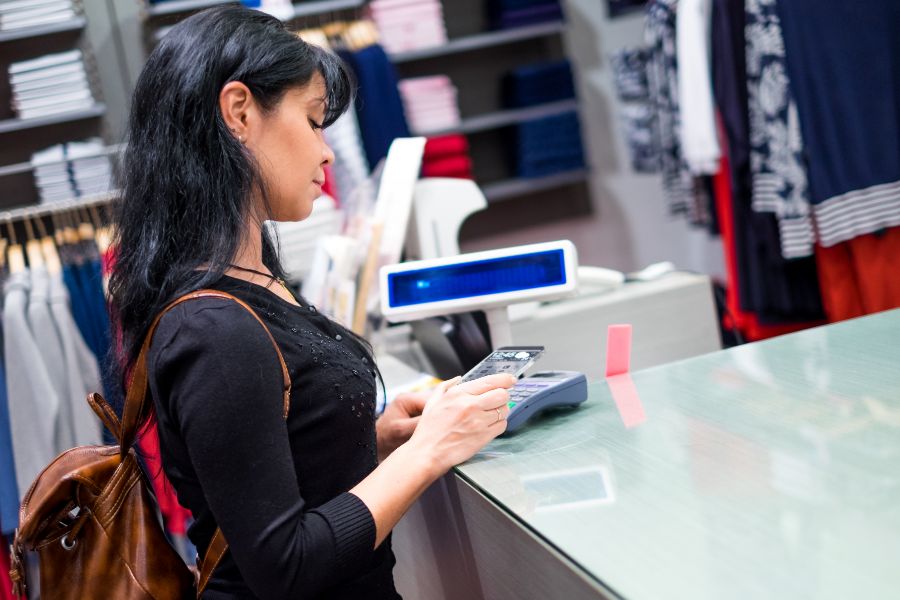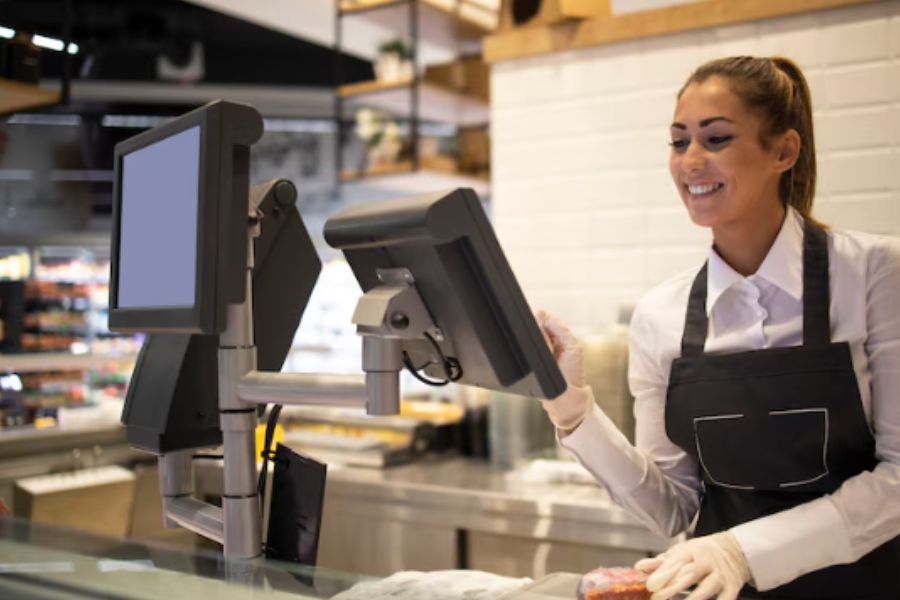
The retail landscape in 2026 demands more than just good products and attractive displays. Retailers face fierce competition, high customer expectations, and the need for seamless omnichannel experiences. The right Point of Sale (POS) system is no longer a luxury. It is a necessity for managing transactions, inventory, customer data, and real-time reporting while keeping checkout fast and accurate.
This guide covers the top POS systems for retail in 2026, their key features, pricing, and how to pick the right one for your stage of growth.
Why Retail Success Starts With Choosing the Right POS System
Retail operations depend on rhythm. Orders flow in, stock moves out, staff rotate shifts, and customers expect speed. The POS sits at the center of all that activity, whether stores acknowledge it or not.
- Daily operations run through the POS: Every sale, return, and stock update passes through this system. When it struggles, the store feels it immediately.
- Sales flow depends on system speed: Slow checkouts frustrate staff and customers alike. A POS designed for retail workflows keeps lines moving.
- Inventory accuracy lives or dies here: Stock levels, variants, and restocks rely on clean data. According to IHL Group’s 2026 study, out-of-stocks and overstocks cost retailers about $1.7 trillion a year worldwide, or 6.2% of global retail sales, showing how small data errors compound fast across daily operations.
- Staff efficiency follows system design: Clear screens and simple actions help teams stay focused.
- Long-term costs hide behind early choices: A system that doesn’t fit your growth path often forces an upgrade sooner than planned, which costs time and money.
Choosing the right retail POS early protects daily performance and keeps growth options open later.
Key Takeaways: Summary Comparison of the 10 Best POS Systems for Retail in 2026
| POS System | Best For | Key Features | Starting Price |
|---|---|---|---|
| ConnectPOS | Omnichannel and multi-store retail | Real-time multi-location inventory, offline mode, ERP/eCommerce integrations | $49/register/month |
| Lightspeed Retail | Retailers with large or complex inventory | Multi-store management, 40+ reports, vendor catalogs | $89/month (billed annually) |
| Shopify POS | Merchants already selling on Shopify | Unified online and in-store inventory, omnichannel fulfillment | Free (POS Lite) or $89/location/month (POS Pro) |
| Square POS | Startups and single-store retailers | Free plan, real-time inventory, built-in online store | Free, or $49/location/month (Plus) |
| Clover POS | Businesses that want hardware and app flexibility | App marketplace, hardware bundles, payment processing built in | Quote-based, varies by processor |
| Vend by Lightspeed | Existing Vend customers | Now fully merged into Lightspeed Retail | See Lightspeed Retail |
| Toast POS | Retail with a café or F&B counter | Order management, CRM, mobile ordering | Quote-based |
| Revel Systems | Larger multi-location operations | Advanced inventory, CRM, ingredient-level tracking | From about $99/terminal/month (quote-based, annual contract) |
| ShopKeep by Lightspeed | Existing ShopKeep customers | Now fully merged into Lightspeed Retail | See Lightspeed Retail |
| QuickBooks POS | No longer available to new customers | Discontinued by Intuit in October 2023 | Not sold |
10 Best POS Systems for Retail Business in 2026:
1. ConnectPOS
ConnectPOS is a cloud-based POS with strong offline capabilities, built for retailers selling across online and offline channels.
Best for: Omnichannel retailers running multiple stores, channels, or warehouses.
Key features:
- Works seamlessly offline and online, with data syncing once the connection returns
- Real-time inventory synchronization across locations
- Integrates with Shopify, Magento, and BigCommerce
- Multi-store management
- Staff roles and permissions
Pricing (per register, per month)
| Plan | Monthly | Billed Annually | What it adds |
| Standard | $49 | $39/month | eCommerce integrations, product and order management, unlimited payment gateways, reporting and analytics, flexible staff access control, real-time sync and offline mode, 24/7 support |
| Advanced | $79 | $69/month | Everything in Standard, plus quote and cart management, inventory and shipping control, partial and gift card payments, second customer screen, advanced checkout tools, loyalty program support |
| Premium | $99 | $89/month | Everything in Advanced, plus stock transfer and stock-take, multi-source inventory, multi-currency support, omnichannel and click & collect, custom staff permissions, discount rules, priority support |
2. Lightspeed Retail
Lightspeed Retail offers inventory and analytics tools built for stores with large catalogs and multiple locations.
Best for: Retailers with large inventories, product variants, and regular purchase ordering.
Key features:
- Over 40 built-in reports and analytics
- Multi-store and supplier management
- Built-in eCommerce
- Vendor catalogs with over 3,000 preloaded suppliers
Pricing:
- Basic: $89/month billed annually ($109/month billed monthly)
- Core: $149/month billed annually ($179/month billed monthly)
- Plus: $289/month billed annually ($339/month billed monthly)
- Enterprise: custom quote
3. Shopify POS
Shopify POS suits businesses already using Shopify for eCommerce, keeping inventory and sales unified across online and offline channels.
Best for: Merchants who already sell on Shopify and want in-store and online selling in one system.
Key features:
- Syncs with Shopify’s product catalog and customer data
- Mobile-friendly checkout
- Built-in purchase orders, transfers, and inventory adjustments in Shopify admin
- POS Pro adds unlimited staff accounts, roles and permissions, and omnichannel fulfillment
Pricing:
- POS Pro: $89/month per location, or $79/month per location billed annually
- POS Lite: included with any Shopify plan (plans start at $39/month for Basic)
4. Square POS
Square POS offers simplicity and affordability, making it a common choice for small retailers.
Best for: Startups and single-store retailers getting started with a POS.
Key features:
- Free plan with no upfront cost
- Fast onboarding and an easy-to-use interface
- Built-in online store included on every plan
- Real-time inventory tracking
Pricing (per location, per month):
- Free
- Plus: $49
- Premium: $149
Card processing rates vary by plan, from 2.4% to 2.6% + 15¢ in person.
5. Clover POSClover POS offers hardware flexibility and an app-based system that can be tailored to different retail needs.
Best for: Businesses that want to customize their setup with hardware and third-party apps.
Key features:
- Customizable through Clover’s app marketplace
- A range of hardware options, from handheld devices to countertop terminals
- Built-in payment processing
Pricing: Clover is typically sold through payment processors, so pricing and plans vary by provider. Get a quote directly from a Clover reseller for current terms.
6. Vend (now part of Lightspeed Retail)
Vend was a cloud-based retail POS from New Zealand. Lightspeed acquired Vend in 2021, and Vend has since been fully merged into Lightspeed Retail. New merchants can no longer sign up for Vend as a separate product.
Best for: Businesses already on Vend, who are now managed under Lightspeed Retail. New buyers should evaluate Lightspeed Retail directly (see #2 above).
7. Toast POSOriginally built for restaurants, Toast POS also supports retailers with café or food-and-beverage counters.
Best for: Hybrid retail and food-service businesses.
Key features:
- Order management and CRM tools
- Mobile ordering and contactless payments
- Built for food-service workflows, with some setup needed to fit a pure retail catalog
Pricing: Toast is quote-based and depends on hardware, locations, and payment processing. Contact Toast directly for current plans.
8. Revel SystemsRevel offers enterprise-level functionality with a cloud-based system and deep customization, aimed at larger, multi-location retailers.
Best for: Multi-location retailers and restaurants that need advanced inventory, CRM, and reporting in one system.
Key features:
- Ingredient- and item-level inventory tracking
- Advanced CRM and loyalty management
- Branch-level control across multiple locations
Pricing: Revel’s pricing is quote-based. Third-party sources report plans from about $99 per terminal per month, billed annually, typically on a multi-year contract with a two-terminal minimum. Confirm current terms directly with Revel.
9. ShopKeep (now part of Lightspeed Retail)
ShopKeep was a POS built for small and mid-sized retailers. Lightspeed acquired ShopKeep in 2020, and the product has since been fully retired and merged into Lightspeed Retail (branded as the S-Series). New merchants can no longer sign up for ShopKeep as a separate product.
Best for: Businesses already on ShopKeep, who are now managed under Lightspeed Retail. New buyers should evaluate Lightspeed Retail directly (see #2 above).
10. QuickBooks POS
QuickBooks Desktop Point of Sale was discontinued by Intuit on October 3, 2023. It is no longer sold to new customers, and existing installations no longer receive security updates, payment processing, or support.
Best for: Not applicable. Businesses that previously used QuickBooks POS need to move to an active platform. Intuit has pointed existing customers toward Shopify POS as one alternative.
How to Choose the Best Retail Point of Sale System
When selecting your POS system in 2026, consider these key factors:
- Business Size: Choose a system that aligns with your transaction volume, inventory complexity, and growth plans.
- Integration Needs: Ensure compatibility with your eCommerce, accounting, and CRM POS systems.
- User-friendliness: Staff should be able to learn and use the POS without extensive training.
- Hardware requirements: Decide whether you want an all-in-one system with hardware, or a software-only solution that works with existing devices.
- Customer support: Look for providers with reliable support for onboarding, troubleshooting, and updates.
- Pricing: Factor in upfront costs, monthly fees, payment processing fees, and add-on features.
What Is the Best POS System for Retail?
The best POS system depends on your specific business needs:
- Growing across stores, channels, or warehouses: ConnectPOS offers real-time multi-location inventory and integrations with Shopify, Magento, and BigCommerce.
- Large or complex inventory: Lightspeed Retail offers deep reporting and multi-store management.
- Already selling on Shopify: Shopify POS keeps online and in-store data unified.
- Just starting out: Square POS is an affordable, easy way to begin.
- Want a highly customized setup: Clover POS and Revel Systems support tailored hardware and workflows.
Methodology: How We Selected the Best Retail POS Systems
Our analysis was based on:
- Features & Functionality: Inventory management, reporting, CRM, and offline mode.
- Ease of Use: User interface, learning curve, and staff adoption rates.
- Scalability: Ability to grow with the business across multiple locations.
- Pricing Transparency: Upfront costs, monthly fees, payment processing rates.
- Customer Support: Quality, availability, and responsiveness.
- User Reviews & Case Studies: Real-world use cases across retail segments.
Each system was evaluated to ensure it aligns with 2026 retail demands, from omnichannel shopping trends to advanced data-driven decision-making.
FAQs: Best POS System for Retail
1. What are the most common mistakes retailers make when choosing a POS system?
Retailers often focus too much on price, skip testing the system, or ignore long-term scalability. Others choose hardware before confirming software compatibility or overlook training and support.
2. Is the cheapest POS system a good choice for retail stores?
Not always. Low-cost systems often lack core retail features like inventory sync, reporting, or multi-store support. These gaps usually lead to higher costs later.
3. How do retailers know if a POS system fits their business needs?
Start by listing daily workflows, product types, store size, and growth plans. A POS should match how the store operates today and still work as sales volume grows.
4. Why is scalability important when selecting a retail POS system?
Retail businesses change fast. A POS that cannot support more products, registers, or locations forces retailers to switch systems earlier than planned.
5. Should retailers always test a POS system before buying?
Yes. Demos and trials show how the system handles checkout speed, returns, inventory updates, and staff usability. Testing helps avoid costly surprises after launch.
Conclusion
Choosing the best POS system for retail shapes how your store runs every day. From checkout flow to inventory accuracy, the system behind the counter quietly decides whether operations feel controlled or chaotic.
Needs change as a business grows. These are the moments when many merchants start comparing systems built for a larger operation:
- You open a second store. You need one view of sales and stock across locations.
- You sell on more than one channel. Online orders and in-store stock need to stay in sync in real time.
- You keep stock in several warehouses. Real-time inventory across warehouses becomes essential.
- Your team grows. You need roles and permissions so cashiers, managers, and head office each see and do the right things.
If you’re reaching one of these milestones, ConnectPOS covers each of them from the Standard plan up, with plans from $49 to $99 per register per month, or $39 to $89 billed annually.
Comparing options?
See ConnectPOS Pricing►►► Optimal solution set for businesses: Shopify POS, Magento POS, BigCommerce POS, WooCommerce POS, NetSuite POS, E-Commerce POS