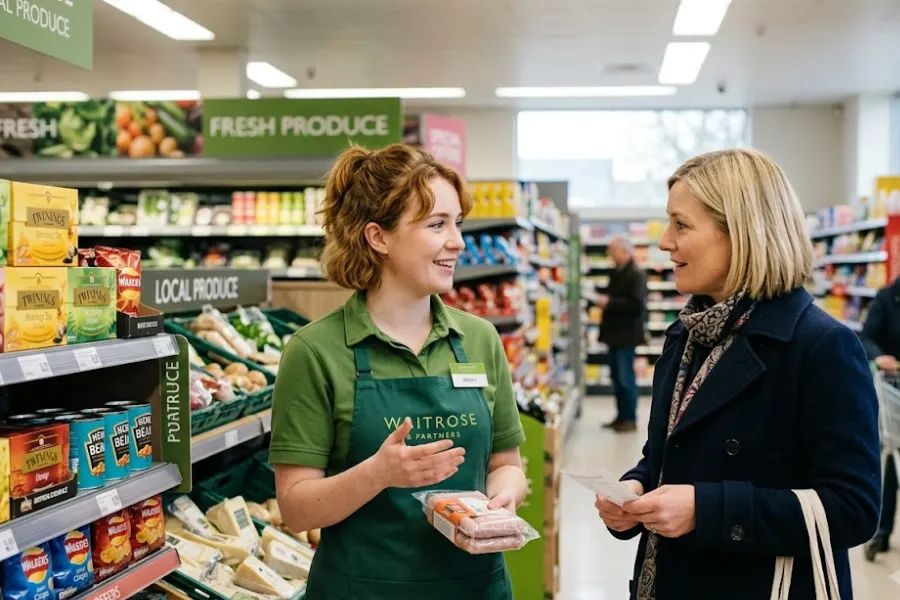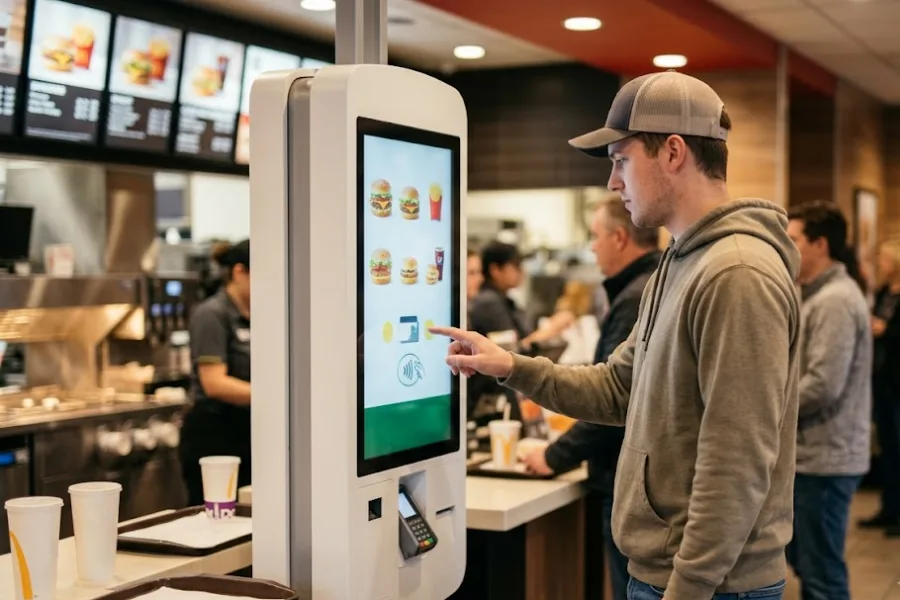
Digital menu boards make it easier for restaurants and food-service brands to present products, prices, promotions, and availability in a visual format. The challenge becomes more complicated when the same brand operates across several locations. A menu change that takes a few seconds on one screen can become a repetitive task when managers need to update dozens of screens across multiple stores. Differences in pricing, product availability, or promotions can also create inconsistencies between what customers see and what the POS system records. POS data integration for digital menu board connects the operational data in the POS with the information displayed on customer-facing screens. For multi-location brands, this creates a more structured way to manage menu information while retaining control over location-specific changes.
Highlights
- Connect POS data with digital menu boards to keep product, pricing, availability, and promotion information aligned across multiple locations.
- Centralize menu data while maintaining location-level control over pricing, products, promotions, and availability.
- Plan POS and digital menu board integrations around API compatibility, data mapping, sync frequency, and location-specific rules.
What Is POS Data Integration for Digital Menu Boards?
POS data integration for digital menu boards connects a point-of-sale system with a digital menu board platform so selected product and operational data can move between the two systems.
The POS can provide data such as:
- Product names and categories
- Prices
- Product availability
- Modifiers and options
- Promotions
- Location-specific product information
The basic flow is:
POS → Centralized Product/Menu Data → Integration Layer or API → Digital Menu Boards → Customer
The POS manages transactions, products, inventory, and orders, while the digital menu board presents selected information to customers. Not every menu element needs to come from the POS. Prices and availability may come from operational systems, while images, layouts, videos, and brand content can remain managed through the digital signage platform.
This separation lets brands synchronize the data that changes frequently while keeping visual content under separate control. The need becomes more relevant as a brand adds locations. In 2024, 60% of restaurant operators planned to invest in customer-facing technology, according to reporting on the National Restaurant Association’s annual industry forecast.
Why Multi-Location Brands Need POS-Connected Digital Menu Boards
As restaurant brands expand across multiple locations, keeping menu, pricing, availability, and promotion data aligned becomes more difficult. POS-connected digital menu boards create a more structured way to manage these changes across locations while allowing stores to maintain approved local variations.
Keep Menu and Pricing Consistent Across Locations
A multi-location restaurant may use the same core menu across its stores while making small adjustments for local pricing, products, or promotions. Without connected data, a central team may need to update individual menu boards manually. The process becomes harder to maintain as the number of screens increases.
POS-connected menu boards can use centralized product and pricing data so approved changes can be applied across selected locations. This creates a clearer relationship between the information recorded in the POS and the information customers see.
Pricing consistency also matters because customers can notice differences between displayed prices and the prices applied during checkout. Toast’s 2024 survey found that 35% of diners considered price the second most important factor when choosing a restaurant.
Keep Menu Information Aligned With Product Availability
A digital menu may display an item that a particular location has already sold out of. This creates a disconnect between the customer-facing menu and actual store availability.
When availability data can move between the POS and menu system, restaurants can create rules for how unavailable items should appear. Depending on the integration, an item may be hidden, marked unavailable, or handled through another menu status.
The exact behavior depends on the POS and digital menu platform, so brands should define these rules before implementation.
Manage Promotions Across Multiple Locations
Promotions can apply across an entire restaurant network or only to selected locations. For example, a brand may run a nationwide combo promotion while allowing individual stores to run local promos. The integration should distinguish between these two types of changes instead of treating every menu update as a global change.
Clear promotion rules can help central teams manage brand-wide campaigns while giving approved locations room for local variations.
Reduce Manual Menu Updates
Manual updates become more difficult as the number of locations and screens increases. A restaurant with two stores may be able to manage changes through a simple process. A brand with 20, 50, or 100 locations has a different operational requirement. Each additional screen creates another opportunity for an outdated price, unavailable product, or incorrect promotion. POS-connected digital menu boards can create a more centralized workflow for data that changes frequently.
How POS Data Integration for Digital Menu Boards Works
A typical setup can be represented as:
POS → Centralized Product/Menu Data → Integration Layer/API → Digital Menu Boards → Customer
The exact architecture depends on the systems involved. Some businesses use a native integration, while others connect systems through APIs, middleware, or scheduled data feeds.
What POS Data Can Be Synced to Digital Menu Boards?
The data selected for synchronization should focus on information that directly affects what customers see.
Common examples include:
- Product/item names: Keep displayed names aligned with the POS product catalog.
- Categories: Organize menu items according to the restaurant’s product structure.
- Prices: Transfer current prices to customer-facing displays.
- Images: Sync product imagery when the POS or connected product system stores image references.
- Modifiers/options: Display available sizes, toppings, add-ons, or other choices where relevant.
- Promotions: Communicate selected discounts, combos, or promotional pricing.
- Availability: Reflect whether an item can currently be sold at a particular location.
- Location-specific information: Apply different products, prices, or availability rules to individual stores.
The goal is not to synchronize every POS field. Brands should identify which fields affect the customer-facing menu and which remain internal to the POS.
What to Consider When Integrating POS Data With Digital Menu Boards?
Check Multi-Location Data Management
The first question is how the systems handle data across locations.
A multi-location brand may need:
- Centralized product management
- Brand-wide pricing updates
- Location-level pricing
- Store-specific products
- Location-specific promotions
- Selected-store updates
- Central reporting or monitoring
The system should make it clear which changes apply to the entire network and which apply only to selected locations.
Check Integration and API Compatibility
POS and digital menu platforms need a compatible method for exchanging data.
Check whether the POS provides:
- API access
- Native integrations
- Product and pricing data access
- Inventory or availability data
- Location-level data
- Promotion or modifier data
The digital menu platform also needs to accept the required data structure.
ConnectPOS uses an API-first architecture and provides integrations with ecommerce, ERP, CRM, payment, and other systems. Its documentation also describes API-based connections for broader retail workflows.
If there is no direct integration between the POS and digital menu platform, middleware or custom development may be required. The integration scope should be confirmed before implementation rather than assumed from general API availability.
Consider Data Sync Frequency
Not every data type needs the same synchronization speed.
For example:
- Pricing: May require frequent updates when prices change.
- Availability: May need faster updates when products sell out.
- Promotions: May follow scheduled campaign changes.
- Product descriptions: May change less frequently.
- Images and visual content: May remain under a separate content workflow.
Brands should define the appropriate synchronization frequency for each data type.
Real-time synchronization can be useful for frequently changing operational information, while scheduled updates may be sufficient for data that changes less often.
Plan for Location-Specific Menus
Multi-location brands rarely operate with exactly the same menu at every store.
Differences may include:
- Products available at one location
- Different local pricing
- Location-specific promotions
- Regional menu items
- Temporary product availability
- Different operating hours
A centralized system should therefore provide enough control to apply global changes without removing the ability to manage approved local variations.
When Centralized POS Data Matters for Digital Menu Boards
As more locations are added, manually maintaining product, pricing, inventory, and menu data across separate systems becomes harder. Teams may need to update the same information in several places, increasing the chance of differences between what the POS records and what customers see on digital menu boards.
This is where centralized POS data becomes more relevant. Instead of treating the POS as the digital menu board itself, the focus is on keeping the operational data behind the menu organized and connected. A centralized POS data integration for digital menu board setup can connect selected POS data with customer-facing screens while keeping the POS focused on transactions, products, inventory, and store operations. ConnectPOS provides capabilities that can form part of this broader integration setup.
- Centralized Product and Inventory Management: ConnectPOS manages products and inventory across multiple locations and connected sales channels, helping keep stock information aligned across the retail operation. Retailers can also manage their inventory management workflows within a centralized POS environment.
- Multi-Store Management: Retailers can manage inventory, sales, customer information, pricing, and store-level operations across locations within a centralized POS environment. This connects with the broader omnichannel POS solution approach for retailers managing online and physical sales channels.
- Location-Level Control: ConnectPOS provides multi-store workflows for different pricing, promotions, inventory levels, permissions, and store-level requirements. This can help brands maintain shared menu data while accounting for differences between individual locations.
- Reporting and Sales Visibility: Centralized sales data gives retailers a clearer view of performance across stores, products, and sales channels, helping teams identify differences between locations and understand how products perform across the network.
- API-First Integration: ConnectPOS uses an API-first architecture and can connect with broader retail systems such as ERP, CRM, ecommerce, and payment platforms. This can be relevant when digital menu boards are part of a larger connected technology stack where product, pricing, inventory, or location data needs to move between systems.
- CRM and Customer Management: Customer profiles, purchase history, and loyalty information can be managed within the POS, creating a more connected view of customer activity across stores. While this data may not be displayed on digital menu boards, it can form part of the wider retail data environment surrounding the POS.
- AI-Powered POS: AI capabilities can work with sales and inventory data to provide insights into demand, inventory risks, and store performance, giving teams more context when managing a growing store network.
These capabilities can form part of a broader POS data integration for digital menu board setup, particularly when product, pricing, inventory, and location data need to move between connected systems. The exact connection between ConnectPOS and a specific digital menu board platform depends on the platform’s API, available data fields, synchronization requirements, and location structure. Direct digital menu board integration should not be assumed without confirming these technical requirements.
FAQs: POS Data Integration For Digital Menu Board
1. Can a POS system connect to digital menu boards across multiple locations?
Yes. A POS can connect to digital menu boards across multiple locations through native integrations, APIs, middleware, or other data exchange methods. The setup depends on the POS and digital signage platforms, as well as how each system handles location-level data.
2. What POS data can be displayed on digital menu boards?
Common data includes product names, categories, prices, images, modifiers, promotions, and availability. For multi-location brands, the integration can also pass location-specific information so each store can display the products, prices, or availability that apply to its menu.
3. Can different locations display different menus from the same POS?
Yes, when the POS and digital menu board system provide location-level controls. A brand can maintain a shared menu structure while assigning different products, prices, promotions, or availability rules to individual locations without creating a completely separate menu for each store.
Conclusion
POS data integration for digital menu board gives multi-location brands a way to connect operational data with customer-facing menu information. Product names, prices, availability, modifiers, and promotions can move from the POS into the menu workflow instead of being maintained separately on every screen. As brands add locations, products, sales channels, and store-level variations, manual updates become harder to maintain. Disconnected systems can also create differences between POS records and the information customers see.
A more connected POS setup can bring product, inventory, pricing, and store data into a centralized workflow while retaining location-level control. For brands reaching this stage, ConnectPOS provides a multi-store POS environment with centralized inventory, product management, pricing, and API-based integration capabilities. If you are looking to connect your POS environment with broader retail systems, chat with ConnectPOS team to discuss your requirements.
Chat with our team►►► Optimal solution set for businesses: Shopify POS, Magento POS, BigCommerce POS, WooCommerce POS, NetSuite POS, E-Commerce POS