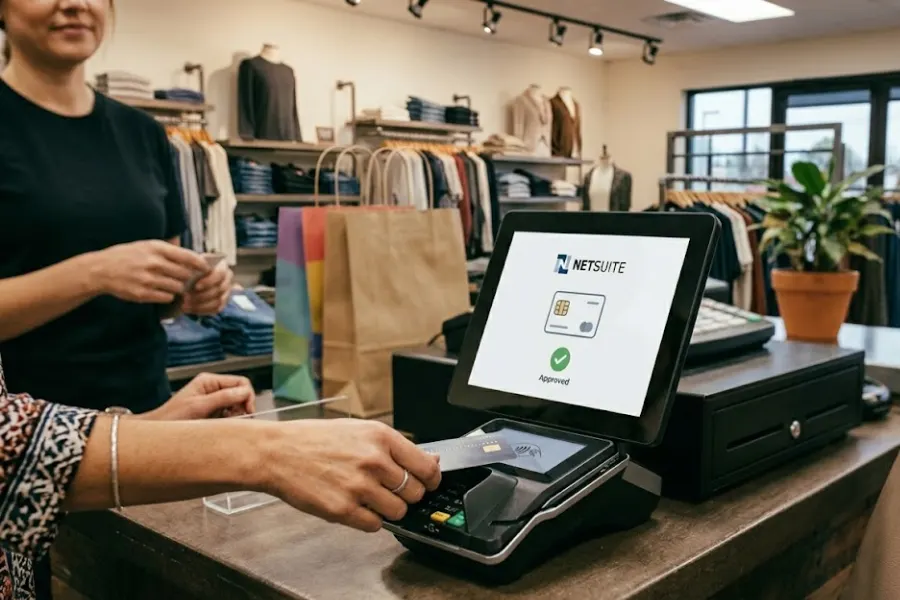
Selecting a point of sale for NetSuite shapes financial control, inventory governance, and customer visibility. Retailers on NetSuite need a checkout system that connects store transactions directly to ERP logic in real time. When POS and ERP operate without alignment, reporting gaps appear, reconciliation slows, and omnichannel consistency declines. A NetSuite environment requires operational discipline across inventory logic, tax configuration, accounting mappings, and cross-channel order flows. Retail leaders must evaluate how data moves between systems, how exceptions are handled, and how growth scenarios affect integration stability. This article from ConnectPOS advises retailers on the practical considerations that determine how a point of sale for NetSuite can strengthen or potentially destabilize their NetSuite ecosystem.
Highlights
- POS for NetSuite are solutions built to extend NetSuite capabilities, connecting front-end transactions with backend ERP processes such as inventory, financials, and reporting to maintain a unified data flow.
- Retailers need to evaluate data synchronization, inventory tracking, financial mapping, tax configuration, and integration models to maintain reporting accuracy, system stability, and operational control as the business scales.
Must-Have POS Capabilities for NetSuite-Based Retailers
For retailers operating on NetSuite, the selection of a POS for NetSuite directly influences data accuracy and financial transparency across the organization. The system must align with ERP logic, inventory structure, and reporting workflows to maintain consistency between storefront activity and back-office records. The following capabilities define what a NetSuite-based retailer should expect from a POS platform.
Real-Time Data Synchronization
Retailers operating on NetSuite depend on synchronized transaction flows between front-end sales activity and back-office records. A point of sale for NetSuite must transmit sales data, returns, customer updates, and payment details into NetSuite without delay. Real-time synchronization prevents data gaps that can distort reporting, delay replenishment decisions, or create reconciliation discrepancies between store and ERP records.
Beyond transactional updates, synchronization must extend to pricing rules, promotions, tax configurations, and customer profiles. When data flows consistently between POS and NetSuite, store teams operate with accurate information while finance and operations leaders rely on consolidated reporting that reflects current performance rather than historical uploads.
Inventory Accuracy Across Channels
NetSuite-based retailers often manage inventory across physical stores, ecommerce platforms, and distribution centers. A POS for NetSuite must update stock levels immediately after each transaction to maintain alignment between storefront activity and ERP inventory records. Without continuous updates, overselling and stock discrepancies can disrupt customer trust and operational planning.
Inventory accuracy also involves handling returns, exchanges, stock transfers, and purchase order receipts in coordination with NetSuite. The POS should reflect serialized products, lot tracking, and warehouse allocation logic defined in the ERP.
When inventory integrity is preserved across channels, replenishment planning and margin control remain grounded in reliable data.
Financial & Tax Data Consistency
Financial integrity depends on accurate mapping between POS transactions and NetSuite’s accounting framework. Each sale, refund, discount, and tax calculation must align with general ledger accounts, revenue recognition rules, and jurisdictional tax requirements configured within the ERP. Misalignment introduces reconciliation challenges that affect month-end closing and financial reporting.
Tax compliance adds another layer of complexity, particularly for retailers operating across regions. The POS system must apply correct tax rates based on location and sync those calculations into NetSuite without manual adjustments. Consistent financial data supports audit readiness and reduces the risk of reporting discrepancies across departments.
Scalability for Multi-Location Retail
As retailers expand store networks, operational complexity increases. A point of sale for NetSuite must support centralized oversight across locations while maintaining location-level performance visibility. Consolidated dashboards, user permissions, and location-based reporting enable structured governance across distributed retail environments.
Scalability also involves onboarding new stores, adding product lines, and handling higher transaction volumes without disrupting data integrity. The POS architecture should accommodate expansion while maintaining synchronization discipline with NetSuite. Retail growth requires more than checkout functionality; it requires system alignment that supports operational control across the entire retail ecosystem.
Integration Models: How POS Connects with NetSuite
For NetSuite-based retailers, POS integration goes beyond processing transactions. It determines how operational, inventory, and financial data flow accurately into the ERP system. NetSuite highlights that disconnected POS environments create reporting gaps, reconciliation delays, and inventory inconsistencies that weaken omnichannel execution. Retailers evaluating POS software should prioritize solutions that align directly with ERP workflows instead of operating as separate, isolated systems.
This priority reflects a broader shift in retail technology strategy. Data from Statista shows global ecommerce sales surpassed $1.5 trillion in 2025, intensifying the need for unified online and in-store data. Meanwhile, retailers with strong omnichannel integration retain up to 89% of customers, compared to 33% for weaker models, reinforcing that POS-ERP integration is now a strategic imperative.
Key Integration Models
- Native NetSuite Integration: POS systems built to integrate directly with NetSuite write sales, returns, inventory adjustments, and customer updates into the ERP in near real time. This model minimizes synchronization conflicts and strengthens NetSuite’s role as the single source of truth for financial and operational reporting.
- Middleware or Connector-Based Integration: In this approach, a third-party connector manages bidirectional data flow between POS and NetSuite. Middleware maps product records, tax rules, locations, and transaction types, enabling retailers to preserve existing POS infrastructure while still achieving ERP synchronization. Sync intervals may vary, but structured governance guarantees data consistency.
- Hybrid Omnichannel Integration: Some retailers route POS data through an e-commerce or commerce hub before syncing with NetSuite. This layered architecture supports unified inventory across online and offline channels while consolidating financial and supply chain records within the ERP. The model requires clear data sequencing to prevent latency or reporting discrepancies.
Key Challenges Retailers Face When Pairing POS with NetSuite
Integrating a POS for NetSuite introduces operational and technical complexity that extends beyond simple system connectivity. While the objective is unified data visibility and streamlined workflows, retailers often encounter structural misalignment between storefront transactions and ERP configurations.
Differences in data models, synchronization timing, tax structures, and inventory logic can create friction if not carefully managed. Addressing these challenges early is essential to maintaining reporting accuracy, financial control, and omnichannel consistency.
Key Challenges
- Data Mapping & Field Alignment: Product SKUs, customer records, pricing rules, and tax codes must match NetSuite’s data structure. Inconsistent field mapping can result in duplicate records or reporting errors.
- Synchronization Delays: Batch syncing instead of real-time updates may cause temporary inventory discrepancies, affecting stock visibility and customer fulfillment accuracy.
- Complex Tax & Compliance Configuration: Multi-region retailers must align POS tax calculations with NetSuite’s accounting setup, which can be complicated across jurisdictions.
- Inventory Logic Differences: Serialized items, lot tracking, and warehouse allocations must mirror NetSuite’s inventory framework to prevent valuation inconsistencies.
- Financial Reconciliation Gaps: If payment methods, refunds, and discounts are not properly mapped to general ledger accounts, month-end closing becomes time-consuming and error-prone.
- Scalability Constraints: As transaction volume and store count grow, integration performance must scale without creating latency or data integrity issues.
ConnectPOS: A POS Solution Built for NetSuite Retailers
ConnectPOS is designed specifically for retailers operating on complex platforms like NetSuite, delivering synchronized data flow between storefront activity and ERP governance. Rather than functioning as a standalone checkout tool, it connects sales, inventory, customer, and financial records directly into NetSuite to support unified commerce execution. The platform focuses on strengthening omnichannel consistency, improving in-store agility, and maintaining centralized oversight across retail operations.
Key Capabilities
- Connected Customer Journeys: Support smooth omnichannel experiences by synchronizing customer profiles, purchase history, loyalty data, and order status across online and in-store touchpoints.
- Unified Digital Commerce Management: Integrate ecommerce and physical store operations into a single retail system, aligning pricing, promotions, inventory, and order workflows within NetSuite.
- Real-Time Order Synchronization: Sync sales transactions, returns, exchanges, and fulfillment updates instantly with NetSuite to maintain accurate reporting and inventory visibility.
- Integrated Sales Platform Across Locations: Manage multiple stores and channels through a centralized dashboard, enabling leadership to monitor performance, revenue, and operational metrics in one environment.
- Flexible Retail Workflows: Adapt system configurations to match complex store procedures, role-based permissions, and operational hierarchies without disrupting ERP alignment.
- Streamlined Inventory Optimization: Maintain consistent stock visibility across warehouses and storefronts while supporting transfers, replenishment planning, and serialized product tracking.
- Comprehensive Business Analytics: Access consolidated reporting tied directly to NetSuite financial data, supporting data-driven retail planning and performance evaluation.
- Extensive Integration Ecosystem: Connect with advanced payment gateways and complementary retail solutions, strengthening operational infrastructure while preserving NetSuite as the central system of record.
FAQs: POS for NetSuite
1. Why can’t retailers use any standard POS with NetSuite?
Not all POS systems are structured to align with NetSuite’s ERP architecture. A standard POS may process transactions effectively but lacks proper synchronization for inventory, tax configuration, customer records, and general ledger mapping. Retailers should evaluate whether the POS supports structured ERP integration rather than acting as an isolated checkout tool.
2. What type of integration model works best with NetSuite?
The ideal model depends on operational complexity. Native integrations typically provide tighter synchronization and reduced latency, while middleware connectors provide flexibility for customized workflows. Retailers should assess transaction volume, number of locations, and reporting requirements before deciding.
3. How does POS selection impact financial reporting?
Every transaction must map correctly to NetSuite’s general ledger accounts. Retailers should verify how discounts, taxes, payment methods, refunds, and gift cards are recorded to prevent month-end reconciliation challenges.
Conclusion
Choosing a point of sale for NetSuite defines how sales activity translates into financial truth. The right integration model supports accurate reporting, disciplined inventory control, and reliable audit trails across locations and channels. The wrong choice introduces friction between storefront activity and ERP records, creating hidden operational exposure that compounds over time.
Retailers planning long-term expansion, omnichannel execution, and tighter financial governance should evaluate solutions designed specifically for the NetSuite architecture. ConnectPOS works alongside NetSuite retailers to align storefront execution with ERP intelligence. Speak with the ConnectPOS team to assess how your POS strategy can align with your NetSuite growth roadmap.
►►► Optimal solution set for businesses: Shopify POS, Magento POS, BigCommerce POS, WooCommerce POS, NetSuite POS, E-Commerce POS