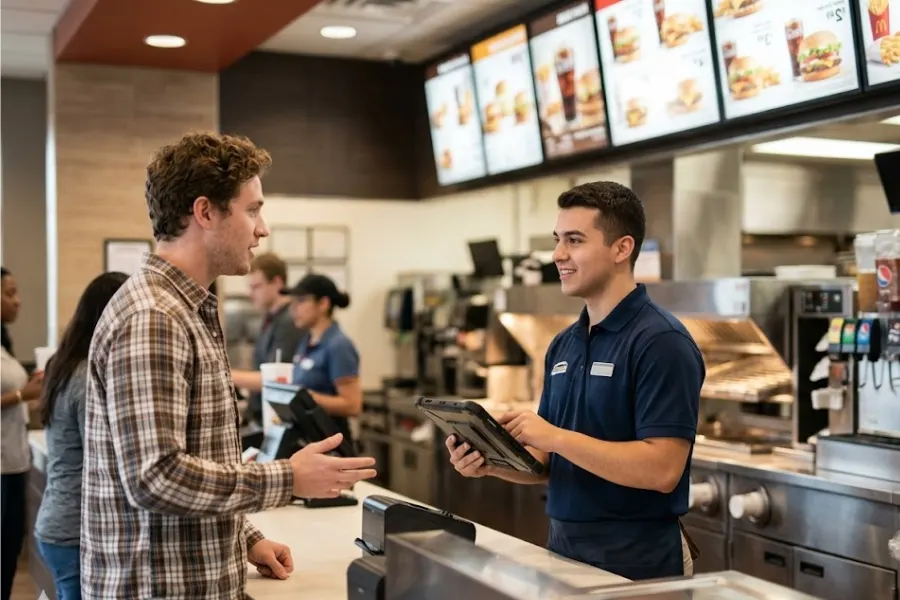
Quick service restaurants operate under constant pressure to maintain speed, accuracy, and consistency across every transaction. Order volume fluctuates throughout the day, kitchen coordination must keep pace with incoming demand, and inventory usage shifts with each item sold. Without a clear system connecting these elements, small gaps in execution quickly turn into longer wait times, incorrect orders, and limited visibility into daily performance. A quick service POS system acts as the operational core that links front counter activity, kitchen workflow, and business data into a single flow. It supports faster order handling, clearer communication between staff, and more reliable tracking of sales and inventory. This article from ConnectPOS advises how to use a quick service POS in a practical way, focusing on daily operations, system setup, and performance tracking.
Highlights
- Operational flow in quick service centers on high order volume, short service windows, and constant customer turnover, where each transaction ties closely to kitchen timing, staff coordination, and inventory usage.
- POS capabilities support this through fast order entry, clear kitchen routing, real-time stock updates, and sales tracking, helping maintain accuracy and visibility into performance.
- Effective daily use focuses on menu setup, pricing logic, order handling, and stock monitoring, allowing teams to adjust staffing, refine menus, and respond to demand based on actual sales data.
Characteristics of Quick Service Business Operations
Quick service businesses operate on speed, consistency, and volume. Every process is designed to handle high transaction frequency while maintaining predictable output in product quality and service delivery. Daily operations revolve around tight coordination between front-of-house execution and back-of-house preparation, where even small delays can affect throughput and customer satisfaction.
This model places strong emphasis on standardized workflows, clear role definition, and precise timing across ordering, preparation, and fulfillment stages. Data from transactions, peak hours, and product demand shapes staffing, inventory planning, and menu design, allowing operators to maintain control under constant pressure from fluctuating customer flow.
- High Transaction Volume: Handles a large number of orders within short timeframes, requiring rapid processing and minimal service delays
- Standardized Workflows: Relies on predefined procedures for order taking, food preparation, and delivery to maintain consistency across shifts and locations
- Speed-Driven Service Model: Focuses on quick order turnaround, where preparation time and queue management directly impact customer experience
- Limited Menu Complexity: Keeps menu options controlled to support faster preparation, easier training, and predictable ingredient usage
- Peak Hour Demand Concentration: Experiences sharp traffic spikes during specific periods, requiring precise staffing and operational planning
- Tight Inventory Control: Manages high inventory turnover with close monitoring of stock levels, expiration, and replenishment cycles
- Front and Back-of-House Coordination: Aligns kitchen operations with order intake to prevent bottlenecks and maintain service flow
- Consistent Product Output: Maintains uniform quality across orders through portion control, preparation guidelines, and staff training
- Technology-Driven Operations: Uses POS systems and kitchen display systems to manage orders, track performance, and support real-time decision-making
- Labor Efficiency Focus: Allocates staff based on demand patterns, balancing service speed with cost control across operating hours
Core Features of Quick Service POS Systems
The best quick service POS system shapes how orders move, how kitchens respond, and how sales data reflects daily activity. It connects front counter input with preparation flow and inventory updates, creating a consistent link between what customers order and how the business operates.
Clear visibility into transactions and stock levels allows teams to maintain control during peak hours while keeping service speed and accuracy aligned with demand. Market data reflects this momentum, with the sector projected to reach 15,850 million USD in 2025 and grow at a CAGR of 7.4%, showing continued investment in POS technology across quick service operations.
Fast Order Processing and Checkout
Quick service environments depend on rapid order capture and payment handling. A POS system in this setting is designed to minimize input time through intuitive interfaces, predefined menus, and quick-access modifiers that reflect common order patterns. Staff can process high volumes of transactions without interrupting service flow, even during peak periods when queue length directly affects revenue and customer satisfaction.
Checkout speed also influences operational rhythm across the store. Integrated payment methods, including contactless and digital wallets, shorten transaction cycles and keep lines moving. Faster checkout reduces congestion at the counter and allows staff to focus on order accuracy and customer interaction rather than manual entry or payment delays.
Kitchen Display and Order Routing
Industry data shows that restaurants switching from paper tickets to Kitchen display systems (KDS) can reduce order‑entry and preparation errors by roughly 30–80%, with some venues reporting 60–70% fewer mistakes after implementing digital screens. For example, one UK café reported halving average ticket times from 14 to 9 minutes and cutting errors by about that same percentage after adding kitchen screens.
Kitchen display systems replace paper tickets with digital order queues that update in real time. Orders flow directly from the POS to preparation stations, where they are organized by priority, item type, or preparation sequence. This visibility helps kitchen staff manage workload and maintain consistent output during high-demand periods.
Order routing adds another layer of control by directing items to the correct preparation areas. For example, beverages, hot food, and desserts can be assigned to separate stations without manual coordination. This structure limits confusion, reduces preparation errors, and keeps the entire operation aligned with incoming order volume.
Real-Time Inventory and Ingredient Tracking
The best quick service POS system tracks inventory at the ingredient level, linking each sale to stock consumption. As orders are processed, ingredient quantities update automatically, giving operators a current view of available stock without relying on manual counts. This supports better control over fast-moving items and helps prevent stockouts during busy periods.
Ingredient-level tracking also informs purchasing and waste management. Sales patterns reveal which items move quickly and which remain slow, guiding replenishment timing and portion control decisions. Over time, this data supports more accurate demand forecasting and tighter control over food costs.
Sales Reporting and Performance Insights
Sales reporting provides a detailed view of transaction activity across time periods, locations, and product categories. Managers can identify peak hours, top-selling items, and revenue trends, allowing them to adjust staffing, pricing, and promotions based on actual performance data rather than assumptions.
Performance insights extend beyond basic reporting into operational evaluation. Metrics such as average order value, order frequency, and product mix highlight areas for improvement in menu design and sales strategy. When reviewed consistently, this data becomes a foundation for refining daily operations and long-term growth planning.
How to Use a Quick Service POS Effectively in Daily Operations?
A quick service POS system supports daily operations by connecting ordering, inventory, and sales data into a single workflow. Its impact depends on accurate setup and consistent use across all shifts.
- Menu and Pricing Setup: Menu items, categories, and modifiers need to reflect actual offerings, with logical grouping that supports fast navigation during order entry. Pricing must align with current strategies, including combos, add-ons, and time-based promotions, so staff can process orders without manual adjustments or confusion
- Order and Payment Flow Management: Order processing should follow a clear sequence from input to payment, reducing delays at the counter. Integration with payment methods such as QR, contactless, and digital wallets helps maintain speed, while clear order confirmation reduces mistakes and improves service consistency during high traffic periods
- Inventory and Stock Monitoring: Inventory tracking within the POS should mirror real stock levels, with each transaction updating ingredient usage and product availability. Regular reconciliation between system data and physical counts helps prevent stock discrepancies, while alerts for low stock support timely replenishment decisions
- Sales and Performance Tracking: Sales data should be reviewed daily to identify peak hours, high-performing items, and slow-moving products. These insights guide staffing allocation, menu adjustments, and promotional planning, allowing managers to align operations with actual demand patterns rather than assumptions
How ConnectPOS Supports Quick Service Restaurant Operations
ConnectPOS empowers quick service restaurants to operate with greater speed and coordination by unifying order management, kitchen workflows, inventory control, and customer data within a single real-time system. It keeps front-of-house actions synchronized with kitchen output and backend insights, helping maintain consistency even during peak service hours.
- Raw Material Inventory: Monitors ingredient usage at a detailed level, supported by real-time inventory management that automatically deducts stock per order and provides clear visibility into consumption trends, current levels, and replenishment timing
- Real-Time Analytics: Delivers up-to-the-minute insights on sales, order flow, and item performance, supporting timely decisions around staffing and menu priorities based on live demand
- Digital Kitchen Displays: Routes orders directly to kitchen screens, arranging them by urgency and preparation sequence to support smoother workflows and consistent food quality under pressure
- Smart Combo Prompts: Recommends relevant add-ons and combo options during order entry, encouraging higher basket value while keeping the process fast and simple for staff
- Self-Service and QR Ordering: Empowers customers to order via kiosks or QR codes, easing congestion at the counter and improving service speed during busy periods
- Customer Loyalty Programs: Strengthens retention with customer loyalty management that tracks purchase history and supports personalized promotions and reward strategies
FAQs: Quick Service POS System
1. What is a quick service POS system?
A quick service POS system is designed to handle high-volume, fast-paced transactions in environments such as fast food and casual dining. It connects order entry, payment processing, kitchen coordination, and sales tracking within a single platform.
2. How do quick service POS systems improve daily operations?
It organizes order flow, reduces manual steps during checkout, and connects front-of-house activity with kitchen preparation. This alignment helps staff manage peak hours with greater accuracy and consistency.
3. Can a quick service POS handle complex menus?
Yes. The system supports menu categories, modifiers, combos, and add-ons, allowing staff to input orders quickly while maintaining clarity in preparation instructions for the kitchen.
4. How does inventory tracking work in a quick service environment?
Each transaction updates ingredient usage in real time, linking sales directly to stock consumption. This gives operators visibility into inventory levels and supports better replenishment planning.
Conclusion
Efficient quick service POS systems shape how orders move through the restaurant, how inventory is monitored, and how decisions are made based on actual sales activity. It brings clarity to daily operations, allowing teams to respond to demand with greater control and consistency. Over time, this connection between data and execution supports stronger performance across service speed, order accuracy, and customer experience.
Businesses aiming to strengthen operational control and gain deeper insight into each transaction can turn to ConnectPOS for a solution aligned with the realities of quick service environments. Contact us to know how ConnectPOS supports consistent execution, clearer data visibility, and sustainable growth across daily restaurant operations.
►►► Optimal solution set for businesses: Shopify POS, Magento POS, BigCommerce POS, WooCommerce POS, NetSuite POS, E-Commerce POS