If you’re running a coffee shop in the USA, then you’re familiar with handling busy morning rushes, mobile orders, loyalty rewards, and inventory all at once. The right POS system keeps everything organized, speeds up service, and gives you clear insights into daily sales. It also connects your in-store counter with online ordering, gift cards, and customer data in one place. Choosing a POS system for a coffee shop in USA is about more than processing payments. You need tools that support quick checkouts, flexible menus, real-time inventory, and simple staff management. In this guide, you’ll learn what features matter most and how to select a system that fits your café’s size, goals, and growth plans.
Highlights
- A strong coffee shop POS should support quick order entry, customizable drink modifiers, real-time ingredient tracking, and low-stock alerts, and accept various payment methods.
- Avoid choosing a system based only on cost; instead, consider integration flexibility, cloud access, automatic updates, and the ability to adapt to seasonal menus or promotions.
Key Features a Coffee Shop POS System Must Have
A coffee shop POS system should streamline daily operations. Here are the essentials to look for when choosing a system for your café.
Speed & Ease of Use at the Counter
Morning rush hours leave no room for slow systems. Your POS should support quick order entry with customizable drink modifiers, including milk type, syrup flavor, size, and extra shots. A touch-friendly interface allows baristas to tap through orders quickly, reduce mistakes, and keep the line moving. Simple navigation also shortens staff training time.
Inventory Management for Coffee & Ingredients
Coffee shops rely on fresh ingredients every day. A strong POS tracks beans, milk, syrups, pastries, and other supplies in real time. You can monitor usage, reduce waste, and plan restocking more accurately. Low-stock alerts for fast-moving items help prevent running out of essentials during peak hours.
Menu Customization & Seasonal Items
Seasonal drinks and limited-time offers drive repeat visits. Your POS should make it easy to add new items, create combos, and suggest upsells at checkout. Quick price updates across one or multiple locations keep your menu consistent and accurate.
Payment Flexibility for US Customers
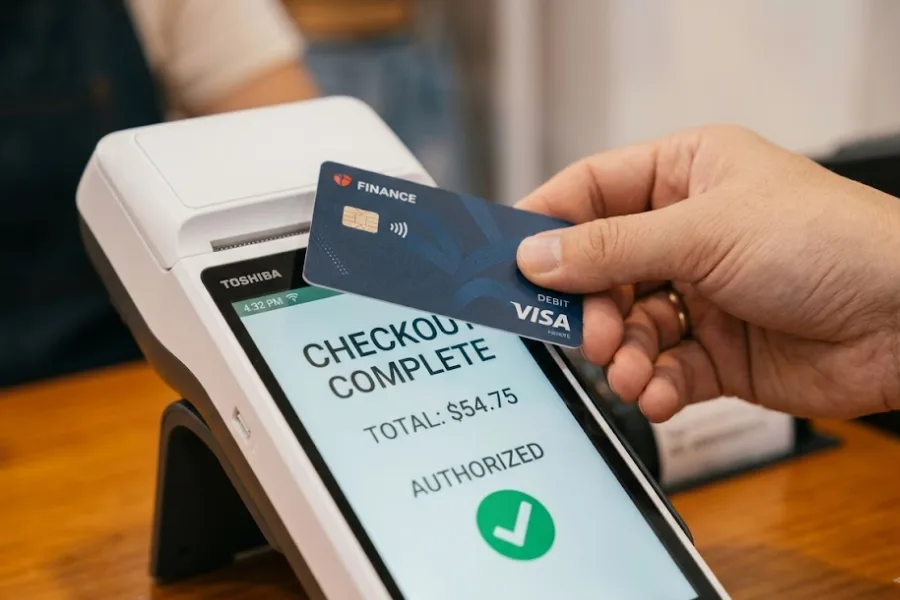
Customers expect multiple payment options. A modern POS accepts credit and debit cards, mobile wallets, and contactless payments. It should also handle split payments and manage tips smoothly, ensuring a convenient checkout experience for every guest.
Cloud-Based POS vs Traditional POS for Coffee Shops
Choosing between a cloud-based POS and a traditional on-premises system can significantly impact how efficiently your coffee shop operates.
Traditional POS systems store data locally on in-store servers. They often require manual updates, higher upfront hardware costs, and on-site maintenance. While they can process transactions, they may limit flexibility as your business grows.
A cloud-based POS is a better fit for modern coffee businesses that need agility and visibility. Sales, inventory, and customer data sync in real time, so you can check performance from anywhere on a laptop or smartphone. This is especially helpful if you manage multiple café locations or want quick insights during busy hours.
Cloud systems also handle automatic updates. You receive new features, security patches, and compliance improvements without interrupting daily operations. As your coffee shop expands, adding new registers or locations is simple. The system scales with your business instead of forcing a costly replacement. For growing cafés in the US, a cloud POS delivers the flexibility and control needed to stay competitive.
Choosing a POS Based on Your Coffee Shop Business Model
Every coffee shop runs a little differently. A small neighborhood café has different priorities than a growing chain or a shop that relies heavily on online orders. Choosing a POS system that matches your business model helps you control costs, improve service, and support long-term growth.
POS for Single-Location Independent Coffee Shops
Independent coffee shops often focus on community, quality, and personalized service. Your POS should be easy to set up and simple for staff to learn. Look for:
- A clean, touch-friendly interface that reduces training time
- Quick order entry with drink modifiers
- Built-in inventory tracking for beans, milk, and pastries
- Affordable pricing with minimal hardware requirements
Cost efficiency matters for small businesses. A cloud-based system with flexible plans allows you to start small and upgrade features as your café grows.
POS for Multi-Location Coffee Chains
If you manage several stores, visibility and control become top priorities. A strong POS system for a coffee shop in USA should offer:
- Centralized reporting across all locations
- Real-time inventory tracking between stores and warehouses
- Role-based staff permissions and performance tracking
- Easy menu updates pushed to every branch
Consistent menu items and pricing across stores protect your brand image. Central control also helps you compare sales performance and identify best-selling products at each location.
POS for Coffee Shops with Online Ordering & Pickup
Many US coffee shops now offer online ordering and pickup. Your POS must support smooth coordination between digital and in-store operations, including:
- BOPIS (Buy Online, Pick Up In-Store) functionality
- Real-time sync between online and counter orders
- Automatic inventory deduction across channels
- Clear order status tracking for staff and customers
With the right POS, you avoid order confusion, reduce wait times, and create a seamless experience for customers who switch between online and in-store purchasing.
Common Mistakes to Avoid When Choosing a POS System for a Coffee Shop in USA
Selecting a POS system is a long-term decision. The wrong choice can slow down operations, create reporting gaps, and limit your growth. Before committing to a provider, watch out for these common mistakes.
- Focusing only on price, not scalability
A low upfront cost may look attractive, but it can become expensive if the system cannot grow with your business. As you add new menu items, staff, registers, or locations, your POS should scale easily without requiring a complete replacement.
- Ignoring inventory and ingredient tracking
Coffee shops rely on accurate tracking of beans, milk, syrups, and baked goods. Choosing a POS without real-time inventory management can lead to stockouts, waste, and lost sales during peak hours.
- Choosing systems without integration flexibility
Your POS should connect smoothly with online ordering platforms, accounting tools, and loyalty programs. Limited integration options create data silos and extra manual work, reducing overall efficiency.
How ConnectPOS Supports Modern Coffee Shops in the USA
Modern coffee shops require a flexible system that keeps service fast, inventory accurate, and customer data connected across every channel. ConnectPOS is a highly-recommended POS system for a coffee shop in USA, designed to support these daily demands and give café owners room to grow.
Key capabilities of ConnectPOS include:
- Cloud-based, API-first architecture – Built for speed and customization, ConnectPOS supports fast checkout and smooth performance during peak hours. Its API-first design makes it easier to adapt workflows as your coffee shop evolves.
- Real-time online and offline sync – Sales continue even if the internet connection drops. Once reconnected, data syncs automatically, keeping reports accurate and up to date.
- Multi-source inventory management – Track beans, milk, syrups, pastries, and supplies across stores and warehouses with real-time visibility.
- Self-service options – Support kiosks, tablets, and mobile ordering to shorten lines and improve the customer experience.
- Built-in loyalty and consumer app features – Create personalized promotions, reward repeat customers, and strengthen long-term relationships.
- Seamless integrations – Connect easily with eCommerce platforms and third-party systems to unify in-store and online operations.
FAQs: POS System for a Coffee Shop in the USA
1. What is the best POS system for a coffee shop in the USA?
The best POS system for a coffee shop in USA is one that matches your café’s size, service style, and growth plans. Look for features such as fast order entry with drink modifiers, real-time inventory tracking, flexible payment options, and support for loyalty programs. Cloud-based systems are often preferred because they offer remote access, automatic updates, and easier scalability for growing coffee businesses.
2. How much does a coffee shop POS system cost?
Costs vary depending on features, hardware, and the number of registers. Small coffee shops may spend $50–$150 per month on software and hardware, such as tablets, receipt printers, and card readers. Multi-location cafés or advanced systems with integrations and reporting tools may require higher monthly fees.
3. Can a POS system help manage inventory and suppliers?
Yes. A modern POS can track beans, milk, syrups, pastries, and other ingredients in real time. It can generate low-stock alerts, monitor usage trends, and provide reports that help you plan reorders and manage supplier relationships more efficiently.
4. Is cloud-based POS secure for US coffee shops?
Most reputable cloud POS providers use data encryption, secure payment processing, and compliance standards such as PCI DSS. Regular automatic updates also help protect your system against security threats.
5. Can I use one POS for both in-store and online orders?
Yes. Many modern POS systems support integrated online ordering, including pickup options. Real-time synchronization ensures that sales, inventory, and customer data stay consistent across both in-store and digital channels.
To Conclude
Choosing the right POS system for a coffee shop in USA is a decision that shapes daily operations and long-term growth. The ideal solution should support fast checkout, accurate inventory tracking, flexible payment options, and seamless online integration. It also needs to scale as your business expands, whether you operate a single café or multiple locations. With a modern, cloud-based system like ConnectPOS, you gain real-time data, multi-source inventory management, self-service options, and seamless integrations. Contact ConnectPOS today to schedule a personalized demo and discover how the right POS system can help your café serve faster, sell smarter, and grow with confidence.