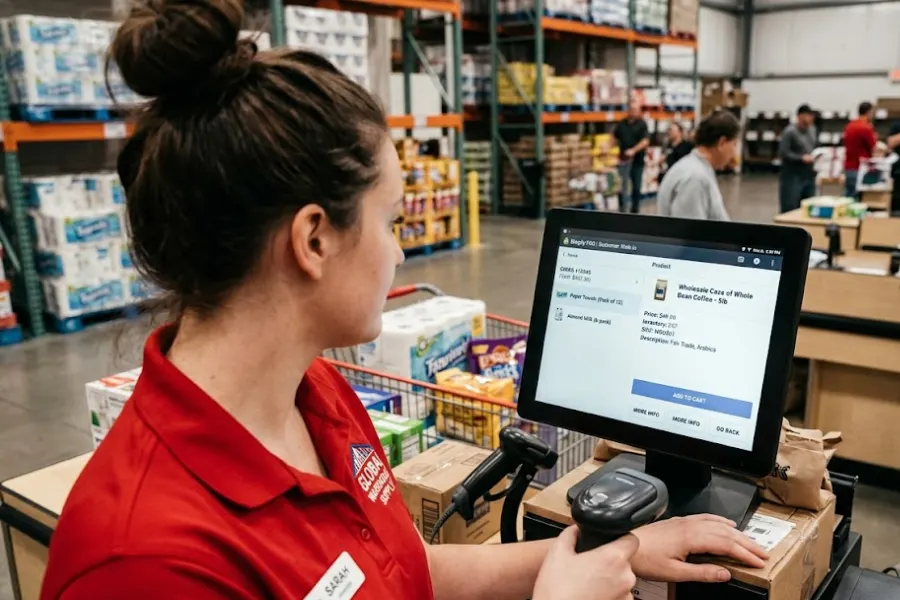
In 2026, retailers are increasingly blending online and in-store experiences to meet customer expectations and drive growth. For businesses powered by WooCommerce, choosing the right POS (Point of Sale) plugin is essential to unify inventory, manage sales across channels, and streamline checkout processes.
In this guide, we’ll explore the best WooCommerce POS plugins for retail in 2026, highlighting solutions that deliver real-time inventory sync, seamless payment processing, barcode scanning support, and powerful reporting tools. Whether you’re running a small boutique or managing multiple retail locations, this article will help you find the plugin that best complements your WooCommerce store and optimizes your retail operations.
What is a WooCommerce POS Plugin?
A WooCommerce POS (Point of Sale) plugin is a software extension for WordPress that connects a physical retail store directly to an online WooCommerce store, syncing inventory, sales, and customer data in real-time. It enables in-person transactions, such as cash, credit, and barcode scanning, using a web-based interface (e.g., tablet, laptop) while maintaining a single, unified database.
Why Use a WooCommerce POS Plugin?
A WooCommerce POS plugin allows you to run physical sales from your retail location while keeping everything—products, inventory, customers, and orders—in sync with your online store.
Key Benefits:
- Unified Inventory: Track inventory in real time across all sales channels.
- Centralized Orders: All online and in-store transactions are recorded in WooCommerce.
- Better Customer Experience: Access customer purchase history and offer loyalty programs.
- Streamlined Operations: Automate syncing of product data, tax rules, and payments.
Top 7 WooCommerce POS Plugins 2026 for Retail
1. WePOS
WePOS is a fast and responsive POS plugin built specifically for WooCommerce. It’s designed to handle quick checkouts with an intuitive interface.
Top Features:
- Real-time inventory synchronization
- Barcode scanner support
- User role permissions
- Keyboard shortcut support for quick access
Pros:
- Modern, fast UI
- Easy to set up
- Supports multiple agents/cashiers
Cons:
- Limited advanced inventory features
- Premium version required for full functionality
Best for: Small to mid-sized retail stores looking for speed and simplicity.
2. Point of Sale for WooCommerce by Actuality Extensions
One of the most popular and powerful POS systems explicitly built for WooCommerce, this plugin offers a seamless in-store experience.
Top Features:
- Works directly within your WooCommerce dashboard
- Customizable register layouts
- Product search, filters, and barcode scanning
- Offline mode support
- Multiple outlet and cashier support
Pros:
- Native WooCommerce extension
- Supports all payment gateways and tax settings
- Strong community and regular updates
Cons:
- More suited to tech-savvy users
- Paid plugin, starting at $199/year
Best for: Businesses that want a fully integrated, WooCommerce-first POS experience.
Read more: WooCommerce POS Demo: Tips to Make The Best Out of The Session 2026
3. Hike POS
Hike POS is a robust, cloud-based point of sale (POS) system that offers real-time WooCommerce integration. While it’s not a native plugin, it connects with WooCommerce easily through their API.
Top Features:
- Omnichannel sales and inventory tracking
- Multi-location support
- Employee management
- Gift cards, loyalty programs, and customer profiles
Pros:
- Excellent for multi-store setups
- Cloud-based with offline capabilities
- Rich reporting and analytics
Cons:
- Monthly subscription starts at $59
- Integration requires setup time
Best for: Growing retailers with physical locations and an online store.
4. FooSales POS
FooSales is a user-friendly POS system designed to work with WooCommerce. It offers desktop and tablet apps for both iOS and Android.
Top Features:
- Real-time WooCommerce sync
- Customer profile management
- Works offline and syncs when back online
- Receipt printing and tax support
Pros:
- Mobile-first with native apps
- Clean, intuitive interface
- Easy setup and onboarding
Cons:
- Requires a subscription (starting at $15/month)
- Limited advanced features for large-scale operations
Best for: Small businesses, freelancers, or mobile vendors.
5. Oliver POS
Oliver POS is another WooCommerce-native point-of-sale (POS) solution that offers an intuitive and customizable interface for brick-and-mortar stores.
Top Features:
- Real-time syncing with WooCommerce
- Modular plugin architecture
- Hardware compatibility with printers, scanners, and cash drawers
- Offline capabilities
Pros:
- Built specifically for WooCommerce
- Highly customizable
- Great support and documentation
Cons:
- Premium plans unlock full functionality
- Limited offline functionality in free tier
Best for: Stores looking for high performance and integration flexibility.
Read more: A Quick Guide to WooCommerce POS Pricing
6. ConnectPOS for WooCommerce
ConnectPOS, originally built for Magento and Shopify, has expanded into WooCommerce with powerful omnichannel support and enterprise-grade features.
Top Features:
- Real-time 2-way sync with WooCommerce
- Advanced inventory and warehouse management
- Multi-store and multi-user support
- Local payment support and tax compliance
Pros:
- Scalable and robust
- PWA support for device flexibility
- Enterprise-level customer support
Cons:
- Complex setup for beginners
- Higher starting price than others
Best suited for: Enterprise retailers and global businesses seeking a highly scalable solution.
7. OpenPOS
OpenPOS is a cost-effective and versatile WooCommerce point of sale (POS) plugin available on CodeCanyon.
Top Features:
- Barcode support
- Offline mode
- Multi-store and multi-cashier support
- Inventory and order management
Pros:
- One-time purchase (lifetime license)
- Feature-rich for the price
- Easy integration with existing stores
Cons:
- Limited customer support
- Slower updates than SaaS platforms
Best for: Budget-conscious users who want a one-time investment.
Comparison Table: Best WooCommerce POS Plugins 2026
| Plugin | Best For | Pricing | Offline Mode | WooCommerce Native |
|---|---|---|---|---|
| wePOS | Fast checkout | Free & Premium | No | Yes |
| Point of Sale | Full WooCommerce integration | $199/year | Yes | Yes |
| Hike POS | Cloud omnichannel | From $59/month | Yes | Via API |
| FooSales | Mobile POS | From $15/month | Yes | Yes |
| Oliver POS | Customizability | Free & Premium | Partial | Yes |
| ConnectPOS | Enterprise omnichannel | Custom pricing | Yes | Yes |
| OpenPOS | Budget solution | ~$64 (one-time) | Yes | Yes |
Final Thoughts: Which WooCommerce POS Plugin Should You Choose?
Your ideal WooCommerce POS plugin depends on your business size, budget, and technical requirements:
- For small businesses: wePOS, FooSales, or OpenPOS offer affordable and easy-to-use options.
- For growing retailers: Oliver POS and Point of Sale by Actuality Extensions provide scalability.
- For enterprises or omnichannel setups: Hike POS and ConnectPOS are best suited.
Before committing, test a demo or trial version and ensure compatibility with your hardware, payment gateways, and WooCommerce configuration.
►►► Optimal solution set for businesses: Shopify POS, Magento POS, BigCommerce POS, WooCommerce POS, NetSuite POS, E-Commerce POS