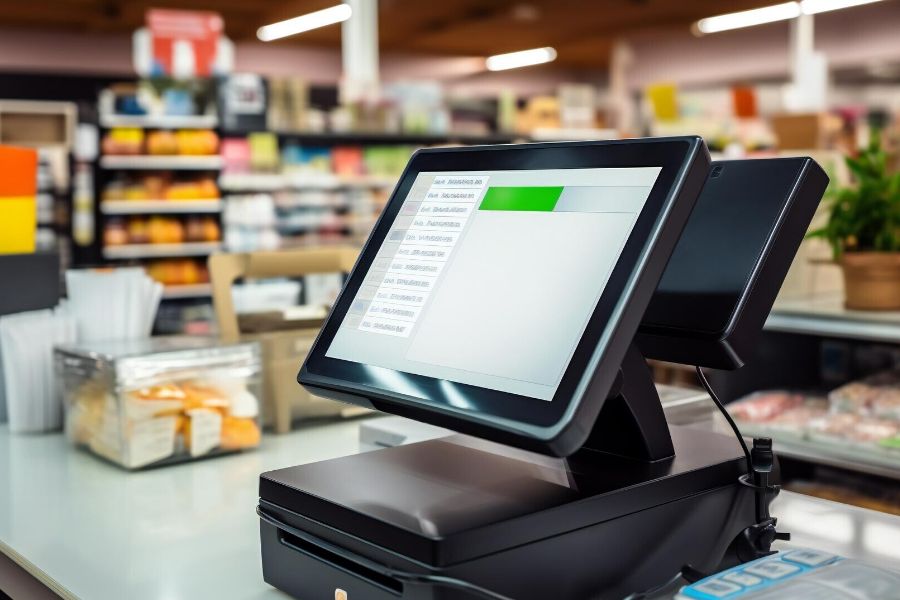
Retailers face constant pressure to maintain absolute uptime across all store locations. Internet outages often cripple traditional cloud setups and halt sales completely. A hybrid POS system solves this exact problem for modern businesses. This architecture combines local server reliability with broad cloud accessibility.
This article from ConnectPOS advises on hybrid POS system implementation: data sync, security, and rollout tips for chains. We will break down the technical requirements for enterprise deployment. You will learn how to manage data synchronization during network failures. We also outline strict security protocols for local and cloud environments.
Highlights
- Achieving uninterrupted retail operations requires a hybrid architecture that combines local processing with cloud-based data storage.
- Protecting customer data demands strict adherence to compliance standards alongside local encryption during offline periods.
- Deploying new technology across multiple store locations relies on a phased rollout strategy to minimize costly downtime.
The Fundamentals of a Hybrid POS System
A hybrid setup stores a localized version of your database directly on the store’s hardware. The software processes transactions locally without requiring an active internet connection. The system then pushes this transaction data to a central cloud server.
This dual-layer approach prevents catastrophic sales losses during sudden network outages. Cashiers continue scanning items and accepting payments normally. The local server handles the immediate workload without delay. The cloud server acts as the permanent data repository.
Legacy on-premise systems trap your data inside physical store locations. Pure cloud systems leave you vulnerable to local internet service disruptions. The hybrid model bridges this gap effectively. It provides headquarters with real-time analytics while protecting the store-level checkout experience.
Core Pillars of Hybrid POS System Implementation for Retail Chains
A successful hybrid POS system implementation requires more than simply combining offline and cloud technologies. Retail chains should focus on reliable data synchronization, enterprise-grade security, and a phased rollout strategy to guarantee operational continuity, data protection, and a smooth transition across multiple locations.
Mastering Offline-to-Cloud Data Synchronization
Network instability remains a massive threat to retail revenue. The global point of sale software market is expanding rapidly to combat this. According to a 2023 report by Fortune Business Insights, the global POS software market size reached USD 12.23 billion. Retailers invest heavily in these systems to avoid costly operational bottlenecks.
A hybrid architecture manages data through asynchronous replication. The local database records every transaction instantly. A background service monitors the internet connection status continuously. Once the connection returns, the system uploads the queued data automatically.
This process prevents data loss and duplicate transaction entries. Managers view accurate inventory levels across all stores once the sync completes. The central database resolves any conflicting timestamps using predetermined logic.
Data packet prioritization plays a major role in synchronization speed. The system must upload payment processing data before updating general inventory logs. This guarantees accurate financial reporting at the end of the business day.
Establishing Enterprise-Grade Security and Compliance
Cybercriminals target retail chains frequently due to high transaction volumes. According to a 2023 report by Sophos, 69% of retail organizations experienced a ransomware attack. Storing data locally introduces specific vulnerabilities that require immediate attention.
Retailers must encrypt data at rest on the local server. You must apply AES-256 encryption to all stored credit card tokens and customer details. The hybrid POS system must also encrypt data in transit during the cloud synchronization process.
Role-based access control prevents unauthorized employees from exporting local databases. IT teams must deploy automated security patches to local terminals regularly. Strict adherence to PCI-DSS standards protects your business from massive compliance fines.
Physical security of the local server hardware is equally important. Store managers must keep the main terminal in a locked, monitored office. USB ports on the local server should be disabled to prevent data theft.
Phased Rollout Strategies for Multi-Location Chains
Replacing legacy software across hundreds of stores carries significant operational risk. A big-bang deployment often leads to widespread system failures and staff confusion. Retailers must adopt a phased rollout strategy to mitigate these risks.
You should start with a pilot program in a single, low-volume store. This controlled environment exposes unexpected hardware conflicts and software bugs. Your IT team can document these issues and refine the installation process.
The next phase involves deploying the system to a small regional cluster. You train regional managers to act as technical support for their staff. This builds a localized support network before the mass deployment begins.
The final phase accelerates the deployment across all remaining locations systematically. IT teams monitor the cloud synchronization loads carefully during this phase. They adjust server capacities to handle the incoming data from newly activated stores.
Power Your Retail Chain with a Hybrid POS Setup
Several POS platforms now support hybrid retail operations, combining cloud management with reliable in-store performance for teams running complex, multi-location setups.
A hybrid POS architecture is designed for complex retail operations and keeps checkout fast even when internet stability becomes an issue. It also supports tighter control over multi-store data synchronization and security policies across locations. ConnectPOS is one of the most recommended names in the market with these capabilities.
ConnectPOS delivers a robust hybrid architecture designed specifically for complex retail operations. This hybrid POS system guarantees high-speed transaction processing regardless of internet stability. Retailers gain total control over their multi-store data synchronization and security protocols.
- Offline Mode Capability: The system processes sales locally during complete internet outages. Cashiers experience zero lag when scanning barcodes or searching for customer profiles.
- Automated Data Synchronization: The software detects network restoration instantly. It pushes all queued offline transactions to the central cloud database without manual intervention.
- Real-Time Inventory Tracking: The platform updates stock levels across all locations immediately after synchronization. This prevents overselling and keeps your e-commerce channels perfectly aligned.
- End-to-End Encryption: ConnectPOS protects sensitive customer data using industry-standard encryption protocols. This secures your localized databases and your cloud transmissions against cyber threats.
- Multi-Store Management: Headquarters can push pricing updates and promotions to all local terminals simultaneously. Managers control the entire chain from a single centralized dashboard.
- Customizable User Roles: Administrators assign specific permissions to different staff members. This prevents unauthorized access to sensitive financial reports or local database configurations.
- Hardware Compatibility: The application runs smoothly on PC, Mac, iOS, and Android devices. You can reuse your existing hardware to reduce initial deployment costs.
- Open API Architecture: The system connects directly with major ERP platforms like Magento and Shopify. This facilitates accurate data flow between your physical stores and digital channels.
FAQs: Hybrid POS System
1. How does data synchronization work in a hybrid POS system?
A hybrid POS typically stores essential data locally while synchronizing transactions, inventory, and other information with a central database when an internet connection is available. If the connection is interrupted, transactions can continue locally and sync automatically once connectivity is restored.
2. How can businesses secure a hybrid POS system?
Businesses should secure both local and centralized infrastructure with measures such as access controls, encryption, regular software updates, network security, and reliable data backups. Limiting employee permissions and monitoring system access can also reduce security risks.
3. How should a retail chain prepare for a hybrid POS rollout?
Start by assessing each location’s hardware, network environment, data requirements, and operational workflows. Test the system in a small number of stores first, resolve integration issues, and then gradually expand the deployment across the remaining locations.
4. How long does it take to implement a hybrid POS system across multiple stores?
The timeline depends on the number of locations, system complexity, existing hardware, integrations, and data migration requirements. A phased rollout can help chains minimize disruption while allowing teams to identify and resolve issues before expanding to additional stores.
Conclusion
Implementing a hybrid POS system protects your retail chain from catastrophic network failures. You maintain high-speed checkout experiences while securing sensitive customer data locally. A methodical rollout strategy prevents operational chaos during the transition period.
Your business requires reliable technology to support long-term growth and customer satisfaction. Upgrading your infrastructure requires careful planning and the right technical partner. Chat with us to discuss your specific deployment needs!
Chat with our team►►► Optimal solution set for businesses: Shopify POS, Magento POS, BigCommerce POS, WooCommerce POS, NetSuite POS, E-Commerce POS