Managing inventory across multiple locations is a tightrope walk. If you hold too much stock, cash gets trapped in the warehouse; hold too little, and you actively lose sales. To master multi-store inventory management and keep shelves perfectly balanced, retailers are turning to real-time POS data stockout prevention strategies.
In this article from ConnectPOS, we’ll break down how live inventory tracking and automated insights can eliminate blind spots, prevent empty shelves, and maximize your profitability.
Highlights
- Real-time POS data prevents costly stockouts by automating dynamic reorder alerts and intelligent inter-store transfers based on live sales.
- AI-driven forecasting, like ConnectPOS, predicts demand spikes and scores stockout risks to proactively optimize multi-location inventory and maximize profitability.
The True Cost of Stockouts in Multi-Location Retail
When an item is unavailable at the exact moment a customer wants to buy, it triggers a cascade of lost revenue, wasted marketing spend, and diminished brand loyalty. Relying on manual inventory checks or delayed end-of-day syncing makes it impossible to utilize real-time POS data stockout prevention strategies before a critical shortage occurs. The financial damage of this lag is immense: according to recent industry data, out-of-stocks cost global retailers an estimated $1.2 trillion in lost sales annually.
Furthermore, the impact on the customer experience is severe, with 82% of in-store shoppers experiencing an out-of-stock item during a standard shopping trip. For a multi-store retailer, these missed opportunities and fractured customer relationships scale rapidly across every location.
How Do Real-Time POS Alerts Work?
These data-driven strategies bridge the gap between front-of-house transactions and back-office replenishment. When a cashier rings up a product in Store A, or a customer purchases an item through your eCommerce channel, a cloud-based point-of-sale system instantly deducts that exact item from your central inventory database.
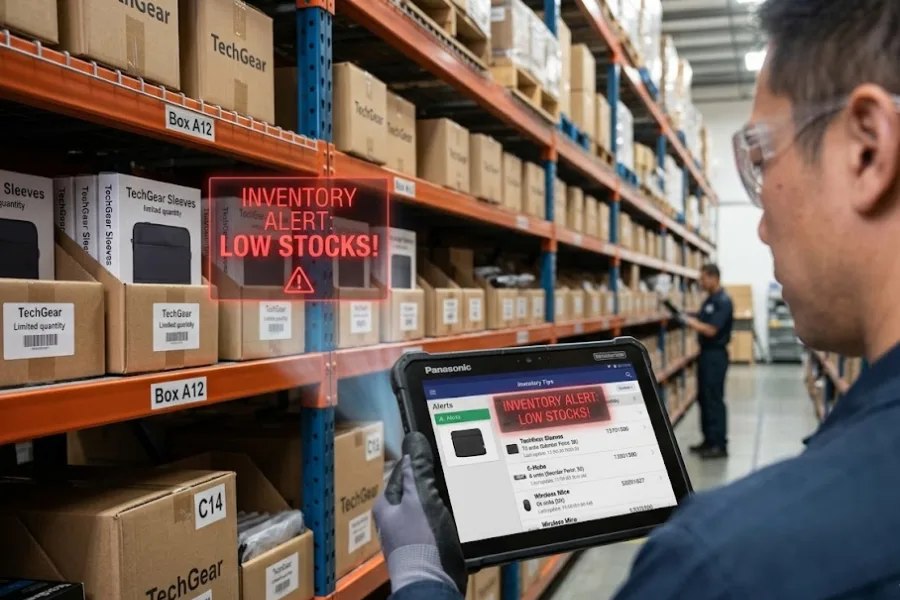
Instead of waiting for overnight batch reports, the system continuously monitors live stock levels against predefined thresholds. The moment inventory drops below a specific limit, the POS uses this real-time data to automatically push an alert via dashboard notification, email, or mobile ping to store managers or purchasing teams. This gives your team the exact lead time needed to execute a restock before the shelf ever goes empty.
5 Core Real-Time POS Data Stockout Prevention Strategies
Maintaining optimal inventory across multiple stores requires a proactive, data-driven approach. With real-time POS data, retailers can automate replenishment, balance inventory between locations, and prevent stockouts before they occur. The following five strategies show how live POS insights can transform inventory management and strengthen supply chain performance.
Dynamic Reorder Points and Automated Low-Stock Alerts
Relying on a rigid, static rule like “always reorder when we hit 10 units” is a recipe for disaster when sales velocity fluctuates due to viral trends or sudden market shifts. Dynamic reorder points continuously analyze your real-time sales data and automatically adjust these thresholds based on current demand patterns.
If a product suddenly starts selling twice as fast, the system raises the reorder point. It triggers an automated low-stock alert much earlier, confirming your purchasing team has adequate time to secure new inventory before the shelf goes bare.
Intelligent Inter-Store Inventory Transfers
Sometimes the fastest way to prevent a stockout doesn’t involve your supplier at all. If Store A is rapidly running out of a highly requested winter jacket, but Store B (located just a few towns over) has stagnant, excess stock of that exact same item, live data instantly highlights the discrepancy.
The POS system notifies regional managers to initiate an immediate store-to-store transfer. This strategy not only saves the immediate sale at Store A but also liquidates dead stock at Store B, entirely bypassing the need to issue a new, costly supplier purchase order.
Predictive Demand Forecasting & Seasonality Tracking
You cannot prevent stockouts if you are only looking at today’s numbers. Modern POS systems synthesize years of historical transaction data with current sales trajectories to accurately predict future demand spikes. When recognizing seasonal shifts, upcoming holidays, or even hyper-local events, the system guarantees your replenishment alerts trigger weeks in advance.
This allows you to scale up your order quantities proactively, guaranteeing you have the depth of inventory required to handle the rush without scrambling at the last minute.
Automated Supplier PO Generation
A low-stock warning is ultimately useless if it sits in an inbox waiting for someone to manually crunch numbers and type up an order. To bridge the gap between alert and action, advanced systems automatically draft a Purchase Order (PO) the exact moment a dynamic reorder threshold is breached.
The system automatically selects the correct vendor, calculates the optimal order quantity based on lead times, and populates the form, awaiting only a store manager’s or procurement officer’s swift one-click approval to send it off.
Optimizing Safety Stock by Product Category
Treating every SKU in your catalog with the same inventory logic traps your working capital. Not all items require the same protective buffer. Real-time data allows you to categorize your inventory by sales velocity, helping you define much tighter, robust safety stock levels for fast-moving, high-margin goods that you cannot afford to run out of.
Conversely, the system allows you to set looser safety stock requirements for slow-moving niche items. This precise optimization prevents stockouts on your bestsellers while simultaneously freeing up valuable warehouse space and unfreezing cash tied up in unnecessary reserve stock.
The Multi-Store Playbook: Implementing Your Alert System
To effectively deploy real-time POS data stockout prevention strategies across multiple locations, retailers need a structured approach to implementation. Here is your step-by-step playbook for building an infallible, multi-store alert system from the ground up:
Step 1: Audit Current Data Accuracy
Your prevention strategies are only as reliable as your baseline data. Before flipping the switch on automated alerts, you must conduct a comprehensive, system-wide physical inventory count across all store locations, backrooms, and central warehouses.
If your database falsely registers 15 units when you actually have 2 sitting on the shelf, your low-stock alert will trigger far too late, rendering the entire system useless. Establish a routine of regular cycle counts to reconcile discrepancies, account for shrinkage, and confirm that your digital inventory mirrors your physical reality with absolute precision.
Step 2: Define Clear Vendor Lead Times
Actionable data today is practically useless if your supplier requires three weeks to manufacture and deliver the goods. A successful alert system relies on precise timing. You must input accurate, vendor-specific lead times for every single product or category into your POS system. This allows the software’s algorithm to calculate exactly when the alert needs to trigger to cover the gap between ordering and receiving.
Step 3: Set Role-Based Notifications
Avoid alert fatigue by routing the right data to the right people. Send warehouse-level stock warnings to your centralized procurement team, while routing low-shelf notifications directly to the specific store managers on the floor.
Step 4: Train the Team
The most sophisticated technology in the world cannot physically move a box; it requires a disciplined human process. Make sure every staff member, from floor associates to regional directors, understands the exact Standard Operating Procedure (SOP) when a stockout alert triggers.
Training should clearly outline the hierarchy of actions: should the employee first pull stock from the backroom, initiate an inter-store transfer in the POS to pull from a nearby location, or review and approve a drafted PO? Clear protocols and accountability ensure that alerts consistently translate into swift, corrective action.
ConnectPOS Executes Multi-Store Stockout Prevention
ConnectPOS acts as the central nervous system for multi-location retailers, seamlessly syncing offline and online channels in real-time. But beyond simple threshold alerts, the platform goes a step further by leveraging ConnectPOS AI to eliminate manual guesswork from your supply chain entirely.
Recently launched to embed advanced forecasting directly into the retail experience, ConnectPOS AI constantly reads your real-time sales data, inventory signals, and supplier timelines. It turns those raw numbers into clear, confident decisions that help your team stay ahead of demand. Here is how the platform executes advanced stockout prevention:
- Stockout Risk Scoring: ConnectPOS AI doesn’t wait for inventory to drop to a critical level. It actively assigns risk scores to your inventory before problems surface, allowing managers to see exactly which items are trending toward a stockout before a threshold is even breached.
- High-Accuracy Predictive Forecasting: The AI delivers up to 92% forecast accuracy across 7-day windows. It constantly updates revenue, demand, and sales volume predictions in real-time based on local market trends and omnichannel purchasing behavior.
- Supply Chain Disruption Alerts: If there is an anomaly in supplier timelines or purchasing patterns, the system can flag potential supply chain disruptions weeks in advance, giving your procurement team the runway needed to source alternatives.
- Role-Based Dashboards: Data is only useful if it reaches the right person. ConnectPOS AI generates role-specific forecasts and dashboards for owners, regional managers, and cashiers, ensuring the right staff member gets the right actionable insight instantly.
FAQs: Real-Time Pos Data Stockout Prevention Strategies
- Can a POS system automatically reorder inventory?
Yes. Advanced cloud-based POS systems can automatically draft a Purchase Order (PO) the moment inventory drops below a dynamically adjusted reorder point.
- Why is multi-store inventory management difficult without a cloud POS?
Without a cloud POS, multi-store retailers are forced to rely on localized servers and end-of-day manual reporting. This creates dangerous data silos and time lags.
- How do low stock alerts prevent stockouts?
Low stock alerts act as an automated early warning system. By continuously monitoring live sales velocity against predefined thresholds and vendor lead times, the POS notifies your team before the item actually runs out.
Wrap Up
Managing retail inventory across multiple locations is challenging, but implementing real-time POS data stockout prevention strategies easily eliminates empty shelves and lost revenue. Modern cloud systems prevent shortages through dynamic reorder points, automated purchase orders, and intelligent store transfers. Furthermore, platforms like ConnectPOS leverage CPOS AI to provide highly accurate predictive forecasting and stockout risk scoring.
Stop losing sales to empty shelves and start maximizing your profitability with a smart, integrated POS ecosystem. Ready to take full control of your inventory across every location? Contact us today to book a free demo and discover how our advanced alerts and AI-driven forecasting can safeguard your bottom line.
►►► Optimal solution set for businesses: Shopify POS, Magento POS, BigCommerce POS, WooCommerce POS, NetSuite POS, E-Commerce POS