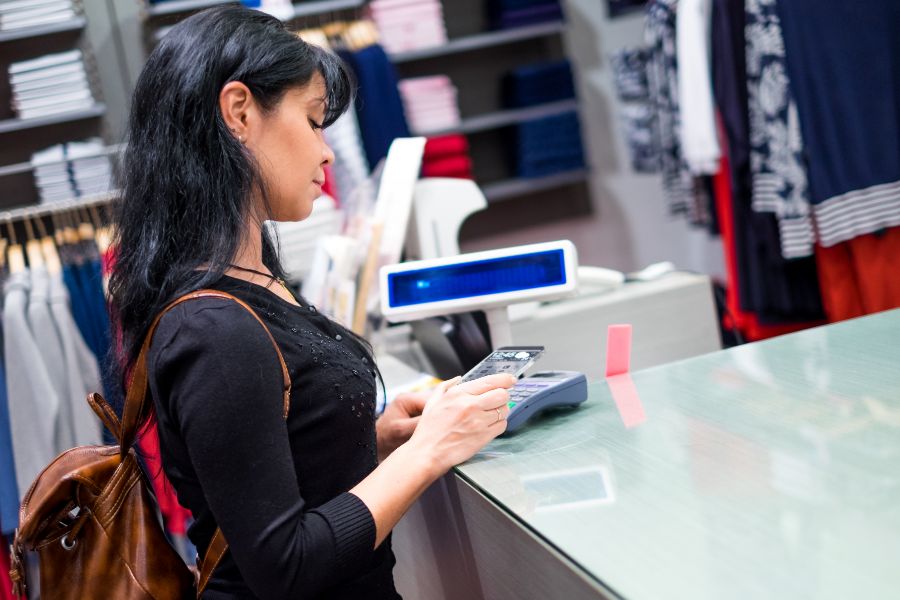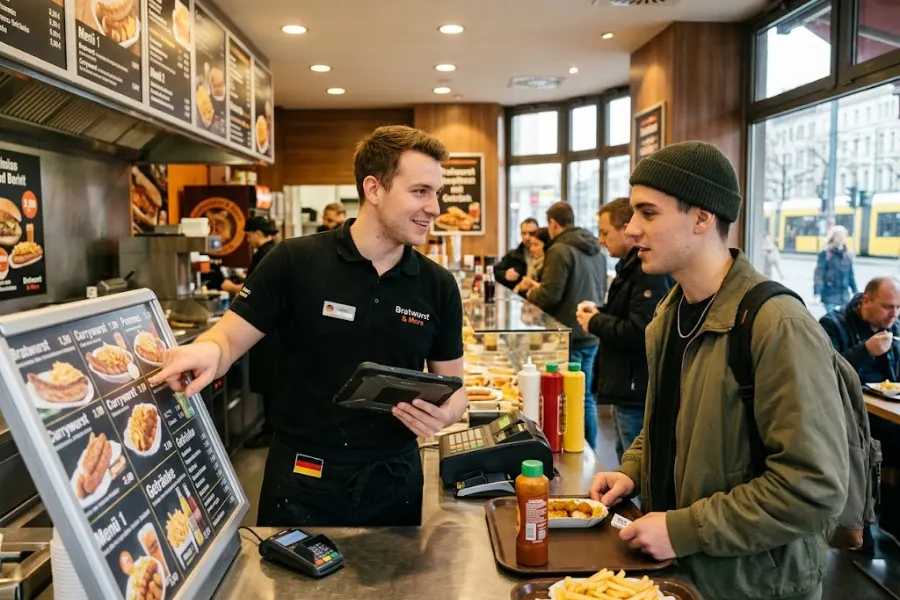
Sales growth in the fast food sector depends on how well restaurants manage speed, consistency, and customer flow during busy hours. Fast food POS system software now plays a central role in daily operations, influencing order accuracy, kitchen coordination, payment handling, and repeat customer activity. Restaurants using disconnected systems often struggle with slower service and missed sales opportunities when traffic increases.
Modern POS platforms give operators clearer visibility into sales patterns, customer behavior, and menu performance, helping restaurants make decisions based on real operational data. This article from ConnectPOS explores practical ways fast food businesses can improve sales performance through POS system software.
Highlights
- Fast food POS system software shapes sales performance through faster transaction handling, clearer kitchen communication, inventory visibility, and stronger customer retention during high-traffic service periods.
- Selecting the right POS system depends on how well the platform supports operational control, sales tracking, payment flexibility, and long-term scalability across restaurant workflows and customer touchpoints.
Fast Food POS System Software Is Essential for Sales Growth
Fast food POS system software plays a direct role in how quickly and consistently a restaurant can handle customer demand. When ordering, payment, and kitchen communication are managed through one connected system, staff can process more transactions in less time without losing control over accuracy. This structure helps restaurants handle peak hours with fewer disruptions, keeping service flow stable even when order volume increases sharply.
Sales growth also depends on how well operators understand customer behavior and adjust daily operations. POS software records transaction data such as best-selling items, peak periods, and average order size, giving managers a clear view of performance patterns. With this visibility, decisions around menu focus, staffing levels, and promotional timing become more grounded in real activity, supporting steady revenue improvement over time.
Best Practices to Increase Sales with Fast Food POS System Software
In the fast-paced Quick Service Restaurant (QSR) industry, operational efficiency and customer satisfaction drive revenue growth. Modern Point of Sale (POS) software has moved far beyond a basic cash register and now sits at the center of restaurant operations. When POS functions such as real-time analytics, automated upselling, and multi-channel synchronization are applied correctly, operators gain clearer control over service flow, reduce operational friction, and support stronger customer retention over time.
Optimize Order Speed to Serve More Customers
Speed in ordering defines how well a fast-food operation performs during peak demand. Delays at the counter often lead to long queues and lost transactions. Modern POS systems address this through structured, quick-access interfaces that group menu items into clear categories such as Combos, Beverages, and Sides. This structure helps staff enter orders faster and lowers the chance of input errors when traffic is high.
Payment processing also plays a direct role in service speed. Support for EMV chip cards, NFC wallets like Apple Pay and Google Pay, and QR-based payments shortens transaction time compared to manual cash handling. Faster payment completion keeps customer flow moving and increases the number of completed orders per hour.
Order routing inside the system sends details directly to a Kitchen Display System without printed tickets. Kitchen staff receive live updates, preparation stages become visible, and delays are easier to track. This setup improves coordination between front counter and kitchen teams while reducing mistakes in food preparation.
Boost Average Order Value with Smart Upselling
Upselling consistency often breaks down when it depends only on staff behavior. POS software solves this by presenting contextual prompts during order entry. When a customer selects a single item, the system can suggest upgrades such as combo meals, additional sides, or premium add-ons. These prompts appear at the exact moment of decision, which increases the chance of higher-value orders without slowing service.
Menu structuring inside the POS also supports revenue growth through bundled offers. Combo configurations and promotional sets can be designed so that the system applies pricing logic automatically when certain items are selected together. This allows operators to pair high-demand items with slower-moving stock in a way that increases total transaction value while maintaining menu clarity.
Increase Repeat Sales with Loyalty Programs
Repeat visits often depend on how simple it is for customers to join and stay engaged with a brand’s reward system. POS-linked loyalty programs allow registration using a phone number at checkout, removing extra steps that usually prevent sign-ups. Points accumulation and reward tracking happen directly within the transaction flow, keeping the process fast and consistent.
Customer data collected through the fast food POS software creates a clear view of buying patterns, preferred items, and visit frequency. This information supports targeted rewards such as birthday-based discounts or reactivation messages sent after a period of inactivity. These actions help maintain ongoing customer engagement and support repeat purchase behavior over time.
Leverage Self-Service Kiosks to Reduce Ordering Pressure
High‑traffic periods often overload front‑counter staff and extend waiting times, especially during lunch and evening rush hours. Research shows that about 76% of restaurants using self‑service kiosks report shorter wait times, because kiosks distribute ordering across multiple interactive points instead of a single cashier line. Global installations of self‑ordering kiosks have grown to nearly 450,000 terminals worldwide, with fast‑food chains driving much of this adoption.
Customers can browse menus, customize meals, and complete payments without waiting in line, which improves order flow during peak hours.
Kiosk interfaces also influence order size. Visual menus with clear images and step-by-step customization encourage customers to add extras such as toppings, sides, or upgraded portions. This often leads to higher basket value compared to counter-based ordering.
Use POS Analytics to Improve Sales Performance
Sales data inside POS dashboards shows which menu items perform well and which ones contribute less to revenue. This visibility allows operators to adjust menus based on actual performance instead of assumptions. Items with low demand or low margin can be removed or repositioned, while strong performers receive greater visibility.
Hourly sales data also reveals demand patterns throughout the day. Managers can align staffing schedules with peak periods and slower intervals, which helps maintain service quality during rush hours and avoids unnecessary labor costs during quiet periods.
Real-Time Inventory Management to Avoid Lost Sales
Stock shortages during service hours can interrupt sales and damage customer trust, especially in fast-moving QSR environments where ingredient availability changes constantly throughout the day. Fast food POS software connected to ingredient-level inventory tracks usage automatically as orders are processed, with each menu item deducting predefined ingredient quantities in real time.
This creates a clearer view of stock levels without relying on manual counting. As retail and restaurant operations become more complex across online and in-store channels, inventory problems such as out-of-stocks, overstocks, and returns are now costing businesses an estimated $1.75 trillion annually, with losses continuing to rise.
Minimum stock alerts help managers act before shortages occur. When inventory reaches a defined threshold, the system triggers notifications or prepares restocking actions. If an item runs out completely, it can be removed from the menu across all ordering channels immediately, preventing customers from selecting unavailable products and reducing order cancellations.
How ConnectPOS Helps Fast Food Businesses Implement These Best Practices
ConnectPOS provides a quick service POS system built to support fast food brands, cafés, and multi-location chains that operate under constant time pressure. The platform connects ordering, kitchen flow, payment handling, inventory tracking, and customer engagement into one operational environment, giving businesses clearer control over daily service and expansion across locations.
- Unified Operations Across Multiple Locations: The system connects different stores under one management layer, allowing owners to monitor sales, menu performance, and operational activity across branches without switching between separate tools. This structure supports consistent service standards while expanding into new locations.
- Faster Order Flow from Counter to Kitchen: Order input, preparation, and fulfillment are linked through connected touchpoints. Orders move directly from the front counter or digital channels into kitchen displays, helping reduce delays and keeping preparation aligned with real-time demand.
- Inventory Control at Ingredient Level: Raw material tracking is handled automatically based on menu activity. Each sale deducts ingredients from stock records, giving managers a clearer view of consumption patterns and helping reduce unexpected shortages during service hours.
- Real-Time Sales and Performance Tracking: ConnectPOS provides live reporting on top-selling items, peak hours, and transaction trends. This allows operators to adjust staffing levels, menu focus, and promotions based on actual customer behavior rather than static assumptions.
- Flexible Payment and Checkout Options: The system supports multiple payment methods including cards, QR codes, and digital wallets within a single checkout flow. This reduces delays at the payment stage and supports faster transaction completion during peak traffic.
- Self-Service Ordering and QR Integration: Customers can place orders through kiosks or QR-based menus, reducing pressure at the counter. This approach spreads order volume across multiple channels and improves order accuracy by allowing customers to confirm selections directly.
- Smart Menu and Upselling Support: The POS fast food software suggests combo options and add-ons during checkout, helping staff present higher-value options without slowing service. Menu items can also be modified quickly to match customer requests or promotional changes.
- Shift and Staff Management Tools: Work schedules, shift allocation, and working hours can be managed within the system. This helps managers align labor distribution with busy periods and maintain smoother operations during peak demand.
- Offline Order Continuity: Orders can still be taken when the internet connection is unstable. Data is stored locally and synchronized automatically once the system reconnects, reducing service disruption in unstable network conditions.
FAQs About Fast Food POS System Software
1. What role does POS software play in fast food sales growth?
POS software sits at the center of order handling, payment processing, and kitchen coordination. When these functions work together in one system, service speed improves, order accuracy becomes more stable, and customers move through the buying process with fewer interruptions.
2. How does POS fast food software design affect customer experience?
Menu layout, order flow, and checkout steps inside the POS directly shape how fast staff can serve customers. Clear category structure and fast item selection help reduce waiting time and keep service flow steady during peak hours.
3. Can POS fast food software data really change sales performance?
POS data shows real purchase behavior such as best-selling items, peak hours, and average order size. This information allows operators to adjust menu focus, staffing patterns, and pricing strategy based on actual transactions instead of assumptions.
4. What is the impact of upselling in POS systems?
Upselling tools inside POS systems present add-on suggestions during checkout. These prompts influence customer decisions at the moment of ordering, which often increases total order value without extending service time.
Conclusion
Sales performance in fast food operations is closely tied to how smoothly ordering, kitchen communication, payment processing, and customer management work together during daily service. POS fast food software influences these areas directly, shaping transaction speed, order accuracy, customer retention, and average ticket value across every shift. Restaurants that treat POS systems as part of their operational strategy often gain stronger control over service quality and revenue consistency as demand grows.
ConnectPOS supports fast food businesses with a connected POS environment designed for high-volume operations, multi-channel ordering, loyalty management, inventory tracking, and real-time analytics. Businesses looking to strengthen operational control and improve sales performance can explore how ConnectPOS supports quick service restaurant growth through a unified system built around daily restaurant workflows. Contact us now!
►►► Optimal solution set for businesses: Shopify POS, Magento POS, BigCommerce POS, WooCommerce POS, NetSuite POS, E-Commerce POS