Running a successful cafe today requires more than serving great coffee. Customers expect fast service, accurate orders, seamless payments, and personalized experiences every time they visit. In such a competitive market, the right technology can make a huge difference. That’s where choosing the POS system for cafe operations becomes critical. In this guide from ConnectPOS, we’ll explore the best POS system for cafe in US, the key features that elevate customer experience, and a step-by-step process to help you choose the right solution for your coffee shop.
Highlight:
- Adopt an omnichannel POS system that connects in-store ordering, mobile payments, online orders, and loyalty programs in one platform to deliver faster service and a more personalized customer experience.
- Prioritize hardware durability (IP-rated for “wet” environments), offline reliability for uninterrupted service, and a “4-tap” menu test to guarantee peak-hour speed.
Your Cafe POS is the Secret to Customer Loyalty
For years, the “point of sale” was simply where a transaction ended. Today, it is where the customer relationship begins. In a modern cafe, the POS system acts as the conductor of an intricate orchestra, balancing the front-of-house atmosphere with back-of-house efficiency through several key touchpoints:
- Faster Service and Shorter Lines: The best POS system for cafe in US markets an intuitive interface that allows baristas to punch in complex orders like a “half-caff, oat milk, extra-hot latte” with just two or three taps. Shaving seconds off every transaction allows you to serve more customers during peak hours without increasing labor costs.
- Personalized Customer Engagement: Modern cafe point of sale software remembers your customers even when your staff is busy. Through integrated CRM tools, your POS can recognize a returning guest and prompt the barista to ask, “The usual flat white today, Sarah?”. According to the 2026 State of the Industry Report, 60% of restaurant operators are specifically prioritizing technology investments that strengthen guest connections and personalization this year.
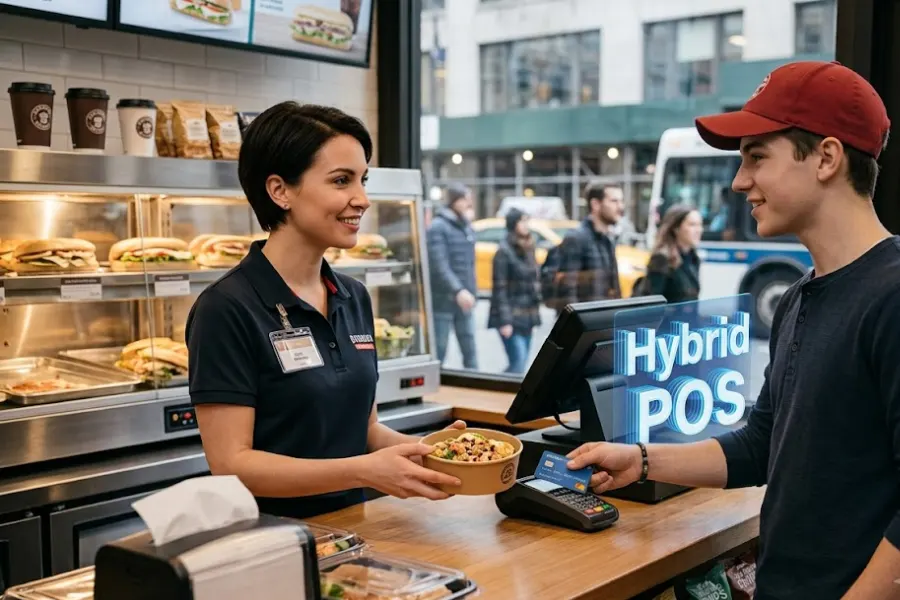
- Seamless Payments and Accuracy: When a coffee shop POS automatically sends orders to a Kitchen Display System (KDS), the “lost ticket” syndrome disappears. Flexible payment options, from Apple Pay to tap-to-pay, guarantee the final touchpoint of the customer journey is as smooth as the first sip of coffee.
- The Operational Hub: Beyond the counter, your POS serves as the brain of your business. It tracks inventory in real-time, manages employee shifts, and provides data-driven insights into your best-selling items. This shift toward “smart” hubs is driving the market; the global wireless POS sector is currently growing at a CAGR of 9.8% as cafes move away from traditional cash registers toward mobile, integrated platforms.
Top 5 Best POS Systems for Cafes in US (2026 Rankings)
The following solutions stand out as some of the best POS systems for cafe in US. They offer powerful features tailored to coffee shops, bakeries, and small food service businesses.
ConnectPOS
ConnectPOS is a powerful cloud-based point-of-sale system designed for businesses that want to unify in-store and online sales operations. Originally known for its strong retail capabilities, ConnectPOS has evolved to support hospitality environments such as cafes, bakeries, and multi-location food businesses.
Key Features
- Real-Time Inventory Synchronization: Track ingredient and product inventory instantly across multiple locations and sales channels. If a specific syrup, pastry, or coffee bean runs low, the system updates stock levels automatically to prevent overselling.
- Customizable Menu and Modifier Configuration: Easily create menu categories such as espresso drinks, cold brews, teas, and bakery items. Baristas can apply detailed modifiers like milk alternatives, syrup flavors, extra shots, temperature adjustments, or topping options.
- Omnichannel Order Management: Manage orders from in-store purchases, online ordering platforms, mobile apps, and delivery channels in one unified system.
- Offline Mode for Continuous Operations: Continue taking orders and accepting payments even when internet connectivity is interrupted. All data synchronizes automatically when the connection is restored.
- Multi-Store Management Dashboard: Monitor sales performance, inventory levels, and employee activity across multiple cafe branches from one centralized admin panel.
- Advanced Reporting and Analytics: Access detailed reports showing best-selling drinks, peak service hours, and revenue by product category.
Square
Square POS is one of the most accessible POS solutions for small cafes and independent coffee shops. Its straightforward setup and intuitive interface allow businesses to begin accepting payments within minutes.
Square offers an all-in-one ecosystem that includes payment processing, basic business analytics, customer engagement tools, and online ordering capabilities.
Key Features
- Quick Order Entry Interface: The touchscreen layout allows baristas to add drinks, modifiers, and add-ons with just a few taps. This speeds up service during high-traffic periods like morning coffee rushes.
- Integrated Payment Processing: Accept credit cards, debit cards, contactless payments, and mobile wallets without needing third-party payment processors.
- Basic Inventory Tracking: Monitor stock levels for menu items such as pastries, bottled drinks, and coffee beans. The system can send alerts when items are running low.
- Loyalty Programs and Gift Cards: Reward repeat customers with points, discounts, or free drinks after a certain number of purchases.
- Online Ordering Integration: Enable customers to place pickup orders through an online storefront connected directly to the POS system.
Toast
Toast POS is a comprehensive restaurant technology platform designed to support high-volume food and beverage operations. Its feature set is tailored specifically for hospitality businesses that need advanced tools for order management, staff coordination, and menu customization.
Toast is commonly used by restaurants, but it also performs exceptionally well in busy coffee shops and specialty cafes.
Key Features
- Advanced Menu and Modifier Management: Build complex menu structures that support customizable drink options, food add-ons, and combo meals. Staff can quickly select modifications such as milk substitutes, syrup flavors, or extra toppings.
- Integrated Online Ordering Platform: Allow customers to place pickup or delivery orders directly through the cafe’s website or mobile app.
- Delivery Service Integrations: Connect with third-party delivery platforms to expand the cafe’s reach without managing separate order systems.
- Contactless Ordering and Payment: Support QR code ordering and mobile payment methods for faster and safer transactions.
Clover
Clover POS is a versatile POS ecosystem that combines sleek hardware devices with customizable software tools. It is widely used by small food businesses that want flexible hardware setups and easy-to-expand functionality.
Clover’s modular hardware design allows cafes to choose between countertop terminals, portable POS devices, and self-service kiosks.
Key Features
- Multiple POS Hardware Options: Choose from devices like Clover Station for full-service counters, Clover Mini for compact spaces, and Clover Flex for portable order taking.
- Touchscreen Menu Management: Create visually organized menus that allow staff to navigate categories quickly during order entry.
- Customer-Facing Display: Provide transparency during checkout by showing order details, payment totals, and tipping options on a dedicated screen.
- Extensive App Marketplace: Expand POS functionality by installing third-party applications for loyalty programs, marketing tools, employee management, and accounting integrations.
Lightspeed
Lightspeed POS is a powerful POS platform designed for businesses that want deep operational insights and robust inventory control. It is particularly useful for cafes that sell a mix of food, beverages, and retail items such as packaged coffee beans or merchandise.
Lightspeed offers a combination of advanced reporting, product management tools, and multi-location capabilities.
Key Features
- Advanced Inventory Management: Track ingredients, packaged products, and retail items in real time. The system can generate alerts when stock levels fall below predefined thresholds.
- Menu Engineering and Product Performance Analytics: Analyze which drinks and food items generate the highest revenue and adjust menu pricing accordingly.
- Customer Relationship Management (CRM): Build customer profiles that track purchase history, preferences, and visit frequency.
- Integrated eCommerce Capabilities: Sell retail items like coffee beans or merchandise through an online store connected to the POS system.
How to Select the Right System: A Step-by-Step Guide
With so many options, how do you choose the best POS system for cafe in US requirements? Follow this practical buyer’s guide.
Step 1: Map Your Service Style
Are you a “grab-and-go” window or a sit-down bistro? If you have table service, you need handheld devices. If you are a high-volume counter, you need a system optimized for rapid-fire input. Define your workflow before looking at software.
Step 2: Hardware Durability
Cafes are “wet” environments. Steam, spilled milk, and coffee grounds are the enemies of electronics. Look for hardware with high IP (Ingress Protection) ratings and screens that can be operated with damp fingers.
Step 3: Transparency in Pricing
Many POS companies hide costs in “payment processing fees.” Look for a partner that offers transparent, predictable pricing. Avoid long-term contracts that lock you into high rates as your volume increases.
Step 4: The “Actual Menu” Test
Request a demo and ask to see your specific menu programmed into the system. See how many taps it takes to order your most complex drink. If it takes more than four taps, it’s likely too slow for a morning rush.
FAQs: Best POS System for Cafe in the US
- How does a POS system improve speed of service?
A POS system improves service speed by streamlining order entry, payment processing, and communication between staff. Touchscreen menus, automated order routing, and integrated payment options allow staff to complete transactions quickly, reducing customer wait times.
- Do these systems support gift cards and loyalty points?
Yes. Most modern cafe POS systems include built-in support for gift cards and loyalty programs.
- Is an internet connection required to take payments?
Many POS systems operate primarily in the cloud, but the best solutions offer offline mode functionality. This allows cafes to continue processing orders and payments even when the internet connection temporarily fails.
Wrap Up
In sum, choosing the best POS system for cafe in US operations is essential for modern business success. By integrating advanced technology like ConnectPOS, cafe owners can drastically reduce wait times, minimize order errors, and build lasting customer loyalty through personalized CRM tools. From Square’s simplicity to Toast’s industry-specific hardware, selecting a system that offers omnichannel ordering and offline reliability guarantees a seamless guest experience. Prioritize speed, accuracy, and scalability to transform your daily operations into a high-growth retail success story.
Ready to upgrade your cafe’s customer experience? Contact us today to advise and support!