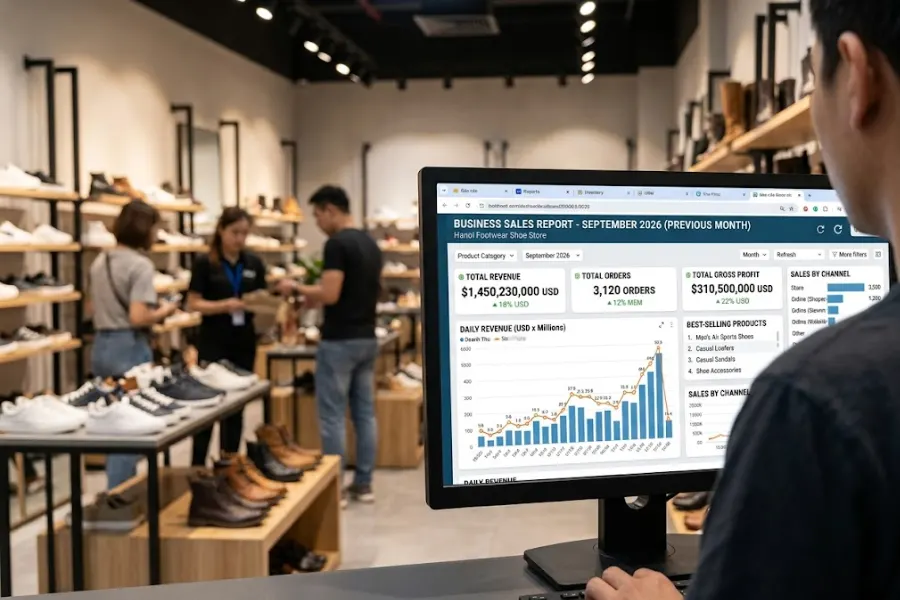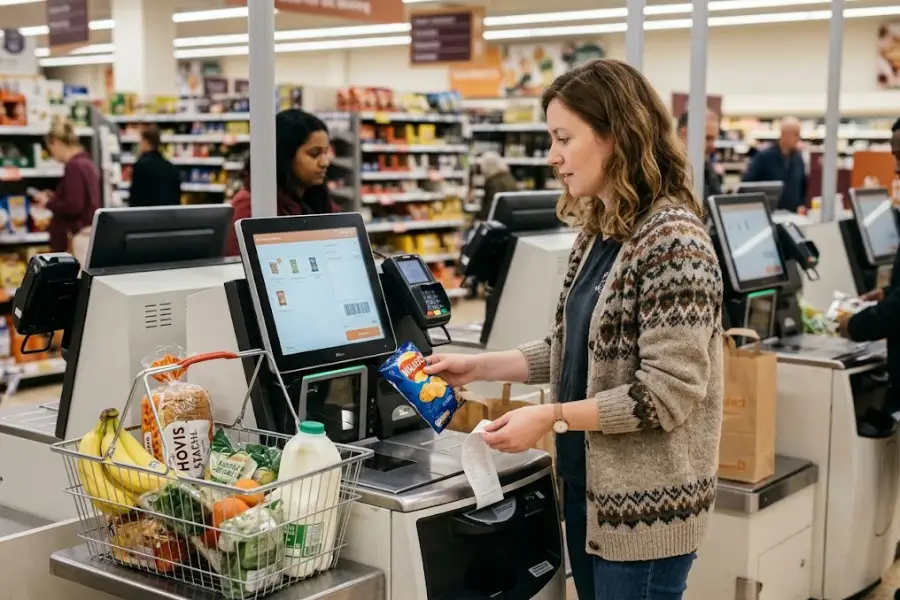
Lunch rush doesn’t wait for slow screens, missed modifiers, or stock mistakes. The best POS system for quick service keeps orders moving, kitchen tickets clear, and service steady when the line gets long. In this guide from ConnectPOS, we’ll cover what quick service brands should look for, compare five strong options, and help you see which one fits your daily flow best.
Highlights
- Fast service needs more than payment tools, it needs strong kitchen, stock, and order control.
- The top POS systems in this guide are ConnectPOS, Square POS, Toast POS, Lightspeed POS, and Clover POS.
- Free or low starting prices look good, but the real value depends on workflow depth and long-term fit.
What Makes the Best POS System for Quick Service Businesses Different
Quick service moves fast, and the POS has to keep up. A slow checkout screen or a messy kitchen handoff can throw off the whole shift.
The pressure gets worse during peak hours. Nearly 75% of restaurant traffic now happens off-premises, and U.S. food service sales were up 3.7% year over year in February 2026, so speed and order control are carrying more weight than ever.
- It has to do more than take payment: A basic register can close a sale. Quick service needs a system that handles order flow, item changes, kitchen routing, and stock updates without making staff stop and think.
- Speed shapes the whole shift: Counter service works on rhythm. Good POS software cuts extra taps, moves tickets fast, and helps staff handle rush periods without creating a line that feels ‘stuck’.
- Order accuracy matters just as much as speed: Fast service means little if orders come out wrong. Modifiers, add-ons, combos, and no-sauce or extra-cheese requests need to reach the kitchen clearly the first time.
- Kitchen communication can’t be messy: Printed slips and verbal callouts still slow many stores down. A stronger setup sends orders straight to prep stations and keeps the front counter and kitchen on the same page.
- Inventory visibility keeps service stable: Quick service brands often run through ingredients fast. If your POS can’t reflect sold-out items, low stock, or raw-material use in real time, staff end up fixing problems at the counter.
- Self-service has become part of the model: Many guests now want to order through kiosks or QR menus. That option speeds up service, lowers pressure on staff, and gives customers more control over what they pick.
- Reporting must help daily decisions: Managers need to know top sellers, weak sellers, busy hours, and outlet performance fast. Reports that sit in the background don’t help much during real service.
- Loyalty tools matter in quick service: Repeat traffic is a big part of the business. A POS that can connect visits, rewards, and customer data gives brands a better shot at bringing people back.
- Offline mode still matters: Internet issues still happen. When they do, sales should keep going instead of stopping cold at the counter.
That’s why the best POS system for quick service has to support the whole operation, not just the payment step. Once orders, stock, kitchen flow, and reporting sit in one place, daily service gets a lot easier.
The Criteria Behind Our Shortlist of Quick Service POS Systems
This shortlist focuses on real quick service work, not broad POS claims. We looked at what helps during live service, not just what sounds good on a sales page.
We also leaned on current product pages and broader review work. Forbes Advisor says it evaluated 20 POS systems across 59 decision factors in its latest review work, which shows how crowded and uneven this market really is.
- Quick service workflow fit: The system needs to support fast order entry, item changes, value meals, modifiers, and steady turnover at the counter.
- Ease of use under pressure: Staff don’t have time to hunt through menus during lunch rush. We favored systems that keep common actions simple and visible.
- Kitchen and fulfillment visibility: A strong shortlist needs tools that connect the front counter to prep, pickup, and completion steps cleanly.
- Inventory depth: Some brands only need item-level stock. Others need ingredient tracking and tighter control over raw materials. We gave extra weight to systems that go deeper.
- Self-service options: Kiosks, QR ordering, and customer-led ordering matter more now because guests want quicker and more direct ways to order.
- Loyalty and marketing support: Customer retention matters in quick service. Systems that support rewards, repeat visits, and customer data have a clear edge.
- Scalability for growth: Single-store teams can live with simpler setups. Franchise groups and fast-growing brands need stronger multi-location control.
- Pricing clarity: Software fees, hardware, add-ons, and support costs all shape the real bill. Clear pricing still matters because a cheap entry point can get expensive fast.
Square, Toast, Lightspeed, and Clover still show up often in restaurant POS comparisons. ConnectPOS joins that group with a dedicated Quick Service POS setup that brings stock control, combo prompts, QR ordering, loyalty, and broader multi-location visibility into one flow.
5 Powerful POS Systems for Quick Service Businesses
A lot of POS lists feel broad and vague. This one stays focused on quick service, where pace, order accuracy, and outlet control matter every hour of the day.
1. ConnectPOS
ConnectPOS takes the top spot on this list because it fits quick service brands that need tighter control from the front counter to the kitchen to the back office. It’s built for brands that want speed, but also want stronger stock control, cleaner reporting, and better visibility across locations.
Core features:
- Raw-material inventory control: ConnectPOS tracks ingredient usage and supports lot numbers, production dates, and expiry dates. That helps teams manage food cost and avoid stock waste.
- Real-time analytics: Managers can track top sellers, busy hours, and outlet performance fast. That helps with staffing, menu tweaks, and daily decisions.
- Digital kitchen displays: Orders move to prep stations through API-connected kitchen workflows. That keeps handoff cleaner during rush periods.
- Smart combo prompts: Staff get combo suggestions during checkout, which helps raise ticket size without slowing service.
- Self-service and QR ordering: ConnectPOS supports Self-Service ordering through kiosks and QR flows, which can shorten wait time and improve order accuracy.
- Loyalty support: The system connects repeat visits and rewards inside the checkout flow, which supports return traffic. A good loyalty setup matters because McKinsey says personalization can cut acquisition costs by up to 50% and lift revenue by 5% to 15%.
- Offline mode: Sales can continue during internet issues, then sync once the connection returns.
Why is ConnectPOS a top POS system for Quick Service Businesses? ConnectPOS ranks first because it covers both speed at the counter and control behind the scenes. It works especially well for brands that need multi store POS visibility, stronger kitchen-stock links, and more room to shape the setup around their own service model.
Considerations: The main tradeoff is that it makes the most sense for teams that want more than a basic setup. If your operation is very simple, some of that depth may feel like more than you need early on.
Pricing:
- Monthly: Standard $49/register, Advanced $79/register, Premium $99/register, Enterprise custom quote.
- Yearly: Standard $39/register, Advanced $69/register, Premium $89/register.
2. Square POS
Square stays strong because it gives small and growing quick service brands a low-risk entry point. It’s easy to start, easy to train on, and easier than most systems to roll out fast.
Core features:
- Free entry plan: You can start at $0/location/month, which still appeals to small teams and new stores.
- Kitchen display support: Square routes tickets to prep stations and syncs menus and inventory in real time.
- QR and kiosk ordering: It supports QR ordering and kiosk flows for guest-led ordering.
- Live reporting: Managers can track service and sales data while the shift is still running.
- Online ordering links: Orders from digital channels stay tied to the wider Square setup. Deloitte found that 40% of customers prefer ordering directly from restaurant websites, so direct digital ordering is not a side issue anymore.
- Loyalty and marketing tools: Square can support repeat traffic without forcing a heavy system setup.
Why is Square a top POS system for Quick Service Businesses: Square is one of the clearest choices for smaller quick service teams. It fits operators who want simple counter workflows, lower upfront risk, and a path they can build on later.
Considerations: The weak point is depth. Ingredient-level cost control and more detailed back-of-house tools are not as strong as the restaurant-first systems on this list.
Pricing
- Free: $0/location/month
- Plus: $49/location/month
- Premium: $149/location/month
- Square also charges extra for some add-ons, including KDS and kiosk apps.
3. Toast POS
Toast works well for quick service brands that want a restaurant-led system from the start. It brings ordering, digital storefront tools, loyalty, support, and reporting into one restaurant-focused stack.
Core features:
- Restaurant-built core: Toast is designed for foodservice, which shows in the way it handles service flow and restaurant operations.
- Online ordering and delivery tools: The platform includes online ordering, Toast Delivery Services, and delivery app connections.
- Loyalty, gift cards, and email marketing: These tools support repeat visits and customer retention.
- Reporting and performance tracking: Toast includes restaurant reporting tools that help managers read sales and shift performance more clearly.
- 24/7 support: Support access is a real plus for brands that trade long hours.
- Offline support: Toast keeps service moving during outages through built-in continuity tools.
Why is Toast a top POS system for Quick Service Businesses: Toast is a good fit for operators who want a tighter restaurant system and don’t want to piece tools together. It suits brands that care about direct ordering, loyalty, and a more complete foodservice setup.
Considerations: The tradeoff is cost creep. Add-ons, approved hardware, and a broader restaurant setup can push the bill higher than a lighter system.
Pricing
- Starter Kit: $0/month
- Point of Sale: $69/month
- Build Your Own: custom pricing
- Pricing on the current Toast page applies to new customers and single locations.
4. Lightspeed POS
Lightspeed is a strong match for quick service brands that care about guest retention, digital ordering, and richer reporting. It sits a bit higher on price, but it gives teams more room to manage customer activity and service performance in one place.
Core features:
- Kitchen Display System: Tickets move through digital kitchen screens instead of paper slips.
- Offline mode: Sales can keep moving when the internet drops.
- Order Anywhere: Guests can place pickup or table orders from their own devices.
- Mobile reporting and insights: Managers can see real-time performance and make changes during service, not after. This is a good place for Report & Analytics to matter in your evaluation, because quick service decisions often need same-day data.
- Loyalty tools: Lightspeed supports loyalty cards and return-visit programs inside its restaurant setup.
- Inventory tools: The platform includes inventory and ordering support that helps teams keep tighter stock control.
Why is Lightspeed a top POS system for Quick Service Businesses: Lightspeed is a better fit once a quick service brand starts caring about retention, order channels, and stronger reporting. It’s less about entry-level simplicity and more about deeper day-to-day control.
Considerations: That said, it does start higher than Square and Toast. Teams also need a bit more time to use the full system well.
- Pricing
- Starter: $69/month
- Essential: $189/month
- Premium: $399/month
- Enterprise: custom pricing.
5. Clover POS
Clover brings a device-led approach that fits quick service operators who care a lot about front-counter hardware. It combines restaurant workflows with bundled hardware choices, QR ordering, online ordering, reporting, and loyalty tools.
Core features:
- Counter-ready hardware: Clover Mini, Station Duo, Flex, and related restaurant packages support counter-service setups well.
- Stock tracking: Clover supports sold-out item marking and stock visibility.
- QR and online ordering: Clover supports QR ordering and commission-free online ordering.
- Item-level cost tracking: Managers can track menu item cost and sales data more clearly.
- Loyalty and gift cards: The platform includes customer return tools that suit fast repeat-visit businesses. If loyalty matters a lot to your brand, it’s also worth comparing how a dedicated Loyalty Program POS handles that job.
- Real-time reporting: Managers can access live sales and performance reporting.
Why is Clover a top POS system for Quick Service Businesses: Clover works well for brands that want a stronger device package at the counter and like the idea of choosing plans around hardware. It adds a good hardware-first option to this list.
Considerations: The weak point is pricing clarity. Clover pricing depends on package, device, payment structure, and service plan, so it takes more work to compare side by side.
Pricing
- Official Clover restaurant pricing varies by device and package.
- One current example is Station Solo, Restaurant Growth: $179/month for 36 months, or $1,799 + $89.95/month, with rates as low as 2.5% + 10¢ per transaction.
- Clover also lists quick-service restaurant bundles under Starter, Standard, and Advanced package structures.
Quick Comparison Table: 5 POS Systems for Quick Service Businesses
| POS system | Best fit | Starting price | Strongest quick service angles | Main tradeoff |
| ConnectPOS | Multi-store QSRs that need tight control | $49/register/month | Raw-material inventory, combo prompts, digital kitchen displays, self-service & QR, loyalty, offline mode | Best fit shows up when you use the deeper operational layer |
| Square POS | Small and growing quick service brands | $0/location/month | Free start, QR ordering, KDS, online ordering, easy onboarding | Less depth for ingredient-level and back-of-house control |
| Toast POS | Restaurant-led QSRs with more moving parts | $0/month Starter Kit, $69/month Point of Sale | Restaurant-first workflow, online ordering, loyalty, support, reporting | Add-ons and hardware can push cost up |
| Lightspeed POS | Growth-focused QSRs that care about retention and reporting | $69/month | KDS, offline mode, digital ordering, insights, loyalty tools | Higher cost than lighter setups |
| Clover POS | Counter-service QSRs that want strong bundled hardware | Varies by device | Hardware-led setup, stock tracking, QR and online ordering, loyalty, reporting | Pricing is less transparent at a glance |
These price points and core capabilities come from the latest official pages and current market pricing references available in April 2026.
Which of These POS Systems Fits Your Quick Service Business Best?
A good shortlist gets more useful when you connect each system to a business type. That way, you’re not just comparing tools, you’re matching them to daily reality.
- ConnectPOS for brands that need stronger control: This fits multi-store quick service teams, franchise groups, and brands that need deeper kitchen, stock, and outlet visibility. It makes the most sense when your business is moving past simple counter sales and into broader operational control.
- Square for smaller teams that want a lighter start: Square works well for cafes, small counters, and growing QSRs that want to launch quickly and keep the system easy for staff to learn.
- Toast for restaurant-led operators: Toast suits teams that want stronger foodservice depth from day one. That includes brands that care about digital storefront tools, direct ordering, loyalty, and longer service hours.
- Lightspeed for retention and reporting focus: Lightspeed fits businesses that want to track customers more closely, support more ordering channels, and make faster calls from live performance data.
- Clover for hardware-first counter service: Clover fits operators who care a lot about front-counter devices and want restaurant-ready hardware packages built into the buying path.
No single answer fits every store. Still, the best POS system for quick service becomes much easier to spot when you start from your real service model instead of a generic feature list.
What You Should Compare Before Choosing the Best POS System for Quick Service
A low monthly fee can look great at first glance. Yet the better question is how the full setup will work during rush hours, slow periods, outages, and store growth.
- Total cost, not just base price: Software is only one part of the bill. Add hardware, payment fees, kiosk apps, KDS tools, and support, and the real number can change fast.
- Hardware by service area: Think about the counter, kitchen, kiosks, and pickup area separately. A store may need one setup for staff and another for customers.
- Modifier and combo depth: Quick service menus often depend on combo logic, add-ons, and item changes. A good POS should make these actions fast, clear, and easy to repeat.
- Raw-material visibility: Item-level stock is helpful. Ingredient tracking is better for stores that manage waste, expiry, and prep-heavy menus.
- Direct online ordering support: More customers now want to order through a restaurant’s own site instead of a third-party app. Deloitte found that 40% prefer ordering directly from restaurant websites, so that part of the setup deserves close attention.
- Self-service fit: Kiosks and QR ordering are not just ‘nice extras’ now. They can shorten lines, improve order accuracy, and lower front-counter pressure during peak periods.
- Loyalty and return traffic tools: Repeat visits keep many quick service brands healthy. Personalization and rewards can make that traffic more stable, so loyalty tools deserve more than a quick glance.
- Offline mode: Internet failure is still part of real retail life. A POS that keeps selling during outages protects revenue and keeps staff from going into panic mode.
- Multi-location visibility: Once you grow past one store, central reporting, shared menu control, and store-level performance tracking become a lot more important.
- Reporting quality: Good reporting helps managers act during the same shift. If your system buries data, it won’t help much when service starts slipping.
The best QSR POS solution should make daily service easier, not just look good in a feature grid. That’s the standard worth using before you sign anything.
FAQs: Best POS System for Quick Service
1. What is the best POS system for quick service businesses?
The best POS system for quick service businesses is one that keeps ordering fast, sends tickets to the kitchen without delays, supports combos and modifiers, and gives you live sales and inventory data. The right choice depends on your store size, service model, and how much control you need across locations.
2. Which features matter most in a quick service POS system?
The most useful features usually include fast order entry, combo and modifier setup, kitchen display support, self-ordering or QR ordering, real-time inventory tracking, loyalty tools, and reporting. For growing brands, multi-store management and offline mode also matter a lot.
3. Is a regular retail POS enough for a quick service business?
Not always. A basic retail POS can take payments, but quick service businesses usually need more. They often need faster menus, kitchen communication, stock tracking for ingredients, and tools that keep lines moving during rush hours.
4. How much does a POS for fast-service restaurants usually cost?
Pricing can start from free plans or low monthly fees for small setups, then rise based on registers, hardware, add-ons, and deeper tools. The real cost is not just software. You should also check payment fees, kitchen display costs, kiosk tools, and support charges.
5. Can the best POS system for quick service help increase sales?
Yes. A strong system can lift sales by speeding up service, cutting order mistakes, prompting combos or add-ons, and improving repeat visits through loyalty tools. It also helps you spot top-selling items and weak points faster.
6. What should multi-store quick service brands look for in a POS system?
They should look for centralized reporting, shared menu control, real-time inventory visibility, location-level performance tracking, and flexible staff permissions. These tools make it easier to run several stores without losing control of daily operations.
Final Thoughts
The best POS system for quick service depends on what you need to control every day, not just what you can pay to get started. Some brands need a simple counter setup. Others need kitchen flow, stock tracking, self-service, loyalty, and outlet-wide visibility in one place. If your team is aiming for tighter quick service control and room to grow, ConnectPOS is a strong place to start. When you’re ready to talk through your setup, contact us today.
►►► Optimal solution set for businesses: Shopify POS, Magento POS, BigCommerce POS, WooCommerce POS, NetSuite POS, E-Commerce POS