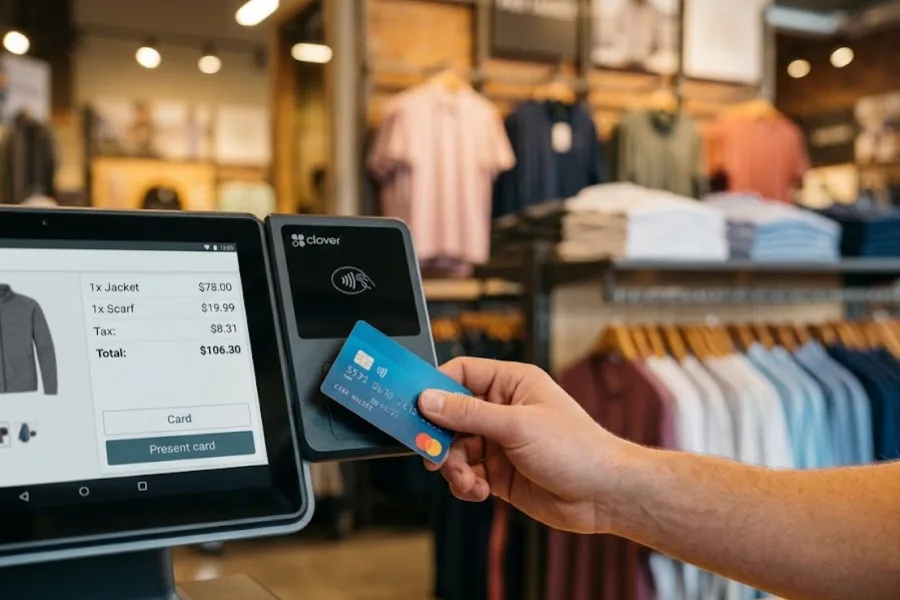
As businesses modernize payment and retail operations in 2026, choosing the right Point of Sale (POS) system affects checkout speed, inventory accuracy, and how confidently you can scale. Square Point of Sale is widely known for its ease of use, transparent entry pricing, and flexible hardware choices. It is a common pick for small and mid-sized businesses across retail, food service, and mobile selling.
In this article, we’ll review the pros of implementing Square POS in 2026, the key things to consider before you commit, and how ConnectPOS compares as another option.
Point of Sale System Square – Overview
Point of sale system Square is a user-friendly system designed to simplify transactions and streamline business operations. It is a popular choice for small retailers, cafes, and service-based businesses, and it offers paid plans for growing operations.
Square POS offers a suite of tools on one platform: payment processing, inventory management, sales tracking, and customer management. It also works with Square’s own hardware for a complete POS setup.
Key Features:
- Payment processing: Supports credit and debit cards, contactless payments, and mobile wallets like Apple Pay, Google Pay, and Cash App Pay. Card readers and terminals are available for fast, secure transactions.
- Inventory management: Track stock levels in real time, receive low-stock alerts, and manage item variations.
- Sales reporting and analytics: Monitor performance, track key metrics, and understand customer behavior to support data-driven decisions.
- Customer tools: Customer profiles, purchase history, and built-in marketing and loyalty programs.
Square pricing at a glance (US):
| Plan | Software (per location, per month) | In-person card rate | Online card rate |
| Free | $0 | 2.6% + 15¢ | 3.3% + 30¢ |
| Plus | $49 | 2.5% + 15¢ | 2.9% + 30¢ |
| Premium | $149 | 2.4% + 15¢ | 2.9% + 30¢ |
Enterprise plans are custom quotes. Plus and Premium include a free 30-day trial, and hardware options start at $59.
Pros of Implementing Square Point of Sale System
Here are the key benefits of using Square POS, with practical examples.
- Ease of Use
Square is known for its intuitive design and simple dashboard, so employees can be trained quickly. A small coffee shop can get new employees up to speed within a day, which keeps downtime and training costs low.
- Affordability and Transparent Pricing
Square uses flat-rate pricing with no monthly fee on the Free plan. Small businesses such as boutique stores can predict costs more easily. A local artisan shop knows the rate on every sale before it rings it up.
- Mobile POS Capabilities
The Square app can turn a smartphone or tablet into a mobile payment system. Food truck operators can take payments at a weekend market or a local festival.
- Free POS Features for Small Businesses
The Free plan covers inventory management, sales tracking, and employee management. A startup clothing store can manage its stock, track sales, and monitor employee hours without extra software.
- Omnichannel Integration
Every Square plan includes a free online store, and online and in-store sales connect in one system. An independent bookstore can sell in store and online and keep one view of its inventory.
- Comprehensive Analytics and Reporting
A restaurant owner can track peak sales times, best-selling items, and customer purchase trends to plan staffing, inventory, and marketing.
- No Long-term Contracts or Hidden Fees
Square doesn’t tie merchants to a long-term contract or charge termination fees. A seasonal pop-up shop can use the system during peak months and stop afterward.
- Extensive Hardware Support
From card readers to cash drawers and receipt printers, you choose only the hardware you need. A quick-service cafe can start with a tablet and a card reader and add equipment as sales grow.
- Room to grow
As a business expands, Square adds paid plans and services. A small bakery can start on the Free plan and later add advanced inventory, payroll, and marketing tools.
- Fast Setup Process
A weekend market vendor can set up Square in minutes and start accepting payments almost immediately.
Cons of Implementing Square Point of Sale System
Square is built to be simple, and that shapes where it fits best. These are the practical points to check before you commit.
- Flat-rate fees
Flat rates are easy to predict. A coffee shop processing hundreds of small sales a day should estimate total monthly fees at its own volume and compare them with other pricing models.
- Customization
Square works well out of the box. For specialized checkout routines, custom discounts, or deeper reporting, the Square App Marketplace offers partner apps and integrations. Availability of some partners varies by country.
- Multi-location inventory
Square supports stock transfers between locations, and Premium subscribers with advanced inventory can also create transfer orders. Purchase orders and cross-location orders are available as well. Plus and Premium are priced per location, so software costs grow with each store you add.
- Support hours
Phone support runs on weekdays, 6 AM to 6 PM Pacific, on most plans, and 24/7 phone support is part of Premium. If you sell late nights or weekends, check that the support level fits your operating hours.
- Country availability
Card processing with Square is available in the US, Canada, Japan, Australia, the UK, Ireland, France, and Spain. Businesses in other countries, including most of Southeast Asia, will need a different POS. Check Square’s international availability page for the latest list.
Another Option: ConnectPOS
ConnectPOS is a cloud-based POS built for retailers that run multiple stores, warehouses, and online channels.
Key features:
- Multi-store control: Keep products, pricing, and store routines consistent across locations.
- Real-time inventory across warehouses and stores: Transfer-friendly tracking for fast-moving catalogs. Stock transfers, stock-takes, and multi-source inventory are part of the Premium plan.
- Fast retail checkout: Built for barcode scanning, discounts, returns, and exchanges.
- Staff roles and permissions: Keep sensitive actions controlled across shifts and locations. Flexible staff access control is included from Standard, and Premium adds custom staff permissions.
- Store-level reporting: Reporting and analytics come with every plan, so you can review daily results and compare stores.
- Offline selling: Checkout keeps running during internet issues, and data syncs when the connection returns. Real-time sync and offline mode are included from Standard.
- Integrations: eCommerce integrations are included from Standard, and ConnectPOS also connects with accounting and ERP tools, so data doesn’t rely on manual exports.
- Per-register pricing: Cost is set per checkout counter, which makes forecasting clear as you add registers.
ConnectPOS pricing
| Plan | Monthly | Billed Annually | What it adds |
| Standard | $49 | $39/month | eCommerce integrations, product and order management, unlimited payment gateways, reporting and analytics, flexible staff access control, real-time sync and offline mode, 24/7 support |
| Advanced | $79 | $69/month | Everything in Standard, plus quote and cart management, inventory and shipping control, partial and gift card payments, second customer screen, advanced checkout tools, loyalty program support |
| Premium | $99 | $89/month | Everything in Advanced, plus stock transfer and stock-take, multi-source inventory, multi-currency support, omnichannel and click & collect, custom staff permissions, discount rules, priority support |
FAQs: Point of Sale System Square
- What businesses benefit most from Square POS?
Square POS suits small to medium-sized businesses like coffee shops, retail boutiques, food trucks, and pop-up stores, thanks to its affordability and ease of use.
- How much does Square POS cost?
The Free plan has no monthly fee. Plus is $49 per location per month, and Premium is $149 per location per month. Card processing fees apply on every plan.
- Are Square POS transaction fees competitive?
Square uses a flat-rate structure: in person, 2.6% + 15¢ on Free, 2.5% + 15¢ on Plus, and 2.4% + 15¢ on Premium. Flat rates are predictable. Businesses with high volumes can compare them against other pricing models
6. Conclusion
Point of sale system Square is a practical choice in 2026 if you want quick setup, easy training, and a straightforward way to run in-person sales. It fits especially well when operations stay relatively simple, and many merchants run on it for a long time.
Needs change as a business grows. These are the moments when many merchants start comparing systems built for a larger operation:
- You open a second store. You want one view of sales and stock across locations. In ConnectPOS, reporting comes with every plan, and moving stock between stores through stock transfer and stock-take is part of Premium.
- You sell on more than one channel. Online orders and store stock need to stay in sync in real time. ConnectPOS includes eCommerce integrations and real-time sync from Standard, and adds omnichannel and click & collect in Premium.
- You keep stock in several warehouses. Real-time inventory across warehouses matters more. Multi-source inventory is available in ConnectPOS Premium.
- Your team grows. You need roles and permissions so cashiers, managers, and head office each see and do the right things. Flexible staff access control starts in ConnectPOS Standard, and Premium adds custom permissions.
If you are reaching one of these milestones, a quick workflow review can save time before you commit to a system.
Not sure which stage you’re at? Share your store count, SKU volume, and fulfillment flow with us, and we’ll help you work out what to prioritize.
Contact our team